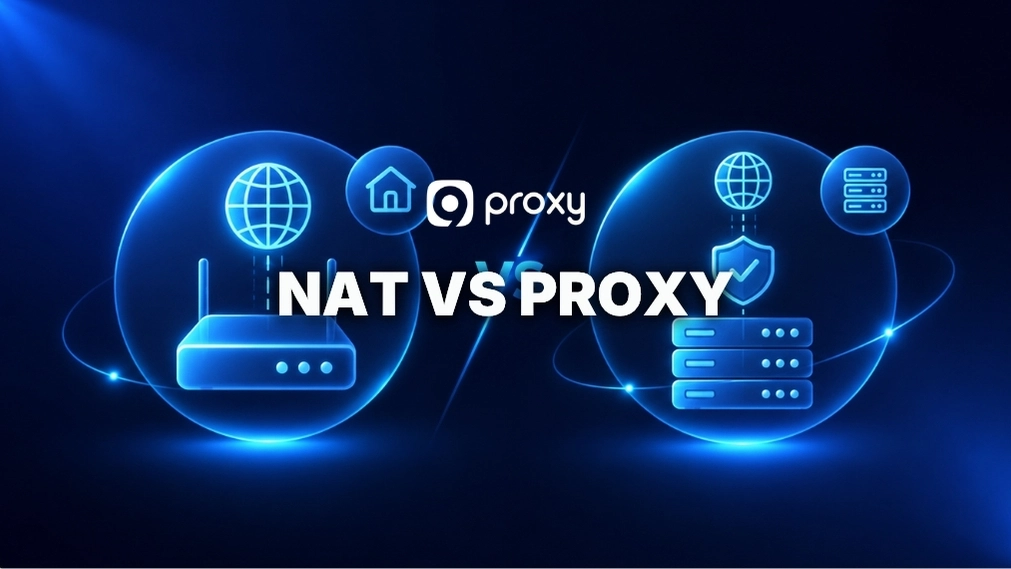
NAT vs Proxy is a common comparison for users who want better security, IP control, and network performance, but many are still unsure which option to choose. This article of 9Proxy clearly explains how each one works, how they handle data, protect identity, and manage traffic flow.
Whether you run a network or just want more control, you will learn the key differences, see practical examples, and get useful tips to choose the right solution for better security and efficiency.
What Is NAT?
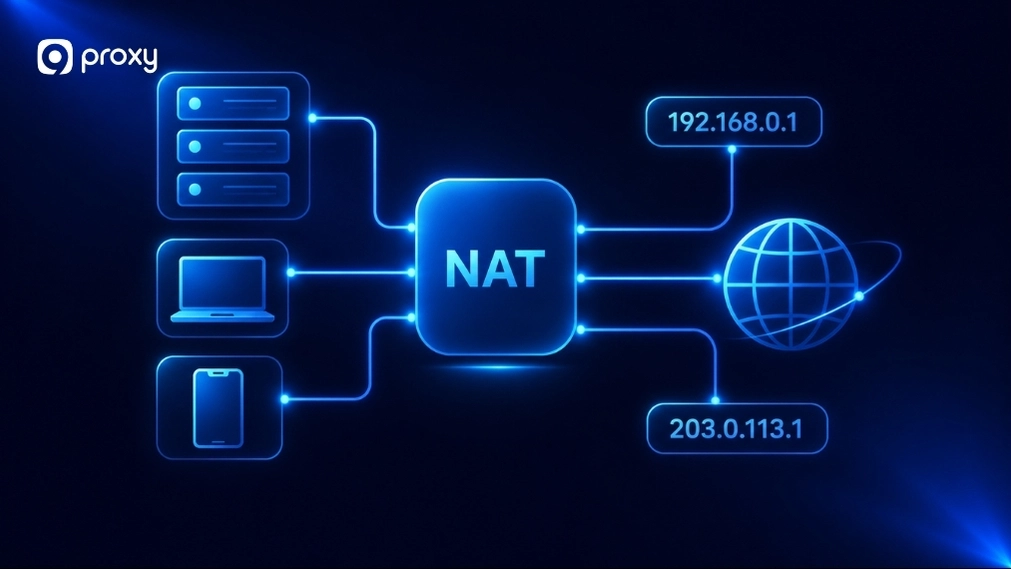
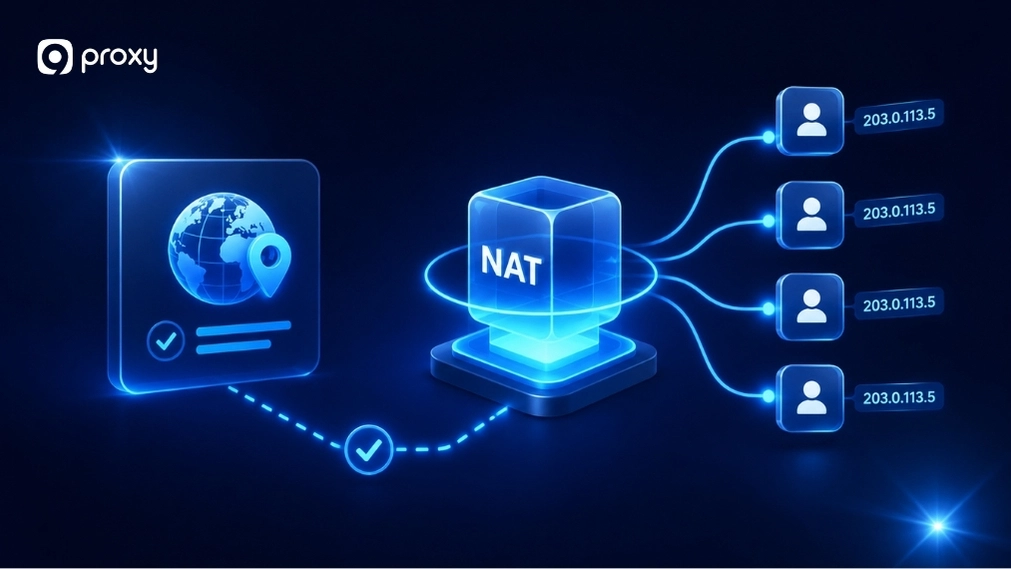
NAT – Network Address Translation is a network-level method that lets multiple devices in a private network share one public IP address. It works like a translator between your internal network and the internet, so devices can connect without needing separate public IPs.
When your device sends a request, the router replaces its private IP with a public one, sends it out, and then returns the response to the correct device. This process is automatic. NAT is built into most routers and helps save IP addresses while adding basic protection by hiding internal devices.
What Is a Proxy?
A proxy is a server that sits between your device and the internet to control how requests are handled. Instead of connecting directly to a website, your device sends requests to the proxy first. To understand the full scope of how this works, it helps to first grasp what is a proxy server at a fundamental level. The proxy checks them based on rules, then forwards them to the website and returns the response to you.
Unlike NAT, a proxy can filter, inspect, and manage traffic. It can block websites, log activity, cache data, or hide your IP depending on its setup. This makes proxies useful for privacy, security, and better control over how your internet traffic works.
In more advanced setups, proxies can also work alongside systems like a reverse proxy to handle incoming and outgoing traffic more efficiently.

NAT vs Proxy: Differences That Actually Impact Your Network
When comparing NAT vs Proxy, the key differences come from how they handle traffic, control data, and operate within a network. NAT focuses on IP translation, while proxies focus on request handling and control.
Below is a simple comparison to help you understand the real differences quickly.
|
Feature |
NAT |
Proxy |
|
OSI Layer |
Layer 3 (Network) + Layer 4 (Transport) |
Layer 7 (Application) |
|
Main Function |
IP address translation |
Request control and filtering |
|
Visibility to Endpoints |
Transparent |
Varies: explicit proxies are visible; transparent proxies are invisible to users |
|
Control Level |
Limited |
High |
|
IP Handling |
Shares one public IP across many internal devices using port numbers (PAT/NAT Overload) |
Can mask or replace the client’s IP |
|
Performance Overhead |
Very low |
Higher |
|
Caching |
Not supported |
Supported |
|
Authentication |
Not supported |
Supported |
|
Complexity |
Simple |
More complex |
NAT is best for basic connectivity and IP sharing, while proxies are better for control, filtering, and privacy. They serve different roles and are not interchangeable.
Network Layer Vs Application Layer
NAT works at the network level. It only checks IP addresses and port numbers to move data between devices. It does not look inside the data or know what website you are visiting.
A proxy works at the application level. It understands protocols like HTTP or FTP, so it can read and analyze your requests. Because of this, a proxy can make decisions based on the actual content of your traffic. A common example of this application-layer control is seen in a forward proxy server, which manages outbound requests on behalf of internal users. This is also why comparisons like proxy server vs reverse proxy are important when designing more advanced systems.
Address Translation Vs Request Mediation
NAT mainly changes IP address information so traffic can move between private and public networks. It works like replacing the label on a package.
A proxy does more than that. It acts as a middle layer that receives, checks, and then sends the request again. This allows it to control and manage the full communication between you and the website. For cases where traffic routing and access control intersect, understanding reverse proxy vs port forwarding helps clarify which approach fits your architecture.
IP Sharing Vs IP Masking
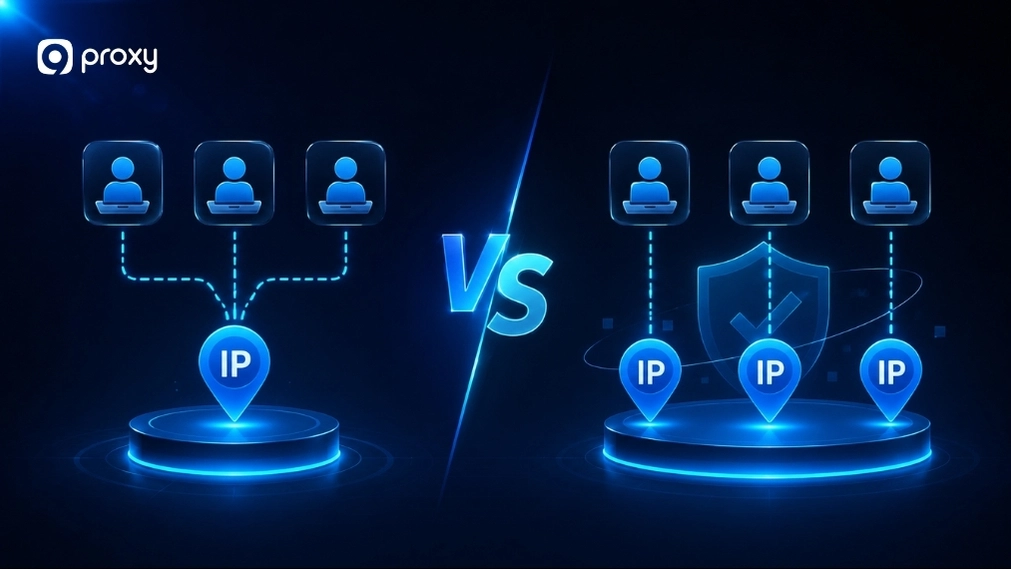
NAT allows many devices to share one public IP address, but it does not truly hide your identity. It is mainly used for connectivity.
A proxy is often used for IP masking. It can make your traffic appear to come from another server or location. This is important for users who want more privacy or need to bypass location-based restrictions, especially when using services like datacenter proxies. For a broader privacy comparison, proxy vs VPN is a common question worth exploring depending on your anonymity needs.
Visibility Into Traffic and User Activity
NAT has limited visibility because it only handles IP translation. It may log basic connection data, but does not track detailed activity.
A proxy can see more details, such as which websites you visit or what data you request. This allows administrators to apply rules like blocking certain sites or scanning content for security risks. Tools designed for network anomaly detection often integrate with proxy layers to identify unusual traffic patterns before they escalate. In enterprise environments, this level of control is often compared with solutions like secure web gateway vs proxy to determine the right level of inspection.
Setup Complexity and Control Level
NAT is simple and usually built into routers, so it works automatically without much setup or user involvement. In most cases, you do not need to configure anything manually, as it runs in the background to handle basic network connections.
A proxy requires more setup and ongoing management. However, this extra effort gives you much greater control. You can decide how each request is handled, apply filtering rules, monitor activity, or adjust settings based on your specific security and network needs.
For more complex architectures, it may also be useful to compare approaches like VPN vs reverse proxy depending on your security goals.
NAT vs Proxy: Benefits & Drawbacks
Choosing between NAT vs Proxy means balancing simplicity with control and security. NAT is easier to use and works automatically, while proxies offer more advanced features but require more setup. Below is a clear comparison to help you understand the trade-offs.
|
Proxy Type |
Benefit |
Drawback |
|
NAT |
Saves IP addresses |
Limited security, no content filtering |
|
Low cost, works automatically, stable for basic networks |
No user-level control, cannot inspect traffic |
|
|
Improves network scalability |
Difficult to track individual users, limited logging |
|
|
Reduces need for public IPs |
Not suitable for advanced policies |
|
|
Proxy |
Better privacy with IP masking, detailed logging, and access control |
Higher cost |
|
Flexible traffic management |
Depends on provider’s reliability, which can create a single point of failure |
|
|
Supports monitoring and auditing |
Needs proper configuration for security |
|
|
Helps bypass restrictions |
May introduce latency if overloaded |
NAT is ideal for simple internet access and sharing connections across devices. A proxy is better when you need more control, security, and privacy. The right choice depends on your network goals and how much control you want over traffic.
When NAT Is the Better Choice
NAT is ideal when your main goal is simple and efficient connectivity. It is not a weaker version of a proxy, but a different solution designed for basic network access and IP management.
NAT works best in situations like:
- Home or small office networks sharing one internet connection
- Reducing the need for multiple public IP addresses
- Basic routing without complex filtering or monitoring
- Simple network setups that require minimal configuration
If your priority is easy setup and stable internet access for multiple devices, NAT is usually the better choice.
When a Proxy Is the Better Choice
We recommend using a proxy when your needs go beyond basic internet access. A proxy becomes valuable when you want more control, stronger security, and better privacy for your network or users.
Here are common situations where a proxy is the better option:
- Content Filtering: Block specific websites or categories across your entire office or organization. A proxy server firewall setup combines both filtering and security enforcement in a single layer.
- Anonymity: Hide your real IP address and location from the websites you visit.
- Detailed Logging: Track which resources are accessed, when, and by whom for better monitoring.
- Caching: Save bandwidth and improve speed by storing frequently visited content locally.
A proxy is ideal when you need to manage traffic actively instead of just allowing connections.

Common Mistakes and Misunderstandings
Understanding these common mistakes will help you make a better decision for your 2026 network setup and avoid choosing the wrong solution.
Thinking NAT and Proxy Solve the Same Problem
Many users think NAT and proxy can replace each other. In reality, they serve different purposes. NAT focuses on routing and connecting devices to the internet, while a proxy is designed to manage, filter, and control traffic.
Assuming NAT Hides Identity Like a Proxy
NAT can hide your internal IP addresses inside a network, but it does not provide true anonymity. Websites still see the public IP, so tracking is still possible. A proxy offers stronger privacy by masking your identity more effectively.
Assuming a Proxy Replaces NAT in Every Case
A proxy can manage web traffic, but it cannot replace NAT completely. NAT works at the network level and supports all types of connections, while a proxy mainly handles specific types of traffic like HTTP or HTTPS.
Mixing Up Proxy, NAT, and Firewall Roles
These tools are often confused, but they have different roles. A firewall controls what traffic is allowed or blocked, NAT translates IP addresses, and a proxy sits in the middle to manage and inspect requests.

FAQs
Can NAT and proxy be used together in one network?
Yes, NAT and a proxy are often used together. NAT handles IP translation so devices can connect to the internet, while a proxy works on top of that to control, filter, or monitor traffic. In simple terms, NAT connects your network, and the proxy manages how traffic behaves.
How do NAT and proxies affect the performance and speed of a network?
NAT usually has very little impact on speed because it works at a low level and processes data quickly. A proxy may add some delay since it checks and forwards requests, but caching can improve speed for repeated content. Overall performance depends on setup, server load, and network conditions.
Which is better for handling encrypted traffic: NAT or a proxy?
NAT handles encrypted traffic easily because it only changes IP information and does not inspect data. A proxy can also handle encrypted traffic, but it may need extra setup for inspection. Without inspection, it cannot see inside the data, but with it, control increases along with complexity.
Conclusion
Understanding NAT vs Proxy helps you choose the right setup for a more secure and efficient network. NAT is best for simple connectivity and sharing one IP across devices, while proxies offer better control, filtering, and privacy.
9Proxy recommends choosing based on your needs. If you want more control and security, consider using a proxy solution. Selecting the right NAT vs Proxy approach will improve both performance and protection for your network.