

A forward proxy server sits between you and the internet and sends your requests through another IP before they reach a website. When you browse online, proxy forwarding means your request goes to the proxy first, which adds a layer of protection and helps manage traffic more efficiently.
That's why we will explain what a forward proxy server does, how it works in real situations, and how it compares in a forward proxy vs reverse proxy setup. Proxy forwarding can help control access, reduce certain risks, and test locations, but it does not make users completely invisible. We guide you through the key definitions, main benefits, setup options, and best practices in a clear and practical way.

What Is a Forward Proxy Server?
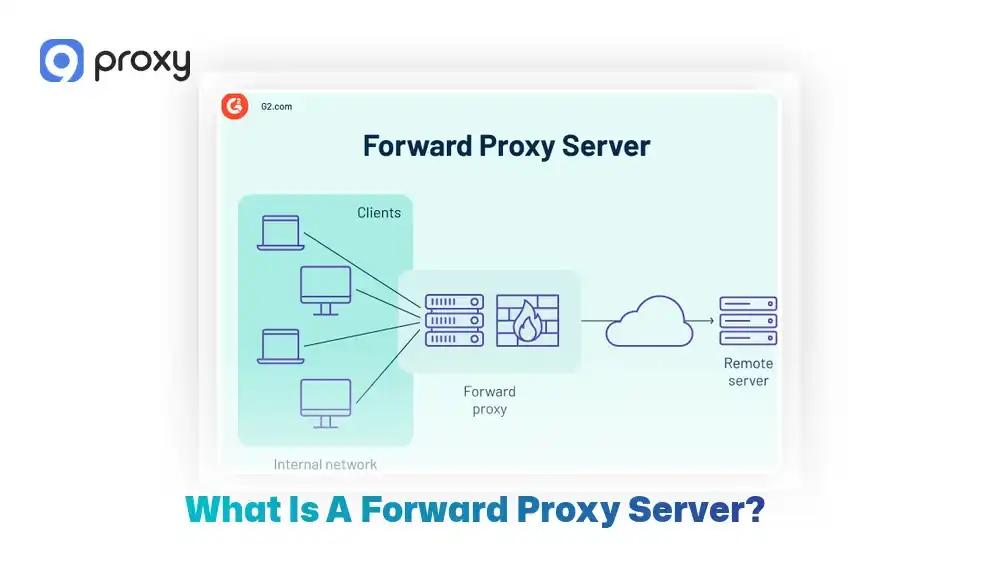
A forward proxy server is a system that sits between your device, such as a browser or application, and the internet. When you try to access a website, your request does not go directly to that site. Instead, it is sent to the proxy first, and the proxy then forwards the request on your behalf. As a result, the website only sees the proxy’s IP address, not the real IP of your device.
This setup allows organizations to manage, filter, and record internet traffic from a single control point, making it easier to apply rules and security policies. For individual users, a forward proxy server provides more control over connections and adds a basic layer of privacy. However, it is mainly designed for routing and traffic management, not for complete anonymity.
How Does a Forward Proxy Server Work?
When you visit a website, your request does not go straight there. Instead, it follows this path: client → forward proxy → website → forward proxy → client. The proxy forwarding step is what makes this different from a normal direct connection. This behavior is different from a reverse-facing proxy, which handles incoming traffic for servers rather than outgoing traffic from users.
Here is a simple forward proxy example. You open example.com in your browser. The browser sends the request to the forward proxy server first. The proxy can record the request, apply rules, or store cached content. After that, it sends the request to example.com. When the website replies, the response goes back to the proxy, and the proxy forwards it to you.
Depending on the setup, the forward proxy server may also use authentication, filter content, limit request speed, or cache frequently accessed pages. Understanding how a forward proxy fits within the broader ecosystem of intermediary servers helps clarify its role-for a comprehensive overview of how proxy server technology works across different configurations, exploring the fundamentals provides valuable context before diving into specific implementations.
Benefits of a Forward Proxy Server
Many users and businesses want to know why they should use these tools. Simply put, the biggest benefits are better control and smoother internet use.
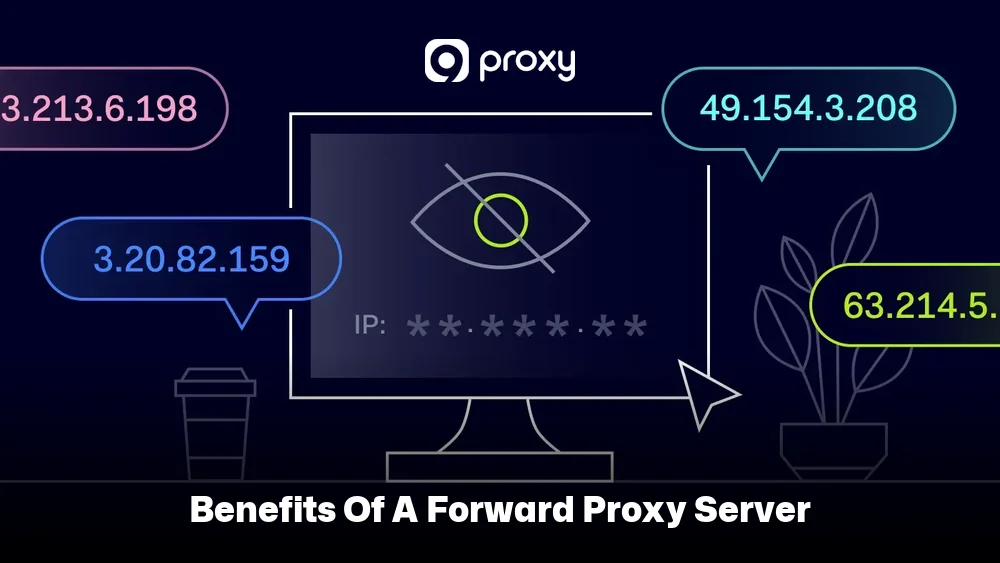
- Hides your IP address: The forward proxy shows its own IP to websites instead of your device’s IP, which gives you a basic level of privacy.
- Controls content access: Companies and schools can choose which websites users can open, helping people stay safe and focused online.
- Improves security: The proxy checks outgoing requests and helps block access to harmful or risky websites before users reach them. This protective layer functions similarly to how a proxy server firewall operates, filtering and monitoring traffic to prevent unauthorized access and block malicious content before it reaches internal networks.
- Caches content: The proxy saves copies of often-visited pages, so they load faster and use less bandwidth the next time.
Types of Forward Proxies (What to Choose and Why)
Choosing the right tool depends on what you want to achieve, since different proxies provide different levels of trust and performance. Below, we group the most common types of proxies you are likely to encounter.
|
Proxy Type |
Trust Level |
Speed |
Typical Use |
Detection Risk |
|
Residential |
High |
Medium |
Browsing, geo testing |
Low |
|
Datacenter |
Medium |
High |
Automation, testing |
Higher |
|
Transparent |
Low |
High |
Filtering, monitoring |
Very High |
|
Protocol-based (HTTP/HTTPS) |
Varies |
Varies |
Web traffic |
Medium |
Residential proxies use real ISP IPs, making them harder to flag, while datacenter versions are faster but easier for websites to identify. Transparent proxies are often used by organizations to filter traffic without the user needing to change any settings.
The key distinction between these deployment modes is covered in depth in guides like transparent proxy vs explicit proxy, which explains how each approach affects both user experience and network management.
How to Set Up a Forward Proxy Server (Your Practical Options)
There are two practical options to choose from: using a managed proxy service or self-hosting a software forward proxy. Managed services are quicker and easier to get started with, while self-hosting gives you more control but requires careful setup to avoid security risks.
Use a Managed Proxy Service (Fastest to Start)
Managed proxy services are usually the fastest and easiest way to start using a forward proxy server. Instead of building and maintaining your own setup, you receive a ready-to-use endpoint that includes an IP address, a port, and authentication details provided by services like 9Proxy. You then configure your browser, application, or operating system so that traffic is routed through the proxy.
Before choosing a provider, it is important to check a few key points and match them to your use case:
- Geographic options that fit your testing, access, or location requirements
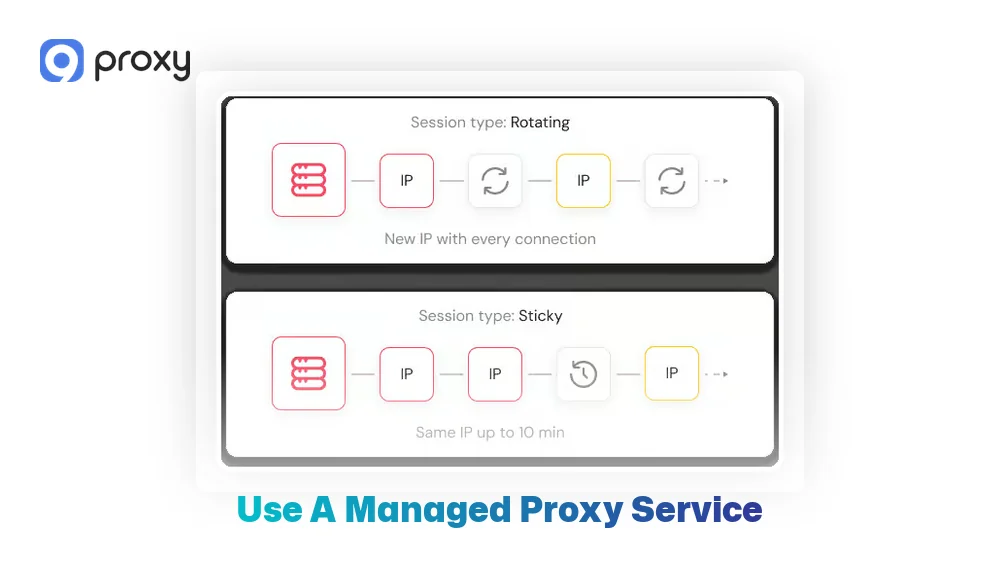
- Rotation vs sticky sessions, depending on how stable or consistent your tasks need to be
- Clear usage rules to help prevent unexpected blocks or limitations
- Responsive support so issues can be resolved quickly when they occur
Set Up a Forward Proxy with Squid (Common Choice)
Squid is a widely used tool for building a classic forward proxy server. It is powerful and flexible, but it also requires careful configuration to avoid security issues. A basic and safe setup should always follow a clear structure.
A high-level and safe setup flow usually includes the following steps:
- Step 1: Install Squid on a secure and updated server
- Step 2: Configure a listening port for proxy connections
- Step 3: Allow access only from your approved IP range
- Step 4: Define basic access control lists (ACLs) to manage traffic
- Step 5: Restart the service to apply the settings
- Step 6: Test the proxy by setting it in your browser’s proxy settings
The most important rule is to never leave the proxy open to the public. An open proxy will be quickly abused and is likely to end up on blocklists.
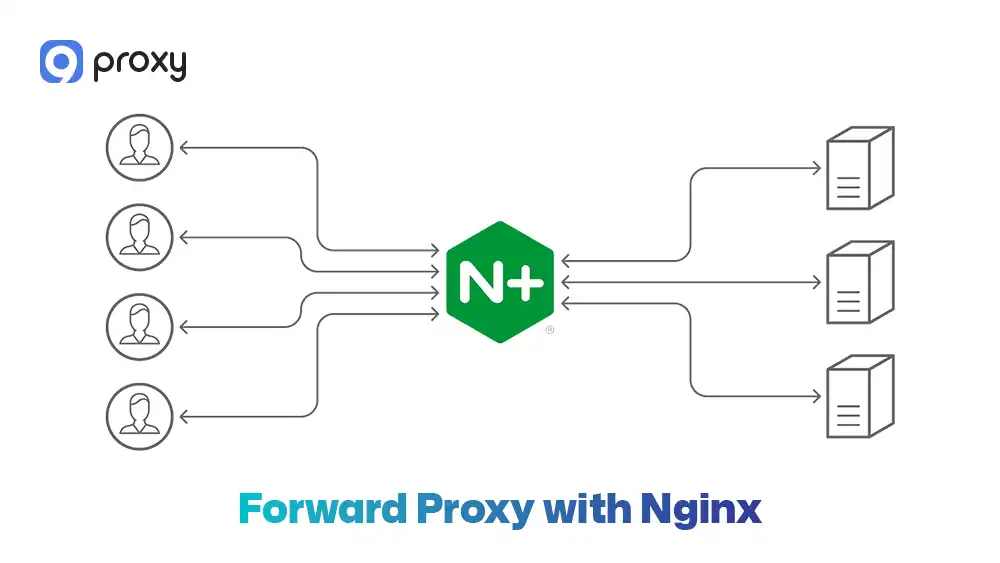
Forward Proxy with Nginx
While Nginx is well known as a reverse proxy, it can also be configured to work as a basic forward proxy, although its capabilities are more limited. Nginx does not provide many built-in features that are common in dedicated forward proxy tools, so it is best used only for simple or specific scenarios.
Understanding the architectural differences between these two proxy orientations-how forward proxies serve client requests outbound versus how reverse proxy server configurations handle inbound traffic to backend servers-is essential when choosing the right tool for your infrastructure.
A high-level setup flow for using Nginx as a forward proxy includes these steps:
- Step 1: Install Nginx on a secure server
- Step 2: Enable and configure the proxy_pass directive to forward client requests
- Step 3: Set allowed methods and target protocols to limit misuse
- Step 4: Restrict access by IP address or add basic authentication
- Step 5: Reload or restart Nginx to apply the configuration
- Step 6: Test the setup by configuring a browser or application to use the Nginx proxy
While this setup can work for lightweight needs, it lacks advanced controls such as detailed access rules, caching options, and logging flexibility. For most users who need a classic and full-featured forward proxy server, Squid remains the better and safer choice.
Common Problems and Quick Fixes
Even with a proper setup, some problems can still appear when using a proxy. Below are the most common issues and simple ways to fix them:
Pages not loading
If a website fails to open, start by checking whether you entered the correct proxy port in your settings. Also, confirm if the proxy requires a username and password, as missing or incorrect authentication details can stop requests from going through.
Frequent challenges
Seeing repeated challenges or verification steps usually means the IP address has a poor reputation. This can often be improved by switching to a residential IP, reducing how often you send requests, or adding short delays between actions.
Slow performance
Slow loading times often happen when the proxy server is located far from your actual location. Choosing a proxy server that is geographically closer can significantly improve speed and response time.
In some cases, performance issues stem from how content is stored and retrieved-learning about caching proxy server mechanisms can help you optimize delivery speed by serving frequently accessed content from local storage rather than fetching it repeatedly from origin servers.
Blocked sites
If certain websites are not accessible, your access rules or filtering settings may be too restrictive. Review your ACL or proxy configuration files and adjust the rules to allow the required traffic.
Best Practices to Keep a Forward Proxy Secure and Stable
To avoid your server being abused, misused by unauthorized users, or added to a blocklist, it is important to follow a few basic security steps that help keep your proxy stable, protected, and under control:
- Enable Authentication: Never leave a proxy open to everyone. Always require a username and password or restrict access by approved IP addresses.
- Use HTTPS: Encrypt traffic whenever possible so data cannot be easily read while it is being transferred.
- Limit Rates: Set connection or request limits to stop a single user from overloading the server.
- Keep Software Updated: Regularly update Squid or Nginx to fix known security issues and vulnerabilities.
- Monitor Resources: Keep an eye on CPU and memory usage to make sure the server remains stable as traffic increases.

Choosing the Right Forward Proxy for Your Use Case
Different goals require different proxy setups, and there is no single solution that fits every use case. Before making a decision, it is important to clearly understand your goal and match it with the right proxy behavior and configuration. Below is a simple decision table to help guide your selection.
|
Goal |
Recommended Proxy |
Rotation |
Key Risk |
Best Practice |
|
Browsing privacy |
Residential |
Low |
Cost |
Use sticky sessions |
|
Web scraping |
Datacenter |
High |
Detection |
Respect rate limits |
|
Corporate filtering |
Transparent |
None |
Privacy |
Clear policies |
|
Geo testing |
Residential |
Medium |
Consistency |
Match ISP regions |
For basic web browsing, a standard HTTPS proxy is usually enough to get the job done. However, when handling more complex tasks such as scraping or automation, many users rely on datacenter proxies because they offer high speed and lower cost. The trade-off is that these IPs are easier for websites to detect, so proper rate limits and request patterns are essential.
When evaluating which architecture fits your needs, resources like proxy server vs reverse proxy comparisons clarify how directional traffic flow and use case requirements should guide your infrastructure decisions.
Free vs Paid Forward Proxy Servers: Which One to Choose?
Free proxies are tempting, but they often come with hidden costs. Many services advertised as a free proxy server are slow, unstable, and may even log sensitive user data. These IPs are frequently reused by many users, which increases the chance of blocks or security risks.
Paid services, on the other hand, offer better uptime, clearer usage policies, and stronger security controls. Paying for a service usually means better support and more predictable results, especially for professional or business use.
FAQs
Is using a forward proxy server secure?
Yes, it can be secure if you use a reputable provider and encrypted protocols like HTTPS. In contrast, unencrypted or free proxies may put your data at risk because the proxy operator could see or log your traffic.
Do forward proxy servers affect internet speed?
They can affect speed. If the proxy server is far from your location, it may add delay. However, when caching is enabled, frequently visited websites can load faster than with a direct connection.
What’s the easiest forward proxy example I can test?
The simplest option is to use a browser extension or the built-in proxy settings on Windows or macOS, then connect to a managed proxy service endpoint.
Why do some websites block forward proxy servers?
Websites often block forward proxy servers to prevent automated scraping, enforce regional content rules, or reduce suspicious activity. Using high-quality residential proxies can help lower the chance of being blocked.
Conclusion
Understanding how a forward proxy server works is an important first step toward better web control and stronger digital security. By acting as an intermediary, it helps manage data flow and gives you more control over how your activity appears to external websites.
Whether you decide to set up your own Squid server or use a managed service, applying the right security and configuration practices will help keep everything stable and reliable. To make the best choice, take time to review your specific needs and use cases.
If you want to learn more and explore practical guides, we invite you to find more insights about forward proxy solutions on Blog9Proxy and see how the right setup can support your online operations.