

VPN vs Reverse Proxy helps you choose how to secure access and control traffic in a simple and effective way. Many users compare vpn vs reverse proxy because both improve security, but they work differently. If you need to protect remote employees or improve a public web application, picking the right solution helps keep data safe and services stable.
In this article, you will learn how each option works, who should use it, and what benefits it offers. By the end, you can decide whether you need full network protection, app-level control, or a combination of both.
VPN vs Reverse Proxy: Side-by-Side Comparison
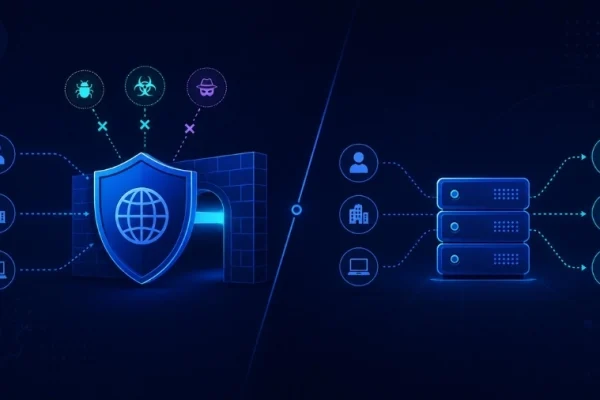
Understanding VPN vs Reverse Proxy is easier when you look at how they handle data and users. Both act as intermediaries, but in opposite ways.
The table below compares VPN vs Reverse Proxy across key factors. It helps you quickly see which option fits your needs and budget.
| Feature | VPN | Reverse Proxy |
| Security | End-to-end encryption (AES-256) for all traffic | Hides backend server, uses SSL; no full encryption by default |
| Speed | Slower due to encryption overhead | Can be faster with caching and load balancing |
| Complexity | Easy for users, harder for enterprise setup | Simple to complex, depending on scale |
| Communication | Client ↔ VPN Server ↔ Network | Client ↔ Proxy ↔ Backend |
| Scalability | Limited by the central gateway | Scales well across servers |
| Cost | Subscription or infrastructure cost | Often lower, but increases at scale |
| Use Case | Remote access, privacy, and data protection | Web traffic control, load balancing, API gateway |
In short, VPN focuses on protecting the user’s entire connection, while a reverse proxy focuses on improving performance and protecting specific applications.
Security
In VPN vs reverse proxy, security works in two different ways. A VPN encrypts all data between your device and the network, which keeps your information safe, especially on public Wi-Fi. A reverse proxy protects the server instead. It filters bad traffic and hides the server’s real IP from users.
Speed
Speed differs clearly between a VPN and a reverse proxy. VPNs can slow things down because encryption takes time. A reverse proxy can improve speed by caching content and spreading traffic across servers, so systems run more smoothly.
Complexity
Setup and management differ clearly in VPN vs reverse proxy. VPNs require creating accounts or keys for each user, and every user must install and configure a client app. As the number of users grows, managing access, permissions, and troubleshooting connection issues can become time-consuming.
Reverse proxies are easier to start with because users only need a web browser to access services. Basic setups with tools like Nginx are simple. However, as your system grows, configurations become more complex. Managing routing rules, SSL certificates, and scaling across multiple servers can require deeper technical knowledge and ongoing maintenance.
If you are comparing architectures, understanding the difference between a proxy server vs reverse proxy can also help clarify when each setup is appropriate.
Communication
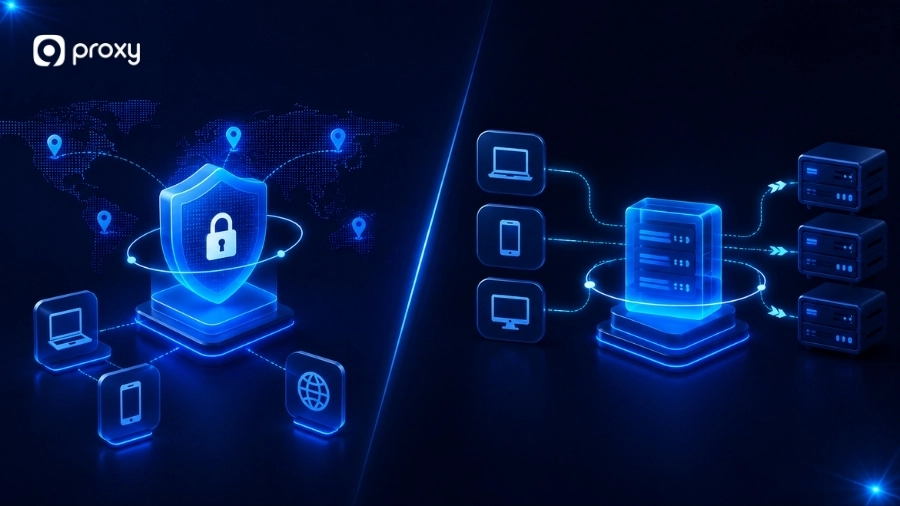
Communication flow differs in VPN vs reverse proxy. A VPN connects a user directly to a private network. It acts like you are inside the system. A reverse proxy acts as a middle layer. Users never reach the server directly; it handles requests and responses. This difference affects both security and access control.
For organizations evaluating broader network architectures, comparisons such as nat vs proxy can help explain how traffic is translated, managed, and secured before reaching internal resources.
Scalability
As systems grow, scalability becomes important. VPNs can slow down because all traffic goes through one gateway. Reverse proxies scale better by adding more servers to handle high traffic.
In larger systems, a reverse proxy often works alongside tools like load balancers to distribute traffic efficiently. This makes it easier to handle spikes in users without affecting performance.
Cost
Cost can vary depending on how you use each solution in VPN vs reverse proxy. VPN services often charge per user or device, so costs increase as your team grows. You may also need to pay for infrastructure and maintenance if you host your own VPN.
Reverse proxies usually start with lower costs because many tools are free and open-source. However, as your system scales, you may need better hardware, cloud services, or advanced features like load balancing and security layers, which can increase overall expenses.
Choosing Between VPN vs Reverse Proxy: Pros and Cons Breakdown
VPN vs Reverse Proxy pros and cons below show the real differences in simple terms. This table helps you compare both options quickly based on real use cases, so you can choose the right solution without confusion.
| Pros / Cons | VPN | Reverse Proxy |
| Pros | Full encryption for all traffic | Improves website speed with caching |
| Strong privacy protection and secure remote access | Hides backend servers and controls traffic flow | |
| Supports many protocols (SSH, FTP, etc.) | Supports load balancing, easy public access to apps | |
| Cons | Harder to scale with many users, requires setup for each user | Does not encrypt all traffic by default, depending on correct configuration |
| Can slow down the connection | Can be a target for attacks | |
| Increase cost over time | Limited to web/app-level protection |
In short, VPN vs reverse proxy is not about replacing one with the other. Each has its own strengths and weaknesses, so the best choice depends on your specific use case.
When a VPN Is the Better Choice
A VPN is usually the smarter move when you are dealing with private, internal systems that should never be seen by the public. It creates a “closed door” policy for your infrastructure.
- Remote Staff Need Access: If your team works from home but needs to reach the office printer or file share.
- Secure Admin Access: When your IT experts need to log into the “brains” of your servers to fix things.
- Non-Web Services: If you use special software that isn’t a website, a VPN is often the only way to protect it.

When a Reverse Proxy Is the Better Choice
We recommend a reverse proxy if you want to invite people to use your application while keeping your backend servers hidden. It is about selective exposure and control.
- Exposing One App: You want the world to see your blog, but not your database or internal files.
- Web Traffic Control: You need to block specific countries or limit how many times a user can refresh a page. In more advanced setups, teams also compare load balancer vs reverse proxy to decide how traffic should be distributed.
- Clean Public Access: You want a simple URL (like shop.com) to point to a complicated internal server setup.
Reverse Proxy vs VPN for Different Users
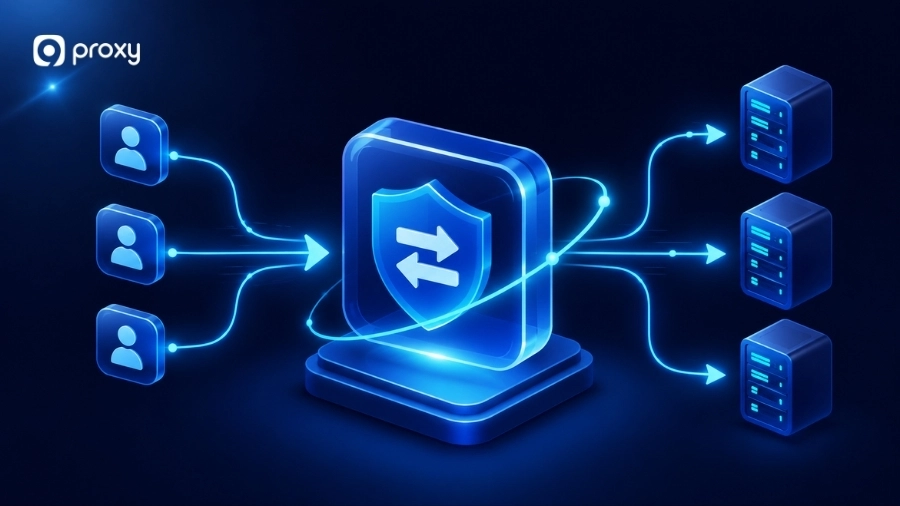
Different roles have different goals, so the right choice in vpn vs reverse proxy depends on what you actually need to build, protect, or manage. For example, a developer may need secure access to specific services, while a business owner may want to protect internal systems or optimize website performance. Understanding your real use case helps you choose the most practical and effective solution.
For Developers
Developers often need access to specific services like APIs or staging environments. In VPN vs reverse proxy, each tool serves a different purpose depending on the task.
- Use a reverse proxy when you want controlled access to apps without exposing the whole network. It helps manage SSL, routing, and testing in real-world conditions. In API-based systems, it is also useful to understand reverse proxy vs API gateway to choose the right traffic control layer.
- Use a VPN when you need deeper access, such as debugging databases or internal systems.
In short, a reverse proxy for precision, a VPN for full access.
For Small Businesses
Small teams usually focus on simplicity, cost, and easy setup. In VPN vs reverse proxy, VPN is often the first and most practical choice.
- VPN allows employees to securely access company systems from anywhere without a complex setup. It protects business data and communication with minimal maintenance.
- As the business grows, a reverse proxy can be added to handle website traffic, improve speed, and manage users better.
- Businesses that are still evaluating privacy and security tools often compare proxy vs vpn to determine which solution better fits their operational needs.
This approach helps businesses start simple and scale gradually as needs increase.

For Enterprises
Large organizations often require both solutions working together for flexibility and control. In VPN vs reverse proxy, enterprises rarely rely on just one tool.
-
- VPN is used for secure internal access, such as employee systems, emails, and private resources.
- A reverse proxy is used for public-facing services like websites, apps, and APIs.
- This combination ensures strong internal security while maintaining high performance and availability for users.
It creates a balanced system that supports both protection and large-scale operations.
For Personal Users
For most individuals, the choice between VPN vs reverse proxy is simple and practical. VPN is usually enough for daily internet use.
- VPN protects your privacy and secures connections, especially on public Wi-Fi. It helps access content that may be restricted based on location.
- A reverse proxy is only needed if you host your own website, app, or home server. In such cases, you might also compare reverse proxy vs port forwarding to decide how to expose your services safely.
For everyday users, VPN offers a simple, effective, and reliable way to stay secure online.
FAQs
Can You Use VPN and Reverse Proxy Together?
Yes, and this is a common approach in real systems. In VPN vs reverse proxy, the two tools can work together instead of replacing each other. For example, you can use a reverse proxy to deliver your website quickly to the public, while using a VPN to allow developers or admins to securely access and manage the system. This setup improves both security and performance.
Can a reverse proxy provide the same privacy as a VPN?
No. In VPN vs reverse proxy, they protect different things. A reverse proxy hides your server and controls incoming traffic, but it does not protect the user’s identity. A VPN hides your IP address and encrypts all your data from your device to the network. So, only a VPN provides full privacy for users.
Can a VPN replace a reverse proxy?
No. In VPN vs reverse proxy, each tool has a different purpose. A VPN is designed for secure, private access to a network. A reverse proxy is designed to handle public traffic and improve performance. Using a VPN for a public website would be slow and difficult for users, so it is not a practical replacement.
Conclusion
Choosing between VPN vs Reverse Proxy depends on what you want to protect. If your goal is to secure users and their data, a VPN is the better choice because it encrypts all connections. If your goal is to protect servers and improve web performance, a reverse proxy is more suitable.
To decide, think about your traffic: do you need secure internal access or better control for public services? You can also combine the two. Organizations comparing modern security architectures may also find value in understanding secure web gateway vs proxy models and how they fit into broader network protection strategies.
For more proxy insights, guides, and technical comparisons, explore Blog9Proxy. If you are looking for residential proxy solutions, 9Proxy provides access to residential IPs that support a wide range of business and networking use cases.