

Many developers and architects still get confused when comparing Load Balancer vs Reverse Proxy, even though both tools are now common in modern systems. They seem similar at first, but each one solves a different problem and can affect how fast, stable, and secure your application runs.
That’s why 9Proxy will simply explain both tools, show how they work behind the scenes, and help you understand when you should use one instead of the other in this article. By the end, you’ll know the real differences between a load balancer vs reverse proxy and be able to choose the option that best supports your performance, traffic distribution, and security needs.
What Is a Load Balancer?
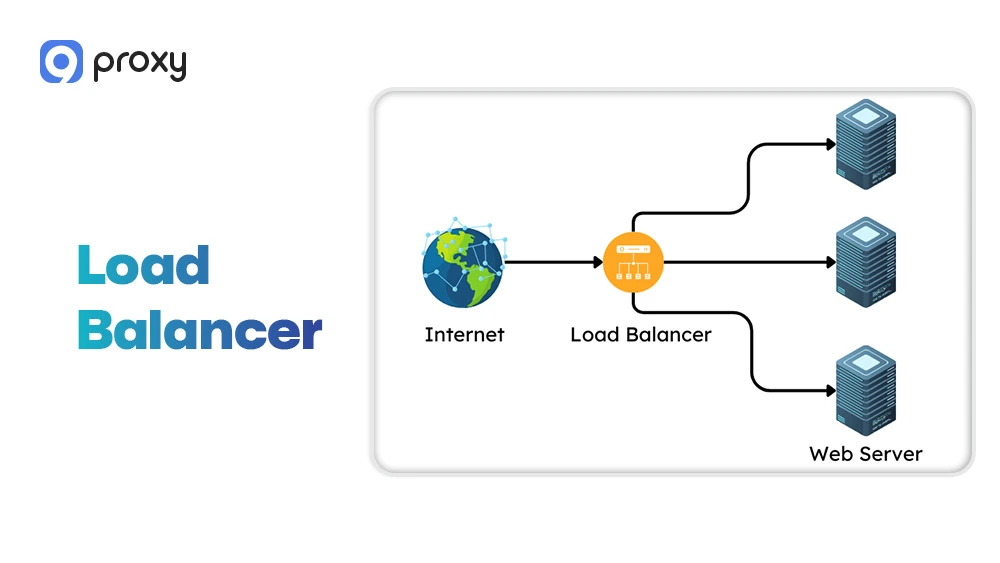
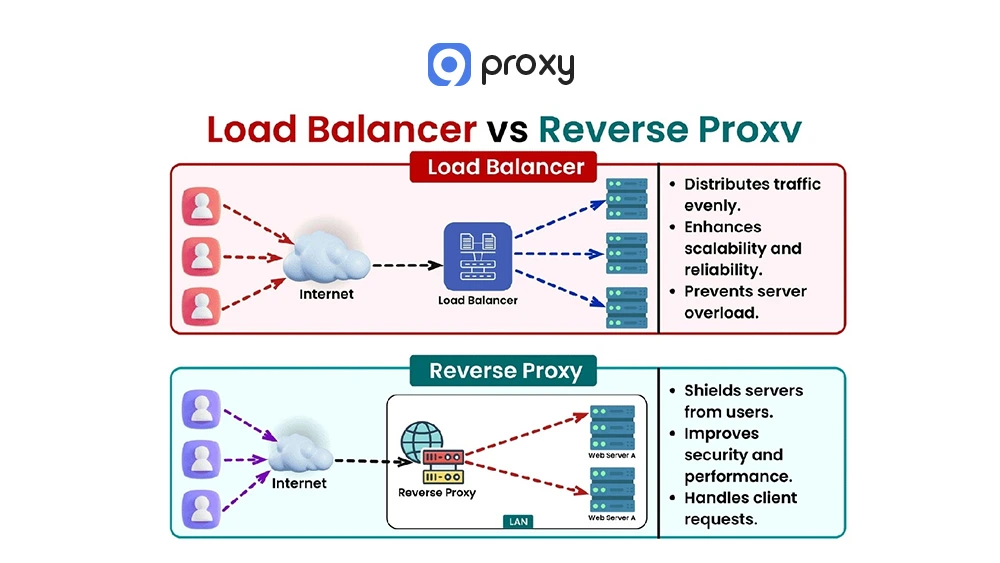
A Load Balancer is a device or software tool that distributes incoming network or application traffic across multiple backend servers. By spreading requests evenly, it prevents any single server from becoming overloaded, helping your application stay fast, stable, and always available.
When a server is unhealthy and redirects traffic to healthy ones, a load balancer can automatically detect and improve fault tolerance, which keeps services running without interruption. It can operate at Layer 4 or Layer 7 of the OSI model, giving it the flexibility to handle different traffic types and maintain consistent performance in high-traffic or cloud-based environments.
How Does a Load Balancer Work?
The functionality of a Load Balancer is based on continuous monitoring and smart routing. When a client sends a request, the Load Balancer receives it first. It uses algorithms such as Round Robin, Least Connections, or weighted methods together with server health checks to choose the best backend server for the request. The Load Balancer forwards the request to that server, the server processes it, and the response is sent back through the Load Balancer to the user.
This entire process happens automatically, and the user only interacts with the Load Balancer’s public IP address.
What Is a Reverse Proxy?
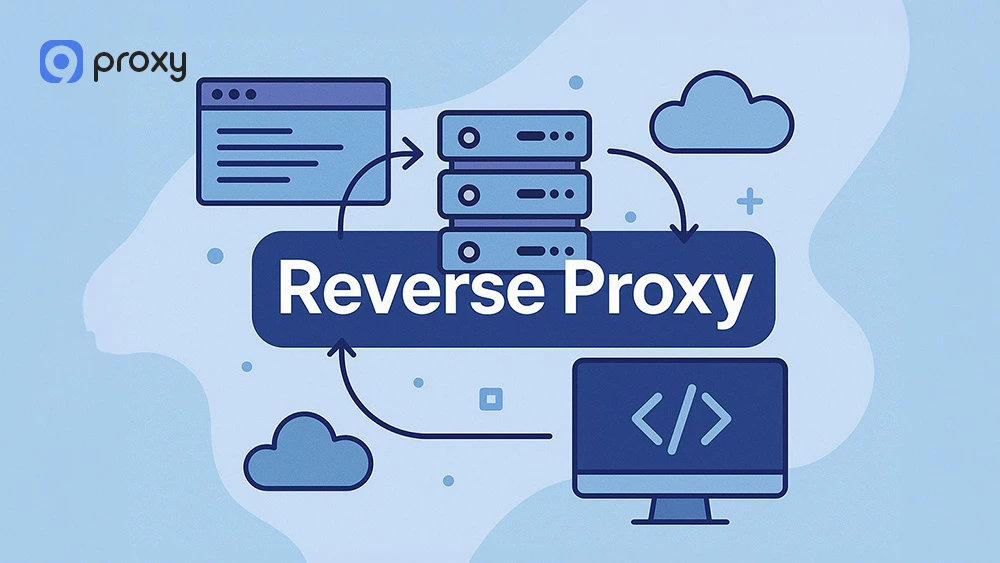
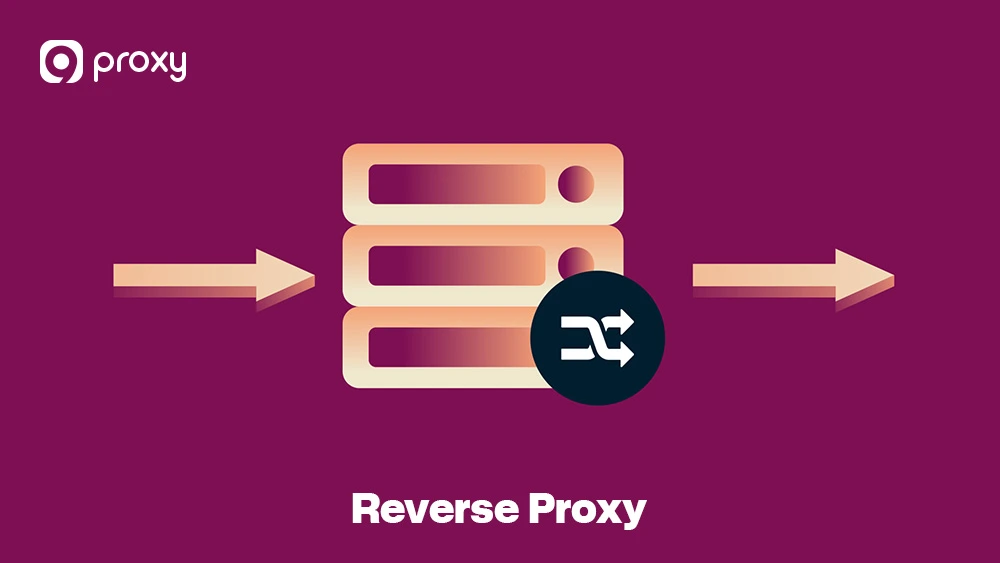
A reverse proxy server is a gateway that sits between users and your backend servers. Instead of users connecting directly to your origin servers, their requests first go through the reverse proxy. It then forwards those requests to the right backend server, receives the response, and sends it back to the user. This setup helps hide your internal infrastructure, manage traffic, improve speed, and boost security.
In modern web architecture, a reverse proxy server also handles tasks like SSL encryption, load balancing, caching, and filtering unwanted traffic, making your website faster, safer, and more reliable.
How Does a Reverse Proxy Work?
A Reverse Proxy handles the client’s connection before it ever reaches the backend server. When a client sends an HTTP or HTTPS request, the Reverse Proxy is the first system to receive it because it is linked to the public domain name. It then checks the request’s URL, headers, and rules you have set.
Depending on the situation, the Reverse Proxy may return the content from its cache, decrypt SSL or TLS traffic, or forward the request to a backend server. After the backend server processes the request, it sends the response back to the Reverse Proxy. The Reverse Proxy then delivers the final content to the client while hiding the backend server’s IP address and sensitive details.
Load Balancer vs Reverse Proxy: Benefits & Drawbacks
To help you understand how each option works in real situations, the table below compares the main benefits, common drawbacks, and typical use cases of the Load Balancer vs Reverse Proxy approach.
|
Benefit |
Drawback |
Use Case |
|
Ensures high availability |
Requires multiple servers |
Large-scale applications |
|
Improves server performance |
More complex to configure |
Cloud autoscaling |
|
Enhances reliability |
Needs health checks |
Distributed systems |
|
Provides caching & SSL offload (reverse proxy) |
Can introduce latency |
Security layers |
|
Protects backend identity (reverse proxy) |
Limited if misconfigured |
E-commerce sites |
The Load Balancer is strongest at keeping your service available. Even if one server fails, it redirects traffic to healthy servers so your application stays online. Its main downsides are higher complexity and cost, which can be challenging for smaller teams.
The Reverse Proxy focuses on front-end performance and security. It can handle SSL termination, filter requests, and cache content to reduce the load on origin servers. The main risk is that incorrect caching rules may cause users to see outdated content, especially in setups involving a best proxy cache server, where proper configuration becomes crucial.
Both tools are important in a solid web infrastructure, but they serve different purposes: a Load Balancer is built for traffic distribution, while a Reverse Proxy is designed for front-end security and optimization.
Understanding how these technologies differ from other networking solutions becomes clearer when you explore comparisons like proxy server vs reverse proxy, which highlights how forward proxies and reverse proxies serve opposite roles in network architecture.
Load Balancer vs Reverse Proxy: 5 Key Differences
The roles of a reverse proxy vs a load balancer may seem similar, but their core functions and where they sit in the network create five important differences. Understanding these distinctions helps web architects choose the right tool for the best performance.
Side-by-Side Comparison Table
This comparison table gives you a simple, direct view of how a Load Balancer vs Reverse Proxy differs in architecture and functionality, making it easier to see which solution fits your modern network setup.
Below is a simple comparison showing the key differences between a Load Balancer and a Reverse Proxy based on purpose, placement, features, and OSI layers.
|
Feature |
Load Balancer |
Reverse Proxy |
|
Primary Purpose |
High availability, better resource usage, and traffic distribution. |
Security, optimization (caching), and centralized request handling. |
|
Required Backend |
Works best with two or more backend servers. |
Can support one or multiple backend servers or applications. |
|
Typical Placement |
In front of a server farm, often positioned after a Reverse Proxy. |
At the network edge, often positioned before the Load Balancer. |
|
Advanced Features |
Health checks, session persistence, and smart routing algorithms. |
SSL/TLS termination, content caching, and WAF (Web Application Firewall). |
|
OSI Layer |
Operates at Layer 4 (TCP/UDP) or Layer 7 (HTTP/S). |
Operates primarily at Layer 7 (Application Layer). |
Primary purpose & responsibilities
The main responsibility of a Reverse Proxy is to provide security and improve performance. It acts as the single public entry point, protecting backend servers by hiding their identities from clients. It can cache frequently accessed content and handle SSL termination to reduce work for the origin servers.
In contrast, the core purpose of a Load Balancer is to ensure even distribution of traffic and maintain high availability. It exists to spread incoming client requests across multiple identical backend servers so that no single machine becomes overloaded. This helps the application stay responsive, stable, and reliable, even when traffic levels increase.
Placement in the network and traffic flow
Placement is one of the biggest differences between the two. A Reverse Proxy is usually positioned at the outer edge of the network, facing the internet and receiving all client requests first. After inspecting or optimizing the request, it sends traffic inward to a Load Balancer or directly to the origin servers.
The Load Balancer then distributes the traffic to ensure stable system performance. This pattern is common in setups that use datacenter proxies vs residential architectures, where traffic sources and routing strategies differ.
Features comparison
The features of each tool show its different roles. A Reverse Proxy offers powerful application-level features such as caching to speed up the delivery of static files, SSL/TLS offloading to reduce encryption work on backend servers, and routing based on URLs. These features improve user experience and reduce backend load.
For a deeper understanding of how reverse proxies function and their architectural advantages, exploring a comprehensive guide on reverse proxy provides detailed insights into implementation strategies and best practices.
A Load Balancer, however, focuses on backend health and availability. It provides automated health checks to identify working servers, session persistence to keep users connected to the right server, and observability tools that monitor performance and traffic distribution across the server pool.
Protocols and OSI layers they operate on
Another key difference lies in the OSI layer each tool operates on. A Reverse Proxy almost always works at Layer 7 of the OSI model, which means it can read application-level data such as HTTP headers, cookies, and URLs. This allows it to make intelligent routing decisions and perform caching.
A Load Balancer can work at both Layer 4 and Layer 7. Layer 4 load balancing is faster and uses basic information like IP address and port. Layer 7 load balancing is more flexible and can route requests based on content, although it adds a bit more processing time.
Performance, reliability, and security trade-offs
When comparing trade-offs, a Reverse Proxy provides strong security benefits by hiding backend servers and filtering malicious traffic. It often works as a Web Application Firewall (WAF). The trade-off is that this layer adds some processing overhead and may increase latency slightly.
Organizations evaluating different security solutions often compare VPN vs reverse proxy to determine which approach better suits their privacy needs and performance requirements.
A Load Balancer improves performance and reliability by spreading traffic across multiple servers. However, it requires additional infrastructure and cost.
When a Reverse Proxy Is a Load Balancer?
The line between the two becomes blurred because many modern Reverse Proxy tools now include load-balancing features. A Reverse Proxy can act as a Load Balancer when it distributes traffic across multiple backend servers using algorithms like Round Robin. Popular open-source tools such as Nginx, Apache, and HAProxy are mainly Reverse Proxies but also support strong load balancing.
The key difference is the primary purpose. If your goal is high availability and splitting traffic evenly across identical servers, you are using the load balancing function. If your goal is security, caching, or routing requests to different types of backend services, you are using the reverse proxy function. A Reverse Proxy becomes a Load Balancer when its configuration focuses on distribution and high availability.
Load Balancer vs Reverse Proxy: Which Should You Use?
Choosing between a Load Balancer vs a Reverse Proxy depends on how your application is built and which problem you need to solve first. A simple way to decide is to look at your immediate needs.
If your main issue is performance optimization, such as caching content, speeding up SSL processing, or improving security for one or several servers, then a Reverse Proxy is the right place to start. If your main challenge is managing large or unpredictable traffic spikes and ensuring your application stays online by spreading requests across multiple identical backend servers, then you need a Load Balancer. In many real-world setups, the most effective solution is to use both together for maximum stability, security, and efficiency.
When to Use a Load Balancer?
You should use a Load Balancer when your top priorities are managing traffic distribution, maintaining high availability, and ensuring that backend resources are used efficiently.
- High Traffic Volumes: A Load Balancer can spread millions of incoming requests across a large group of identical application servers, preventing bottlenecks and keeping the system responsive.
- Auto-Scaling Environments: In cloud deployments, it can automatically route traffic to new servers as they are created and smoothly remove servers that are being shut down, supporting elastic scaling.
- Fault Tolerance: If one server in a pool of ten goes offline, the Load Balancer immediately redirects traffic to the remaining healthy servers so users experience no downtime.
- Session Persistence: It ensures that each user stays connected to the same server holding their session data, which is important for applications that rely on stored state.

When to Use a Reverse Proxy?
You should use a Reverse Proxy when your objective is to improve performance and security.
- SSL/TLS Offloading: The Reverse Proxy handles all encryption and decryption tasks, which reduces the workload on backend servers and frees up computing resources for application logic.
- Content Caching: Static files such as images, CSS, and JavaScript can be delivered directly from the proxy’s memory or local storage, allowing users to load pages much faster.
- Multi-Site Hosting: A Reverse Proxy can direct traffic from a single public IP to different backend servers based on the domain name or URL path the client is requesting.
- Enhanced Security: It can act as a Web Application Firewall (WAF), inspecting incoming requests and blocking malicious activity before it reaches the origin servers. When architecting microservices or API-driven applications, teams often evaluate reverse proxy vs API gateway to understand which solution provides better routing control and authentication management for their specific infrastructure needs.
Can a Load Balancer and Reverse Proxy Be Used Together?
Yes, using a Load Balancer together with a Reverse Proxy is one of the most common setups for modern, high-performance web systems. When combined, they complement each other and create a stable, secure, and fast infrastructure.
- Client Request: The client connects to a public IP address, which belongs to the Reverse Proxy.
- Reverse Proxy Action: The Reverse Proxy manages SSL termination, serves cached static files, and applies security filtering such as WAF rules.
- Forwarding: After processing, the Reverse Proxy sends the cleaned request to the Load Balancer.
- Load Balancer Action: The Load Balancer selects the healthiest and least busy backend server based on its routing algorithms and health checks.
- Backend Processing: The selected server handles the request. The response then travels back through the Load Balancer, then the Reverse Proxy, and finally returns to the client.
This combined setup gives you the strengths of both tools: the Load Balancer ensures high availability and resilience, while the Reverse Proxy boosts performance and enhances front-end security.
For network administrators managing internal services, understanding reverse proxy vs port forwarding clarifies when to use application-layer routing versus simple network-layer redirection for exposing services securely.
FAQ
Can reverse proxies provide the same performance as load balancers?
Not for traffic distribution. A Reverse Proxy improves performance by caching content and handling SSL offloading, but a Load Balancer is specifically designed for distributing heavy traffic across many backend servers. Its hardware and algorithms are optimised for scalability and high availability, while a Reverse Proxy focuses more on features like caching and security.
Which is easier for small teams: a load balancer or a reverse proxy?
A Reverse Proxy is usually easier for small teams. If you only have one or two servers and need SSL termination or basic caching, a Reverse Proxy can be set up quickly using tools like Nginx. A Load Balancer requires a more advanced setup, including health checks, session persistence, and distributing traffic across multiple identical servers.
What metrics should I monitor?
Monitoring the right metrics is essential for maintaining performance. Below are the key indicators you should track:
Load Balancer: Key metrics include server health check status, latency (delay) introduced by the balancer, server utilization (CPU/Memory), and the number of active/concurrent connections per server.
Reverse Proxy: Key metrics include cache hit ratio (how often content is served from cache), SSL session setup rate, and the volume of blocked malicious requests (if acting as a WAF).
Conclusion
The Load Balancer vs Reverse Proxy comparison can be confusing, but each tool has a different job, and they work very well together. A Reverse Proxy improves security and speeds up how quickly clients load your site. A Load Balancer keeps your service online by sharing traffic across multiple servers so that no single server fails under pressure.
Besides, many modern systems use both tools to achieve the best mix of speed, protection, and stability. 9Proxy encourages you to think about what your system needs most and choose the solution that helps strengthen your entire web infrastructure. For more detailed guides and expert insights on proxy solutions and network architecture, visit Blog 9Proxy.