Unblock Facebook Proxy access is a common need for users facing country, network, or IP restrictions, especially when Facebook is blocked at school, work, or while traveling. At 9Proxy, we work closely with customers who experience slow loading, partial access, or complete blocks and need a reliable fix.
If network restrictions are stopping you from staying connected with friends and family, using an Unblock Facebook Proxy can help you regain access safely. In this article, we explain how proxy servers work, when to use them, and how to avoid account warnings, so you can choose the right method and unblock Facebook proxy server access easily and with confidence.
What Is a Facebook Proxy Server?
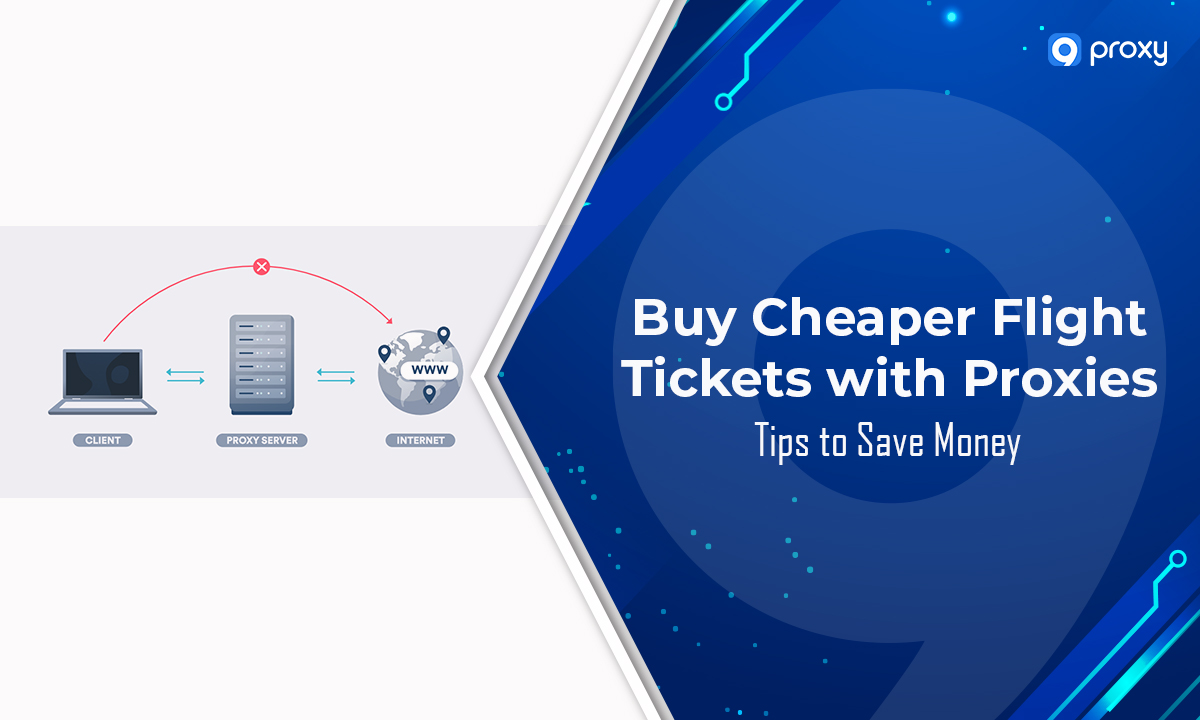
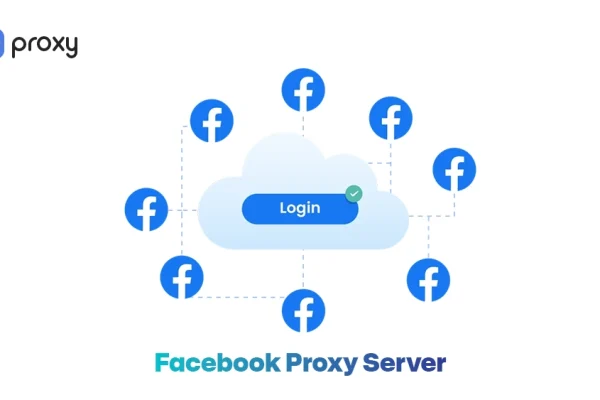
A Facebook proxy server is a middle server that sits between your device and Facebook. When you use it, your request goes to the proxy first, and the proxy connects to Facebook on your behalf. As a result, Facebook sees the proxy’s IP address instead of your real one.
This simple process helps users unblock Facebook proxy access when the platform is restricted by a country, ISP, school, or workplace network. By using an Unblock Facebook Proxy, you can appear to browse from a different location and bypass blocks more easily. This approach is commonly used across multiple platforms through a social media proxy to maintain stable access.
Is Facebook Really Blocked or Is It Just Your Connection?
Sometimes, Facebook doesn’t load because of a simple technical glitch rather than a deliberate restriction. However, many offices and schools use firewalls to stop the site from loading to keep people productive. In some regions, internet providers are forced to restrict access entirely.
If the page hangs or shows a “connection refused” error, your network is likely filtering the traffic. Modern systems also look at your browser signals and device fingerprints. If they detect unusual activity, access may be limited.
These restrictions are not limited to Facebook and often affect other platforms as well. Many users rely on tools designed for specific platforms, including Instagram proxy and TikTok proxy, to maintain stable access in restricted environments.
How Does a Facebook Proxy Server Work?
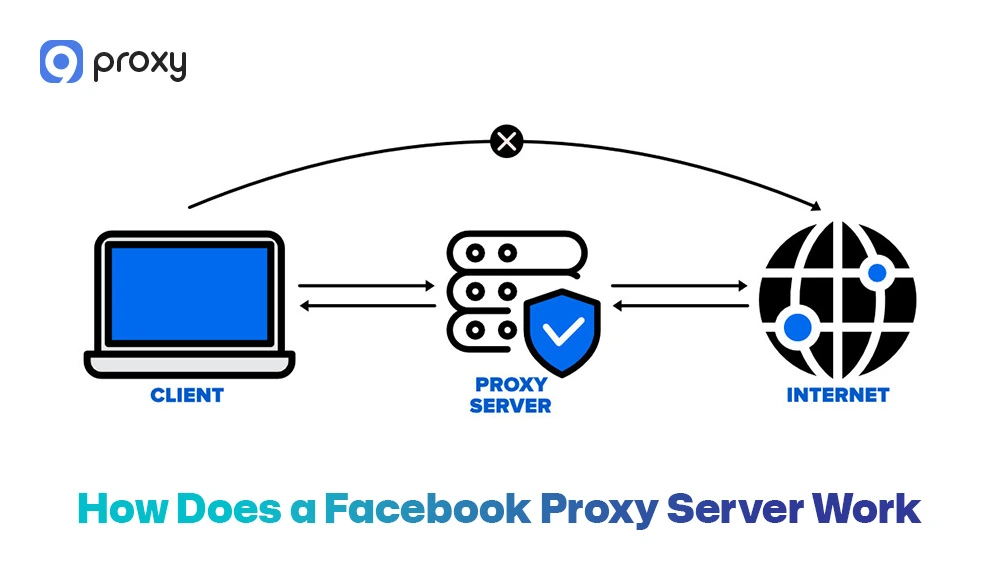
The mechanics of an Unblock Facebook Proxy are easy to understand. Think of it like sending a letter through a friend’s house instead of your own. When you type “facebook.com” into your browser, the request is sent to the proxy server first.
The proxy then uses its own IP address to request data from Facebook’s servers. After Facebook sends the content back, the proxy forwards it to you. Because the network only sees a connection between you and the proxy, and not Facebook directly, the restriction is not triggered, and access is allowed. This is how a Facebook proxy enables consistent access.
Choosing the Right Proxy Type for Facebook Unblock (Avoid Getting Blocked Again)
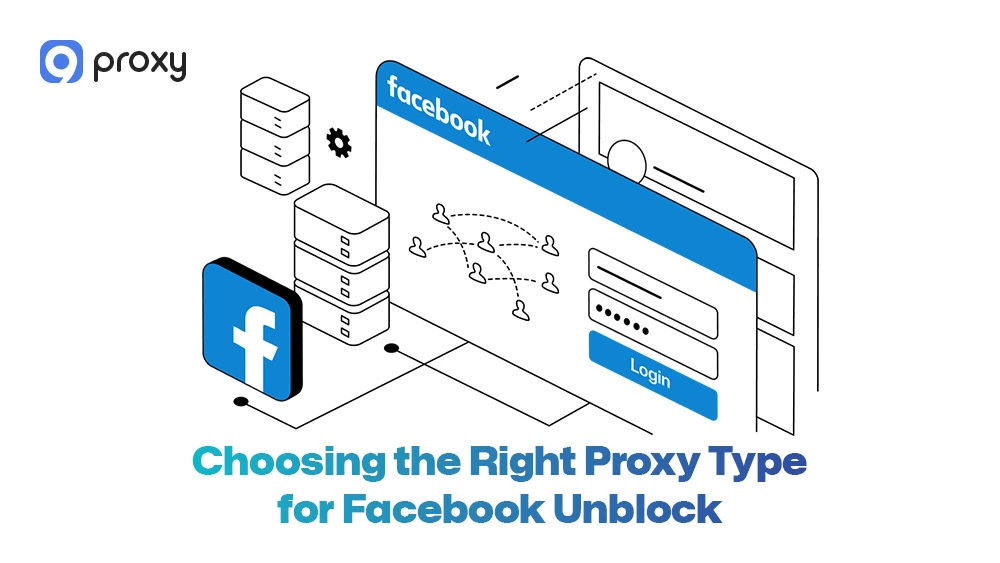
Selecting the wrong tool can lead to your account being flagged or your connection being dropped instantly. We recommend avoiding low-quality “public” lists. Instead, focus on high-quality types that mimic real human behavior to stay safe while browsing.
Residential vs ISP vs Datacenter Proxies
Understanding where your IP address comes from is the first step to maintaining a stable and reliable connection. Each proxy type provides a different balance of trust, speed, and detection risk, which directly affects your access across platforms, including services that rely on an Omegle proxy.
The table below compares the most common proxy categories used for accessing social media platforms, helping you choose the option that best fits your needs.
|
Proxy Type |
Trust Level |
Speed |
Pros |
Cons |
Cost |
Detection Risk |
|
Residential |
High |
Medium |
Real user IPs |
Slower |
High |
Low |
|
ISP |
High |
Fast |
Stable IPs |
Limited supply |
Medium |
Low |
|
Datacenter |
Low |
Very fast |
Cheap |
Easy to flag |
Low |
High |
Residential IPs are the gold standard because they look like real home users. While datacenter IPs are cheaper and faster, they are easily flagged by security systems. We suggest using Residential or ISP proxies for the best balance of performance and reliability.
Safe Provider Checklist (How to Pick a Proxy You Can Trust)
When you look for a provider, you need to ensure they prioritize your privacy. A bad provider might log your data or sell your information to third parties. To find a reliable Unblock Facebook Proxy partner, check for these essential features:
- High Uptime: Look for a 99.9% success rate to avoid constant disconnections.
- Large IP Pool: Millions of IPs ensure you always have a fresh connection.
- No-Logs Policy: Ensure the provider does not track your browsing history.
- Strong Authentication: Supports both User/Pass and IP Whitelisting.
- Customer Support: 24/7 assistance if something goes wrong.
For more insights and detailed proxy use cases, you can explore Blog 9Proxy for updated guides and recommendations.
5 Best Proxy Providers for Facebook Unblock in 2026
We have analyzed the current market to find providers that offer the most stable connections for social media. These companies are known for their massive networks and high-speed delivery.
The table below highlights the top 5 providers currently leading the industry in 2026:
|
Provider |
Price |
Countries |
IP Rotation |
Ease of Use |
Best For |
|
9Proxy |
Affordable |
90+ |
Flexible |
Easy |
Facebook access |
|
Bright Data |
High |
Global |
Advanced |
Medium |
Enterprise |
|
Oxylabs |
High |
Wide |
Fast |
Medium |
Large scale |
|
Soax |
Medium |
Many |
Controlled |
Easy |
Small teams |
|
NetNut |
Medium |
Limited |
Stable |
Easy |
ISP proxies |
Each of these providers offers unique strengths. If you need a simple, cost-effective solution with great residential IPs, 9Proxy is a fantastic starting point.
How to Unblock Facebook Safely and Easily? Step-by-Step Setup
Setting up your connection doesn’t require a computer science degree. We have simplified the process for every major platform so you can get back to your feed in minutes. Follow these instructions to configure your unblock Facebook proxy server correctly.
Unblock Facebook Using a Proxy on Windows
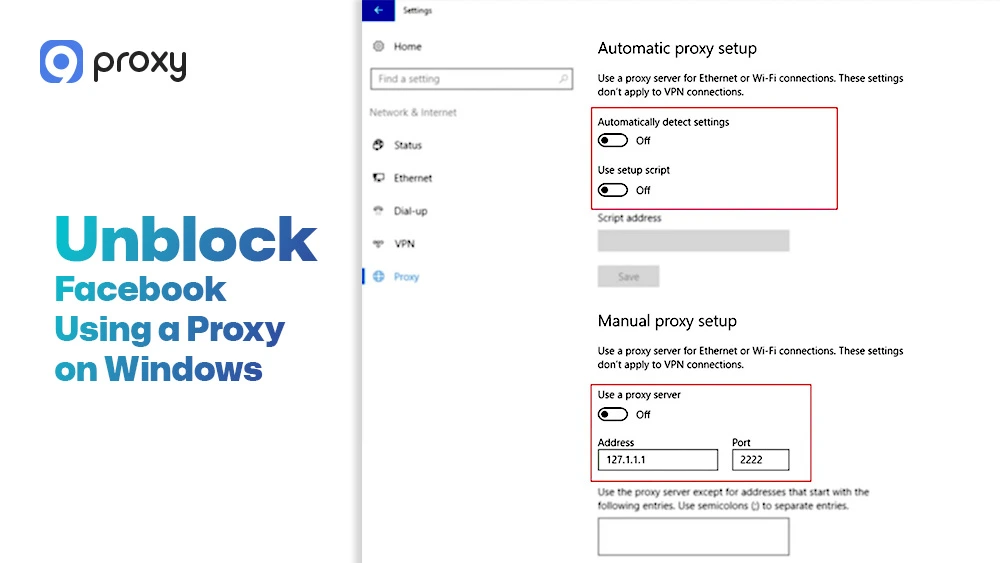
Before you begin, make sure you have your proxy IP, port, username, and password ready from your provider. Having these details prepared in advance will help you avoid setup errors and save time. After that, follow the steps below carefully to configure the proxy on your system:
- Open Settings on your device and go to Network & Internet
- Click on Proxy in the left-hand menu
- Turn on Manual proxy setup to enable custom configuration
- Enter the proxy IP address and port exactly as provided
- If prompted, add your username and password for authentication
- Save your settings to apply the changes
- Close your browser completely, then reopen it and access Facebook
This method works effectively for most proxy server Facebook unblock cases. If Facebook still does not load or shows errors, try clearing cookies, cache, and browsing data before testing again.
Where to Enter Proxy IP, Port, and Login Details
In the Address field, you usually enter a series of numbers or a hostname provided by your proxy service. The Port is normally a 4 or 5-digit number that tells your device how to connect to the proxy.
Make sure neither field is left empty, or the connection will not work. Also, carefully check your username and password for extra spaces. Small typing mistakes are the most common cause of setup problems.
Unblock Facebook Using a Proxy on macOS
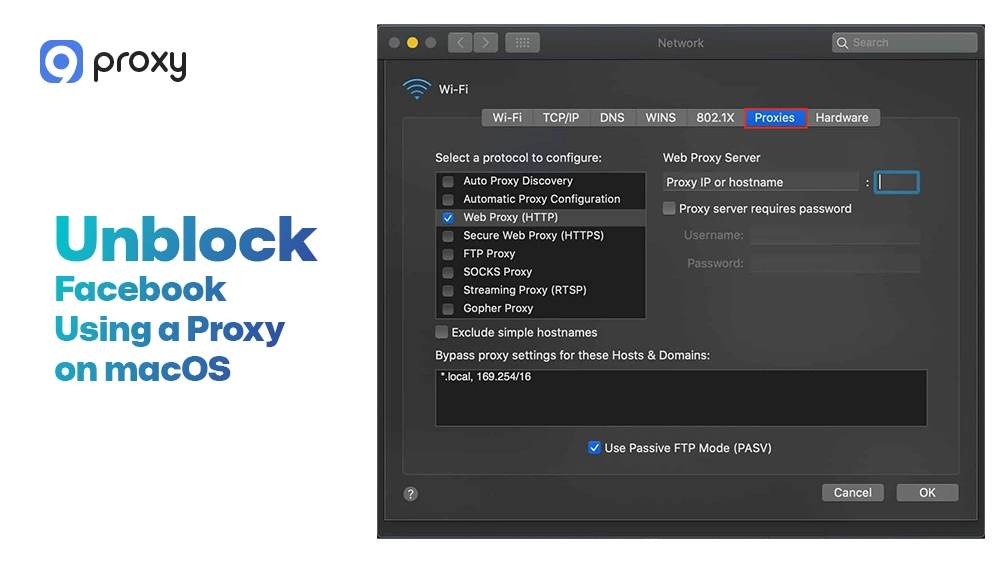
macOS users can unblock Facebook proxy access by setting up the proxy directly in system settings. Follow these steps carefully:
- Open System Settings on your Mac
- Select Network, then choose the active internet connection you are using
- Click Details, and go to the Proxies section
- Enable HTTP and HTTPS proxy options
- Enter the proxy IP address, port, and login details provided
- Save the settings and open Facebook to test the connection
Since macOS applies proxy settings to the entire system, it is a good idea to check the connection speed before logging into your Facebook account.
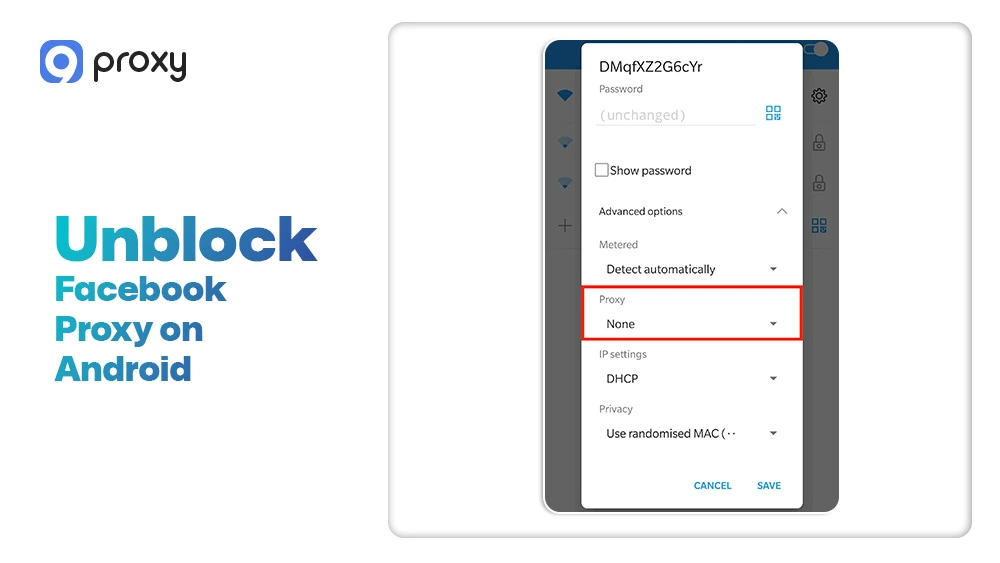
Unblock Facebook Proxy on Android
Android devices work best with proxies when they are connected to a Wi-Fi network. This is because Android does not fully support proxy settings on mobile data connections. To configure the proxy correctly, follow these steps:
- Open Wi-Fi settings on your Android device
- Tap and hold the Wi-Fi network you are currently connected to, then choose Edit network
- Change the proxy option from None to Manual
- Enter the proxy IP address and port exactly as provided by your proxy service
- Save the settings and reconnect to the Wi-Fi network to apply the changes
If Facebook still does not load, disconnect and reconnect to Wi-Fi once more. Remember that mobile data often ignores proxy rules, so in those cases, using a VPN may work better.
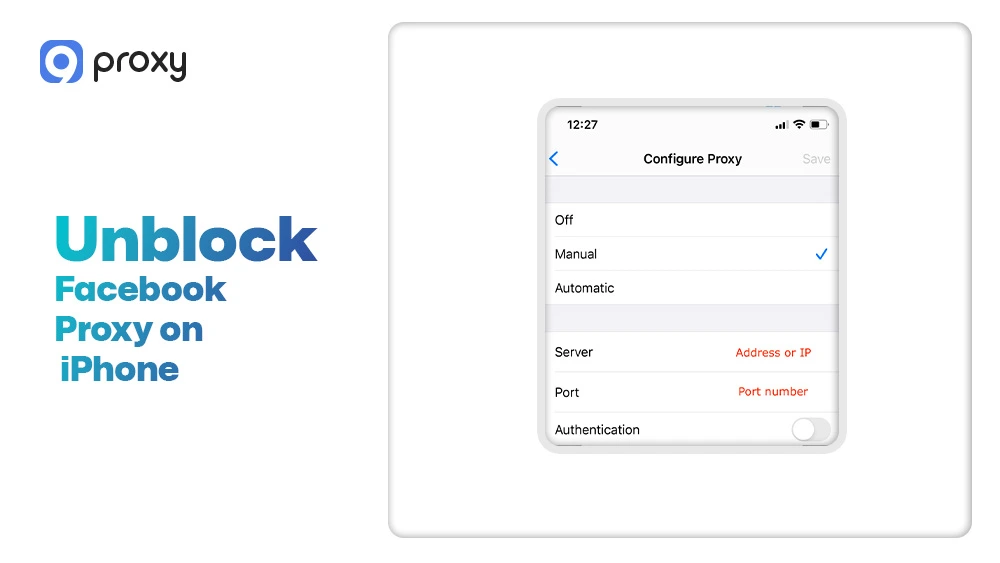
Unblock Facebook Proxy on iPhone (iOS)
On iOS devices, proxy settings can only be applied when you are connected to a Wi-Fi network. To set up the proxy, follow these steps:
- Open Settings, then go to Wi-Fi
- Tap the Wi-Fi network you are currently connected to
- Scroll down until you see HTTP Proxy
- Select Manual to enable custom proxy settings
- Enter the proxy IP address, port, and any required login details
- Save the changes and open Facebook to test the connection
Keep in mind that iOS proxies do not work on mobile data. If you need full coverage on all networks, paid tools such as VPNs may be a better option.
If Facebook Still Won’t Load – Fixes That Usually Work
If you have already completed the setup but Facebook still does not load, there is no need to worry. In many cases, a small change can fix the problem and restore access quickly.
You can try the following troubleshooting steps:
- Change location: Switch your proxy to another country or city to avoid a blocked IP
- Clear browser cache: Old cookies and stored data can interfere with the new connection
- Switch protocols: If available, change from HTTP to SOCKS5 for better compatibility
- Check DNS: Make sure your DNS settings are not revealing your real location
- Use incognito mode: Open a private window to test the connection without extensions
When NOT to Use Certain Methods
Not all tools are created equal. Some “free” methods can actually put your account at risk of being permanently banned.
- Free Proxy Lists: These are often monitored by hackers or already blocked by Facebook.
- Tor Browser: While private, it is extremely slow and often triggers security checkpoints.
- Basic Browser Extensions: Many free extensions sell your data or fail to hide your full identity.
Avoid “Suspicious Login” and Verification Loops
Facebook uses AI systems to detect unusual login behavior, including proxy usage. For example, if your location suddenly changes from New York to London within minutes, Facebook may lock your account as a safety measure.
To avoid this, it is best to stay in one location during the entire session. We also recommend using high-quality residential IPs, as they make your connection appear like a normal home user. This greatly lowers the risk of triggering a “Suspicious Login” alert and helps keep your account stable.
FAQ
Why does Facebook keep asking for verification when I use a proxy?
This usually happens when the IP address you are using has already been marked for suspicious activity or is being shared by too many users at the same time. Facebook treats this as a potential risk to account security. To reduce these checks, it is best to switch to a high-quality residential IP, which looks more like a normal home connection and is less likely to trigger verification requests.
Which proxy location is best to unblock Facebook?
A proxy location that is close to your real physical location often provides the best balance between speed and stability. Shorter distance means faster loading. At the same time, you should make sure the selected country does not have its own social media restrictions, as this can still limit access.
Can I use one proxy for multiple Facebook accounts?
We do not recommend this approach. Using the same IP address for multiple accounts can link them together in Facebook’s system. If one account gets flagged or restricted, the others may be affected as well.
Why is Facebook slow when I use a proxy?
Facebook may feel slower because your data has to travel to the proxy server first and then to Facebook. This extra step adds delay. Choosing a provider with a fast and stable network, such as 9Proxy, helps reduce this slowdown and improves overall performance.
Conclusion
Accessing your favorite social media platform should be easy, safe, and stress-free. By choosing a high-quality Unblock Facebook Proxy, you can bypass network filters at work, school, or while traveling without putting your account at risk. It is important to prioritize residential IPs, as they look like normal home connections and greatly reduce detection issues.
Always use reputable providers to ensure stable speed and better privacy. We hope this guide helps you stay connected without interruptions. For a reliable, fast, and secure experience, we recommend using 9Proxy residential Unblock Facebook Proxy to access Facebook with confidence.