Spotify Proxy Server is a practical tool when Spotify is blocked at school, work, or in certain countries, and it can also help you keep your listening more private on restricted networks. At 9Proxy, we want to set expectations clearly: proxies help with access and routing, not with changing your Spotify account history or subscription limits.
This blog is for beginners, music lovers, and professionals who need to bypass office firewalls, reach region-limited songs, or avoid ISP network filters. We will explain which proxy server for Spotify works best, how to set it up on desktop and mobile, how to fix common errors, and why unsafe free options often create more problems than they solve.
What Is a Spotify Proxy Server?
A Spotify Proxy Server is a middle server that connects your device to Spotify. When you use it, your internet traffic goes to the proxy first, and the proxy communicates with Spotify using its own IP address. This changes the location Spotify sees, which can help bypass network blocks or regional restrictions.
However, a Spotify Proxy Server does not change your account country, payment settings, playlists, or listening history, and it does not remove ads or upgrade your plan. It simply affects how your connection reaches Spotify, making access possible in environments where Spotify is blocked or limited.
Benefits of Using a Proxy for Spotify
Using a proxy server for Spotify can be helpful in several real-world situations. Below are the most common benefits users see in practice. Before choosing one, it helps to understand where proxies actually add value:
- Unblock Spotify on restricted networks: Schools, offices, or public Wi-Fi often block music streaming. A proxy reroutes traffic so Spotify becomes reachable again. This type of restriction also affects other entertainment platforms, which is why users often seek ways to unblock YouTube and access video content on the same restricted networks.
- Access region-limited content: Some songs or podcasts are available only in certain countries. A proxy IP from another region can help you reach them.
- Improve privacy on shared networks: A proxy hides your real IP from the network you are using, which can reduce tracking.
- Manage multiple accounts: Using separate IPs helps prevent accounts from being linked by the same network address.
- Stabilize connections: Residential proxies often provide steadier streaming than crowded public networks.
These use cases are also common in professional environments, where a proxy server for business is often used to manage network access, protect privacy on shared connections, and maintain stable access to online services across teams. That said, proxies cannot fix accounts that are suspended or permanently restricted by Spotify.
Types of Proxies You Can Use with Spotify
Spotify is a streaming app, not just a website, so proxy type matters. Speed, stability, and IP reputation all affect playback quality.
Below is a quick comparison to help you decide.
|
Proxy Type |
Speed |
Cost |
Detection Risk |
Best For |
|
Residential |
Medium–Fast |
Medium |
Low |
Regular listening, blocked countries |
|
Rotating |
Medium |
Medium |
Medium |
School/work access |
|
Datacenter |
Fast |
Low |
High |
Short tests only |
|
Mobile |
Medium |
High |
Low |
High-trust sessions |
Residential and mobile proxies usually work best with Spotify. Datacenter proxies are faster but more likely to trigger errors or blocks during streaming.
How to Set Up a Proxy in Spotify
Setting up a connection is quite simple because Spotify’s desktop applications have built-in support for proxy configurations. This means you don’t always need to change your entire computer’s network settings to get the app working.
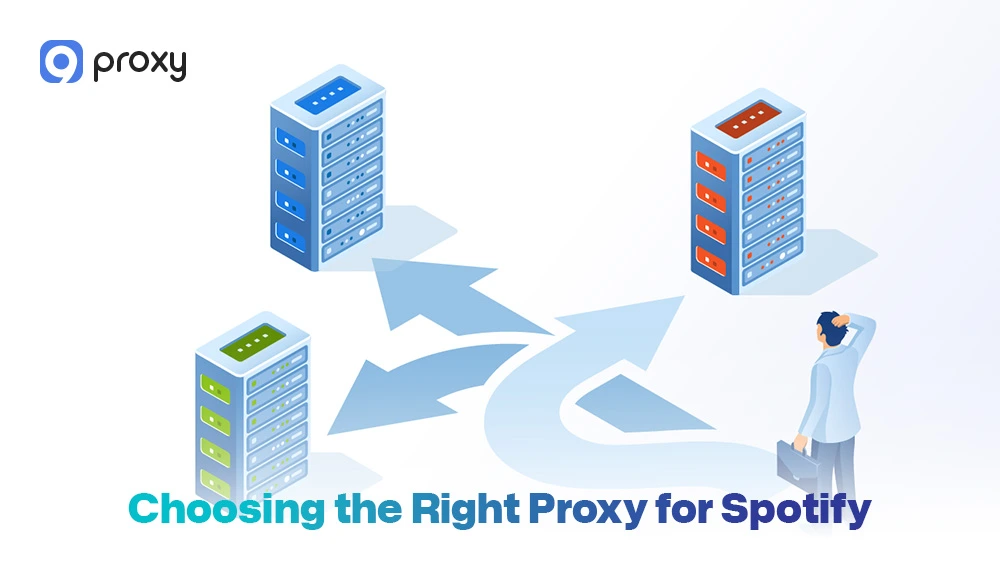
Choosing the Right Proxy for Spotify (Based on Your Needs)
Your choice should be based on your location and your specific listening needs. Different situations work better with different proxy types.
- For travel or blocked countries: A residential proxy is the best option because it closely matches a real local ISP connection and looks more natural to Spotify.
- For school or work access: A rotating proxy works well when the network actively detects and blocks fixed IP addresses.
- For maximum stability: An ISP or static residential proxy is ideal for long listening sessions, as it keeps the same IP and reduces interruptions. This stability is also important for users who need a gaming proxy to maintain consistent connections during online gameplay without lag or disconnections.
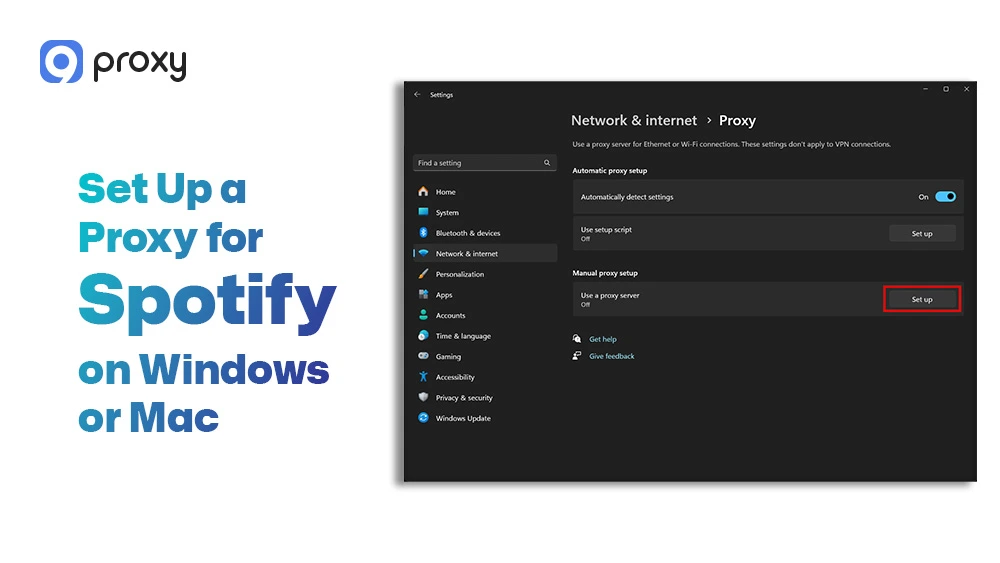
Set Up a Proxy for Spotify on Windows or Mac (Browser Access)
If you use Spotify in a web browser, setting up a proxy is fast and simple. This method is also useful for testing before changing app settings. Follow these steps:
- Open your browser, such as Chrome or Firefox
- Go to Settings
- Find the Network or Proxy section
- Enter the proxy IP address and port provided by your service
- Save the settings and restart the browser
- Visit open.spotify.com and check if Spotify loads correctly
Using the browser first helps confirm that the proxy works before configuring the Spotify desktop app.
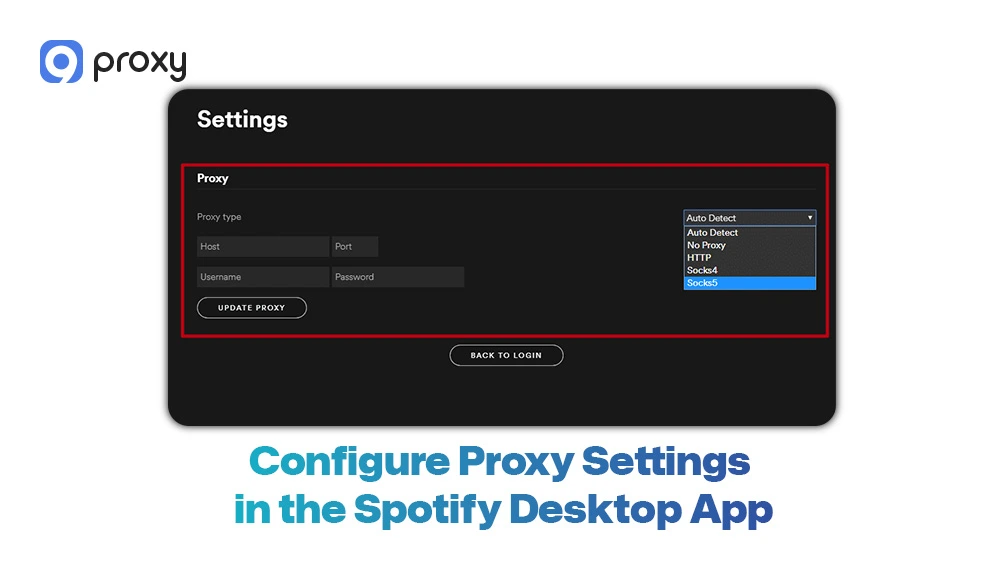
Configure Proxy Settings in the Spotify Desktop App
The Spotify desktop app allows you to enter proxy settings manually, making it easy to control how the app connects to the internet. Follow these steps to set it up:
- Launch the Spotify desktop app
- Click your profile icon and open Settings
- Scroll down until you find Proxy Settings
- Choose Manual Proxy Configuration
- Enter the proxy type (HTTP or SOCKS5), along with the IP address and port
- Click Restart App to apply the changes
If the proxy is set up correctly, Spotify should reopen and start playing music normally after the restart.
Use a Proxy with the Spotify Web Player
To prevent cache or session issues, the Spotify web player works best in a clean browsing session. Follow these steps:
- Set up the proxy in your system or browser settings
- Open an incognito or private window
- Go to open.spotify.com
- Log in and test music playback
If playback does not work or stops frequently, try switching to a different proxy location and test again.
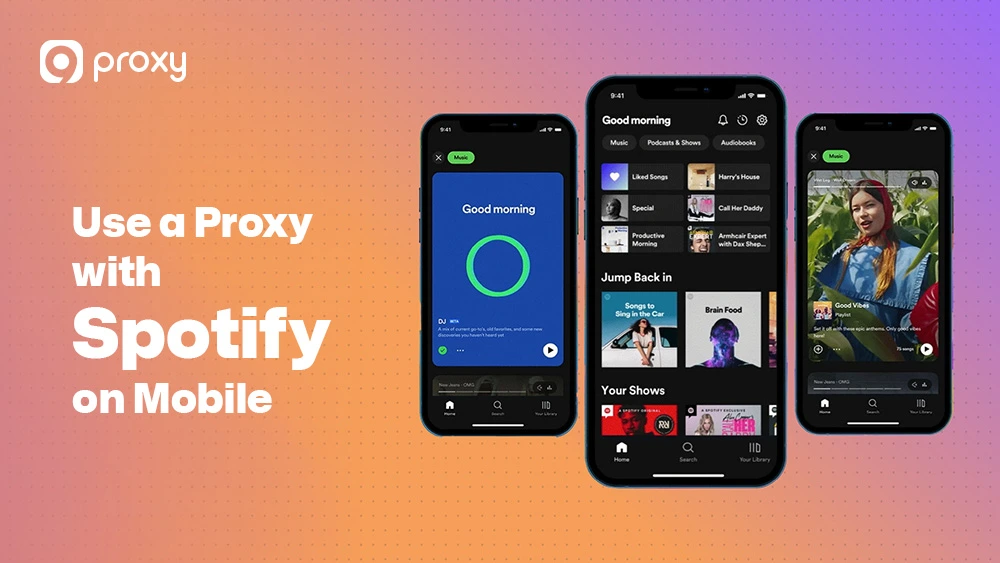
Can You Use a Proxy with Spotify on Mobile?
Mobile apps do not allow direct proxy input like desktop software, but there are reliable workarounds that still make proxy use possible. These methods rely on either third-party apps or Wi-Fi network settings, so the setup takes a few extra steps but works well when configured correctly.
On Android:
- You can install a proxy management app, such as ProxyDroid, to route traffic through a proxy
- Alternatively, you can configure the proxy directly in your Wi-Fi network settings by editing the connected network and entering the proxy IP and port
On iOS:
- Open Settings and go to Wi-Fi
- Tap the Wi-Fi network you are currently connected to
- Select Configure Proxy, then choose Manual
- Enter the proxy IP address and port provided by your service
- Save the settings and reconnect to Wi-Fi
It is important to note that mobile proxy setups only work on Wi-Fi connections. Proxy settings do not apply to cellular data, so switching networks will disable the proxy automatically.
Similar Wi-Fi-based proxy configurations are also used by gamers setting up a PS4 proxy server or PS5 proxy server to improve online gaming performance and reduce lag on console devices.
Fix Spotify Proxy Errors (The Ones People Actually See)
Even with a proper setup, technical issues can still happen. In most cases, these problems are caused by small configuration mistakes rather than the proxy itself not working.
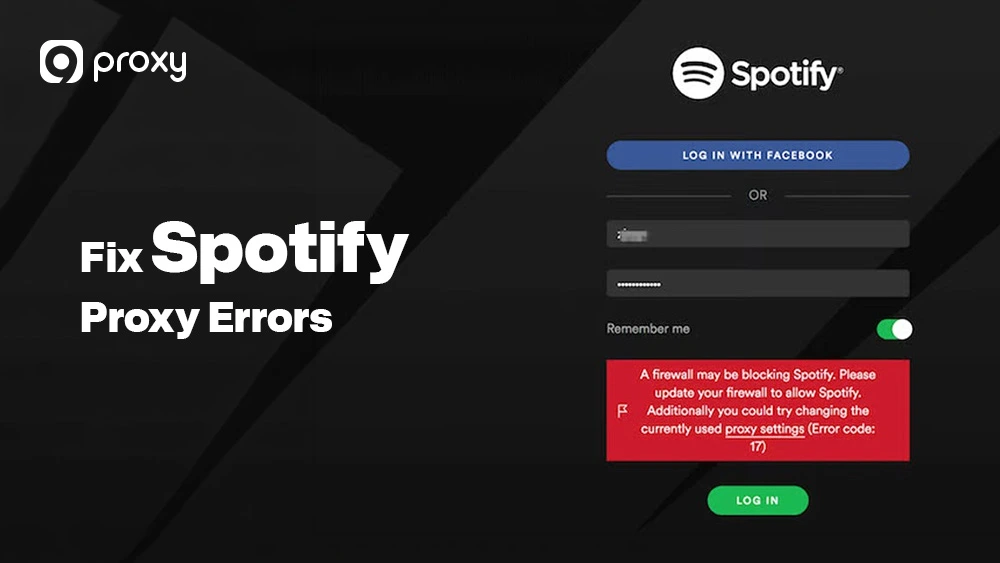
“A Firewall May Be Blocking Spotify” (Windows Fix)
This common Windows error often appears when the proxy and the OS firewall aren’t communicating well. To fix this, go to your Windows Firewall settings and ensure “Spotify” is checked for both Private and Public networks. Sometimes, temporarily disabling the firewall can confirm if it is the source of the block.
Proxy Authentication Failed
If you see an authentication error, it means your username or password was entered incorrectly, or the IP address is not authorized. Double-check your proxy dashboard to ensure your current IP is “whitelisted” or that you are using the correct sub-user credentials provided by us.
Timeouts, Slow Streaming, or Buffering
Slow playback usually happens if the server is geographically too far from you or if you are using a low-quality free Spotify proxy server.
- Switch to a SOCKS5 protocol for better data handling.
- Choose a proxy location closer to your actual physical region.
- Ensure you aren’t using a “Shared” proxy that is being overloaded by other users.
Privacy, Safety, and Spotify Rules
While proxies provide anonymity, they are not a “cloak of invisibility.” Using them to bypass regional pricing or licensing can technically violate the terms of service. We encourage you to use proxies responsibly for privacy and network access, ensuring you stay within reasonable usage patterns to avoid flagging your account.
Real Risks of Free Spotify Proxy Server
It can be very tempting to look for a free Spotify proxy server, but these options often come with serious hidden risks. Many free proxies are poorly maintained and may even be run by malicious actors who collect user data or spread malware.
Common risks include:
- Data theft: Your Spotify login details may be recorded by the proxy operator.
- Poor quality: Slow speeds, buffering, and long load times can ruin the listening experience.
- Frequent bans: Free IP addresses are often shared and already blocked by streaming platforms.
- Security leaks: Most free proxies do not use proper encryption to protect your connection.
For a stable and safe streaming experience, choosing a paid residential proxy service is always the smarter and more reliable option. This principle applies to other bandwidth-intensive activities as well-users who need to download large files securely often rely on a torrent proxy to protect their identity and maintain consistent download speeds without exposing their real IP address.
9Proxy: A Reliable Proxy Solution for Spotify Streaming
9Proxy provides the most stable and compatible residential IPs for high-bandwidth activities like streaming. We specialize in providing clean, non-datacenter IPs that ensure your Spotify sessions remain uninterrupted and private.
Key Advantages of 9Proxy:
- 100% Real Residential Proxies: Access over 90+ countries with IPs from actual home users.
- Clean Proxy Pool: Our private pool reduces the risk of being blacklisted or blocked.
- No Bandwidth Limits with IP-Based Packages: Perfect for streaming high-quality audio without worrying about data caps.
- Cost-Effective: Starting at just ~$0.04/IP, it is a professional solution at a fraction of the cost.
- Crypto Bonus: Get 5% extra IPs when you pay with cryptocurrency.
FAQ
Can a Proxy Server Slow Down Spotify or Cause Errors?
Yes. If the proxy server is overloaded or located very far from you, it can cause slow loading, buffering, or playback errors. Using a high-speed residential IP that is close to your real location usually helps prevent these issues.
What Are the Main Risks of Using a Proxy Server with Spotify?
The main risks come from using unsafe or “free” proxy servers. These can steal personal data or expose your account to security problems. Low-quality datacenter IPs can also cause Spotify to flag or block your account.
Why Can’t I Access Spotify Even After Setting Up a Proxy?
In many cases, old browser cache or app data is the problem. Try clearing your cache and restarting the app or browser. You should also check that your DNS settings are not revealing your real location, which can interfere with proxy access.
Conclusion
A Spotify Proxy Server is a helpful solution for unblocking Spotify, overcoming network restrictions, and improving privacy when used the right way. The best experience comes from choosing the correct proxy type, setting it up properly, and staying away from unsafe free options.
If you want smoother streaming with fewer errors, a trusted residential provider like 9Proxy is a smart choice. Start with the right Spotify Proxy Server and enjoy stable, secure access to your music again. For more detailed guides and expert insights on proxy applications, visit Blog 9Proxy.