An anonymous proxy is a simple solution for people who want to browse the web with more privacy, less tracking, and better control over their online identity. Many websites track IP addresses, locations, and browsing behavior, which can expose personal data. Using an Anonymous Proxy helps hide this information, reduces tracking, and supports safer activities such as research, SEO analysis, and secure browsing.
This blog is written for readers who want to access global content, improve proxy anonymity, and set up a secure connection without complexity. By continuing, you will learn how anonymous proxy servers work and how to choose the right option for your needs clearly and easily.
What Is an Anonymous Proxy Server?
An Anonymous Proxy server is a service that sits between your device and a website to hide your real IP address. Instead of connecting directly, your internet traffic goes through the proxy, so the website only sees the proxy’s IP, not yours.
You can think of it like sending a letter without a return address, or using a double envelope where the proxy forwards your message using its own details. This is how an ip address anonymous proxy helps improve privacy and reduce tracking while keeping browsing normal.
There are three main levels of proxy anonymity:
- Transparent Proxies: These do not hide your IP and tell websites that they are a proxy.
- Anonymous Proxies: These hide your IP but let the website know a proxy is being used.
- Elite (High-Anonymity) Proxies: These hide both your IP and the fact that you are using a proxy at all.
How Anonymous Proxy Servers Work (A Simple Request Path)
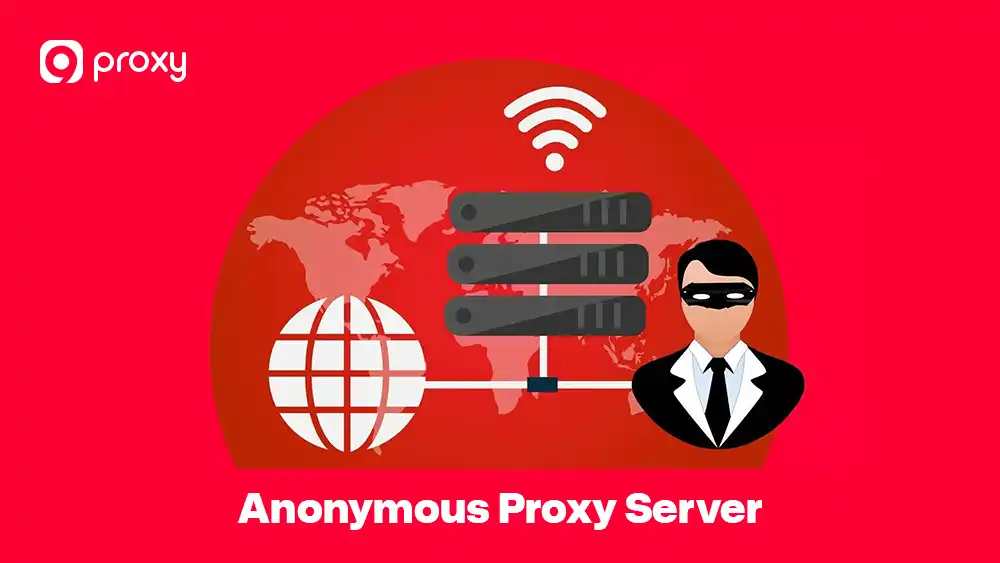
When you access a website through an Anonymous Proxy, your connection follows a simple process. First, your device sends the request to the proxy server. The proxy then passes that request to the website on your behalf. After the website sends a response, the proxy receives the data and delivers it back to your device.
The connection flow looks like this: Device → Anonymous Proxy → Website → Anonymous Proxy → Device.
Because the website only interacts with the proxy, your real IP address remains hidden. However, if the proxy is not set up correctly, some information can still leak, such as DNS requests, browser headers, or details from logged-in accounts. That is why proper configuration and testing are important to maintain strong proxy anonymity.
Why People Use Anonymous Proxies Today
People use Anonymous Proxy tools for simple, everyday needs when going online. Here are some common reasons we see from 9Proxy customers.
- Privacy on public Wi-Fi: Public Wi-Fi can expose your IP address and browsing activity. An Anonymous Proxy helps hide your identity when you travel or work in public places.
- Accessing region-locked content: Some websites limit what you can see based on location. Anonymous proxy servers let you appear to browse from another country without changing devices.
- Web scraping and SEO research: Marketers and researchers use Anonymous Proxy to collect public data while avoiding blocks or access limits.
- Avoiding tracking and ads: With a browser anonymous proxy, users can reduce tracking, targeted ads, and online profiling.
Overall, these use cases focus on one main benefit: safer, more flexible, and more private browsing.
Different Types of Anonymous Proxies
Before choosing a proxy solution, it is helpful to understand the differences between proxy types. The table below shows how anonymity levels and proxy infrastructure affect speed, detection risk, and common use cases, making it easier to choose the right option for your needs.
|
Proxy Type |
Anonymity Level |
Speed |
Detection Risk |
Typical Use Case |
|
Transparent |
None |
High |
Very High |
Caching, filtering |
|
Anonymous |
Medium |
High |
Medium |
Basic privacy |
|
Elite |
High |
Medium–High |
Low |
Secure browsing |
|
Datacenter |
Medium |
Very High |
Higher |
Automation |
|
Residential |
High |
Medium |
Very Low |
Long sessions |
Choosing the right anonymous proxy website or service depends on what you need most. If speed is your priority, datacenter proxies are usually faster. However, if you want to appear like a real home user and avoid detection, residential proxies are harder for websites to flag as suspicious and often provide more reliable access.
Beyond HTTP and HTTPS proxies, SOCKS protocols offer another layer of flexibility for users who need to route different types of traffic through proxy servers. Understanding the technical differences, such as SOCKS4 vs SOCKS5, helps you choose the protocol that best matches your authentication needs and connection requirements.
How to Use an Anonymous Proxy in Your Browser (Step-by-Step)
Setting up your connection does not have to be complicated. We have simplified the process so you can follow it step by step without technical difficulty. Whether you prefer full manual control over your settings or want a quick and convenient option, the guidelines below will help you get started with a browser anonymous proxy smoothly. By following these steps, you can configure your browser correctly and begin browsing with more privacy and confidence.
Prepare Before You Configure a Browser Anonymous Proxy
Before we start the setup, make sure you have your proxy credentials ready. You will need the IP address (or hostname), the port number, and your username and password if the proxy requires authentication.
We also suggest closing any active browser sessions and clearing your cookies. This preparation is vital to ensure you don’t run into a situation where an anonymous proxy detected message pops up due to old data.
Set Up an Anonymous Proxy in Chrome (Manual Method)
Chrome uses your computer’s system settings to manage how it connects to the internet. Because it relies on these system-level settings, Chrome is considered a very stable and dependable choice for long-term browsing and continuous sessions.
- Open Chrome and go to Settings > System from the main menu.
- Click on Open your computer’s proxy settings to access the network and proxy configuration page.
- Enter the IP address and Port provided by 9Proxy into the appropriate fields, and make sure the information is correct.
- Save the settings, then refresh or restart your browser to apply the changes and start using the proxy connection.

Use a Browser Extension for Anonymous Proxy (Fast Setup)
If you need to change identities quickly, a browser extension can be a very convenient option. These tools sit directly in your browser toolbar, allowing fast access and easy control without opening system settings.
- Install a reputable proxy extension from the Chrome Web Store that is known for reliability and security.
- Log in using your account credentials to connect and link the extension properly.
- Select your preferred location and turn the proxy on by toggling the “On” switch.
- Be careful to avoid any anonymous proxy-free extensions, as some may track your data or expose your browsing activity.
Configure an Anonymous Proxy in Firefox (Built-In Settings)
Firefox is unique because it allows you to configure a proxy specifically for the browser without affecting the network settings of your entire computer. This makes Firefox a strong option for users who want more control over how their traffic is routed while keeping other applications unchanged.
- Go to Settings in Firefox and scroll down until you find Network Settings.
- Select Manual proxy configuration to manually manage how Firefox connects to the internet.
- Enter your HTTP or HTTPS proxy details carefully in the appropriate fields.
- For additional privacy protection, check the box “Proxy DNS when using SOCKS v5”, which helps prevent DNS requests from leaking outside the proxy.

Test If Your Anonymous Proxy Is Working Correctly
Once the setup is complete, it is a good idea to confirm that your “digital mask” is working correctly. You can do this by visiting an anonymous proxy online checker or a basic IP lookup website to review your connection details.
Check your IP: Make sure the IP address and location shown match the proxy server you selected, not your real home location.
Verify anonymity: Look for any warnings such as “Proxy Detected” on testing sites to confirm your proxy is not easily identified.
Test speed: Check that your connection speed is stable and fast enough for your planned activities, such as browsing or research.
Confirm HTTPS: Ensure websites still load securely with HTTPS, so your data remains encrypted during use.
Troubleshooting Proxy Problems: Blocked, Detected, or Not Working?
Sometimes, even with the correct setup, things may not work as expected. The good news is that most problems have simple solutions. Below, we have listed the most common issues you might encounter when using an anonymous proxy, along with easy ways to fix them.
“Anonymous Proxy Detected” Errors
If a website blocks your access, it usually means the IP address you are using has been flagged or marked as suspicious by the site’s security system. In this situation, a common fix is to switch to a residential IP, which closely resembles the behavior of a normal home user and is less likely to be blocked.
You should also clear your browser cache, cookies, and local data, or use a fresh browser profile to remove stored information that may link back to your real identity. As an additional fix, wait a short period before trying again and avoid rapid actions, as slower and more natural behavior can help restore access.
Proxy Connected but Websites Won’t Load
This problem often happens because of simple configuration issues. Before changing providers, it is best to check a few key points that commonly cause connection failures. Check for:
- Wrong protocol (HTTP vs HTTPS): Make sure the proxy type matches the website and your browser settings.
- Incorrect port or credentials: Verify that the port number, username, and password are entered correctly.
- Overloaded proxy nodes: Some proxy servers may be busy or temporarily unavailable.
- Firewall or DNS conflicts: Local firewalls or DNS settings can block the connection.
In most cases, these quick checks can fix the issue without needing to switch proxy providers.
Wrong Location or Language Showing While Using a Proxy
Websites use IP location databases to estimate where a visitor is located. If a website shows the wrong country, currency, or language, it is often because the database it relies on is outdated or not fully accurate. This issue does not usually mean your proxy is broken.
To improve accuracy, we recommend aligning your browser’s language settings and your computer’s timezone with the location of the proxy you are using. When these signals match, websites are more likely to display the correct regional content and location information.
CAPTCHA and Verification Loops That Don’t Stop
Even elite proxies can still trigger CAPTCHA, especially if your browsing behavior looks unusual to websites. To reduce these issues, it helps to adjust how you interact with sites rather than only focusing on IP quality. Reduce issues by:
- Slowing actions: Avoid clicking, refreshing, or loading pages too quickly.
- Using sticky sessions: Keep the same IP for a longer session to build trust.
- Avoiding repeated logins: Logging in multiple times in a short period can raise flags.
- Reducing reload frequency: Constant page reloads can trigger security checks.
In practice, natural browsing behavior matters just as much as the quality of the proxy IP.
Choosing the Right Anonymous Proxy for You
Choosing the right provider depends on your purpose. Different tasks need different levels of speed, stability, and anonymity, and proxy rules can also vary by country and use case.
The table below highlights the key features that matter most when choosing an Anonymous Proxy service, helping you compare options more easily and make an informed decision.
|
Feature |
Importance |
What to Look For |
|
No-Log Policy |
Critical |
The provider should not store your history. |
|
Server Locations |
High |
Wide variety of countries for better access. |
|
Uptime |
High |
Look for 99.9% reliability. |
|
Support |
Medium |
24/7 help for troubleshooting. |
Choose residential proxies for tasks that require high trust and low detection risk, such as account management or sensitive browsing. Use datacenter proxies when speed and performance are the top priorities. For long, stable sessions that need strong privacy, elite anonymity proxies are the best choice.
While many users search for budget-friendly options, it is important to understand the risks before choosing. Some services offer a free SOCKS5 proxy server list for testing purposes, but these typically come with significant limitations in speed, security, and reliability. For professional work or consistent privacy protection, investing in a paid provider remains the safer choice.
Why Should You Choose 9Proxy Anonymous Proxy Server?
9Proxy provides reliable and easy-to-use proxy solutions that support a wide range of browsing needs. We offer residential, mobile, and datacenter proxies with stable uptime and strong anonymous performance, so you can browse the internet, conduct research, and work online without interruptions. With consistent connections and dependable performance, 9Proxy helps you stay productive and confident while protecting your online activity.
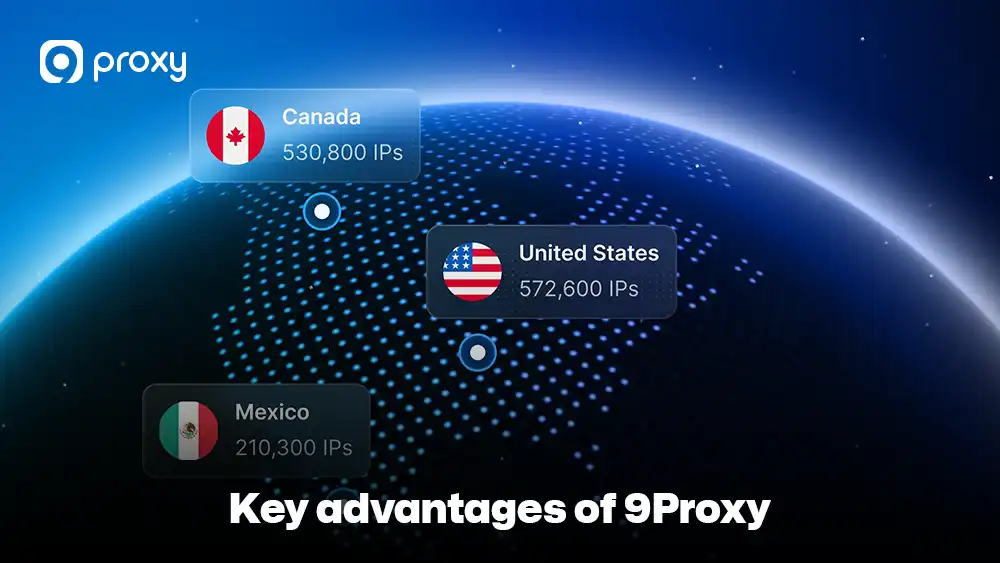
Key advantages of 9Proxy include:
- 100% real residential proxies: We provide IPs from real users across more than 90 countries, helping you appear as a genuine home user.
- Clean and private proxy pool: Our IPs are not shared with other large providers, which helps lower the risk of blocks and blacklists.
- Unlimited bandwidth with IP-Based Packages: Ideal for data-heavy activities such as streaming, research, and continuous browsing without restrictions.
- Affordable pricing: You can get started at around $0.04 per IP, with transparent pricing and no hidden limits.
- Crypto-friendly payments: When you pay with cryptocurrency, you receive a 5% bonus in additional IPs.
With these benefits, 9Proxy makes it easier to choose a dependable proxy solution that balances performance, privacy, and cost.
FAQs
Anonymous proxy vs VPN, which is better?
Anonymous proxies are often the better choice for specific online tasks such as browser-based work, SEO research, or web scraping. They focus on hiding your IP address for certain applications instead of encrypting all device traffic. If you want a deeper comparison of how these tools differ in speed, detection, and use cases, this breakdown of proxy vs VPN explains why many users prefer proxies for targeted tasks.
VPNs, on the other hand, encrypt and route all traffic on your device. While VPNs offer broad protection, they can be slower and are sometimes easier for websites to detect and block.
Can a proxy server be traced?
An anonymous proxy hides your real identity from the websites you visit, so those sites only see the proxy’s IP address and details. However, your internet service provider can still see that you are connected to a proxy, even if it cannot see what websites you are visiting through it.
Is there any free anonymous proxy server?
Yes, free anonymous proxy servers do exist, but we strongly advise against using them. Many free proxies cover their costs by collecting user data, injecting ads, or offering very weak security, which can put your privacy at risk.
Are anonymous proxies legal for public data scraping?
In most regions, scraping publicly available data is legal when done responsibly. However, it is important to review local laws and always check the specific website’s terms of service before collecting any data.
Conclusion
We have explained how an anonymous proxy provides an important layer of protection for your online activities. From understanding how it hides your identity to learning how to set it up in your browser, you now have the essential knowledge to browse the internet with more confidence. Always remember to test your connection and choose a reliable provider to avoid slow speeds or data leaks.
An anonymous proxy is a valuable tool for anyone who wants a more private and flexible internet experience. For more guides and insights on proxy technologies, visit Blog9Proxy to explore detailed comparisons and practical tutorials. We invite you to try 9Proxy and experience how high-quality, residential anonymous proxy solutions can support your online privacy and digital freedom.