

SOCKS4 vs SOCKS5 is a common question for developers, marketers, and businesses that rely on proxies for privacy, automation, or geo-access. Although these two protocols look similar, choosing the wrong one can cause slow speeds, access blocks, or unstable connections.
That’s why this article clearly explains how SOCKS proxies work, the key differences between SOCKS4 and SOCKS5, and which situations each protocol is best suited for. We also walk through basic setup steps and common mistakes, so you can select the right proxy type and keep your workflows running smoothly.
What Is a SOCKS Proxy?
A SOCKS proxy is a type of proxy server that routes your internet traffic through an intermediary server before it reaches the destination. Instead of connecting directly to a website or application, your request goes through the SOCKS proxy first. This helps hide your real IP address, bypass geo-restrictions, and work with many types of traffic.
Unlike HTTP proxies, SOCKS proxies operate at a lower network level, so they can handle both TCP and UDP traffic. This makes them flexible and suitable for automation tools, scraping, gaming, streaming, and custom applications. SOCKS proxies can use IPs from different sources, including datacenter proxies, which are fast and affordable but easier for strict websites to detect because they come from large server providers rather than real users.
SOCKS4 Proxy
SOCKS4 is the older version of this protocol. It is very simple and works with the most common type of internet address, called IPv4. It is good for basic tasks where you do not need a lot of security features.
SOCKS4 creates a steady path for your data using a method called TCP. It is easy to use because it does not ask for a username or password. This makes it fast to start, but it also means it is less secure than the newer version.
SOCKS5 Proxy
SOCKS5 is the modern and powerful version of the SOCKS protocol. It can do everything SOCKS4 can do, plus much more. 9Proxy recommends using SOCKS5 because it is safer and works with almost all modern apps.
This version supports a new type of internet address called IPv6 and a faster data method called UDP. The best part is that it allows you to use a username and password. This means only you can use your proxy, which keeps your connection very safe.
Key Differences Between SOCKS4 vs SOCKS5
These two protocols mainly differ in three key areas: performance, security, and compatibility. Each of these factors plays an important role in how the proxy behaves in real-world situations, from connection speed and stability to access control and application support. Understanding these differences makes it easier to choose the protocol that fits your needs and avoids issues during setup or daily use.
Performance
We’ve found that SOCKS4 can be very fast because of its simple design. It does not support authentication, so it skips extra checks and starts the connection almost immediately. This makes it suitable for basic tasks where speed matters more than features.
- Speed: SOCKS4 works well for loading simple web pages or handling basic TCP connections.
- Efficiency: SOCKS5 is more efficient for activities like gaming or video streaming because it supports UDP traffic.
- Lag: Thanks to UDP support, SOCKS5 helps reduce lag during video calls, live streaming, or online gaming, resulting in a smoother experience.

Security
SOCKS4 does not support authentication, which means anyone who knows the proxy address can try to use it. This makes access control very limited and risky in shared or professional environments.
In contrast, SOCKS5 supports multiple authentication methods, allowing you to control who can connect to the proxy. Although neither protocol encrypts traffic by default, SOCKS5 is much safer to use alongside encrypted tunnels such as SSH. Many guides published on Blog9Proxy also explain how SOCKS5 works in layered security setups for scraping, automation, and secure remote access.
In real deployments, SOCKS proxies are often used at the client level, while infrastructure-level solutions like a reverse proxy server are deployed on the server side to protect backend systems, filter traffic, and manage access centrally. For teams that care about proper access control and layered security, the choice between SOCKS4 vs SOCKS5 is clear: SOCKS5 is the better option.

Compatibility
Compatibility refers to how well a proxy works with different devices, operating systems, and software tools you use every day.
- Addresses: SOCKS5 supports both IPv4 and the newer IPv6 addresses, while SOCKS4 is limited to IPv4 only.
- App Support: Most modern applications and tools prefer SOCKS5 because it is more flexible and supports more connection types.
- Domain Names: SOCKS5 can resolve website domain names directly, which makes it easier to access websites and view more content without extra setup.
SOCKS4 vs SOCKS5: Benefits & Drawbacks
Before choosing a protocol, it’s important to understand the trade-offs involved so you can avoid mistakes later. SOCKS4 and SOCKS5 may look similar, but they behave differently depending on your task, security needs, and application requirements.
The table below clearly summarizes the main benefits, drawbacks, and ideal use cases for each option, helping you compare them side by side and decide which protocol fits your specific workflow best.
| Benefit | Drawback | Best use for |
| SOCKS4 is lightweight and fast | No authentication or UDP support | Basic TCP tasks |
| SOCKS4 has minimal overhead | Limited compatibility | Simple browsing |
| SOCKS5 supports TCP and UDP | Slightly more setup required | Streaming, scraping |
| SOCKS5 supports authentication | No built-in encryption | Secure workflows |
SOCKS4 offers a simple and lightweight design, which can make it fast, but its limited features make it outdated for today’s needs. SOCKS5, on the other hand, provides greater flexibility and stronger security options, making it better suited for modern applications. For most users, the comparison of SOCKS4 vs SOCKS5 clearly points to SOCKS5 as the more practical and reliable choice.
Which Type Is the Best Fit for Your Company?
Your choice depends on how much security your workflow requires and the types of applications your team uses every day. If your work involves sensitive data, shared access, or modern tools that rely on advanced network features, a more secure and flexible option is important. On the other hand, for simple tasks with basic apps, a lighter setup may be enough. Understanding these daily needs helps you choose the proxy that fits your environment and avoids problems later on.
When to Use SOCKS4 Proxy?
SOCKS4 is best when your needs are simple and easy to manage. It works well for basic tasks where you do not need many extra features. Common situations include:
- Basic web browsing with simple IP hiding
- Simple scraping tasks that only use TCP connections
- Older software or systems that only support SOCKS4
- Cases where speed matters more than security
If you do not need login authentication, UDP support, or DNS features, SOCKS4 can still do the job. However, as most tools and apps become more advanced, fewer people use SOCKS4 today.

When to Use SOCKS5 Proxy?
SOCKS5 is the better choice for most modern workflows because it supports more features and works well with today’s applications. It is especially useful in situations where flexibility and control are important. SOCKS5 is ideal for:
- Secure browsing with user authentication and access control
- Accessing geo-blocked content from different countries
- Torrenting or P2P traffic, thanks to its UDP support
- Automation tools and scraping frameworks that need stable connections
- High-risk regions where reliable and adaptable network routing matters
For users handling P2P traffic regularly, using a dedicated torrent proxy server can also improve connection stability and reduce direct exposure of your real IP address.

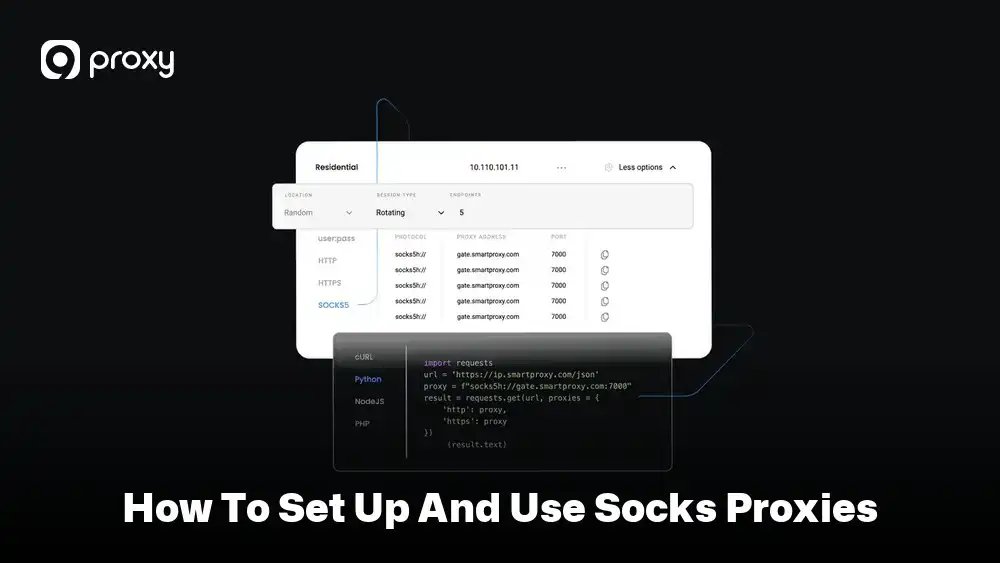
How to Set Up and Use SOCKS Proxies
Setting up SOCKS proxies the right way helps you avoid most connection errors, slow speeds, and access issues. A correct setup also ensures your traffic is routed properly and your real IP address stays hidden. Below is a clear and practical step-by-step process that works for most browsers, apps, and tools.
- Step 1 – Choose the right protocol: Decide whether to use SOCKS4 or SOCKS5 based on your needs. For most modern use cases, SOCKS5 is the better starting point because it supports authentication, UDP traffic, and more applications.
- Step 2 – Get your proxy details: From a trusted provider like 9Proxy, you will receive important information such as the proxy IP address, port number, and, in many cases, a username and password. Keep these details safe.
- Step 3 – Configure your app or browser: Open the network or proxy settings in your browser or application. Select the SOCKS option and carefully enter the IP address and port. Make sure there are no typing errors.
- Step 4 – Enable authentication (for SOCKS5): If you are using SOCKS5, enter the username and password provided. This step helps secure the proxy and prevents unauthorized access.
- Step 5 – Test your connection: After setup, visit an IP-check website or run a simple test to confirm that your traffic is going through the proxy. If the displayed IP matches the proxy location, your setup is working correctly.
Troubleshooting SOCKS Proxy Issues
If your proxy does not work, the first thing to check is your login information. A small typing mistake in the username or password can easily stop the connection. You should also confirm that you selected the correct proxy type in your settings, either SOCKS4 or SOCKS5, because choosing the wrong one can cause connection errors.
If the connection works but feels slow, try switching to a proxy server that is closer to your real location. A shorter distance usually means better speed and lower delay. If problems continue after these checks, 9Proxy is always here to support you and help find the best solution for a stable and reliable connection.
Common Use Cases of SOCKS Proxy
Many industries use SOCKS proxies to make their daily work easier, more flexible, and more private. Different jobs have different needs, so the way SOCKS4 and SOCKS5 are used can vary. The table below shows how common industries use these two protocols in real situations.
| Industry | SOCKS4 Proxy Use | SOCKS5 Proxy Use |
| Marketing | Checking local ads | Managing multiple social accounts |
| Research | Reading public data | Scraping data behind logins |
| Gaming | Basic connections | Fast, low-lag online play |
| Security | Simple tests | Safe and controlled data transfers |
Overall, this comparison shows that SOCKS4 is mostly used for simple tasks, while SOCKS5 supports more advanced and sensitive work. Because of its flexibility and wider compatibility, SOCKS5 has become the more useful choice for professional use today.
FAQ
Is SOCKS5 more secure than SOCKS4?
SOCKS5 is more secure than SOCKS4. SOCKS5 supports authentication, which means only approved users can connect to the proxy. SOCKS4 does not have this feature, so anyone who knows the proxy address can try to use it. While neither protocol encrypts traffic by default, SOCKS5 works much better with encrypted tunnels such as SSH. This makes SOCKS5 a safer option for teams and businesses that care about access control and security.
Are free SOCKS proxies safe to use?
In most cases, free SOCKS proxies are not safe. They are often shared by many users, which makes them slow and unstable. Some free proxies may log your traffic or stop working without warning. Others can be blocked quickly by websites. If you still want to understand how these public tools work before choosing a paid option, this guide about a free socks5 proxy server explains the common limitations and risks in more detail.
Is a SOCKS5 proxy better than a VPN?
OCKS5 proxies and VPNs serve different purposes. SOCKS5 is usually faster and more flexible because it does not encrypt traffic by default. This makes it useful for streaming, scraping, or automation. VPNs encrypt all traffic, which improves privacy but often reduces speed. If you need full encryption, a VPN is better. If you need speed and control, SOCKS5 is often the better option.
Conclusion
When comparing SOCKS4 vs SOCKS5, SOCKS5 is the clear winner for most users today. It offers better security through authentication, smoother performance for video and real-time traffic, and wider compatibility with modern applications and tools.
SOCKS4 can still work for very simple tasks or older programs that do not need advanced features. However, it lacks the flexibility and control required by today’s internet use. For a more stable, secure, and versatile setup, SOCKS5 is the better choice. At 9Proxy, we recommend using SOCKS5 to protect your data and maintain fast, reliable connections.