

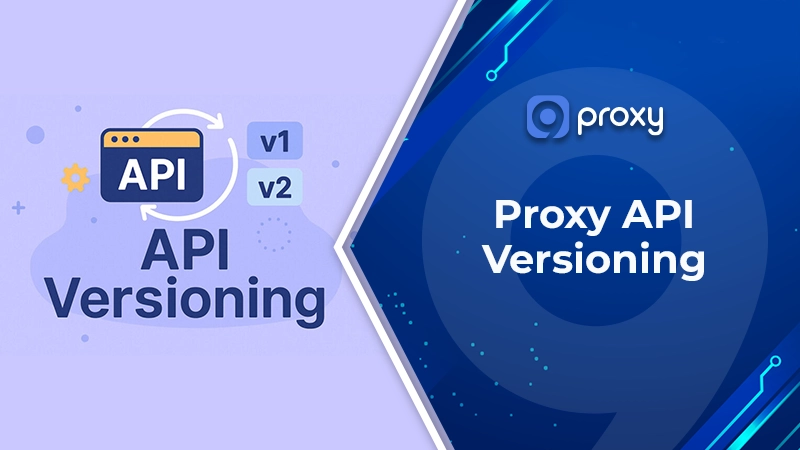
Proxy API Versioning is a way to manage different API versions using a proxy or API gateway. Instead of putting version logic inside each backend service, the proxy decides which version of the API should handle the request.
This allows systems to run versions like v1 and v2 at the same time without breaking existing apps. It also makes it easier to release updates gradually. With Proxy API Versioning, teams can control routing, caching, and security rules in one place while keeping older clients working smoothly.
What Is Proxy API Versioning?
Proxy API Versioning is a method where the API version is controlled by a proxy or API gateway instead of backend code. The proxy acts as a middle layer between the client and backend services. In many modern architectures, this layer behaves similarly to an api proxy that controls routing, security, and traffic management before requests reach upstream services. When a request arrives, it checks version information in the path, header, query parameter, or hostname and routes the request to the correct API version.
The flow is simple: Client → Proxy → Versioned service. Unlike app-level versioning, where each service handles version logic, Proxy API Versioning centralizes routing in one place. This reduces deployment risk and makes it easier to run multiple API versions at the same time.
Four Common Proxy API Versioning Strategies
A proxy can find the API version in different parts of an HTTP request. It might look at the path, a header, a query, or even the hostname. Each of these strategies uses different logic and has its own strengths.
We find that the right choice depends on your specific architecture and how you want to handle backward compatibility. Here are the four most common ways to do it.
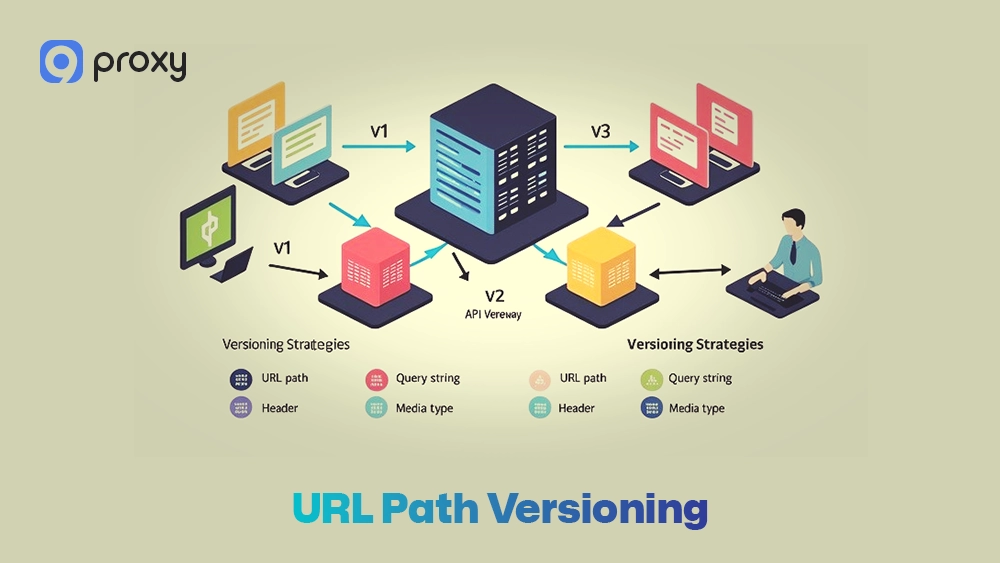
URL Path Versioning (e.g., /api/v1/users)
In this approach, the API version appears directly in the URL path. The proxy checks the path prefix, such as /v1/ or /v2/, and sends the request to the correct backend service. Sometimes the API gateway also rewrites the path before forwarding it to the upstream service.
This is one of the most straightforward forms of Proxy API Versioning because the version number is clearly visible in every request. It works well for public APIs where developers need to easily see and debug which version they are using. This model is usually suitable in the following cases:
- Best for public APIs and partner integrations
- Easy to test using browsers, curl, or Postman
- Simple to configure in many API gateways
- Clear routing and easier troubleshooting
- However, the URL changes when a new version is released
- Older versions remain visible in public API endpoints
Header-Based Versioning (e.g., X-API-Version: 2)
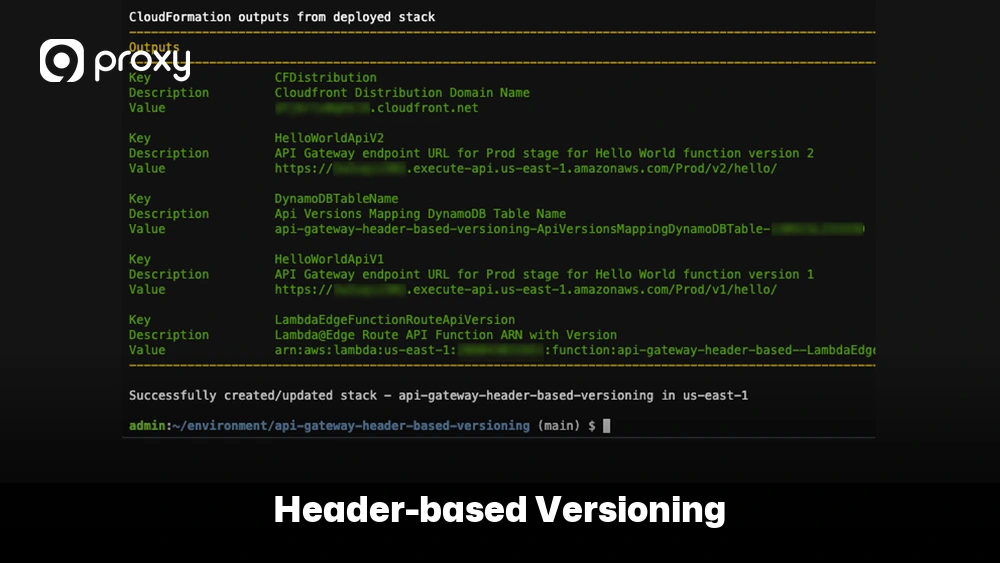
In this method, the API version is sent through an HTTP header, such as X-API-Version. The proxy reads this header and uses its value to decide which backend service should handle the request. Because the version is not included in the URL, the request path remains clean and unchanged.
This type of Proxy API Versioning works well for teams that want stable URLs and flexible version control. It is often used in internal platforms or service-to-service APIs, where clients can easily include custom headers in their requests. The main strengths and limitations include:
- Keeps URLs clean and consistent
- Supports flexible API updates and version changes
- Suitable for internal systems and controlled clients, especially in browser-based applications that may already rely on a cors proxy server to handle cross-origin API communication.
- Useful when different clients require different version rules
- Harder to test directly in a browser
- Requires the gateway to inspect request headers
- Can confuse users if the documentation is not clear
Query Parameter Versioning (e.g., ?version=2)
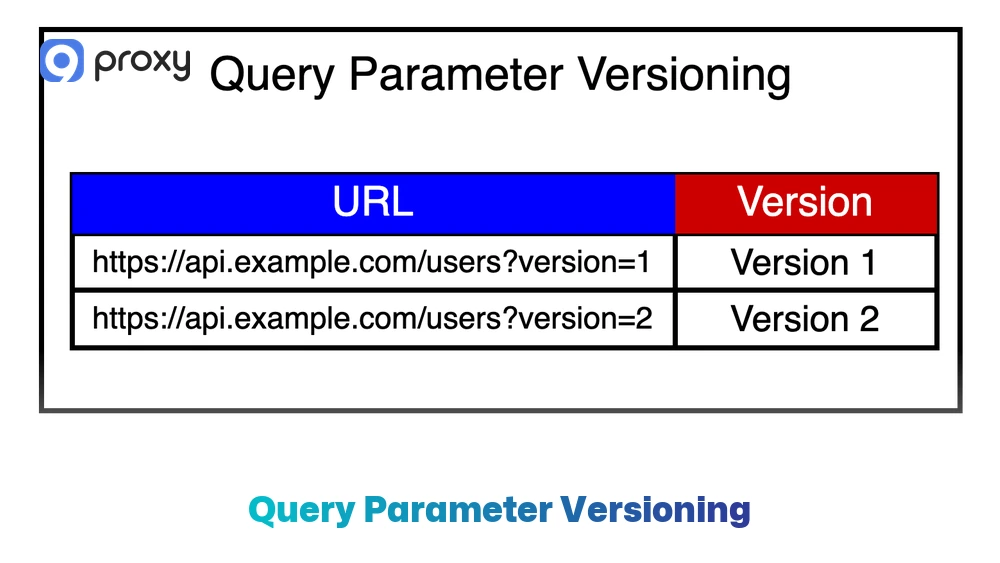
In this method, the API version is included in the query string at the end of the URL, such as ?version=2. The proxy checks this parameter and routes the request to the correct backend service.
This form of Proxy API Versioning is often used in simple systems or during quick testing because it is easy to implement. Keep these points in mind when using query parameters:
- Implementation is quick and simple for development teams
- No changes are required to the main URL path
- It is not always considered a best practice for a strict REST design
- It may cause caching issues in some cloud or CDN environments
Hostname-Based Versioning (e.g., v2.api.example.com)
In this model, each API version uses its own subdomain, such as v1.api.example.com or v2.api.example.com. DNS first sends the request to the proxy, and the proxy checks the Host header to determine which backend service should receive the request.
This form of Proxy API Versioning works well when there are major changes in the system architecture or when different versions must run independently. Key points of this approach include:
- Clear separation between different API versions
- Each version can be deployed and managed independently
- Scales well for large and complex systems with multiple teams
- Requires additional work to manage DNS settings and SSL certificates
When to Use Proxy Versioning Instead of Backend Versioning
Choosing where to put your versioning logic is a big step for any architect. If you need to run many versions at once or want to keep your backend code clean, the proxy is the best spot. Teams that are still deciding between gateway-based routing and lightweight proxy layers often compare architectures such as api proxy vs api gateway before choosing a deployment model. It also helps if you are planning a slow migration from an old system to a new one.
We created a table to show the differences between these two locations. The following table compares where you can manage your API versions and how it affects your team’s daily work and system complexity.
| Feature | Proxy Versioning | Backend Versioning |
| Control Location | API Gateway / Proxy | Inside Application Code |
| Flexibility | Very High | Low to Medium |
| Complexity | Medium (Infrastructure) | High (Code Logic) |
| Maintenance | Easier for DevOps | Harder for Developers |
As you can see, the proxy offers more flexibility for moving traffic around without changing code. Backend versioning is better if your system is very small and you do not have a gateway yet.
How to Set Up API Version Routing in an API Gateway
To implement Proxy API Versioning, the first step is deciding where the API version will appear in the request. The version can come from the URL path, an HTTP header, a query parameter, or the hostname. After that, the API gateway must create routing rules that detect the version and send the request to the correct backend service.
A common setup for Proxy API Versioning usually follows these steps:
- Choose a version signal: Decide where the gateway should look for the version, such as the path, header, query parameter, or host.
- Create routing rules: Configure rules in the gateway that match version values like /v1/, X-API-Version: 2, or version=2.
- Map each version to an upstream service: Route v1 traffic to one backend service and v2 traffic to another backend.
- Rewrite requests if needed: Some gateways modify the request path before sending it to the backend. For example, the public endpoint might be /api/v1/users, while the backend only expects /users.
- Define fallback behavior
Decide how the system should respond if the version is missing or invalid. The gateway may route to a default version, reject the request, or return an error message. - Add version negotiation rules: If needed, the gateway can automatically choose a default version when the client does not specify one.
- Protect and monitor the traffic: Apply security and monitoring features such as authentication, rate limiting, logging, tracing, and metrics for each API version. In enterprise environments, teams often combine version routing with rest api proxy authentication to secure requests before they reach backend services.
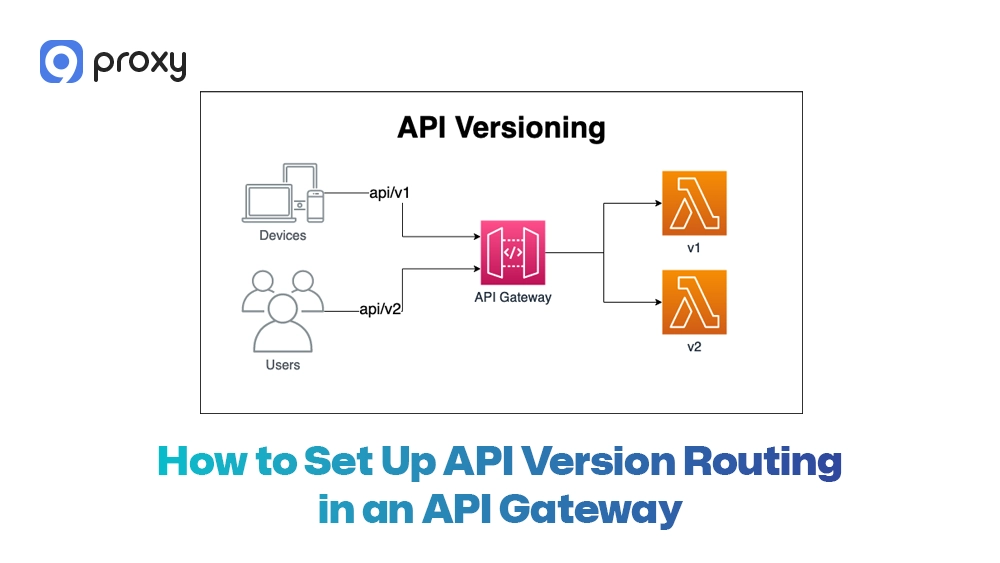
During development and testing, teams often simulate different environments to verify routing rules. Engineers may use tools that allow them to change IP with a proxy when sending requests through the gateway. This helps test routing, caching, and security under different network conditions.
This setup works with many gateways such as Nginx, Kong, Azure API Management, Gravitee, and Dev Proxy. Many organizations also build routing layers using dedicated proxy server software that supports traffic inspection, request rewriting, and API governance. The key idea is simple: inspect the request, apply routing rules, and send it to the correct backend service.
Mistakes to Avoid in Proxy API Versioning
Even with a well-configured proxy, problems can still happen if there is no clear plan. A common mistake is keeping too many old API versions active for too long. This increases maintenance work and can also create security risks. To keep Proxy API Versioning effective, avoid these common mistakes:
- No Deprecation Policy: If users are not informed when an old version will stop working, they may continue using it and never migrate to the newer version.
- Mixing Strategies: Avoid using different versioning methods at the same time, such as path versioning for some APIs and header versioning for others. This can make routing rules confusing.
- Ignoring Performance Overhead: Every check the proxy performs, such as inspecting headers or paths, adds a small delay to each request.
- Poor Documentation: If version rules are not clearly explained, users may send incorrect requests and cause problems in their own applications.
Proxy API Versioning Compared to Other Versioning Methods
Proxy API Versioning is not the only way to manage change. Some teams keep version logic inside backend services. Others use GraphQL schema evolution or media-type versioning through content negotiation. Each approach can work, but they solve different problems.
Before choosing a direction, it helps to compare where version logic lives and how hard it is to operate. The table below gives a quick decision view.
| Method | Where version logic lives | Best use case | Technical complexity | Scalability |
| Proxy-based versioning | API gateway or proxy layer | Running multiple API versions and releasing updates gradually | Medium | High |
| Backend code versioning | Application services | Small systems or when only one API version is active | Low to medium | Medium |
| GraphQL schema evolution | GraphQL schema and resolvers | Applications that need flexible and customizable data queries | Medium to high | High |
| Media-type versioning | HTTP headers or content negotiation | Systems that require strict control over response formats | Medium | Medium |
This comparison shows that Proxy API Versioning is often a practical option when teams need strong routing control, especially when deployed through a scalable cloud proxy service that can manage distributed API traffic across multiple regions, safe rollout of new versions, and support for multiple API versions at the same time. Although it may require more setup than basic versioning methods, it works well for modern systems that rely on API gateways.
FAQs
URI vs header versioning: which is better?
Both methods work well, but they are used in different situations. On Blog9Proxy, we often see developers prefer URI versioning for public APIs because it simplifies debugging and documentation. URI versioning is often better for public APIs because the version number appears directly in the URL, making it easy to see, test, and debug. Header versioning is more suitable for internal systems where teams want to keep the URL unchanged and control versions through request headers.
What status code to use for a deprecated API?
When an API version is deprecated, you can notify clients using the Sunset HTTP header to indicate when the version will stop being supported. If the version has already been removed and should no longer be used, the server can return a 410 Gone status code.
How to prevent unsupported versions from being called?
You can configure a default or fallback rule in the API gateway. If a request uses a version that is not supported, the gateway should reject it and return a 400 Bad Request or another appropriate error response.
Can versioning be removed later?
Yes, but removing versioning becomes difficult once many users rely on it. For this reason, it is best to plan your API versioning strategy from the beginning so that future changes can be managed more smoothly.
Conclusion
Proxy API Versioning helps teams release API updates without breaking existing applications. By managing versions through an API gateway, you can run multiple versions at the same time, control traffic more safely, and migrate users gradually. A clear routing strategy, proper fallback rules, careful caching, and good documentation all help reduce risk and keep integrations stable.
At 9Proxy, we recommend choosing a simple versioning approach that still supports your rollout and governance needs. With the right proxy infrastructure, you can manage traffic securely, scale API operations easily, and maintain stable services while introducing new features.