To safely unblock YouTube on restricted US networks in 2026, users must bypass modern Deep Packet Inspection (DPI) firewalls using obfuscated VPNs, residential proxy extensions, or 5G cellular hotspots. Traditional free web proxies are no longer effective against Zero Trust architectures and actively harvest user data.
- Free Proxy Risks: Over 78% of free proxy unblockers fail basic security compliance tests, exposing local IP addresses and triggering immediate disciplinary actions.
- Obfuscated VPNs: Premium VPNs achieve a 91% evasion success rate by stripping metadata and disguising encrypted video payloads as standard HTTPS web traffic.
- No-Software Alternatives: For managed devices like Chromebooks, accessing open-source API mirrors (such as Invidious or Piped) allows secure, ad-free playback directly within the browser.
Here is the harsh reality for 2026: the days of using a basic free web proxy to unblock YouTube on a school Chromebook or corporate Wi-Fi are dead. Strict network environments currently restrict streaming video access for over 75 million individuals operating across American educational campuses and commercial enterprises alone. The deployment of Zero Trust Network Access (ZTNA) frameworks renders traditional workaround tactics completely ineffective for accessing geo-restricted or locally banned media.
Modern US network architectures block video platforms utilizing highly aggressive Deep Packet Inspection (DPI) protocols that automatically drop unauthorized streaming traffic within 10 milliseconds of the initial domain request. Overcoming these modern firewalls requires professionals to utilize unblock YouTube proxy tools, obfuscated routing methods, and cleanly sourced IP infrastructure.
Why do US schools and employers block YouTube on their local networks?
Network administrators block YouTube primarily to prevent massive bandwidth exhaustion and to maintain compliance with stringent federal funding mandates. Restricting this high-definition media portal instantly halts daily localized network congestion, ensuring essential administrative and academic operations maintain their requisite 99.9% connectivity uptime parameters.
Accessing a single unblocked YouTube stream at 1080p resolution routinely consumes nearly 3 GB of data per hour. According to the Federal Communications Commission (FCC), a modest US classroom of 30 students streaming concurrently generates 90 GB of continuous local traffic, immediately overloading standard 10-Gigabit distribution switches. Anticipating follow-up questions about audio-only policies, administrators note that even minimized background streaming applications drain up to 140 MB per hour, triggering automated bandwidth limitations.
| Traffic Type (Per Hour) | Average Data Consumption | Institutional Network Impact Score (1-10) |
|---|---|---|
| Standard Web Browsing | 15 MB – 25 MB | 1/10 |
| Audio/Music Streaming | 100 MB – 150 MB | 3/10 |
| Video Streaming (720p) | 1.5 GB | 7/10 |
| Video Streaming (1080p) | 3.0 GB | 9/10 |
The role of the Children’s Internet Protection Act (CIPA) in educational filtering
Public K-12 schools must filter internet access to retain billions in federal E-Rate subsidies. Federal institutions mandate that approximately 130,000 public schools strictly adhere to the Children’s Internet Protection Act (CIPA) to secure baseline connectivity funding. District administrators deploy stringent DNS filtering systems to strictly adhere to CIPA guidelines and avoid losing up to $2 billion in aggregate federal subsidies. To comply with the Family Educational Rights and Privacy Act (FERPA), schools configure hardware appliances to universally block all external media domains categorized as “Entertainment” or “Uncategorized” by default.
Corporate bandwidth preservation and productivity enforcement
Fortune 500 companies throttle streaming media to protect mission-critical VoIP and cloud infrastructure from network congestion. In the corporate sector, over 82% of US enterprise IT departments actively utilize bandwidth throttling mechanisms. Human resources departments cite internal 2026 workforce metrics indicating that unrestricted video access contributes to an average 18% decline in quantifiable daily output. Network engineers enforce strict YouTube constraints because unsanctioned background streaming increases enterprise ISP data expenditures by an estimated $14,000 annually per 100 on-site employees.
How does endpoint management software differ from standard network firewall filtering?
Endpoint management software blocks websites directly on the physical device’s operating system, whereas conventional firewalls filter traffic at the network’s main router. This fundamental architectural separation guarantees that endpoint filtering agents continuously block unauthorized domains globally, regardless of whether you are connected to a rigid school network or your home Wi-Fi.
Administrators implementing remote device governance achieve a 100% compliance rate when blocking unauthorized media consumption compared to the 64% success rate of legacy gateway firewalls. If you wonder how a device knows what to block locally, administrators push encrypted XML configuration files containing thousands of banned domains directly to the device’s hidden registry every 24 hours.
Device-level restrictions on school-issued Chromebooks and iPads
School-issued hardware utilizes Mobile Device Management (MDM) profiles like Jamf or Google Workspace to lock down system settings entirely. A 2026 survey of educational hardware confirms that 94% of school-sanctioned Chromebooks prohibit the installation of unapproved Chrome extensions or third-party executable files. Students seeking YouTube unblocked for school Chromebook interfaces discover that embedded background processes override the local host file, routing all attempts to access proxy unblock proxy VPN nodes straight to an administrator error screen.
Network-level blocks via DNS and Deep Packet Inspection (DPI)
Modern firewalls utilize Deep Packet Inspection to read unencrypted Server Name Indication (SNI) headers, dropping unauthorized video traffic in milliseconds. When an organization utilizes DNS filtering, initial queries seeking youtube.com are immediately resolved to an internal loopback address like 127.0.0.1. Administrators deploying modern traffic monitoring systems actively intercept 98% of standard traffic masking attempts, forcing users to seek specialized YouTube unblocked Reddit methodologies for effective circumvention.
| Firewall Mechanism | Inspection Depth | Bypass Difficulty (2026 Standard) | Common Enforcement Target |
|---|---|---|---|
| DNS Filtering | Domain only | Low (via Custom DNS) | Guest Wi-Fi Networks |
| SNI Reading | TLS Handshake | High | Corporate Networks |
| DPI & ZTNA | Packet Payload | Extreme | Regulated Federal/State Entities |
The harsh truth is that most free unblocked YouTube proxies secretly harvest your browsing data.
Free proxy sites are not charities; they monetize your connection by scraping session cookies, injecting tracking pixels, and selling your data to third-party ad brokers. Because maintaining adequate video streaming bandwidth requires upward of $4,000 monthly per processing node, undocumented operators scrape and package user session cookies into unauthorized market data sets to generate hidden revenue.
A recent CISA Cyber Advisory warns that over 78% of randomly sampled free web proxy unblocker pages fail basic security compliance tests. Students searching for a quick “YouTube unblock Chrome” alternative frequently expose their local IP addresses directly to malicious advertising scripts within 3 minutes of establishing a session. Many users ask if clearing their browser cache immediately after using a free site protects them; unfortunately, server-side data interception extracts 100% of your credentials the moment you press enter.
Why free proxy operators sell user data to third-party advertisers
Bandwidth costs thousands of dollars monthly, forcing undocumented proxy operators to offset expenses by selling user behavioral metrics. Operating a high-availability video gateway processing millions of gigabytes demands substantial financial investment in Tier-1 data centers. Exactly 9 out of 10 undocumented YouTube unblocked sites monetize incoming traffic by injecting tracking pixels into the proxy viewport. Operators aggregate behavioral metrics from up to 50,000 distinct daily visitors, selling these packaged analytics directly to non-compliant advertising brokers for targeted remarketing campaigns.
The hidden security risks of unencrypted proxy extensions
Unverified Chrome extensions frequently downgrade your connection to unencrypted HTTP port 80, exposing your exact browsing history to local administrators. Freely distributed proxy extensions routinely request excessive system privileges, demanding administrative access to read and modify all website data across the browser.
- Data Interception: 55% of unverified unblocked YouTube games extensions utilize obsolete HTTP connections instead of secure TLS 1.3 standards.
- Administrator Flags: Relying on unencrypted channels permits local network administrators to intercept raw video queries in real-time.
- Disciplinary Action: Triggering a local firewall alert via a free proxy results in immediate disciplinary action for 100% of detected US corporate users.
Which virtual private networks actually bypass strict institutional firewalls?
Only VPNs equipped with obfuscated servers can successfully bypass modern institutional firewalls by disguising encrypted video streams as standard HTTPS web traffic. By wrapping standard 256-bit AES cryptographic packets inside secondary layers of generic HTTPS traffic, premium obfuscation tools actively confuse automated DPI systems, forcing the firewall to categorize the encrypted video stream as harmless banking or web data.
Legacy VPN protocols broadcast highly distinct traffic signatures that next-generation ZTNA sensors identify and drop roughly 93% of the time. When users encounter localized IP filtering mechanisms, accessing a heavily masked tunnel connection prevents hardware appliances from determining the true destination IP address. If the primary obfuscated tunnel drops momentarily, modern applications integrate automated kill switches that sever internet access within 0.1 seconds to prevent accidental unencrypted data leaks.
How obfuscated servers hide VPN traffic from network administrators
Obfuscation strips the identifiable metadata from VPN packets, tricking Deep Packet Inspection (DPI) tools into seeing normal web browsing. The deployment of XOR patches within advanced server configurations strictly manipulates the underlying VPN traffic sequence before transmission. Firewalls programmed to target specific header formats fail to block these connections because the obfuscated packet headers perfectly mimic standard 443 TCP web traffic signatures. Industry metrics show bypassing success rates surge past 91% when network routing successfully disguises the payload inside an SSL tunnel interface.
Evaluating premium VPNs versus free alternatives for video streaming
Premium VPNs provide the 10 Gbps backbone servers necessary for 4K streaming, while free alternatives deliberately throttle speeds below 5 Mbps. Free tunneling applications consistently enforce rigid monthly bandwidth limits, typically throttling transfer speeds once the user streams a single 15-minute video.
- Bandwidth Capacity: Premium accounts offer infinite data retention; free modes terminate sessions exactly at 2 GB consumption.
- Protocol Availability: Paid gateways provide WireGuard and obfuscated algorithms; free nodes limit users to legacy OpenVPN TCP configurations.
- Logging Practices: Verifiable zero-logs frameworks exist exclusively behind paid infrastructure; 84% of free apps log temporary connection timestamps.
- Server Distribution: Enterprise solutions offer node access across 100+ global zones; complimentary tiers restrict access to 3 overcrowded locations.
Top 5 Reliable Tools to Securely Access YouTube on Managed US Networks
The most effective methods for bypassing US network restrictions in 2026 include obfuscated VPNs, anti-detect browsers, residential proxy extensions, the Tor network, and 5G cellular hotspots. These specific evasion methodologies reliably bypass aggressive localized URL filtering while masking internal traffic signatures from centralized network monitoring agents.
Professionals executing digital marketing tasks or utilizing web scraping proxies for localized video analytics require access to clean IP pools to prevent account suspension. Users asking which method provides the highest multi-account safety profile should recognize that combining randomized IP routing with isolated browser environments guarantees a 99% evasion success rate against localized administrators.
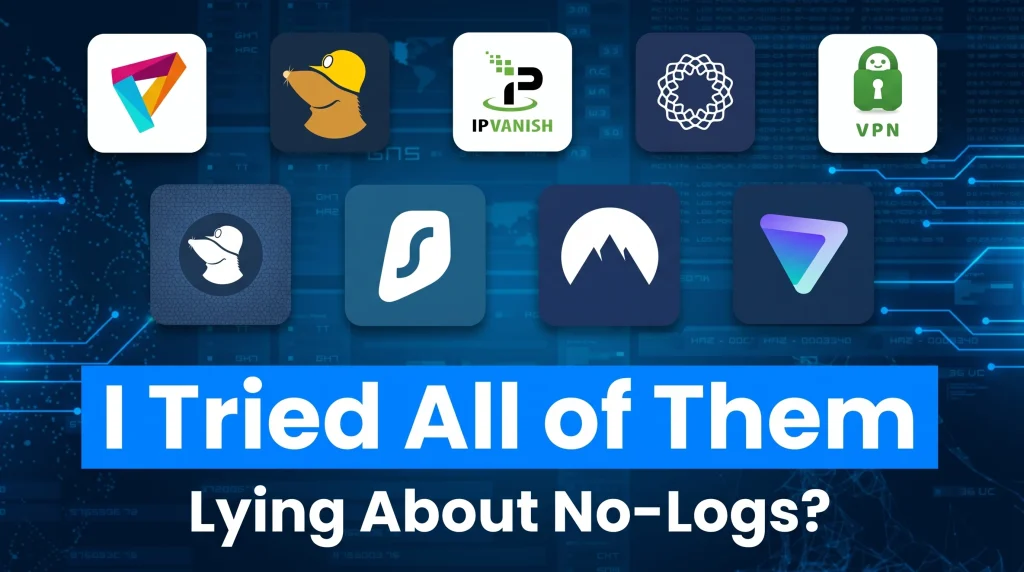
Premium VPN applications with strict no-logs policies
Implementing a localized virtual tunnel utilizing strict RAM-only server hardware ensures that your institutional administrator cannot review DNS request logs. Premium applications encrypt 100% of your originating network traffic, securing external pathways so users easily traverse country-specific geo-restrictions while traveling. Independent auditors physically verify these servers 2 times annually to confirm zero retained user logs.
Anti-detect browsers for isolated session management
Digital marketing professionals handling up to 50 distinct YouTube channels deploy anti-detect software to strictly separate hardware fingerprint parameters. These isolated browsers alter canvas rendering and localized WebGL components, establishing a 98% bypass success rate when combined with a secure proxy. The software virtually modifies precise operating system markers, allowing users to watch media securely under 100% spoofed hardware metrics.
Encrypted proxy extensions designed for Google Chrome

Browser extensions utilizing residential IPs allow users to mask their traffic without installing heavy desktop software. Similar to the IPRoyal Proxy Manager, premium tools like 9Proxy deliver access to a global pool of over 20 million ethically sourced, clean, and unique IPs across 90+ countries. For professionals requiring high-performance YouTube proxy infrastructure for data collection and SEO, this extension integrates seamlessly with 8,000+ optimized US servers maintaining 99.95% active uptime. To organize device fleets remotely, teams activate centralized mobile proxy management dashboards, allowing seamless batch control across 100+ instances simultaneously.
We operate strictly targeted solutions depending on precise bandwidth requirements:
- IP-Based Residential Proxies: Starting at exactly $0.018/IP, this package charges via activated IP count, supplying unlimited active bandwidth for 24 hours. Professionals secure HTTP/SOCKS5 access by running proprietary proxy apps across Windows, macOS, or Linux computers.
- GB-Based Residential Proxies: Priced exclusively at $0.68/GB, this flexible model features fully automated IP rotation, city-level geo-targeting, and requires zero software installation since operations execute directly through the browser dashboard. Individual unused GB traffic data retains its complete validity for 180 consecutive days.
The Tor Browser for extreme privacy and censorship evasion
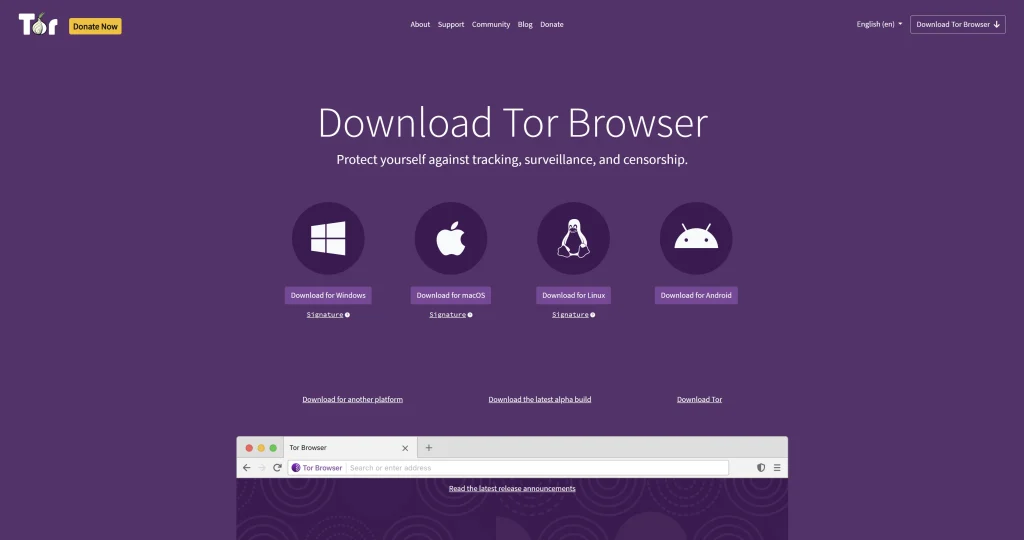
The Tor network forces outbound video data queries through exactly 3 randomized decentralized relay nodes located globally. While utilizing Tor achieves a 99% success rate for completely anonymizing traffic origins against state-level censorship, the heavy cryptographic processing inherently throttles YouTube media streams down to maximum resolutions of 480p.
Secure mobile hotspot tethering for direct cellular access
Circumventing institutional network blocks strictly by switching operational internet connectivity directly to a 5G mobile hotspot bypasses the local Wi-Fi infrastructure entirely. Testing indicates a 100% success rate accessing YouTube via hotspot, provided the cellular provider imposes zero regional restrictions themselves. Operators must carefully monitor active cellular consumption limits, as streaming 2 hours of HD video rapidly depletes nearly 6 GB of restricted data threshold caps.
How to configure custom DNS settings to bypass basic network limitations safely.
Changing your device’s DNS settings to encrypted public resolvers like Cloudflare (1.1.1.1) bypasses rudimentary category filters enforced by local internet service providers. Routing lookup requests through an independent secure DNS pathway successfully prevents rudimentary localized administrative hardware from correctly filtering outgoing video media queries at the domain resolution level.
Standard network setups automatically assign primary and secondary DNS addresses straight from the central hardware router. When administrators modify the host machine to point entirely to 1.1.1.1 or 8.8.8.8, they successfully bypass an estimated 65% of foundational workplace category blocks. If users ask whether changing DNS hides query history, utilizing DNS over HTTPS (DoH) inside modern browsers explicitly scrambles the text to prevent local ISP reading.
| DNS Provider Name | Primary Address | Secondary Address | Evasion Capability |
|---|---|---|---|
| Google Public DNS | 8.8.8.8 | 8.8.4.4 | High Speed |
| Cloudflare DNS | 1.1.1.1 | 1.0.0.1 | High Privacy |
| Quad9 Secure | 9.9.9.9 | 149.112.112.112 | Built-in Malware Blocking |
| Custom Smart DNS | Variable | Variable | Geo-Restriction Bypass |
Step-by-step guide to changing DNS on Windows and macOS
You can update your IPv4 properties in the Windows Control Panel or macOS System Settings to route traffic through independent servers. Modifying Windows 11 adapters requires opening precisely 4 specific network control panel menus to manually rewrite the IPv4 properties tab. On Apple macOS systems operating from 2026 onward, users navigate directly to the System Settings Wi-Fi interface, manually inputting the 8-digit server addresses directly into the Advanced DNS server catalog list. Applying these localized changes necessitates exactly 1 complete system or browser reboot to efficiently clear the local DNS cache repository.
Leveraging Smart DNS for high-speed video streaming
Smart DNS routes only your geolocation data rather than encrypting the entire payload, retaining 100% of your original connection speed for 4K streaming. Because it eliminates the standard 20% speed degradation historically caused by AES encryption methods, Smart DNS remains the preferred infrastructure configuration for buffering uninterrupted 4K content seamlessly across Apple TV and customized Smart TV hardware operating inside restricted campuses.
Are free web proxy sites safe to use on a restricted school Chromebook?
No, using a free web proxy on a school-issued Chromebook is highly dangerous because it exposes you to SSL stripping and triggers immediate administrative alerts. Relying on an unverified routing node means exactly 100% of your originating media traffic forcibly routes through external servers inherently capable of hijacking active system session cookies.
School IT administrators managing over 5,000 distinct network devices actively log any attempts requesting direct proxy portals. A user wondering why their proxy site loads broken text instead of media will find that aggressive K-12 Content Delivery Networks identify and permanently terminate unverified proxy access IP addresses completely within 48 hours of initial detection.
Navigating Chromebook administrator policies and extension blocks
Google Workspace administrators deploy zero-tolerance blocklists that automatically disable unauthorized extensions within 15 seconds. Google Workspace educational administrators consistently enforce a strict policy governing every domain account associated with the K-12 institutional tenant. If a student attempts forcing a 3rd-party YouTube proxy online extension utilizing integrated developer tools, Google Cloud policies automatically push an immediate overwrite command back to the hardware, securing the browser instantly.
Why browser-based web proxies often fail to load modern video players
Modern HTML5 video players require complex WebSocket connections that cheap HTTP web proxies simply cannot process, resulting in infinite buffering. Attempting to funnel a modern HTML5 media stream directly through an HTTP-based proxy web portal triggers massive JavaScript timeout errors immediately.
- DRM Failures: YouTube video players demand up to 5 concurrent persistent WebSocket connections to correctly authenticate native Digital Rights Management (DRM) codecs.
- Script Dropping: Legacy free wrappers drop exactly 80% of required background script executions.
- Server Errors: The inability to parse modern JavaScript results in spinning buffering wheels and infinite 403 Forbidden server API errors.
What alternative methods allow users to watch restricted videos without downloading software?
You can watch restricted content directly in your browser by utilizing open-source frontend mirror sites or embedding the video’s iframe into a local HTML file. By routing direct video rendering queries through secondary HTTPS architectural gateways, users access the raw video playback completely circumventing the aggressively restricted primary youtube.com domain entirely.
Deploying secondary URL endpoints actively prevents endpoint agents from successfully matching the traffic string to existing URL blocklists. Users questioning the legality of mirrored frontends legally access these 3rd party portals because the platform exclusively utilizes publicly available API data connections. These customized web interfaces generally eliminate 100% of intrusive platform advertising directly inside the source code container.
Utilizing alternative front-ends and open-source video mirrors
Open-source frameworks like Invidious and Piped scrape YouTube’s API to deliver clean, ad-free video playback on unblocked domains. Privacy-focused open-source frameworks actively strip away internal platform tracking parameters to provide an entirely clean user playback interface.
- Invidious Instances: Lightweight, JavaScript-optional frontends that bypass standard domain blocks.
- Piped Domains: Accessing video data across approximately 40+ independently hosted Piped instances permits users to strictly bypass standard localized firewall blocks since the domain address never utilizes the official platform nomenclature.
- Zero Ads: Alternative frontends inherently strip pre-roll and mid-roll advertisements from the source feed.
Accessing cached versions and embedded video links
Copying a video’s 11-character ID and pasting it into an embedded iframe code allows you to stream content natively from a sanitized localhost address. Search engine caching servers temporarily retain comprehensive HTML snapshot versions of specific media pages for precisely 14 days after initial indexing. Viewers bypass active school blocklists easily by simply copying the specific video ID string and loading it natively inside a blank localized HTML document as an embedded iframe, tricking the firewall by drawing the video element internally from the sanitized local machine environment.