

If you're trying to set up a Proxy Server PS5 to boost speed, strengthen security, or unlock games from other regions, this blog is written for you. Many PS5 players deal with lag, slow downloads, or restricted content, and using a Proxy Server PS5 is one of the simplest ways to overcome these issues.
Therefore, 9Proxy ’ll walk you through what a proxy is, why gamers rely on it, and how it can make your connection faster, more stable, and more private. You’ll also find clear step-by-step setup instructions and practical tips to choose the right proxy service, helping you configure a proxy server on your PS5 easily and correctly.

What Is a Proxy Server PS5?
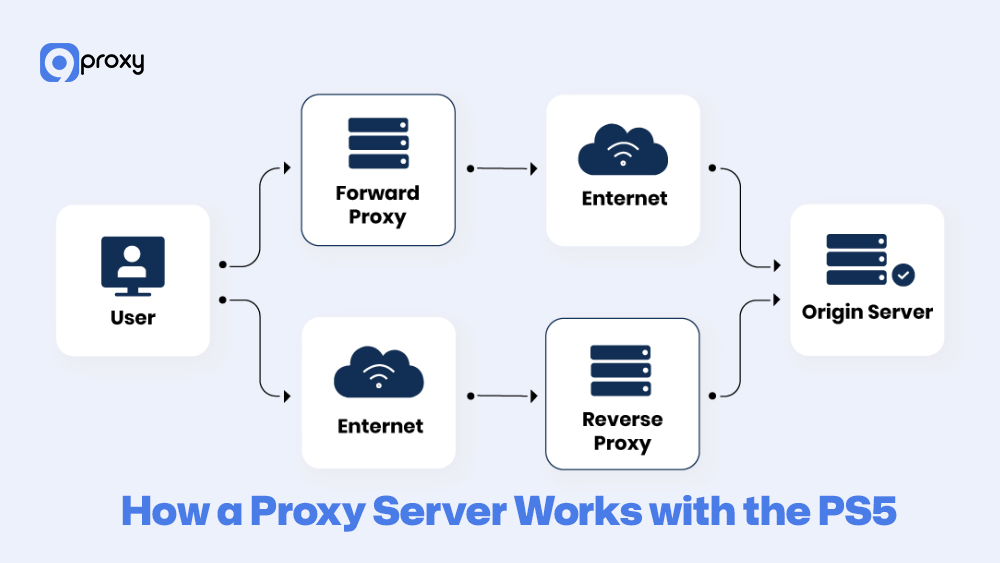
A Proxy Server PS5 is simply a middle step between your PS5 and the internet. Instead of your console talking directly to PlayStation Network or game servers, all your traffic is sent to the proxy first. The proxy then forwards everything using its own IP address.
With a proxy server PS5 setup, your connection can take a faster and more stable route, helping reduce lag, avoid ISP throttling, and improve download speeds. Many players who manage multiple consoles at home also look into related configuration guides, such as a PS4 proxy server, when setting up more than one PlayStation device on the same network.

How a Proxy Server Works with the PS5?
When you configure a proxy on your PS5, you are simply telling the console to send all of its internet traffic through the chosen proxy server. The traffic flow works like this: your PS5 sends a request → the request goes to the proxy server → the proxy server forwards it to the game server or PlayStation Network. The game server only sees the proxy’s IP address, not your real one.
This different routing path directly affects your connection quality. If your ISP uses a slow or congested route to a game server, but your proxy provider uses a faster and cleaner route, your PS5 will experience better performance. This is especially useful for lowering latency (ping) and improving overall stability, both of which are crucial for smooth online gameplay. With this setup, your PS5 can maintain a much more consistent and reliable online gaming experience.
Setting Up a Proxy Server on Your PS5
Setting up a Proxy Server PS5 is actually quite simple, and doing it correctly gives you full control over how your console connects to the internet. Below is the preparation you need and the complete step-by-step setup to help you get started quickly and smoothly.
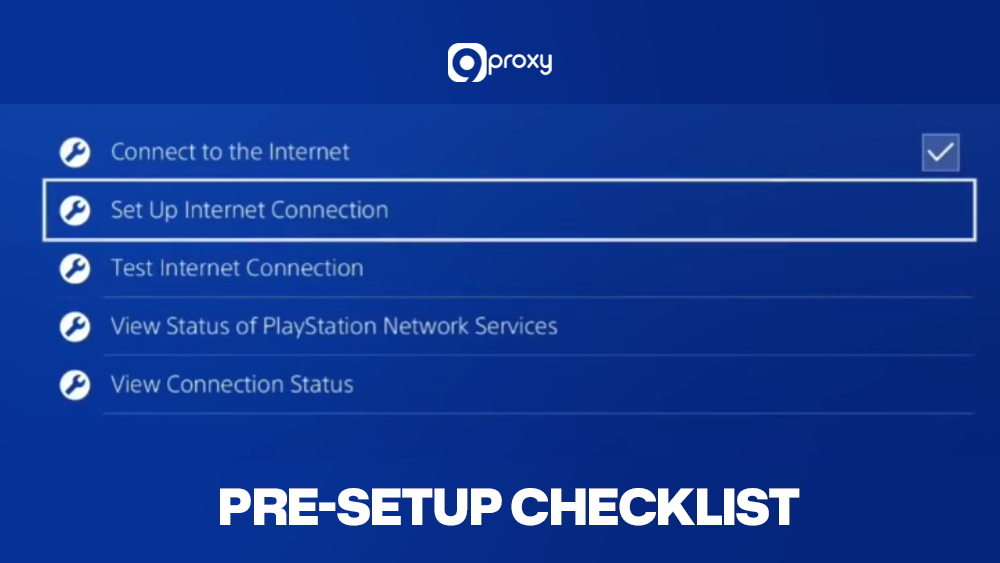
Pre-Setup Checklist
Before setting up anything on your PS5, make sure you have the right information ready so the proxy configuration goes smoothly and avoids unnecessary errors. You’ll need:
- A reliable proxy service (paid proxies are strongly recommended for stable speed).
- The proxy’s IP address and Port number.
- Login details (username/password) if your proxy requires authentication.
- A few speed tests to compare performance before and after setup.
- In the right region, choose a proxy server that’s closest to the game server, not necessarily closest to you.
Preparing these details in advance helps you avoid errors during setup and ensures the Proxy Server PS5 connection works properly from the beginning.
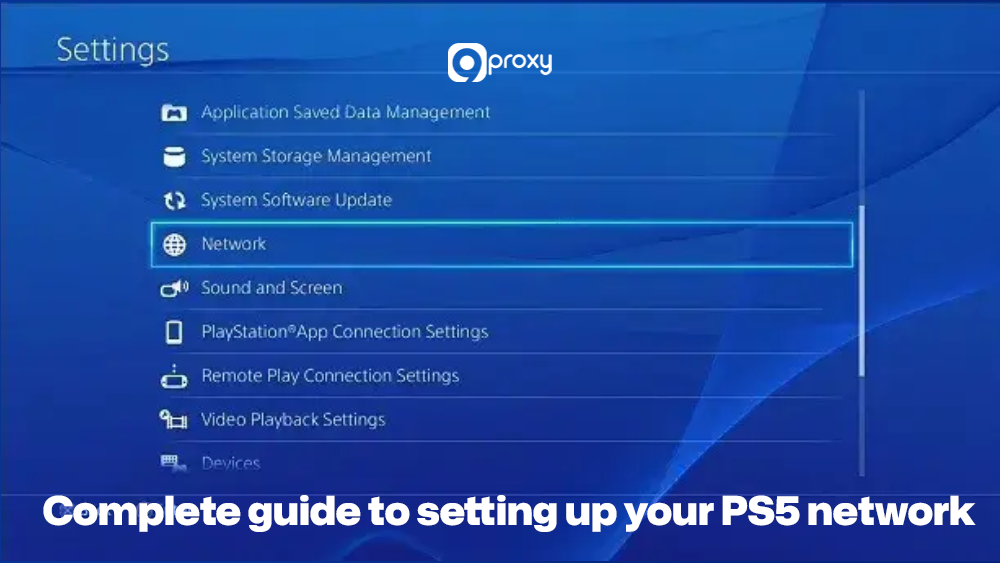
Complete Guide to Setting Up Your PS5 Network
Below is the full step-by-step process for configuring your PS5 to use a proxy server. Follow each step carefully to ensure your connection is set up correctly:
- Open Settings: From the PS5 home screen, select the Settings (gear icon).
- Go to Network: Scroll down and choose Network.
- Set Up Internet Connection: Select Settings → Set Up Internet Connection.
- Choose Your Connection Type: Select Wi-Fi or LAN Cable. If using Wi-Fi, pick your Wi-Fi network and enter the password.
- Choose Custom Setup: Select Custom to manually adjust network settings.
- IP Address Settings: Set to Automatic.
- DHCP Host Name: Choose Do Not Specify.
- DNS Settings: Select Automatic.
- MTU Settings: Leave it at Automatic.
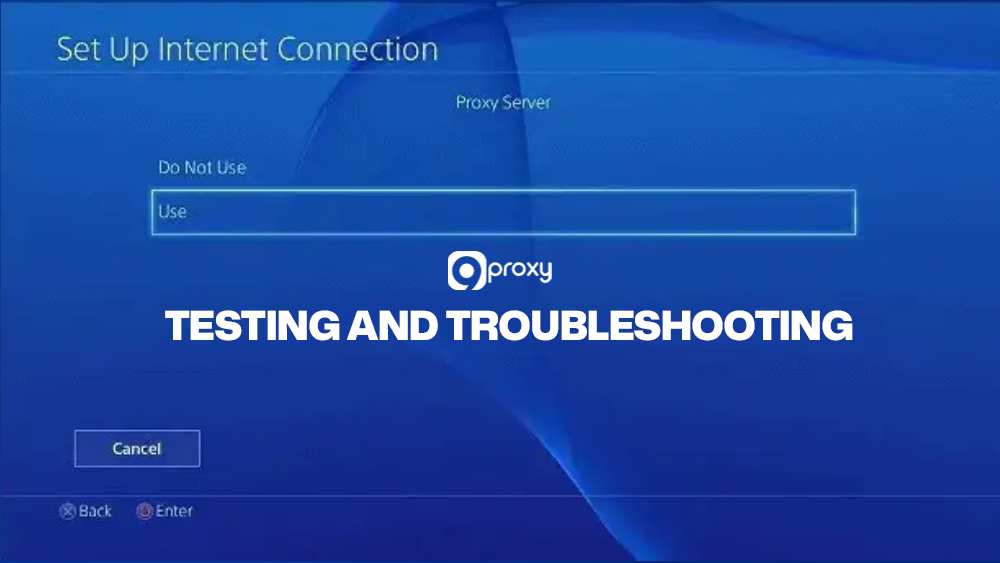
- Proxy Server: Under Proxy Server, choose Use.
- Enter Proxy Details: Input the proxy IP address and port number from your provider.
- Save Settings: Select Next to finish setup.
- Run Test: Choose Test Internet Connection to confirm the proxy is working.
If the test completes successfully, your Proxy Server PS5 configuration is ready to use
Testing and Troubleshooting
Once setup is complete, you should verify everything is working and know how to fix common issues.
Connection Test: Use Test Internet Connection to confirm status, IP address, and NAT Type.
Verify Proxy Activity: If the IP or region shown in the test doesn’t match your ISP, your proxy is active. You can also open the PS5 browser and visit an IP-checking site.
Fixing NAT Type Issues: Some proxies cause NAT Type 3, which restricts online features.
If this happens, switch to a proxy that supports SOCKS5, which handles peer-to-peer connections better than HTTP/HTTPS.
Slow Logins or Disabled Updates: If PSN login fails or updates don’t download, the proxy IP might be disabled. Switch to another IP from your provider.
Best Practices and Tips for PS5 Proxy Use
To optimise your Proxy Server PS5 setup, keep these practical tips in mind, as they will help you maintain a stable, fast, and secure connection during every gaming session:
- Choose the right server location: Pick a proxy near the game server you want to connect to for the lowest ping.
- Test latency regularly: Use Test Internet Connection to track ping, download, and upload speeds.
- Use selectively: Enable the proxy only when needed. For normal gameplay, a direct ISP connection may be simpler.
- Keep firmware updated: System updates improve network performance and compatibility with proxy routing.
These habits help maintain a stable, fast, and secure connection on your PS5, ensuring that every online session feels smoother and more reliable.
Benefits and Drawbacks of Using a Proxy Server for PS5
A proxy server can greatly improve your online gaming performance, but it also comes with certain drawbacks. Before choosing a service, 9Proxy wants you to clearly understand both the advantages and limitations of using a proxy server for PS5 setup for gaming. If your primary goal is performance in competitive matches, you may also want to explore how a dedicated gaming proxy works and how it differs from general-purpose proxy routing.
Benefits of Using a Proxy Server on PS5
By placing a proxy between your PS5 and the internet, you unlock several valuable benefits, especially for competitive games or content that is restricted by region.
Unlocking Game Content: A PS5 proxy hides your real location and shows a different region instead. This allows you to access game updates, exclusive titles, or streaming services that aren’t available in your country. Similar techniques are commonly used to unblock YouTube or access region-limited media platforms when traveling or living abroad.
Avoiding ISP Throttling: Some ISPs slow down your speed when they spot heavy bandwidth use, such as downloading a large game. A proxy helps mask this activity, reducing the chance of being throttled.
Improving Download Routes: Good proxy services often use fast, dedicated routes to content delivery networks (CDNs). This can make your PS5 download games and updates much faster than your default ISP path.
Getting Better Routing to Certain Game Servers: A proxy can find a shorter or less congested route to your game server. This helps lower latency (ping), reduce lag, and improve overall online stability.
Increasing Privacy: A proxy hides your console’s real IP address, giving you extra protection against DDoS attacks and improving your privacy during online play. This layer of anonymity is also useful for users who stream music through platforms that apply geographic filters, where tools like a Spotify proxy are often used for controlled access.
Risks & Limitations
While using a PS5 proxy offers many benefits, there are important limitations you should be aware of to avoid unexpected issues during gaming or network setup. These limitations also appear in other use cases, such as social platforms, where people rely on tools like social media proxies to handle similar routing constraints.
NAT Issues: Some proxy types can cause NAT Type 3 (Strict), which may limit matchmaking, voice chat, or the ability to play with friends.
Possible Security Risks: Untrustworthy or free proxy providers might collect your data or expose you to security vulnerabilities.
PSN Service Restrictions: Using a PS5 proxy to access another region’s PlayStation Store or restricted services may violate PSN’s Terms of Service. If noticed, it can result in warnings or account restrictions.

Best Proxy Servers for PS5: Criteria for Selection
Choosing the best proxy server PS5 is an important step if you want smooth, fast, and stable gameplay. With so many services available, it’s helpful to compare them using clear criteria to make sure the proxy you choose can support high-performance gaming.
The table below gives you a simple overview of the key features you should look for when selecting the best PS5 proxy service. Before reviewing the table, note that some criteria also matter in other proxy-related tasks, such as using a freelancer proxy server, where reliability and stability play an equally important role.
| Criteria | Importance of PS5 Gaming | Description |
| Server Locations | High | Wide coverage allows you to choose proxy servers close to game servers for optimised routing and geographic access. |
| Latency Consistency | Critical | Low and stable latency (ping) is the most important factor for competitive gaming; look for guaranteed performance. |
| Uptime Reliability | High | The proxy must be available 24/7 to prevent sudden disconnections, which can lead to losses or prohibitions in online games. |
| SOCKS5 Support | High | SOCKS5 is superior for gaming as it handles all types of traffic (including UDP/P2P) and is better for resolving NAT issues. |
| Dedicated IP Availability | Medium | While optional, a dedicated IP reduces the chance of using an IP that is already prohibited or flagged by a game server. |
| Unlimited Bandwidth | Critical | Gaming involves large downloads and high data usage; unlimited data ensures you are never cut off during a session. |
| Customer Support | Medium | Reliable support is needed for quick troubleshooting of IP blacklisting or connection setup errors. |
When searching for the best proxy server for PS5, you should pay close attention to two essential factors: Latency Consistency and Unlimited Bandwidth. Online gaming needs a fast, stable data flow, and you don’t want speed drops or data limits slowing down big game downloads or updates. A provider that guarantees these two features will greatly improve your overall gaming experience.
Types of Proxies Compatible with PS5
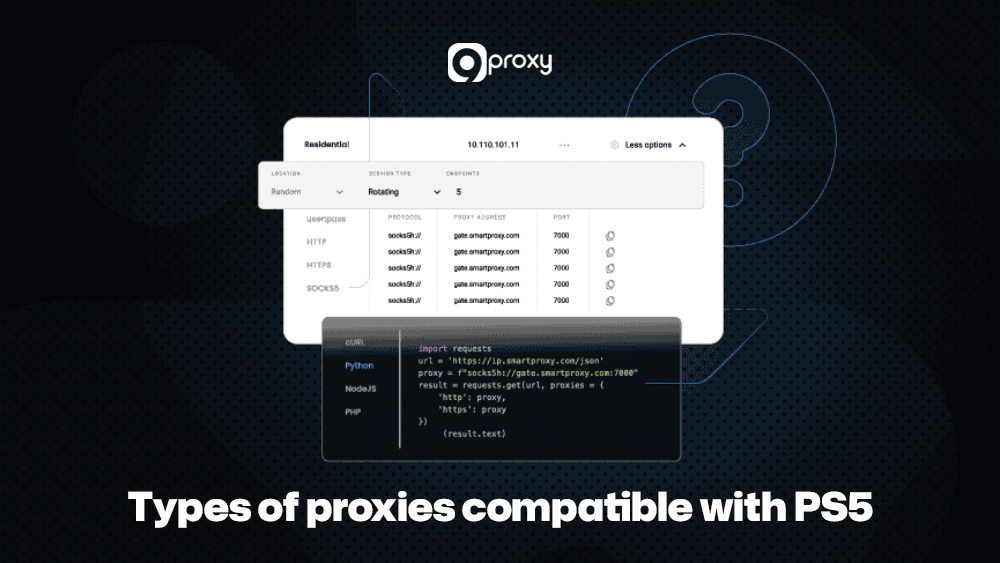
Different proxy types process data in different ways, which directly affects your PS5’s performance. Choosing the right type is crucial if you want the best PS5 proxy experience with fast speeds and stable gameplay.
HTTP/HTTPS Proxies: These are common and good for basic browsing or unblocking websites. However, because they operate at the application layer, they often struggle with the fast, low-level traffic required for smooth online gaming.
SOCKS5 Proxies: Widely considered the best option for gaming. SOCKS5 works at a lower network level, supports both UDP and TCP traffic, and handles all kinds of data. This makes it ideal for game servers and helps reduce NAT-related problems.
Residential Proxies: These use IP addresses from real household internet connections, making them very trustworthy in the eyes of game servers. This also benefits users performing tasks like buying things cheaper with proxies, where authenticity and undetected routing are important.
Datacenter Proxies: These come from commercial data centres. Although they can be extremely fast, they are the easiest for gaming platforms to identify and disable, which makes them less reliable for PS5 use.
Free vs. Paid Proxy Servers PS5: Which Is Better?
When choosing a proxy service, many people look at price first. A free proxy server for PS5 might seem attractive, but the quality gap between free and paid services is very large, especially if you want smooth, stable PS5 gaming.
| Proxy Type | Pros | Cons |
| Free Proxies | – Free to use – Good for basic testing |
– Slow and unstable – Frequent disconnects – Weak security, higher data risk |
| Paid Proxies | – Fast and reliable – Better security & support |
– Requires a subscription fee |
When choosing a proxy service, many users focus on price first. A free proxy server for PS5 might look appealing, but the quality difference between free and paid options is significant, especially if you want smooth and stable gaming. Free proxies are fine for simple testing, but they are usually slow, unstable, and risky for your data.
Paid proxies, on the other hand, provide faster speeds, better security, and far more reliable performance. If your goal is to reduce lag, avoid disconnects, and protect your information while gaming on PS5, a paid proxy is the smarter and safer choice.
9Proxy – Ideal Proxy Provider for proxy server PS5
At 9Proxy, we provide optimised and high-quality proxy solutions for gamers who want the best performance on PS5. Our infrastructure is designed to deliver low latency, stable routing, and anonymous access for all gaming activities.
Key Advantages of 9Proxy for PS5 Users:
- 100% Real Residential Proxies: Real IPs from 90+ countries for natural traffic.
- Clean & Private Proxy Pool: No shared sources, minimising blacklist risks.
- Unlimited Bandwidth per IP: Perfect for large downloads, streaming, and updates.
- Affordable Pricing: Starting around ~$0.04/IP with no data caps.
- Crypto Payment Bonus: Receive a +5% bonus IPs when paying with cryptocurrency.
With 9Proxy, you could get a smoother, faster, and more secure gaming experience on your PS5.

FAQ
Are free proxy servers safe for gaming?
Free proxy servers are generally not safe to use. Most of them do not provide proper encryption or strong security, which puts your data at risk. It’s best to avoid them, especially on the PS5, where your console may store sensitive information such as payment details linked to your PSN account.
How do I know if I need a proxy server for my PS5?
You may need a proxy server if you frequently experience lag, random disconnections, or struggle to access games or content that are limited in your region. If your internet is normally fast but slows down when connecting to international game servers, a proxy server can help by routing your traffic through a more efficient path. Similar routing benefits are also seen when using a proxy server for WhatsApp to pass through local restrictions.
Can I use the same proxy server for my PS4 and PS5?
Yes, you can use the same proxy server for both consoles as long as your proxy provider supports multiple connections or offers enough IPs. The setup process is almost identical on PS4 and PS5 because both systems share similar network configuration options. If you are also configuring older devices, you may find it helpful to review a detailed PS3 proxy server setup guide to understand the small interface differences across PlayStation generations.
Conclusion
Mastering how to set up a Proxy Server PS5 is one of the most effective ways to improve your gaming performance. A proxy helps reduce lag, unlock geo-restricted content, and add a layer of anonymity by routing your traffic more efficiently.
To get the best results, always choose a trusted provider, preferably one with SOCKS5 support and unlimited bandwidth like 9Proxy. By choosing the right proxy setup, you can enjoy a faster, smoother, and more stable PS5 gaming experience.