Proxy for Blocked Sites is one of the simplest and most effective ways to access websites that are restricted at school, work, or due to location limits. This blog is created for beginners and non-technical users who want a clear, safe, and practical solution.
We will explain what proxies are, why SOCKS protocols matter today, and how to download a proxy for blocked sites, set it up properly, and test it step by step. We understand how frustrating access restrictions can be, so by the end of this blog, you will know how to choose the right proxy and browse with confidence while protecting your privacy.
What Is a Proxy for Blocked Sites?
A proxy for blocked sites works as a middleman between your device and the internet. When you enter a website address, your request is sent to the proxy server first. The proxy then connects to the website on your behalf and sends the content back to you.
Because the website sees the proxy’s IP address instead of your real one, blocks based on location, network, or IP can often be bypassed. This method helps you access restricted content by masking your location, but it does not make you completely anonymous online.
Top Reasons Websites Get Blocked
Websites can be blocked for many common reasons in daily life. Below are the main causes and how a proxy helps fix each one.
- School and workplace restrictions: Networks often block games, videos, and social media to reduce distractions. A proxy sends your traffic outside the local network, so these limits no longer apply. For professionals working remotely or managing multiple accounts, a freelancer proxy can be particularly useful in accessing tools and platforms that may be restricted on certain networks.
- Geographic limits: Some websites only work in specific countries. A proxy makes it look like you are browsing from another region where the content is available.
- Government filtering: In certain areas, access to news sites or platforms is restricted. Proxies help bypass these filters by routing traffic through an allowed location.
- IP bans: If an IP address is shared or flagged, access may be blocked. A proxy gives you a new IP to restore access.
- Content control systems: Firewalls block entire categories, like streaming or forums. Proxies reroute requests to avoid these filters.
These restrictions often affect entertainment platforms as well, which is why many users also search for ways to access unblocked YouTube content when video streaming is limited by school or workplace networks. In all these situations, a proxy for blocked sites works by changing how and where your request appears to come from, allowing access to restricted content.
Types of Proxies Used to Access Blocked Websites
Not all proxies are built for the same task. Some prioritize speed for streaming, while others focus on security for logging into sensitive accounts.
Beyond personal browsing, proxies serve various specialized functions-from verifying ad placements with an ad verification proxy to supporting online retail operations through an ecommerce proxy for price monitoring and inventory management.
The following table compares the most popular proxy types to help you decide which one fits your specific needs:
|
Proxy Type |
Speed |
Cost |
Detection Risk |
Best For |
|
HTTP / HTTPS |
Medium |
Low |
Medium |
Basic browsing |
|
SOCKS5 |
Fast |
Medium |
Low |
Streaming, logins |
|
Transparent |
Fast |
Low |
High |
Caching only |
|
Anonymous |
Medium |
Medium |
Low |
General access |
HTTPS proxies are great for standard browsing, while SOCKS5 offers better flexibility for different types of data. If you are dealing with a very strict firewall, Residential proxies are the most reliable choice because they look like real home users.
Free Proxy for Blocked Sites – What You Gain and What You Risk
Many people look for a free proxy for blocked sites because there is no upfront cost. These services usually exist to show you ads or collect data for research. We suggest being careful with free options due to these risks:
- Data Logging: Some free servers may record your browsing history.
- Slow Speeds: Since thousands of people use them at once, they are often sluggish.
- Security Threats: Watch out for forced downloads or certificate errors.
- Ads and Redirects: You might be bothered by excessive pop-ups or sent to the wrong page.
How to Download and Set Up a Proxy for Blocked Sites
Setting up a connection is straightforward once you have the IP address and port number. We have broken down the process into easy steps for your favorite devices and browsers. Follow these instructions to configure your Proxy for Blocked Sites effectively.
Configure Proxy Settings on Your Browser (Chrome & Firefox)
Browser setup is the fastest and easiest option for beginners. It does not require extra software and can be done in just a few minutes. Follow the steps below carefully, based on the browser you use.
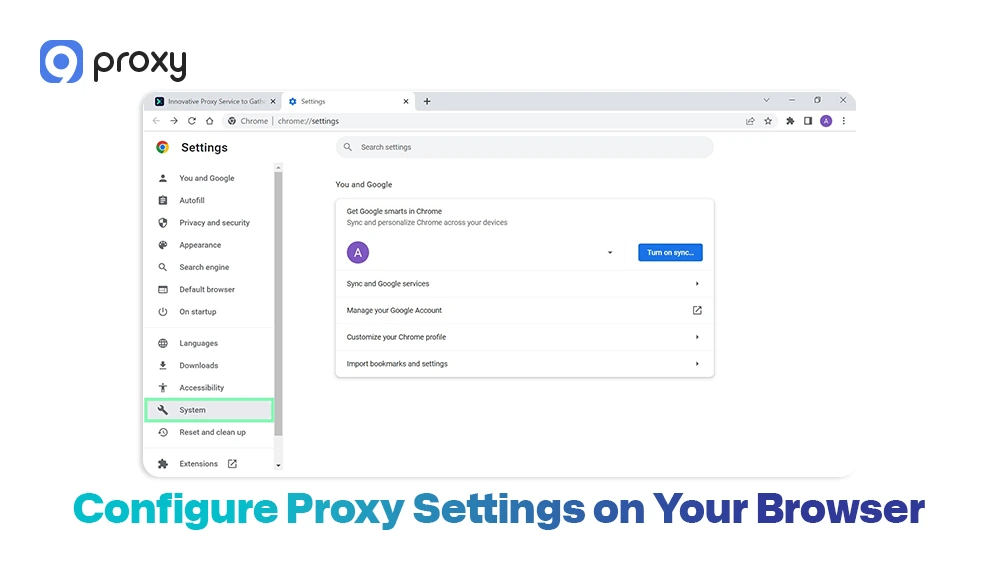
For Google Chrome: Below are the simple steps to set up a proxy in Google Chrome so you can access blocked websites quickly and smoothly.
- Open Settings
- Scroll down and go to Advanced > System
- Click Open your computer’s proxy settings
- Turn on Manual proxy setup
- Enter the proxy IP address and port
- Save the changes
For Firefox: Here are the step-by-step instructions to configure a proxy in Firefox, helping you access blocked websites with a stable and reliable connection.
- Open Settings
- Go to General > Network Settings
- Click Settings
- Select Manual proxy configuration
- Enter the proxy IP address and port
- Enable Use this proxy for all protocols
This setup helps ensure stable access and reduces issues like slow loading or partially blocked pages.
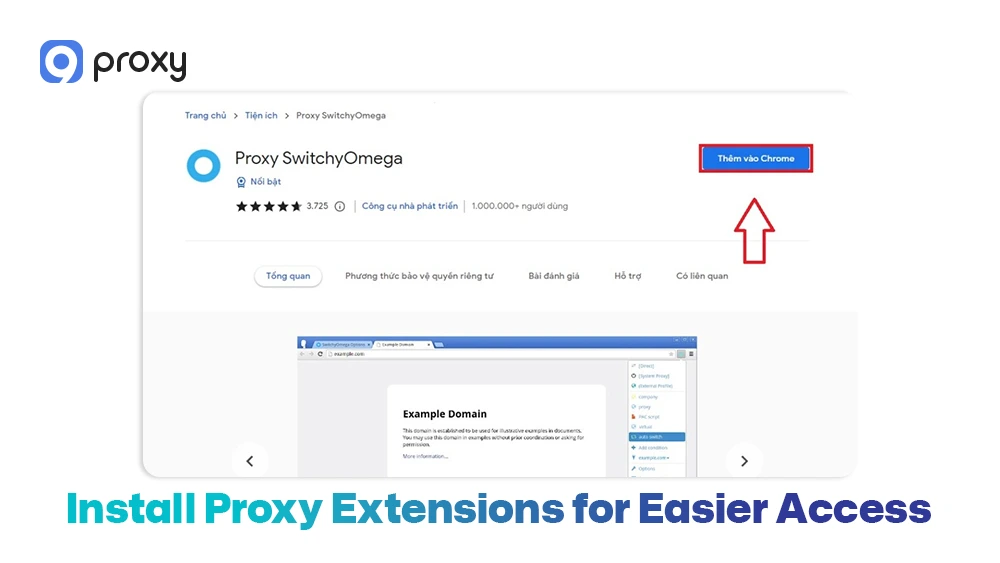
Install Proxy Extensions for Easier Access (Optional)
If you prefer a faster and more convenient way to manage your proxy, browser extensions can be very helpful. They are especially useful if you switch between proxy and normal browsing often.
Popular options include:
- Chrome: Proxy SwitchyOmega, Setup VPN Proxy
- Firefox: FoxyProxy
These tools let you turn the proxy on or off with just one click, without reopening browser settings or restarting the browser. Many extensions also allow you to save multiple proxy profiles and switch between them easily. To stay secure, always download extensions from official browser stores and avoid tools from unknown or unverified developers.
Download and Install Proxy Software for Windows or Mac (If Preferred)
If you want all applications on your computer, not just your browser, to use a proxy, desktop software is the best choice. You can download a proxy management tool for blocked sites, such as Proxifier or ProxyCap, to control traffic at the system level.
After installing the software, you simply enter your proxy details and choose which apps should connect through the proxy. This method is useful for programs like messaging apps, games, or desktop tools that do not rely on browser settings.
Companies looking for enterprise-level solutions often implement a business proxy server to manage employee access, secure sensitive data, and monitor network traffic across the organization.
Test the Proxy Connection
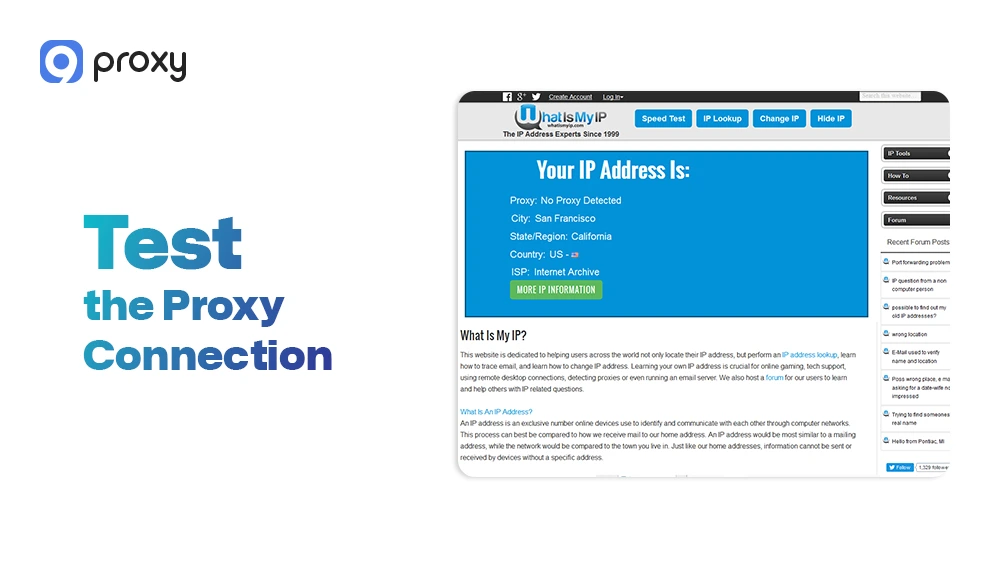
After completing the setup, it is important to check that the proxy is working properly. This step helps confirm that your real IP address is hidden before you access any blocked website.
To test the connection, follow these steps:
- Visit a site such as WhatIsMyIP.com
- Check whether the displayed IP address and location match your proxy server
- If the IP has not changed, review your settings and make sure the port number is correct
- If the connection is very slow, try switching to a different proxy server
These checks help ensure your proxy is set up correctly and working as expected.
How to Unblock Sites on Mobile Devices Using a Proxy
Mobile proxy setup depends mainly on Wi-Fi connections and the apps you are using. Most mobile operating systems do not fully support proxy settings on mobile data, so connecting to Wi-Fi is usually required for the proxy to work correctly.
For Android: Below are the simple steps to set up a proxy on Android devices using a Wi-Fi connection, allowing you to access blocked websites more easily and reliably.
- Open Wi-Fi settings on your device
- Tap and edit the network you are currently connected to
- Change the proxy option to Manual
- Enter the proxy IP address and port provided by your service
- Save the settings, then disconnect and reconnect to the Wi-Fi network
For iOS: Here is a quick guide to configuring a proxy on your iOS device so you can access restricted websites easily while using a Wi-Fi connection.
- Open Settings and go to Wi-Fi
- Tap the Wi-Fi network you are connected to
- Scroll down to find HTTP Proxy
- Select Manual to enable custom settings
- Enter the proxy IP address and port, then save
Keep in mind that mobile data usually ignores proxy settings. If you are not using Wi-Fi, browser-based proxies, or other tools may work better for accessing blocked sites.
Troubleshooting Common Proxy Issues
Sometimes things don’t go as planned. If you encounter a problem, it is usually easy to fix with a few simple checks. If you run into trouble, consider these solutions:
- Proxy not connecting: Ensure you didn’t mistype the IP or Port.
- Authentication errors: Re-enter your username and password carefully.
- Slow speeds: Switch to a server that is geographically closer to you.
- Website still blocked: Clear your browser cookies or try a SOCKS5 protocol.
Privacy and Safety Rules When Using a Proxy
Your safety always comes first. Even when using a good proxy, following basic security habits helps protect your personal information.
Keep these simple rules in mind:
- Avoid sensitive logins: Do not sign in to bank accounts or main email services when using a free proxy.
- No payments: Never enter credit card or payment details while the proxy is active.
- Prefer HTTPS: Only visit websites that show the padlock icon in the address bar.
- End sessions: Disconnect from the proxy as soon as you finish browsing.
These steps help reduce risks and keep your data safer.
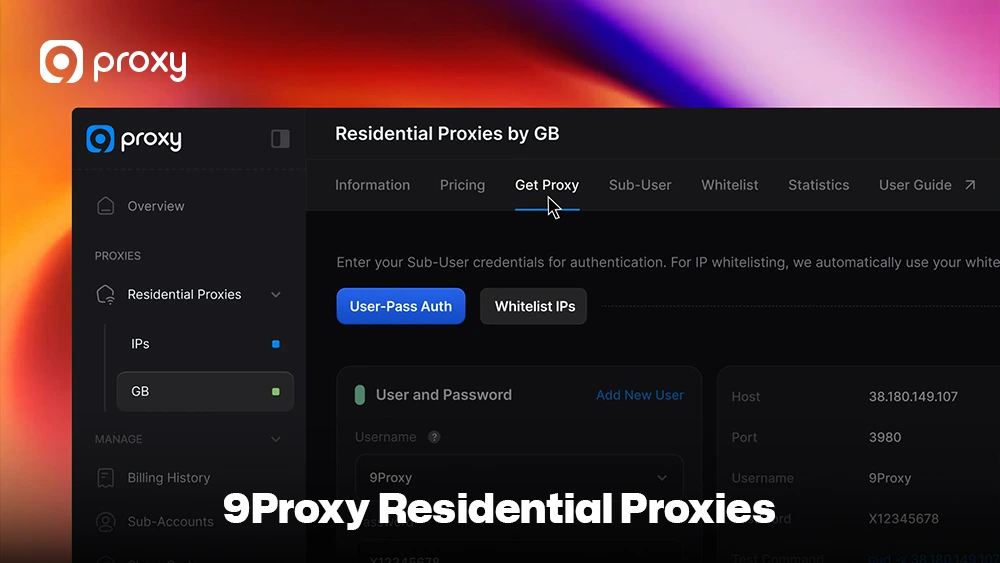
9Proxy Residential Proxies: A Reliable Way to Access Blocked Websites
9Proxy delivers reliable and high-quality proxy solutions designed for everyday browsing and access needs. We specialize in residential proxies that offer stable uptime and strong anonymity, helping you stay discreet and connected without interruptions.
Key advantages of 9Proxy include:
- 100% real residential proxies: IP addresses from real users in over 90 countries worldwide
- Clean and private proxy pool: Not shared with other providers, which lowers the risk of blacklists
- Unlimited bandwidth per IP for IP-Based Packages: Well-suited for data-heavy activities such as streaming or long sessions
- Affordable pricing: Plans start at around $0.04 per IP with no hidden costs
- Crypto payment benefits: Receive a 5% bonus in IPs when paying with cryptocurrency
FAQ
Are proxies legal?
In most countries, using proxies is completely legal. They are commonly used for privacy protection, added security, and accessing legitimate content that may be restricted by location, school, or workplace networks. However, laws can vary by region, so it is always a good idea to follow local regulations and use proxies responsibly.
Can proxies steal data?
Yes, low-quality or unknown free proxies can potentially log your browsing activity or collect personal data. Some may even inject ads or redirect traffic. This is why we strongly recommend using a trusted, paid provider like 9Proxy, which focuses on clean IPs, privacy protection, and secure connections.
Is a proxy safer than a VPN?
A VPN generally provides stronger security because it encrypts all internet traffic on your device. A proxy, on the other hand, is usually faster and easier to use, making it ideal for specific tasks such as unblocking a single website or browsing restricted content without extra setup.
Do proxies hide activity from ISPs?
A proxy can hide the final destination of your traffic, meaning the ISP cannot easily see which websites you visit. However, your ISP can still see that you are connected to a proxy server, just not the exact content you are accessing.
Conclusion
Setting up a proxy is an effective way to regain access to the open web. By following this guide, you can confidently configure your browser or device to use a Proxy for Blocked Sites without unnecessary complexity. Always put safety first by choosing reliable providers and avoiding sensitive logins or payments on public servers.
For the best balance of speed, security, and ease of use, we recommend exploring premium solutions like 9Proxy to enjoy a smoother and more secure browsing experience. To learn more about different applications and proxy use cases, visit Blog 9Proxy for detailed guides and expert insights.