Quick Summary (TL;DR)
Node Unblocker is an open-source Node.js web proxy library (AGPL-3.0) that routes HTTP/HTTPS requests through an intermediary server, masking the client IP and bypassing network-level filters via an Express-compatible middleware pipeline — recommended runtime as of 2026 is Node.js v22.x LTS.
- Core architecture: Processes requests through 11 sequential built-in middleware modules — including URL rewriting (
urlPrefixer), security header stripping (hsts,csp), and decompression — streaming responses without buffering the full payload in memory. - Key limitations: OAuth login flows, postMessage-based apps, and major platforms (YouTube, Discord, Instagram, Roblox) are explicitly unsupported; no built-in CAPTCHA solving; vulnerable to TLS/browser fingerprinting without additional proxy infrastructure.
- Production best practice: Routing outbound requests through rotating residential proxies (rather than a static VPS IP) is the primary factor controlling request success rates, as datacenter IPs face significantly higher ASN-level block rates.
What Is Node Unblocker?
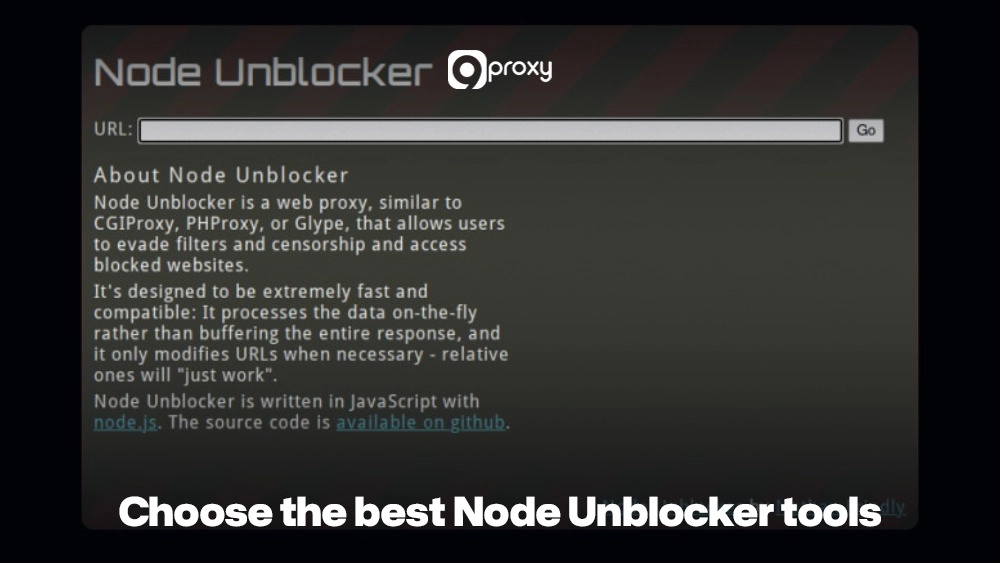
Node Unblocker is an open-source web proxy library for Node.js that routes HTTP/HTTPS requests through an intermediary server, masking the requester’s IP address and bypassing network-level filters. It uses an Express-compatible middleware API, processes response data on-the-fly without buffering the entire payload, and rewrites all internal URLs — links, images, scripts — so the proxied page renders correctly in the browser. Released under the AGPL-3.0 license (commercial licensing available by contacting the author), it is functionally comparable to CGIProxy, PHProxy, and Glype, but built natively on the Node.js runtime.
The unblocker npm package (maintained at github.com/nfriedly/node-unblocker) is the canonical implementation. As of June 2026, the recommended runtime is Node.js v22.x LTS.
How Does Node Unblocker Work?
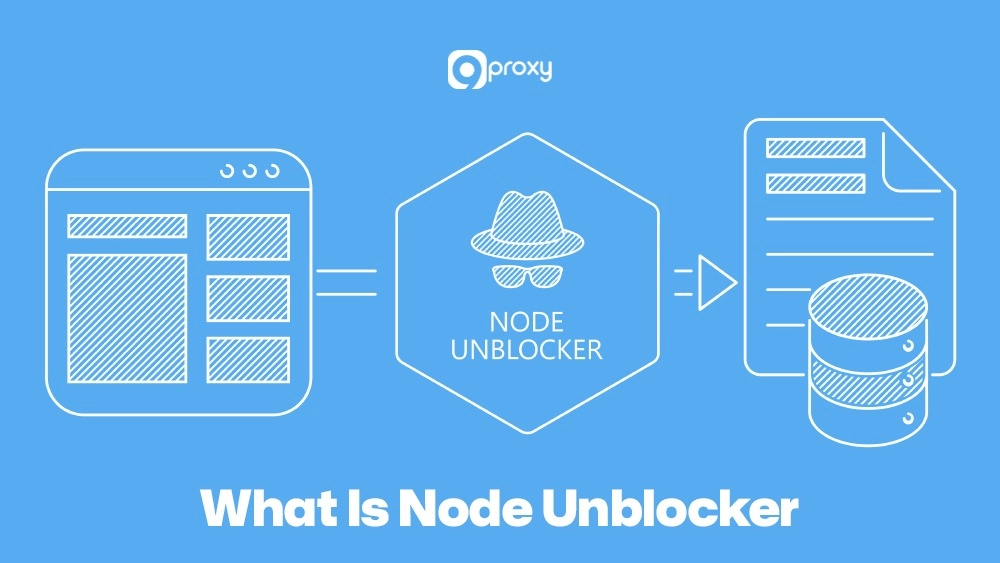
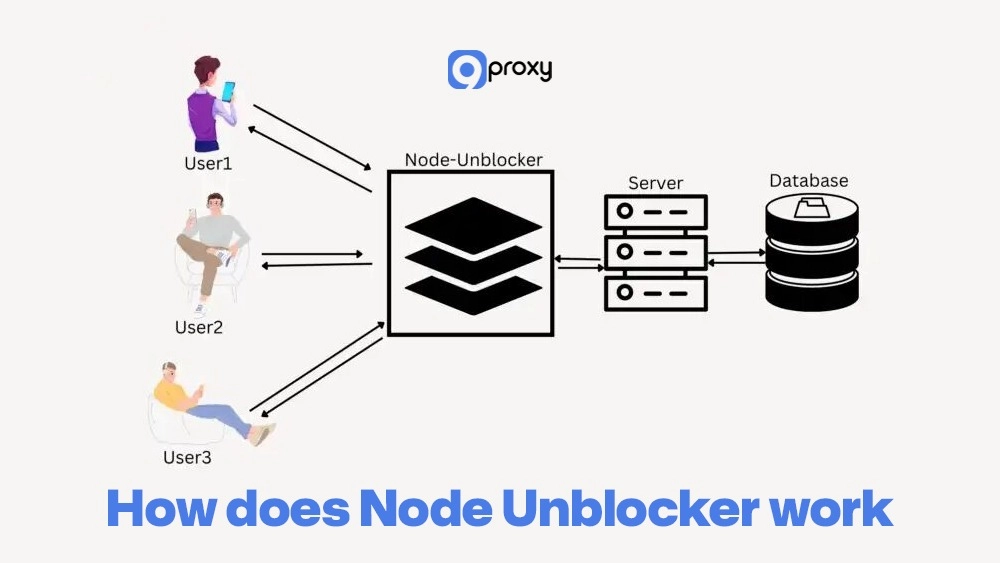
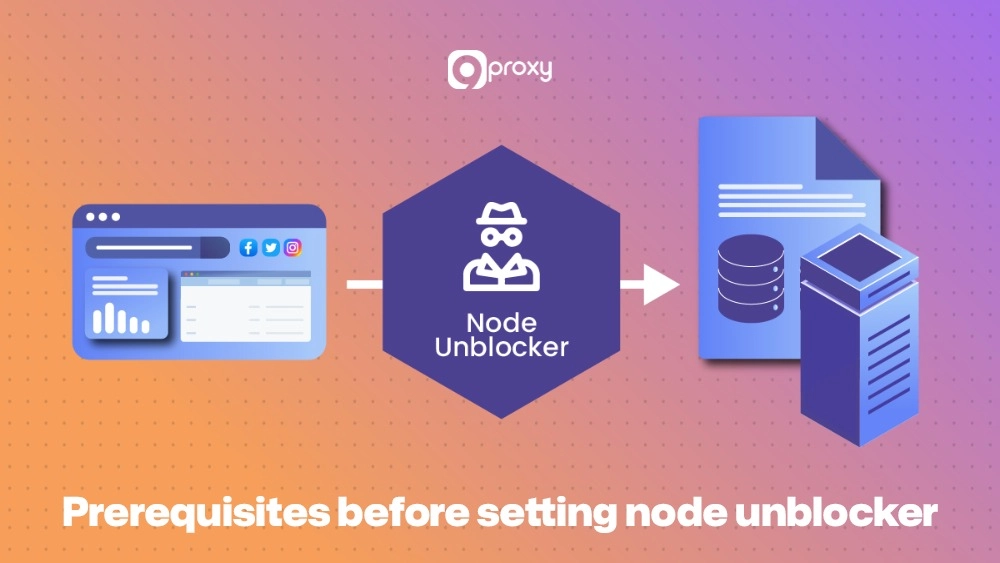
Node Unblocker intercepts an HTTP/HTTPS request, forwards it to the target website using the proxy server’s IP address, rewrites all internal URLs in the response (links, images, scripts, stylesheets), and streams the fully processed page back to the client — without buffering the entire response in memory.
The request flow in detail:
- The client navigates to
/proxy/https://example.com/on the proxy server. - The proxy server makes an outbound request to
example.comusing its own IP. The target site sees only the proxy’s IP, not the client’s. - The response body passes through the built-in middleware pipeline (see below), which rewrites URLs, strips security headers like HSTS and CSP that would break the proxied context, and handles encoding/compression.
- The rewritten page is streamed to the client’s browser, which can interact with it as if it were accessed directly.
How Does Node Unblocker Handle WebSocket Connections?
Node Unblocker supports WebSocket proxying via the onUpgrade event handler. Attaching unblocker.onUpgrade to the HTTP server’s upgrade event ensures that connections upgraded from HTTP to the WebSocket protocol are correctly routed through the proxy rather than failing silently. Without this handler, any WebSocket-dependent feature on the proxied page will break.
const server = app.listen(PORT, () => {
  console.log(`Node Unblocker running on port ${PORT}`);
});
// Enable WebSocket proxying
server.on('upgrade', unblocker.onUpgrade);
What Are the Real Benefits of Using Node Unblocker for Developers?
Node Unblocker’s value goes beyond bypassing a firewall. The practical benefits for technical users include:
- Bypass network-level filters: School, office, and ISP-level blocks on social media, news, or streaming platforms are circumvented by routing requests through an external server IP.
- Geo-targeted testing without hardware changes: Paired with geo-targeted proxies such as US Residential Proxies, developers can verify how a site renders ads, enforces region restrictions, or displays localized content — without touching the local development environment.
- Hands-on learning: Building with Node Unblocker teaches HTTP mechanics, request/response pipelines, header manipulation, and middleware architecture in a concrete, working context.
- Web scraping support: When combined with a web scraping proxy layer and proper
robots.txtcompliance, Node Unblocker distributes requests across multiple IPs, reducing anti-bot detection rates during large-scale data collection. - Reduced IP ban rates: Routing requests through rotating Residential Proxies distributes traffic across real device IPs, measurably lowering block rates compared to datacenter IPs.
What Are the Built-in Middleware Components in Node Unblocker?
Node Unblocker’s core processing pipeline is composed of 11 built-in middleware modules that execute sequentially on every proxied response. Understanding each module is essential for customizing behavior or debugging rendering failures.
| Middleware | Function |
|---|---|
host |
Sets the correct Host header on outbound requests to the target server. |
referer |
Rewrites the Referer header so the target site receives a valid referrer URL rather than the proxy URL. |
cookies |
Rewrites Set-Cookie response headers so cookies are scoped to the proxy domain, not the target domain. |
hsts |
Strips Strict-Transport-Security headers that would force the browser to connect directly to the target, bypassing the proxy. |
hpkp |
Removes Public-Key-Pins headers that could cause certificate errors in the proxied context. |
csp |
Strips or rewrites Content-Security-Policy headers that would block proxied resources from loading. |
redirects |
Intercepts HTTP 3xx redirects and rewrites the Location header to route through the proxy prefix. |
decompress |
Decompresses gzip/deflate/brotli-encoded responses so downstream middleware can read and rewrite the body. |
charsets |
Normalizes character encoding to UTF-8 to ensure correct text parsing across all response types. |
urlPrefixer |
The core rewriter — scans HTML, CSS, and JS response bodies and prepends the proxy prefix to all internal URLs. |
metaRobots |
Injects a <meta name="robots" content="noindex,nofollow"> tag to prevent search engines from indexing proxied content. |
contentLength |
Removes or updates the Content-Length header after body rewriting, since the byte count changes. |
Custom middleware can be inserted into this pipeline via the requestMiddleware and responseMiddleware configuration arrays, enabling use cases like header injection, request logging, or custom URL rewriting rules.
How Do You Choose the Best Node Unblocker Tool for Your Use Case?
The right tool depends on project scale, required anonymity, and maintenance capacity. Key evaluation criteria:
- Security and anonymity: The tool must fully mask the client IP and prevent DNS/WebRTC leaks. HTTPS and SOCKS5 protocol support are baseline requirements for production use.
- Performance (uptime and latency): Unstable connections break scraping pipelines and interrupt testing workflows. Target providers with documented uptime SLAs above 99.5%.
- Ethical sourcing: For paid proxy services, verify that the IP network is ethically sourced and compliant with applicable regulations. Blacklisted IPs directly reduce success rates.
- Maintenance and update frequency: For open-source tools, check GitHub commit history. Abandoned projects accumulate unpatched vulnerabilities and fail against modern anti-bot systems. The anti-bot landscape evolved significantly in 2025–2026, with widespread adoption of TLS fingerprinting (Cloudflare) and browser fingerprinting — tools that have not been updated to address these signals will underperform.
- Scalability and customization: Header rotation, IP rotation, and framework integration (Express, Fastify) determine whether a tool can grow with the project.
Top 5 Free & Open-Source Node Unblocker Projects Ranked by Activity
| Tool / Project | Type | License | SSL / HTTPS Support | Typical Performance | Update Frequency |
|---|---|---|---|---|---|
| node-unblocker | Web proxy framework | AGPL-3.0 | Via reverse proxy / TLS | Medium | Low |
| http-proxy-middleware | Express middleware | MIT | Depends on Node/host | High | High |
| node-http-proxy | General-purpose proxy | MIT | Configurable | High | Medium |
| CORS Anywhere | Node-based CORS proxy | MIT | HTTPS supported | Medium | Low |
| Express.js base app | DIY proxy foundation | MIT | Full HTTPS support | Depends on setup | High |
License note: node-unblocker is released under AGPL-3.0, which requires that any modifications to the source code be made publicly available. Enterprise teams deploying in proprietary systems should review compliance requirements before use. Commercial licensing is available by contacting the package author.
Top 5 Paid / Enterprise Proxy Solutions for Node Unblocker Workflows
| Service / Platform | Primary Focus | SSL / HTTPS Handling | Performance Tier | Ideal For |
|---|---|---|---|---|
| Cloudflare Gateway | Secure web and DNS proxy | Full TLS offload | High | Remote teams, SASE setups |
| Zscaler Internet Access | Cloud secure web gateway | Full TLS inspection | High | Large enterprises |
| Akamai Enterprise App Access | Zero-trust app access | End-to-end TLS | High | Hybrid application environments |
| Bright Data | Residential proxy network | HTTPS-friendly | High | Scraping and market research |
| Oxylabs | Residential & datacenter proxies | HTTPS-friendly | High | Data extraction at scale |
Free tools provide full code control but require manual server management, IP sourcing, and middleware updates. Paid platforms handle IP rotation and anti-bot circumvention automatically — the practical choice for commercial scraping or high-volume testing where downtime has a direct cost.
Setting Up Your Own Node Unblocker Proxy
Running a self-hosted Node Unblocker gives complete control over traffic routing, logging, and security configuration. The setup below uses Node.js v22.x LTS, Express, and the unblocker npm package.
Prerequisites
- Node.js v22.x LTS and npm — download from nodejs.org.
- A code editor (VS Code recommended).
- Basic knowledge of JavaScript and npm package management.
- A VPS or cloud platform (Render, DigitalOcean, Heroku) for external deployment.
Project Setup and Installation
# Create and enter the project folder
mkdir my-unblocker-proxy
cd my-unblocker-proxy

# Initialize a new Node.js project
npm init -y

# Install Express and the unblocker library
npm install express unblocker
Core Server Script (Express + Unblocker)
Create server.js with the following. The onUpgrade handler is required to proxy WebSocket connections correctly:
const express = require('express');
const Unblocker = require('unblocker');

const app = express();
const unblocker = new Unblocker({
  prefix: '/proxy/'
});

// Apply unblocker middleware
app.use(unblocker);

const PORT = process.env.PORT || 8080;

const server = app.listen(PORT, () => {
  console.log(`Node Unblocker running on port ${PORT}`);
  console.log(`Access at: http://localhost:${PORT}/proxy/https://example.com/`);
});

// Enable WebSocket proxying via onUpgrade handler
server.on('upgrade', unblocker.onUpgrade);
How Do You Deploy Node Unblocker to a Live Server (Heroku, Vercel, Render)?
Each platform has specific requirements. The steps below cover the three most common deployment targets.
Heroku
Heroku requires an engines field in package.json and a Procfile. Review Heroku’s Acceptable Use Policy before deploying a public-facing proxy — open proxies may violate platform terms.
// package.json (add engines field)
"engines": {
  "node": "22.x"
}

// Procfile
web: node server.js
# Deploy via Heroku CLI
heroku login
heroku apps:create my-unblocker-app
git add .
git commit -m "Initial deploy"
git push heroku master
Render / DigitalOcean App Platform
- Connect the GitHub repository to the platform dashboard.
- Set the start command to
node server.js. - Add
PORTas an environment variable (platforms typically inject this automatically). - Enable HTTPS — both Render and DigitalOcean provision free TLS certificates via Let’s Encrypt automatically.
Self-hosted VPS with Nginx
- Use PM2 for process management:
npm install -g pm2 && pm2 start server.js. - Configure Nginx as a reverse proxy to handle public traffic and SSL termination, forwarding to Node on port 8080.
- Obtain a free SSL certificate via Certbot (Let’s Encrypt).

Monitoring & Logging
- Request logging: Use Morgan middleware or Nginx access logs to track inbound requests and response codes.
- Metrics: Prometheus + Grafana for CPU, memory, and latency dashboards on self-hosted deployments.
- Centralized logs: Logtail or similar platforms aggregate logs for audit and debugging.
- Alerts: Configure threshold alerts for elevated 4xx/5xx error rates, response time spikes, or abnormal traffic volume.
What Problems Will You Face When Running Node Unblocker in Production?
Common Errors and Fixes
| Problem | Cause | Fix |
|---|---|---|
| 403 Forbidden | Target site has blocked the proxy server’s IP | Integrate a rotating residential proxy provider (e.g., 9Proxy) and add middleware to switch IPs per request. |
| SSL/HTTPS errors | Node.js not behind a TLS-terminating reverse proxy | Place Nginx in front of Node; ensure the unblocker rewrites HTTPS resource URLs correctly. |
| Broken JS or CSS | urlPrefixer missed absolute URLs in response body | Inspect page source for un-rewritten URLs; update the unblocker library; add custom response middleware for edge cases. |
| Performance bottlenecks | Single-process Node.js hitting CPU/bandwidth limits | Enable PM2 cluster mode to utilize all CPU cores: pm2 start server.js -i max. |
How Does the DEBUG Environment Variable Help Troubleshoot Node Unblocker?
The unblocker package integrates with the debug npm module, exposing granular runtime logs without modifying application code. Two flags are available:
DEBUG=unblocker:*— enables all unblocker debug output, including request routing, URL rewriting, and error traces.DEBUG=unblocker:middleware— logs the middleware pipeline execution sequence, useful for diagnosing which module is transforming (or failing to transform) a specific response.
# Enable full debug output
DEBUG=unblocker:* node server.js

# Debug middleware pipeline only
DEBUG=unblocker:middleware node server.js
This is the fastest way to identify whether a rendering failure is caused by a specific middleware module (e.g., csp stripping a header incorrectly) before escalating to external monitoring tools.
What Are the Known Limitations of Node Unblocker?
Node Unblocker handles standard HTML/CSS/JS pages reliably, but several categories of sites and protocols are explicitly unsupported as of the current package version. There is no published timeframe for when these limitations may be addressed.
Unsupported Platforms and Protocols
- OAuth login flows: Sites that authenticate via OAuth (Google, Facebook, GitHub) redirect through multiple domains with signed tokens. Node Unblocker cannot maintain the session state required for these flows.
- postMessage-based applications: Apps that rely on the postMessage API (MDN) for cross-frame communication — including Google and Facebook web apps — break because the proxy URL changes the origin context.
- Roblox: Uses custom protocols and client-side authentication that cannot be proxied via HTTP rewriting.
- Discord: Relies on WebSocket connections with origin validation and OAuth that Node Unblocker cannot satisfy.
- YouTube: Employs adaptive streaming (DASH/HLS), signed URLs, and extensive bot detection that defeats URL-rewriting proxies.
- Instagram: Requires authenticated API calls and enforces strict origin/referrer checks incompatible with proxy URL rewriting.
Structural Limitations
- No CAPTCHA solving: Node Unblocker does not include any CAPTCHA bypass capability. Sites serving CAPTCHAs to suspected bots will block proxied requests.
- TLS and browser fingerprinting: As of 2025–2026, Cloudflare and similar CDNs use TLS fingerprinting (JA3/JA4) and browser fingerprinting to identify non-browser HTTP clients. A bare Node Unblocker instance will be flagged by these systems. Pairing with residential proxies reduces (but does not eliminate) this risk.
- No IP masking for embedded resources: If a proxied page loads resources from a CDN that checks the client IP directly (e.g., via CORS preflight), those requests may still expose the proxy server’s IP.
- AGPL-3.0 compliance overhead: Proprietary commercial deployments must publish any modifications to the source code, which is a legal constraint that CGIProxy and PHProxy (both GPL-licensed) share.
Is Node Unblocker Legal and Safe to Use?
- Legal boundaries: Legality depends entirely on use case and jurisdiction. Using Node Unblocker to access content on a network where it is blocked (e.g., a school or corporate network) may violate the network’s acceptable use policy. Using it to bypass paywalls, access unauthorized content, or circumvent DRM is illegal in many jurisdictions. Always review local laws and the target site’s Terms of Service.
- robots.txt compliance: For scraping use cases, respecting
robots.txtdirectives is both an ethical requirement and, in some jurisdictions, a legal one. Ignoringrobots.txthas been cited in computer fraud cases in the US and EU. - Privacy on public proxies: Traffic routed through a third-party-hosted Node Unblocker instance is visible to the server operator. For sensitive data, self-hosting is the only safe option.
- Ethical usage: Node Unblocker should not be used for harassment, unauthorized system access, fraud, or any activity that violates applicable law. Legitimate use cases include testing, research, education, and authorized data collection.
- AGPL-3.0 compliance: Commercial deployments that modify the node-unblocker source code must release those modifications publicly. Failure to do so constitutes a license violation.
How Node Unblockers Are Used Across Different Fields
Node Unblocker sees production use across several distinct technical and professional domains:
- Web scraping and data extraction: Developers route scraping scripts through Node Unblocker to manage headers, sessions, and IP rotation in a single middleware layer. Combined with a web scraping proxy and
robots.txtcompliance, this supports large-scale price tracking, competitive intelligence, and market data collection. Rotating user-agent headers and adding request delays (e.g., 1–3 seconds between requests) are standard practices for reducing detection rates. - Academic and market research: Researchers use Node Unblocker to access geo-restricted scholarly databases, regional news archives, and country-specific datasets that are unavailable from their local IP range.
- QA and localization testing: QA teams verify that localized pages, region-specific payment flows, and geo-targeted warnings render correctly for each target market, using geo-targeted proxies to simulate visitors from specific countries.
- Digital marketing and SEO: Marketers inspect SERPs, ad placements, and landing pages as they appear in specific regions, enabling accurate competitive analysis without deploying physical servers in each location.
- Developer education: Node Unblocker’s transparent middleware pipeline makes it a practical teaching tool for HTTP internals, reverse proxy architecture, and Node.js stream processing.
How to Select the Best Proxy for Your Node Unblocker
Proxy selection directly determines request success rates, detection risk, and operational cost. Four criteria matter most:
- IP rotation strategy: Rotating residential or ISP proxies assign a new IP per request or session, making traffic patterns harder for anti-bot systems to fingerprint. Datacenter IPs are faster but are blocked at significantly higher rates by sites using ASN-level filtering.
- Geo-targeting granularity: Choose providers with city- or region-level targeting if the use case requires localized content. Large residential networks such as 9Proxy’s Residential Proxy Locations organize IP pools by country, region, and city.
- Bandwidth and speed: Scraping and streaming are bandwidth-intensive. Providers that charge per IP rather than per GB eliminate cost unpredictability at scale.
- Protocol support: SOCKS5 support provides stronger anonymity than HTTP proxies and is required for non-HTTP traffic types.
User-Agent Header Rotation and Rate Limiting Best Practices
Rotating IPs alone is insufficient against modern anti-bot systems. Implement these patterns alongside IP rotation:
- Rotate User-Agent headers on each request using a maintained list of current browser UA strings. Sending the same UA string across thousands of requests from different IPs is a detectable pattern.
- Add request delays: Introduce randomized delays between 1 and 5 seconds between requests to the same domain. Consistent sub-second request intervals match bot traffic signatures.
- Respect
robots.txt: Parse and honor crawl directives before initiating any large-scale request sequence. This is both an ethical standard and a legal risk mitigation measure. - Limit concurrent connections: Cap simultaneous connections per target domain to avoid triggering rate-limit responses (429) that signal scraper activity.
9Proxy — Residential Proxy Infrastructure for Node Unblocker
For teams running self-hosted Node Unblocker deployments, proxy infrastructure quality determines the ceiling on request success rates. 9Proxy provides a residential IP network purpose-built for high-volume proxy workflows.
- 100% real residential IPs: IP pool sourced from real residential devices across 90+ countries — not datacenter ranges that ASN-level filters block by default.
- Unlimited bandwidth per IP: Pricing is per IP, not per GB, eliminating cost spikes during high-volume scraping or streaming sessions.
- Private, non-shared IP pool: The pool is not shared with other major providers, keeping IPs cleaner longer and reducing ban rates caused by other users’ activity.
- Pricing from ~$0.04/IP: Competitive pricing for residential-quality IPs makes it viable to rotate at high frequency without prohibitive cost.
- Crypto payment bonus: Paying with cryptocurrency adds a 5% IP bonus, useful for scaling Node Unblocker operations.
Frequently Asked Questions About Node Unblocker
Does Node Unblocker hide your IP address?
Yes — partially. Node Unblocker routes requests through the proxy server, so the target website sees the proxy’s IP, not the client’s. However, it does not encrypt traffic between the client and the proxy server, and it does not prevent DNS or WebRTC leaks. For full IP anonymity, use Node Unblocker behind an HTTPS reverse proxy and route outbound requests through a residential proxy network.
What websites does Node Unblocker not work with?
Node Unblocker cannot proxy sites that rely on OAuth login flows, the postMessage API for cross-frame communication, or custom client protocols. Specifically named incompatible platforms include Google (sign-in), Facebook (sign-in), Discord, YouTube (adaptive streaming), Instagram, and Roblox. There is no published timeframe for support of these platforms.
What is the difference between Node Unblocker and a VPN?
A VPN encrypts all traffic from the device at the OS level and routes it through a remote server, masking the device IP for all applications. Node Unblocker is an application-layer HTTP proxy — it only proxies requests explicitly routed through it, does not encrypt the client-to-proxy leg by default, and requires a browser or application configured to use the proxy URL. VPNs provide broader, simpler anonymity; Node Unblocker provides more granular, programmable request control for developers.
Is Node Unblocker legal to use?
Node Unblocker itself is legal open-source software. Whether a specific use is legal depends on jurisdiction, the target site’s Terms of Service, and the nature of the data being accessed. Using it to bypass a corporate or school network policy may violate that network’s acceptable use policy. Using it to access copyrighted content without authorization or to scrape data in violation of a site’s ToS carries legal risk in multiple jurisdictions.
Can Node Unblocker bypass CAPTCHA?
No. Node Unblocker has no built-in CAPTCHA solving capability. When a target site serves a CAPTCHA challenge to a suspected bot, the proxied request will stall at the CAPTCHA page. Addressing this requires integrating a third-party CAPTCHA-solving service or a headless browser (e.g., Puppeteer) upstream of the Node Unblocker layer.
What is the AGPL-3.0 license and does it affect commercial use?
The node-unblocker package is released under the AGPL-3.0 license. This requires that any modifications to the source code — including modifications made for internal deployment — be made publicly available under the same license. Companies deploying a modified version in a proprietary SaaS product must disclose those changes. Commercial licensing (without the open-source disclosure requirement) is available by contacting the package author directly via the GitHub repository.
Conclusion
Node Unblocker is a technically capable, developer-friendly proxy library with a well-defined middleware pipeline, WebSocket support, and straightforward Express integration. Its limitations are equally well-defined: OAuth flows, postMessage-based applications, and platforms like Discord and YouTube are unsupported, and the AGPL-3.0 license requires careful review for commercial deployments.
For production use, the proxy server’s IP quality is the primary variable controlling request success rates. Routing outbound requests through rotating residential IPs — rather than a static VPS IP — reduces ban rates by distributing traffic across real device addresses. 9Proxy provides that infrastructure at a per-IP pricing model suited to high-frequency Node Unblocker workflows.