

Rest API Proxy Authentication is the process of verifying and securing API requests that pass through a proxy layer before reaching backend systems. It adds a strong layer of protection by centralizing access control and ensuring only trusted calls are processed.
Through this approach, developers can manage authentication using headers like OAuth and JWT, apply CSRF protection, and configure the proxy to handle identity securely. By following proper setup practices and avoiding common mistakes, you can keep your REST APIs safe, consistent, and easy to maintain across different services.

What is Rest API Proxy Authentication?
Rest API Proxy Authentication is the process of verifying and managing user identities through a proxy layer, such as a REST proxy or a reverse proxy. It usually works in two ways.
In the first, the client authenticates directly with the REST proxy, which then forwards only valid requests to the backend. In the second, a reverse proxy performs the authentication and sends verified identity headers to the backend service.
The most important rule is to keep a clear trust boundary so that backend systems trust only the headers added by the internal proxy, not by the client.
How Authentication Works in a Proxy Setup
When you use a proxy to protect your API, the authentication process follows a clear and secure flow: Internet → Reverse Proxy → App/API → Backend.
At each layer, specific checks are performed to keep data safe. The reverse proxy first receives incoming requests, handles TLS termination, and validates the secure connection. It then verifies the user’s credentials, such as tokens or certificates, and adds identity headers like X-User. The application layer reads this identity data to apply the correct roles and permissions. Finally, the backend processes the request based on verified user details. This step-by-step process creates a secure path where every layer validates and monitors activity to keep your API protected and reliable.
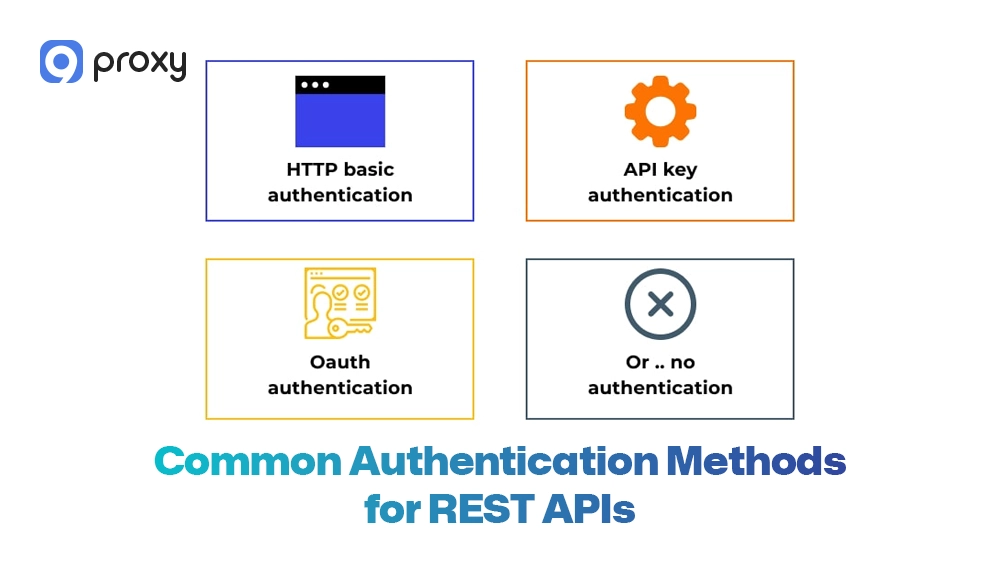
Common Authentication Methods for REST APIs
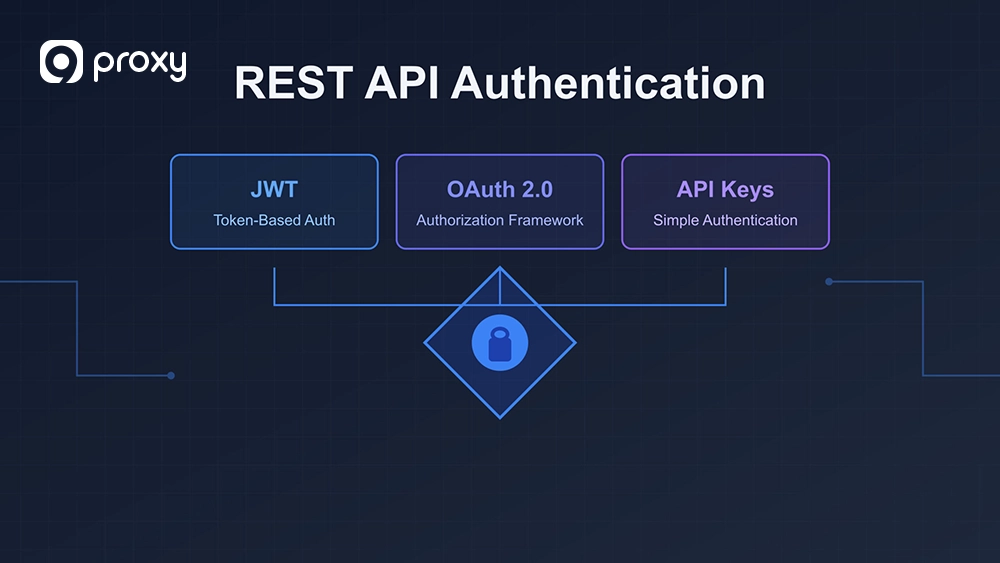
In Rest API Proxy Authentication, there are different ways to verify users depending on how secure or simple you want the setup to be. Picking the right method makes your system both safe and easy to use. Many enterprise deployment examples shared on Blog9Proxy also recommend combining token validation with layered proxy security for better scalability.
- HTTP Basic: Uses a basic username and password. It’s simple but only secure when used with HTTPS.
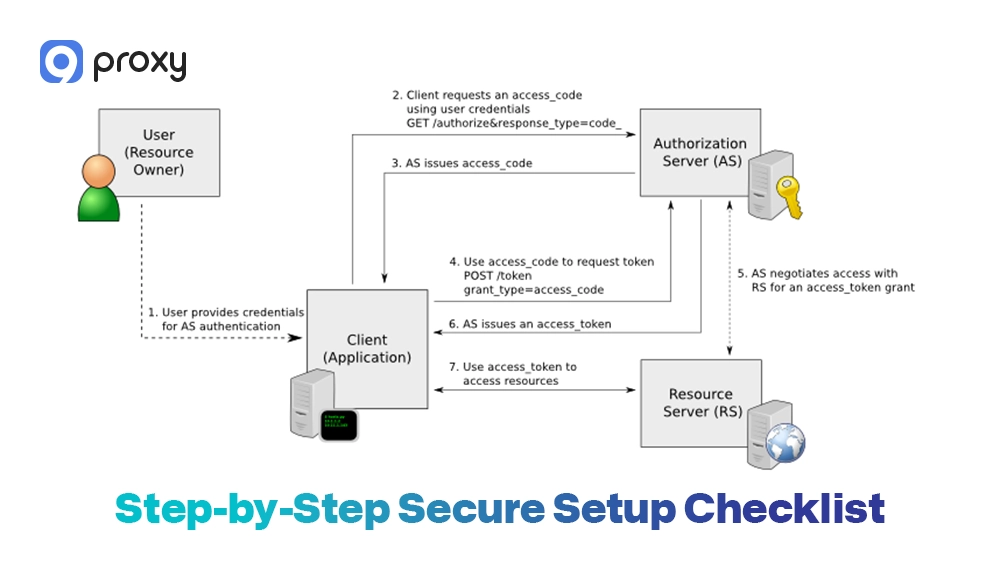
- Bearer Tokens (OAuth2/JWT): A popular choice for modern apps. The client sends a token, and the proxy checks it without needing to ask the database every time.
- mTLS (Mutual TLS): The most secure method. Both the client and proxy must show valid certificates to prove their identities.
- Header-based Identity: The reverse proxy logs users in and tells the backend who they are using a special identity header.
Each method offers a trade-off between simplicity, scalability, and security. In most enterprise setups, a combination of bearer tokens and proxy header validation works best.
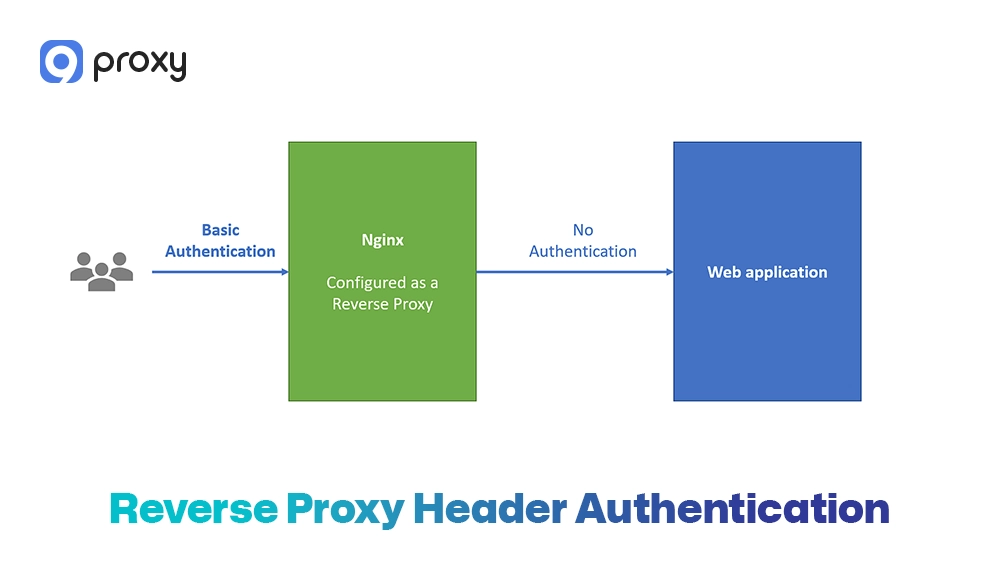
Reverse Proxy Header Authentication (Safe Setup)
Reverse proxy header authentication is a common and effective way to send verified user information from the proxy to backend services. When done correctly, it provides both strong security and flexibility.
Here’s how it works: the proxy first authenticates the incoming user, then adds a custom header such as X-User or X-Authenticated-User that includes verified identity details. The backend application reads this header to identify who made the request.
To keep this setup secure, follow these key rules:
- Only the proxy should create identity headers. Never allow clients to send their own X-User headers.
- Remove any identity headers sent by clients before forwarding the request to the backend.
- Protect the internal network so that outside traffic cannot bypass the proxy.
- Use a consistent header name defined by usernameHeader.
- Monitor for header injection attempts where attackers try to fake user identities.
By following these precautions, your proxy can safely handle authentication while keeping sensitive information protected.
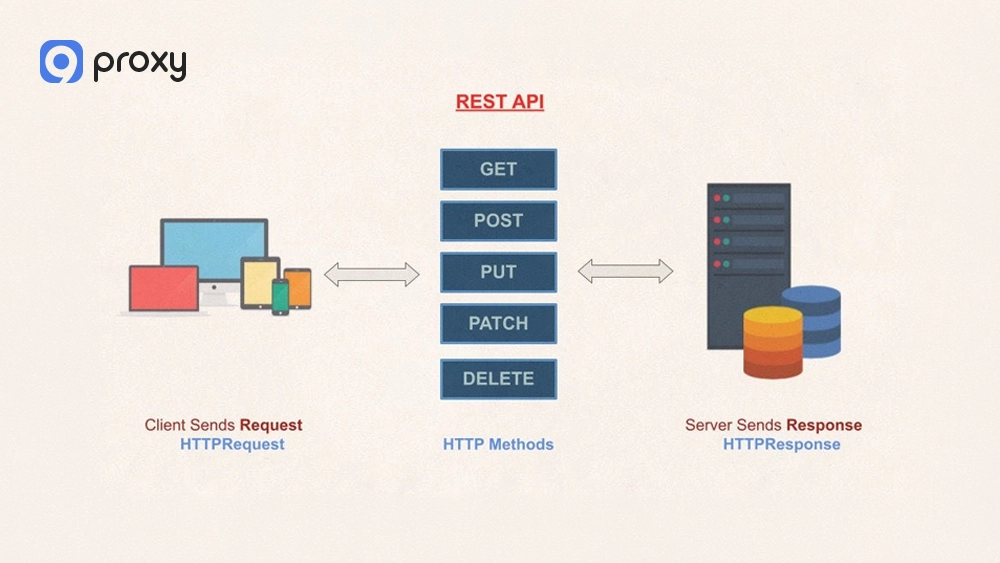
Managing Reverse Proxy Authentication via REST Configuration
We can control how a proxy works by using specific REST API calls. This makes it easy to update or automate security settings without restarting the server. Using standard HTTP methods like GET, PUT, and DELETE helps keep configuration management simple and consistent.
Here’s how each action is typically used:
- GET: Check whether authentication is enabled and view the current configuration details.
- PUT: Turn on authentication and set options such as usernameHeader, csrfProtectionDisabled, and logoutUrl.
- DELETE: Remove the proxy authentication setup and reset it to the default configuration.
Always use safe default values. For example, keeping CSRF protection enabled by default helps protect users while configuration changes are in progress.
Example configuration payload:
{
"enabled": true,
"usernameHeader": "X-User",
"csrfProtectionDisabled": false,
"logoutUrl": "https://example.com/logout"
}
Step-by-Step Secure Setup Checklist
If you’re ready to begin, here’s a simple checklist to help you set up your Rest API Proxy Authentication safely and efficiently. Following these steps in order will help you avoid the most common security issues.
- Enable HTTPS/TLS: Always encrypt connections to protect authentication data.
- Select your method: Choose between JWT, Basic Auth, or Header-based identity depending on your security needs.
- Configure headers: Set your usernameHeader and make sure the proxy removes any incoming versions from clients.
- Set rate limits: Limit login attempts to prevent abuse or brute-force attacks.
- Enable logging: Record successful and failed logins to detect suspicious activity.
- Test with curl: Verify your configuration manually before deployment.
A secure proxy setup not only manages identity but can also help you change IP with a proxy to add an extra layer of privacy and network protection. A simple test might look like this:
curl -u admin:password123 https://api.9proxy.com/v2/config/reverseProxyAuthentication
This ensures your authentication setup is working correctly and securely. Services like 9Proxy are commonly used in secure API testing environments where stable proxy routing and authentication validation are required.
Common Authentication Problems and Fixes
Even with a solid setup, you may still face some issues during configuration. The table below lists common problems, their likely causes, and quick fixes to help you resolve them right away.
| Issue | Likely Cause | Recommended Fix |
| 401 Unauthorized | Wrong credentials or expired token | Check your API key or login details |
| 403 Forbidden | User lacks the right role/permission | Update the user’s permissions in the app |
| Missing Header | Proxy did not forward the identity | Verify the usernameHeader configuration |
| CSRF Token Error | Missing or invalid security token | Ensure the client sends the CSRF header |
| Proxy Loop | Proxy is sending requests back to itself | Check your routing and upstream URLs |
To troubleshoot effectively, follow these quick steps:
- Check the logs: Review both proxy and backend logs for specific error codes.
- Inspect headers: Use a debugging tool to see which headers are being sent and received.
- Test directly: Try connecting to the backend without the proxy to confirm if the issue lies in the application or proxy configuration.
Regular audits and testing help prevent most authentication errors before they impact production.
CSRF Protection for REST APIs
CSRF (Cross-Site Request Forgery) is an attack where a hacker tricks a user into performing unwanted actions on another website or API without their knowledge. In Rest API Proxy Authentication, this poses a serious risk for requests that modify data, such as POST, PUT, or DELETE.
To prevent CSRF attacks, the system uses token validation. The browser sends both a cookie and a matching header token with each request. If these tokens don’t match, the proxy immediately rejects the request. You should never disable CSRF protection unless you have a very specific reason and other strong security layers in place. Typically, clients send the CSRF token in a header like: X-CSRF-Token: your_token_value
Choosing a REST API Proxy Solution
When choosing a proxy, take time to check a few key features to make sure it’s secure, stable, and easy to manage. A good proxy should protect your system and save you time, not create extra work. Here’s what you should look for:
- Protocol Support: It should work with JWT, OAuth2, and mTLS without extra setup.
- Security Tools: Make sure it includes rate limiting and CSRF protection to stop attacks and abuse. If you’re comparing enterprise security layers, understanding the differences in secure web gateway vs proxy architectures can also help you choose the right deployment model.
- Reliability: Check the provider’s uptime and SLA to be sure it runs smoothly.
- Observability: Pick one with clear logs and monitoring so you can spot and fix problems quickly.
Give each item a score from 0 to 5. If the total is under 20, the proxy may not be good enough for professional use.
FAQs
Is reverse proxy auth the same as API gateway?
Not exactly. A reverse proxy acts as a simple middle layer that forwards requests between clients and servers. In comparison, an api proxy often includes additional controls for authentication, traffic filtering, and API-level policy management. An API gateway is more advanced and can manage multiple APIs, handle billing, apply detailed routing rules, and provide analytics and policy control.
Should I disable CSRF?
In most cases, no. You should only disable CSRF protection if your API is used only by non-browser clients that don’t use cookies or tokens. Otherwise, keeping it enabled adds an important security layer.
What header is safest for username?
Common options include X-Forwarded-User or a custom header such as X-9Proxy-User. The most important thing is to make sure your backend only accepts these headers from the trusted proxy, not directly from the client.
How to test proxy authentication with curl?
Use the -u flag for Basic Auth or add the header -H “Authorization: Bearer <token>” for JWT authentication. This helps you confirm whether the proxy correctly validates and forwards your requests.
Can proxy authentication reduce backend load?
Yes. When the proxy blocks unauthorized or invalid requests at the edge, your backend does not waste resources processing them. This improves performance and keeps the system running efficiently.
Conclusion
Setting up Rest API Proxy Authentication is a smart choice for any team that wants a secure and well-structured system. By letting the proxy handle authentication and user identity, you shield your backend from direct exposure and simplify access management. Using headers properly and keeping CSRF protection enabled are proven ways to maintain strong security.
Always test your configuration with tools like curl and monitor your logs to quickly detect unusual activity. A correctly configured proxy is not just a security measure but the foundation of a stable and trustworthy API environment.