

Cloud proxy server tools have become a popular choice for anyone who wants safer internet access, better control over traffic, and easy online scaling. In this blog, we explain what a Cloud proxy server is in clear, simple terms, how cloud proxies handle your traffic remotely, and why cloud-based solutions often work better than running a proxy on local hardware.
You’ll also discover real-world use cases, key benefits and limitations, and practical tips for choosing a reliable provider in 2026. By the end, you’ll follow a clear setup path that helps you deploy cloud proxies with confidence and minimal effort.
What Is a Cloud Proxy Server?
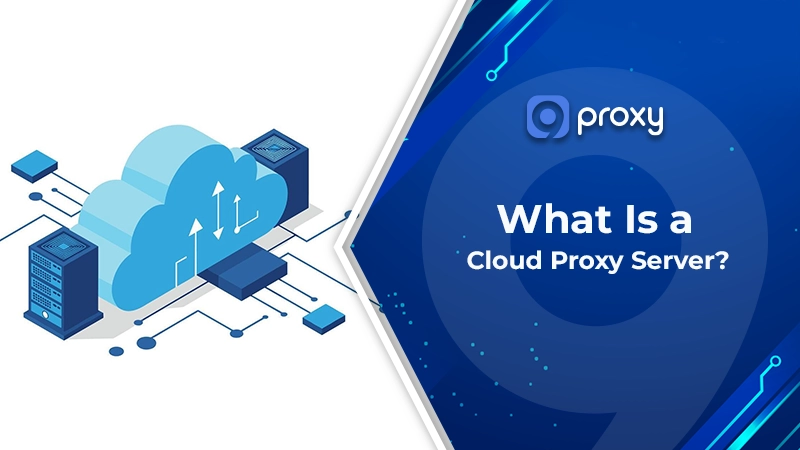
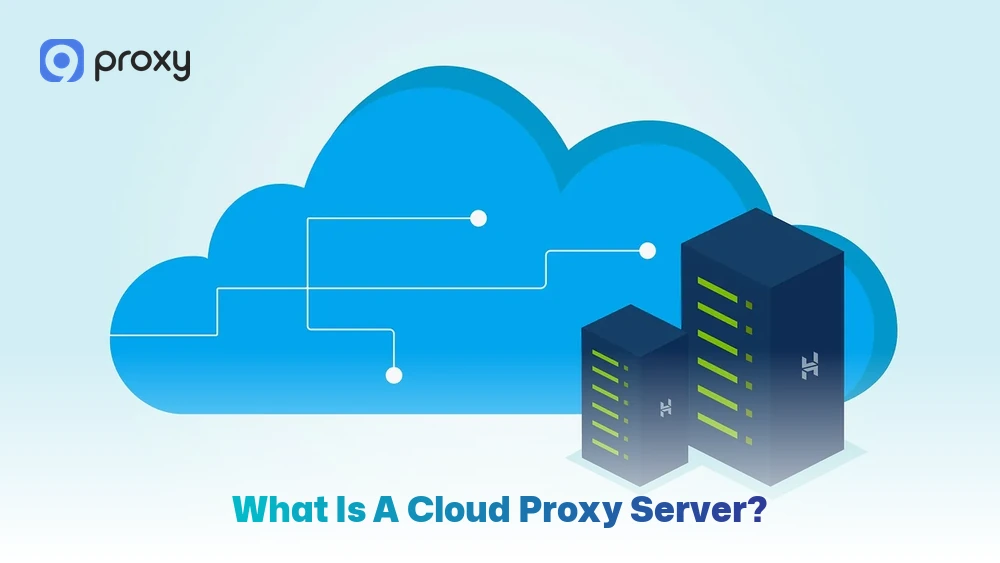
A Cloud proxy server is a remote intermediary that sits between your device and the internet, acting like a virtual gate hosted in the cloud instead of on your local machine. Rather than connecting directly to a website, your request first goes through the proxy, which then forwards it to the destination and sends the response back to you.
Because it runs on cloud infrastructure, a Cloud proxy server can filter, manage, and route traffic from anywhere, making it ideal for scaling, remote access, and multi-location use. It is important to note that a Cloud proxy server is not a VPN and not a local proxy.
Unlike a VPN, which encrypts all system traffic through a tunnel, a cloud proxy works at the application or HTTP/HTTPS level, offering more flexible and controlled traffic handling.
How Does Cloud Proxy Server Work?
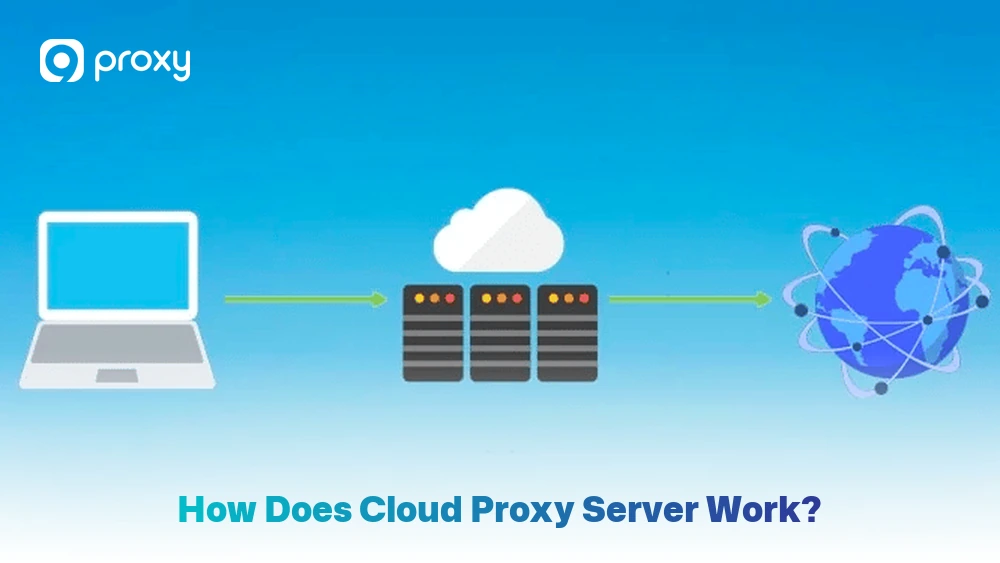
A Cloud proxy server works by routing traffic through a remote middle layer. In a simple flow, your device (client) sends a request → the cloud proxy receives it → the proxy forwards it to the destination website → the website responds → the proxy passes the response back to you.
There are two common patterns. A forward proxy sits in front of users and manages outbound access. A reverse proxy sits in front of servers and manages inbound requests. Reverse proxy behavior is commonly used for security and load handling in web infrastructure.
Many cloud proxies also support useful functions like caching , policy enforcement, and monitoring.
Use Cases: When and Why You’d Want a Cloud Proxy
We see Cloud proxies used across many industries because they are flexible and easy to adapt to different needs. Readers who want more technical proxy guides, setup tutorials, and comparisons can also explore Blog9Proxy for deeper resources related to cloud infrastructure and proxy deployment. Below are the most common situations where they offer clear advantages:
- For businesses: Cloud proxies help control employee web traffic, block unsafe or harmful websites, and reduce the risk of company data being exposed.
- For developers: They make large-scale data scraping and API requests easier by using rotating IPs, which lowers the chance of being limited or blocked by target sites.
- For remote workers: Cloud proxies act as a secure “front door,” allowing safe access to internal company applications without opening them to the public internet.
- For general users: They help access content that may be unavailable in your region while keeping your real location private.

Benefits & Drawbacks of Cloud Proxy Server
Cloud proxy tools offer strong performance and flexibility, but they also come with certain limits. Below, we share a clear and balanced overview of the key benefits and potential challenges you may experience when using a cloud proxy server.
Benefits of Cloud Proxy Server
A Cloud proxy server offers flexibility that local tools often cannot match. Below are the main advantages explained simply:
- Scales without extra hardware: Since the proxy runs in the cloud, you can easily add more locations, IPs, or capacity without installing new equipment. This works well for growing teams and changing workloads.
- Central control across users and apps: You can set the same access rules, authentication, and logging for all users, even if they are in different locations. This makes management easier.
- Better uptime and redundancy: Cloud platforms support failover and multiple regions, so traffic can be redirected if one server becomes slow or unavailable.
- Supports monitoring and security policies: Cloud proxy services allow traffic monitoring, rule enforcement, and security tool integration, helping you detect issues and risks faster. Many enterprise environments also combine proxy monitoring with network anomaly detection systems to identify unusual traffic behavior before it becomes a larger security problem.
Drawbacks of Cloud Proxy Server
Cloud proxies are helpful, but they also have limitations you should be aware of. Below are the most common downsides explained clearly:
- It depends on provider reliability: If the provider experiences downtime or network congestion, your connection may slow down or stop. This is why choosing a trusted cloud proxy service is important.
- Latency can increase on some routes: Using a proxy adds an extra step in the connection. If the proxy location is far from the target website, response times may be slower.
- Privacy depends on logging policies: Some providers keep activity logs for technical or legal reasons. Always check what data is stored, how long it is kept, and whether you can manage these settings.
- Setup can feel complex at first: Settings like ports, authentication, and allowlists may be confusing for new users. Starting with basic rules and adjusting later makes the process easier.
Cloud Proxy vs Traditional Proxy vs VPN: What’s the Difference?
Choosing between these three options depends on what you want to achieve. The table below offers a quick comparison to help you decide which solution best fits your needs.
It highlights the key differences in how each networking tool manages your data, privacy, and overall connection behavior.
| Option | Speed | Privacy | Setup | Cost | Security |
| Cloud Proxy | Often fast, depends on region and provider | Hides IP; privacy depends on logs | Usually moderate (dashboard + config) | Paid is common | Strong if TLS + access control are used |
| Traditional (Local/ On-Prem) Proxy | Can be fast on local networks | Limited; depends on who runs it | Higher (server + maintenance) | Hardware/ time cost | Strong control, but you manage everything |
| VPN | Varies; encryption can add overhead | Strong privacy via an encrypted tunnel | Often easy for users | Subscription common | Strong for transport encryption |
Choose a Cloud proxy server when you need flexible routing, easy scaling, or control across multiple locations. A local proxy is a better fit if you require full internal control and have the resources to manage it yourself. A VPN works best when your main goal is encrypted tunneling and system-wide traffic protection across devices.
Traditional on-premise solutions are still widely used in many companies. Well-known tools like the Blue Coat proxy are often chosen to inspect internal traffic and enforce company policies. However, they usually require dedicated hardware and regular maintenance, which makes them less flexible than cloud-based options.
Setting Up a Cloud Proxy (Step-by-Step Basics)
This section is a practical setup guide for readers who want to deploy a Cloud proxy server without deep technical complexity. We’ll move from planning to deployment and then long-term operation. Not all setups are identical, but these steps cover the most common and reliable path for cloud proxies and cloud proxy service providers.
Step 1: Choose the Right Cloud Proxy Model
Before you buy or deploy anything, take time to clearly define your needs. A Cloud proxy server that works well for simple browsing may not be suitable for data collection or development tasks, and the opposite is also true. Using the right model from the start saves time and cost.
Here is a simple checklist to help you choose:
- Type of use: personal, development, or business. Personal use usually only requires basic HTTPS support. Developers often need IP rotation and session control, while businesses may need user policies and team access.
- Speed and bandwidth needs: If you handle large downloads or many API requests, choose a provider with clear bandwidth limits and stable routing.
- Support for HTTPS (TLS/SSL): Most modern websites use HTTPS, so your proxy must support secure connections. If HTTPS is not supported, it’s best to avoid that option.
- Location coverage: Select proxy locations close to your users or target websites, as distance can affect speed and latency.
- Price model: Pricing may be based on data usage, number of IPs, or subscription plans. Match the model to how often and how heavily you will use the proxy.
- Logs and privacy policy: Review what data is logged and how long it is stored. For many users, a minimal-logging policy is the safest choice.
Finally, keep in mind that free proxies often come with risks. While an open source proxy server can be useful for testing or learning, these options may be unstable or insecure for production use. Paid services are usually the better choice when reliability, security, and support matter.

Step 2: Select a Cloud Provider or Proxy Service
Once you know your model, decide where the proxy will run. You can deploy on a major cloud provider or use a managed cloud proxy service. Here are practical selection criteria you can use:
- Global coverage and route quality: More locations mean greater flexibility and better performance in different regions.
- Reliability and uptime: Choose a provider with a strong history of stable service and minimal downtime.
- Ease of setup: A clear dashboard, good documentation, and helpful guides make setup much easier.
- Support responsiveness: Fast and reliable support is especially important if the proxy is critical to your business.
Major cloud platforms like AWS, Microsoft Azure, and Google Cloud can host proxy instances. For teams already using Microsoft’s ecosystem, an Azure proxy server can be a practical option, while managed services are often simpler for non-admin users who want faster deployment and less maintenance.

Step 3: Create and Authenticate the Proxy Instance
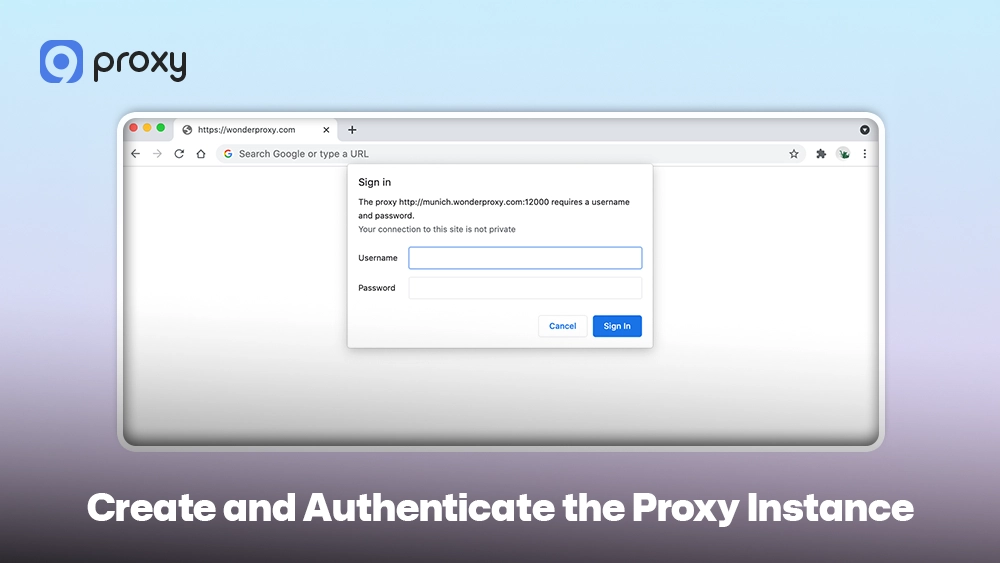
A proxy instance is the running endpoint that accepts your traffic. In a managed cloud proxy service, this might look like creating a “proxy zone” or “gateway.” In a self-hosted setup, the proxy instance may run on a virtual machine or container using dedicated proxy server software. This approach offers more control but also requires you to handle updates, security patches, and configuration manually.
To keep it secure, you need authentication. Common methods include:
- Username and password credentials
- API tokens or access keys
- IP allowlisting (only approved IPs can connect)
We recommend treating credentials like passwords for your bank. Store them in a secure place, limit who can access them, and rotate them if you suspect exposure.
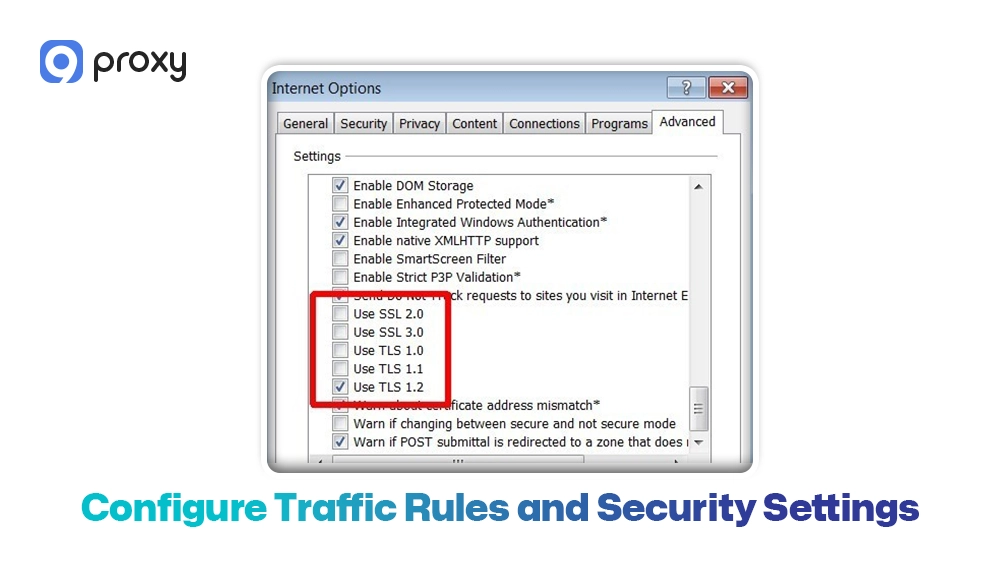
Step 4: Configure Traffic Rules and Security Settings
A Cloud proxy server is most useful when you control what goes through it and how. To set a safe baseline, start with simple rules:
- Routing rules: which apps, ports, or destinations use the proxy
- Allowed destinations: restrict risky or irrelevant domains when needed
- Access control: who can use the proxy (users, teams, IPs)
- TLS/SSL settings: keep HTTPS traffic secure end-to-end
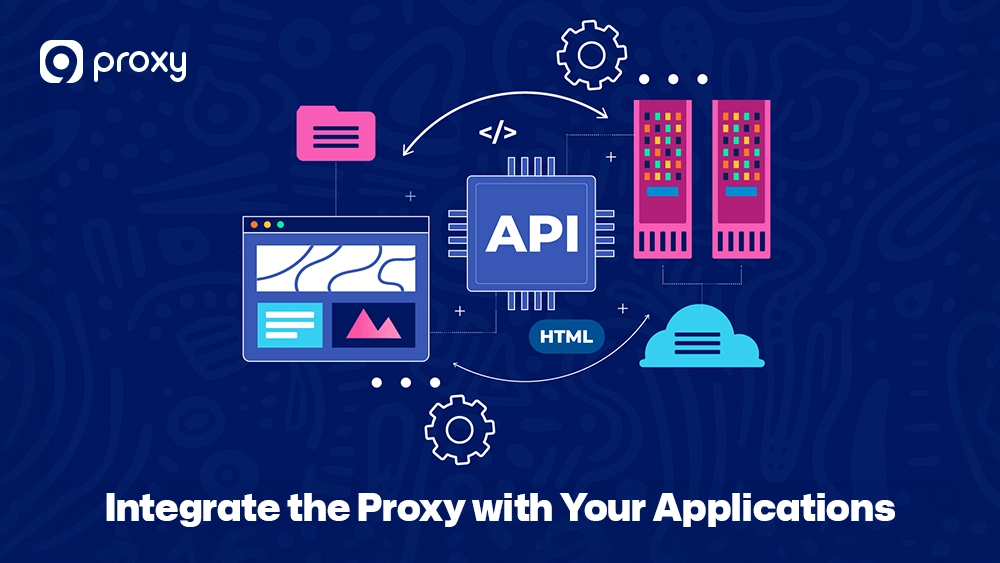
Step 5: Integrate the Proxy with Your Applications
Now connect the Cloud proxy server to the real tools you use. This can include browsers, scripts, APIs, and SaaS apps. Here are common integration points:
- Browsers: set proxy host/port in network settings
- APIs and scripts: use environment variables like HTTP_PROXY / HTTPS_PROXY
- SaaS tools: configure network connectors if supported
- Internal apps: route only specific domains or subnets
Step 6: Deploy and Test the Cloud Proxy
Deployment is not truly complete until you test everything. Even a small mistake in the port number or login details can stop the connection from working. Use this simple checklist to confirm setup:
- Basic connectivity: Can you open common websites without errors?
- Authentication: Do your login credentials work smoothly without repeated failures?
- Correct routing: Does your public IP match the proxy’s address instead of your local one?
- Performance: Is the connection speed and latency acceptable for your needs?
Deploy and Test the Cloud Proxy
Step 7: Monitor, Log, and Maintain the Proxy
After setup, your focus shifts to daily operation. A Cloud proxy server is still part of your infrastructure, so regular light maintenance is important. Here’s what we recommend over time:
- Monitor performance: Keep an eye on latency, error rates, and bandwidth usage.
- Review logs carefully: Look for traffic spikes, repeated login failures, or unusual destinations.
- Apply updates: Install updates and rotate credentials when necessary to stay secure.
- Adjust rules as you grow: Settings that work for one app may not work when usage increases.
- Control costs: Check usage regularly to avoid unexpected charges.
Routine checks help reduce downtime, prevent security issues, and keep your cloud proxy service stable and predictable.
Troubleshooting: Common Cloud Proxy Problems and Fixes
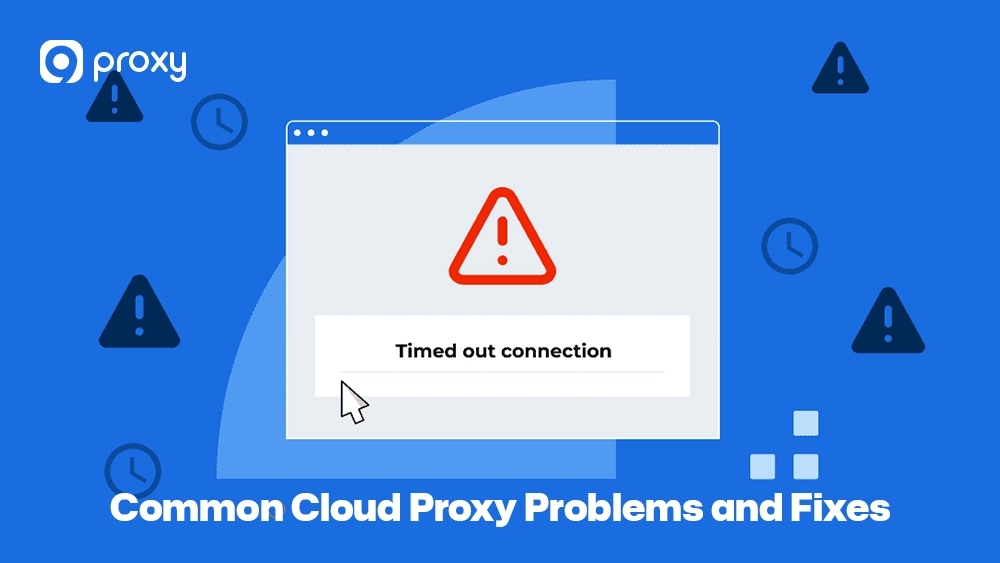
Even with a perfect setup, issues can arise. Here are the most common “unable to connect” problems and how we suggest fixing them:
- Authentication Failure: Double-check your username and password. If using IP authorization, ensure your local IP hasn’t changed (common with home internet).
- Connection Timeout: This usually means the proxy server is down or your firewall is blocking the proxy’s port. Try switching to a different server location.
- Slow Speeds: Check if you have reached your bandwidth limit. If not, try a server geographically closer to you to reduce physical data travel time.
- Website Blocks: Some sites block known datacenter IPs. In this case, switching to residential Cloud proxies often solves the problem instantly.
FAQs
Are Cloud Proxy Servers Expensive?
The cost depends on how you use them. Basic plans are often affordable for individuals or small teams. More advanced services, such as those offering large pools of residential IPs, cost more because they rely on larger and more complex infrastructure.
Does Cloud Proxy Server Slow Down Internet Speed?
A Cloud proxy server adds one extra step to the connection, so speed depends on how far the proxy is and how well the provider routes traffic. If the proxy is nearby, performance often feels normal. If it is far away, delays can be more noticeable.
How Do Cloud Proxy Servers Handle Data Caching?
They store copies of commonly accessed web content. When the same content is requested again, the proxy delivers the stored version instead of downloading it again, which saves time and bandwidth.
Do Cloud Proxy Servers Affect SEO?
They do not directly change search rankings. However, they are useful for SEO professionals who need to check search results from different locations without being blocked by search engines.
Conclusion
A Cloud proxy server is an essential tool for accessing the internet with better speed, control, and security. By moving proxy functions to the cloud, we can scale online activities more easily while keeping local devices protected from direct exposure.
Whether you’re browsing safely or handling complex data tasks, the right setup helps you avoid digital limits and stay efficient. Start with a trusted provider like 9Proxy and follow our setup guide to enjoy a faster, more secure, and open internet experience today.