

A Business Proxy Server can sound technical, but it’s actually a practical foundation for any growing team. A reliable business proxy server gives you stronger security, better privacy, and smoother access to global data. 9Proxy knows that navigating different proxy types, use cases, and configurations can feel overwhelming at first, especially if you’re exploring proxy solutions for the very first time.
That’s why this guideline combines clarity and depth, explaining what a proxy server for business is and how to choose the best proxy server for business needs. By the end, you’ll understand how proxies support SEO research, market intelligence, and remote work, and how to select the setup that truly fits your goals.
What Is a Business Proxy Server?
A Business Proxy Server is an intermediary that sits between your company’s internal devices and the public internet. Instead of letting browsers or apps connect directly, all traffic goes through the proxy first. It routes requests, uses its own IP to communicate with websites, and masks your real corporate IP, keeping your identity and location hidden.
When risky requests are disabled, unsafe websites are filtered out, and frequently visited pages load faster, your team can work more safely and smoothly online. In short, using a proxy server at work helps protect your data, improves privacy, and gives you better control over how employees access the Internet.
How Does a Business Proxy Server Work?
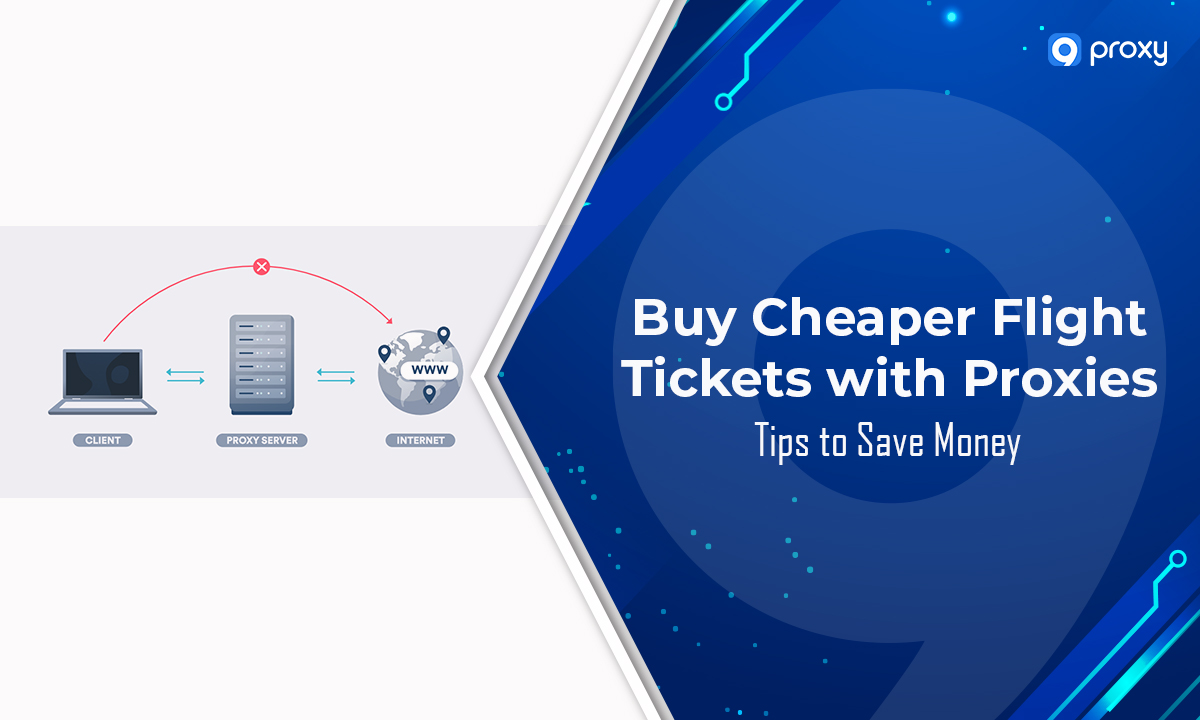
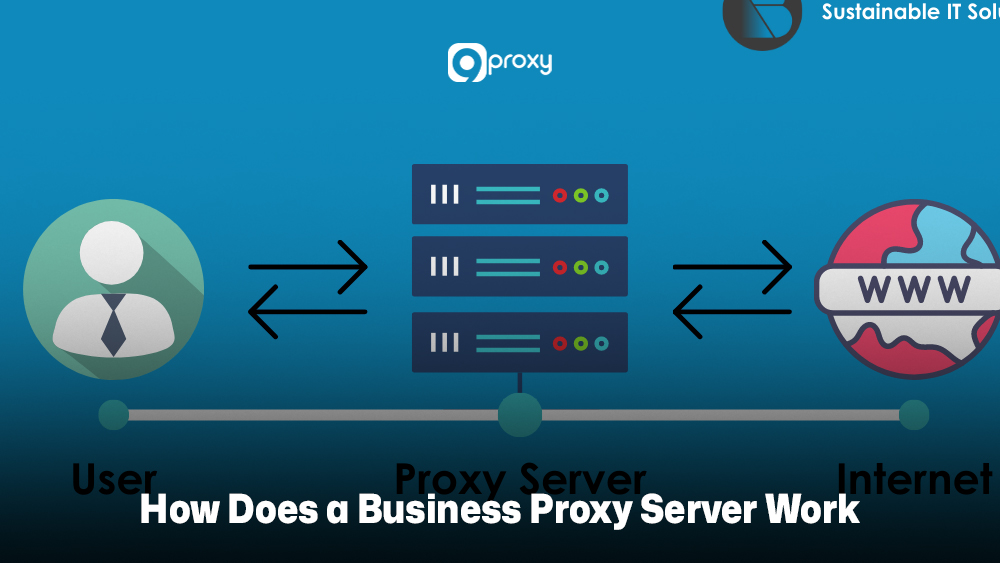
The core function of a proxy server is to handle a request before it reaches its destination. When an employee tries to visit a site like www.example.com, the request doesn’t go straight from their device to the website. Instead, it goes to the business proxy server first.
The proxy checks the request against the company’s filtering and security rules. If everything is allowed, it looks in its local cache for a saved copy of the content. If nothing is cached, the proxy forwards the request to the internet using its own IP address, masking your company’s real IP. The internet server replies to the proxy, and the proxy delivers the content back to the employee.
Think of a proxy server as a secure mailroom. All mail (data requests) arrives there first, is inspected, and then delivered safely. If the mail already exists in storage (cache), the mailroom can hand it over immediately without sending a new request outside.
Why Your Business Needs a Proxy Server?
As cybersecurity threats grow and data privacy laws become more complex, a proxy server is no longer optional. It has become a core part of your IT infrastructure. A proxy server for business is vital for several reasons:
Enhanced Security: It adds a protective layer between your network and the internet. By blocking malicious websites and filtering harmful content, it lowers the risk of data breaches.
Improved Privacy: By masking your users’ IP addresses, the proxy server keeps your business activities private. This is especially important when employees work remotely or connect through public Wi-Fi.
Content and Usage Control: You can manage what employees access online. This supports company policies, reduces distractions, and prevents visits to unsafe sites that may contain malware. It is also useful if your organization needs a controlled proxy for blocked sites to manage restricted resources securely.
Performance and Bandwidth Savings: With caching, the proxy avoids repeated requests to the internet, saving bandwidth and speeding up access to frequently used pages.
Network Anomaly Detection Benefits:
- Centralizes traffic monitoring.
- Detects unusual spikes or suspicious packets early.
- Identifies and resolves issues in real time.
- Provides a single point for security and compliance enforcement.
- Supports compliance with data protection and privacy regulations.
If your team handles digital campaigns or online growth strategies, reviewing different proxy use cases can also help you identify where proxy infrastructure supports marketing, compliance, and data collection tasks.
Types of Proxies for Business Use
Different businesses use different kinds of proxies. The Business Proxy Server you choose affects security, speed, reliability, and cost. Some are perfect for internal security; others are better for SEO and web scraping.
Below is a quick comparison of common proxy types for business tasks.
| Proxy Type | Typical IP Source | Strengths | Limitations | Cost Level | Ideal Use Cases |
| Datacenter Proxy | Data centers/hosting providers | Fast, large IP pools are good for bulk tasks | Easier to detect, higher chance of blocking | Low | Large-scale SEO checks, price monitoring, and basic scraping |
| Residential Proxy | Real home users via ISPs | Looks like normal user traffic, harder to block | Slower than the datacenter, higher cost | Medium–High | Market research, local SERP checks, ad verification, brand protection |
| Mobile Proxy | Mobile carrier networks (3G/4G/5G) | Strong trust from many sites, rotating IPs | Highest cost, limited capacity | High | App testing, social media, sensitive scraping, anti-fraud checks |
| Forward Proxy | Sits between internal users and the internet | Central control, filtering, and caching | Needs management and policy design | Varies | Office security, content control, and bandwidth saving |
| Reverse Proxy | Sits in front of your web servers | Load balancing, DDoS protection, SSL offload | Does not hide the user’s identity | Varies | Protecting websites, APIs, and multi-region hosting |
This overview helps you choose the right type of proxy for the right job, instead of guessing. It shows which proxy works best for each business task, so you can avoid mistakes, save money, and pick a solution that truly fits what your team needs. Many teams even use proxies for tasks like get freebies with proxies when testing regional promotions or rewards.
Matching Business Needs to Proxy Use Cases
Different goals require different proxy setups. If you choose the wrong proxy server for business, you might waste budget, face disabled IPs, or create security gaps. That is why it is important to match each use case with the right proxy configuration.
Security & Data Protection
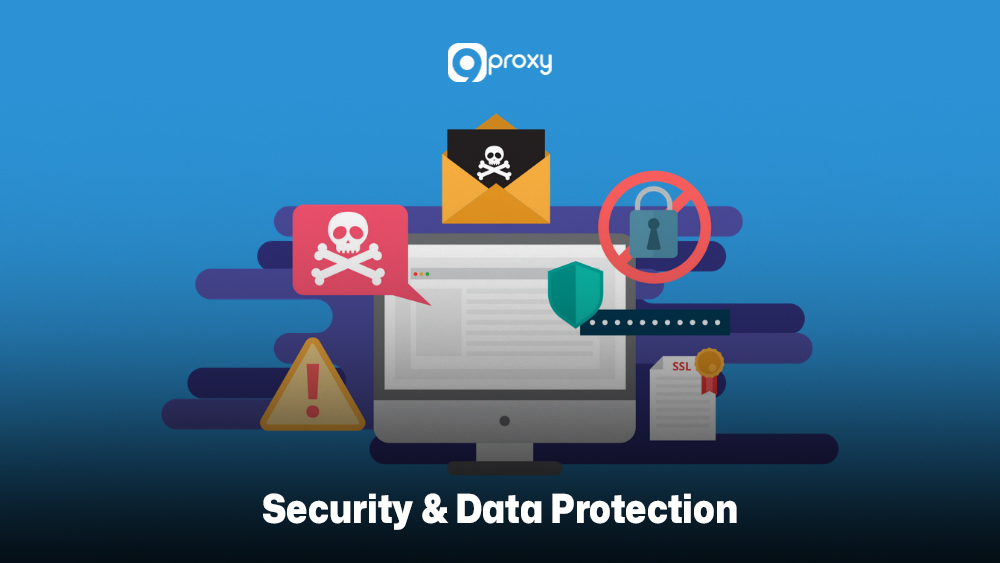
When we talk with you about security, we usually start with the network edge. A Business Proxy Server adds a controlled doorway to the Internet. Instead of every laptop or server talking directly to unknown sites, the proxy becomes the first contact point. This setup helps:
- Hides internal IP ranges from external scanners.
- Filters out known malicious domains and file types.
- Works with firewalls and IDS/IPS tools to reduce the attack surface.
- Helps limit IP-based attacks such as brute-force attempts or targeted scanning.
By logging all outbound requests, you also get a clear picture of what leaves your network, which is crucial after an incident. Some teams also use enterprise-grade tools like freelancer proxy server setups for distributed contractors that need safe, temporary access to internal assets.
Performance, Caching & Bandwidth Savings
If a whole office loads the same dashboard, SaaS tool, or news site again and again, that traffic becomes expensive and slow. A Business Proxy Server with caching can store static objects like images, scripts, and sometimes full pages. The benefits include:
- Faster page loads for frequently accessed resources.
- Lower bandwidth usage from your ISP.
- Reduced load on your own servers or VPN links.
For global teams, smart proxy routing can also steer users to the closest data center or edge node, cutting latency and improving user experience.
Geo-Location, Market Research & SEO
Many marketing and growth tasks only make sense with location-based data. Proxies are extremely useful in this space:
- View local SERPs from different cities and countries.
- Check ad placements and verify that partners show the right creatives.
- Track competitor pricing across regions and currencies.
- Collect review data and public feedback from multiple markets.
- Test websites from different locations to spot geo-specific issues.
For online retailers, using a structured ecommerce proxy setup allows accurate product tracking, price monitoring, and regional store validation without triggering detection systems. Similarly, marketing teams often rely on an ad verification proxy configuration to confirm that ads display correctly across countries, devices, and IP ranges.
With the right Business Proxy Server and IP mix, you can see your brand and competitors the way local users see them. This is also where specialized setups like proxy server PS5 testing scenarios or gaming-related region checks can be helpful for certain industries.

Managing Multiple Accounts / Enterprise Marketing
Modern marketing teams rarely manage just a single account per platform. Agencies and brands often run dozens of profiles across social networks, review platforms, and marketplaces. A good Business Proxy Server lets you:
- Assign unique IPs to key accounts, reducing ban risks.
- Use rotating proxies for low-risk tasks like viewing content at scale.
- Segment traffic by team (influencer outreach, community management, paid campaigns).
- Keep account access logs tied to specific IPs and devices.
This makes your stack more resilient if a single IP gets flagged and helps keep accounts safe even when several teammates work from different locations.
Remote Workforce & Access Management
Remote work is not a temporary trend. Many teams will stay distributed for the long term. Proxies help keep this model secure and manageable. With a centrally managed Business Proxy Server, you can:
- Route remote workers’ traffic through controlled gateways.
- Enforce content rules and security checks even off-site.
- Provide access to tools that are location-restricted or only whitelisted for certain IPs.
- Log activity for compliance without exposing personal home IPs.
Combined with VPNs and identity management, proxies add another layer of control without forcing you to host everything in a single office.

How to Choose the Right Proxy Server for Your Business: Step-by-Step Framework
Selecting the best business proxy server is an important choice because it affects your security, performance, and overall costs. To make this easier, we have created a simple framework that walks you through the key steps you should review before making a decision.
Step 1: Understand Your Needs
Before shopping, you need to define your business goals clearly. A single proxy server for business cannot cover every use case, so setting priorities is important.
Primary Goal: Decide what matters most. Are you focusing on internal network security, external data scraping, multi-account management, or remote access?
Workflow Mapping: Identify which teams will use the proxy, such as SEO, Marketing, or IT Security, and estimate how much data they will handle.
Proxy Type: Match the proxy type to your goal. Datacenter proxies work for high-volume but less sensitive tasks. Residential proxies are required for high-value or sensitive tasks like geo-research or account management.
IP Lifespan: Choose the right IP behavior. Sticky or static IPs are best for consistent logins, while rotating proxies are better for large-scale data collection.
Step 2: Consider Security Features & Logging Requirements
Security is usually the top priority for enterprises, so you need a trusted partner who can protect your identity, safeguard your data, and follow strict compliance standards. Choosing a provider that focuses on anonymity and compliance keeps your business safer and more reliable.
Anonymity Level: Make sure the proxy offers strong anonymity so your origin IP is never exposed.
Protocol Support: Choose a provider that supports secure protocols such as SOCKS5, HTTP, and HTTPS to improve both safety and reliability.
Compliance Frameworks: Review the provider’s logging policies and confirm they follow international data privacy requirements such as GDPR.
Authentication: Check whether the service provides strong authentication options, including username and password access for the proxy.

Step 3: Evaluate Speed and Reliability
Speed and connection stability have a direct impact on your team’s productivity and overall costs. If your proxy solution is slow or unreliable, you may lose more money in wasted man-hours than you spend on the subscription itself.
Connection Stability (Uptime): Choose providers that offer strong SLAs or clear refund and replacement policies for non-functional proxies.
IP Pool Size: A large and diverse pool, such as millions of IPs across 90+ countries, gives you better redundancy and reduces the risk of running into blacklisted IPs.
Performance (Ping): Lower ping times usually mean faster and smoother network performance.
Bandwidth Model: For heavy data tasks like scraping or downloading, a service with unlimited bandwidth per IP is far better than a fixed GB plan. It simplifies cost management and supports high-volume operations without extra fees.
Step 4: Compare Total Cost of Ownership, Licensing & Support
The lowest sticker price is rarely the lowest total cost. Extra fees, bandwidth overages, or weak support can quickly increase what you actually pay.
Pricing Model: Compare pay-per-IP, subscription, and bandwidth-based options.
Support Tiers: Strong and responsive customer support is essential for enterprise users who need fast issue resolution.
Hidden Fees: Watch for extra costs related to country targeting, protocol usage, or additional features.
Reseller/Volume Discounts: If your usage is high, check whether the provider offers special packages or reseller discounts to reduce long-term costs.
9Proxy: A Reliable Partner for Corporate Proxy Solutions
As a leading provider, 9Proxy offers a pure residential proxy service, giving your enterprise a high level of anonymity and trust for sensitive tasks. Businesses that follow insights and updates from Blog 9Proxy often integrate proxy systems into broader security and marketing frameworks.
Key Advantages of 9Proxy for Business Users:
- 100% Real Residential Proxies: Our pool includes real residential IPs across over 90 countries. This provides the strongest level of anonymity available to businesses.
- Clean and Exclusive IP Pool: Our IP pool is unique and not shared with other providers, which is why our blacklist ratio is almost zero. You get cleaner, safer, and more stable IPs.
- Unlimited Bandwidth Per IP: Competitors often charge by GB, but we sell IPs with no data limits. Each IP allows unlimited downloading and uploading, making 9Proxy ideal for data-heavy workflows.
- Flexible Pricing: Our service is affordable for its quality, starting at only ~$0.04 per IP, giving you premium performance without premium cost.
- Risk-Free Proxy Policy: If a proxy does not work within the first 60 seconds, you receive an automatic refund or replacement. This protects your budget and ensures you only pay for working IPs.
- Crypto Payment Perks: When you pay with cryptocurrency, you receive an additional 5% bonus IPs at no extra cost.
Our setup is also suitable if your operations involve global research tasks or campaigns where testing tools like social media proxies become necessary for local accuracy.
FAQ
Are there any free proxy servers available for businesses?
Some free proxy servers do exist, but 9Proxy recommends being very careful. Free services often lack proper security, have unstable connections, or run at slow speeds. These risks make them unsuitable for professional or data-sensitive work. If you need a reliable and secure business proxy server, a paid and quality-assured solution is the safer choice.
Can a proxy server improve my business’s internet speed?
Yes, a proxy server can help improve speed through caching. By storing copies of frequently visited websites, it reduces repeated internet requests. This saves bandwidth and gives faster access to pages your team loads often.
Do I need to train my staff on using a proxy server?
Yes, staff training is important. When employees understand secure usage and company network policies, they avoid configuration mistakes and maintain smooth access to essential resources. Training also strengthens the protection that the proxy server provides.
Are there any legal or compliance considerations when using a proxy server in a business?
Yes. When using a business proxy server, you must follow all relevant data privacy and protection laws, such as GDPR. Make sure your usage is lawful in every region where you operate. If unsure, consult legal counsel to avoid compliance issues.
Conclusion
A strong business proxy server is important for improving network efficiency, security, and competitive intelligence. The right setup not only protects your assets but also supports your marketing, research, and data operations.
If you want better security, higher performance, and cleaner data, we invite you to explore our premium residential proxy services. Contact us today to find the best proxy server for business operations that match your needs and take the next step toward a safer, more efficient digital workflow.