

If you’re running VPNs, firewalls, or on-prem apps, Duo Authentication Proxy can be the key component that upgrades your environment from basic passwords to modern multi-factor protection. 9Proxy understands that MFA may look complicated at first, so this guideline explains every part of the process in a simple and approachable way.
This blog walks through how the proxy sits between your LDAP or RADIUS server and Duo’s cloud to add a secure second verification step while keeping your existing systems intact. By the end, the full installation, setup, and troubleshooting workflow becomes easier to handle.
What is Duo Authentication Proxy?
Duo Authentication Proxy is a small, on-premises service that works as a secure middle layer between your current login system and Duo’s cloud-based multi-factor authentication. Instead of changing each application, you simply point your RADIUS or LDAP traffic toward the proxy. It first checks usernames and passwords with your existing directory, such as Active Directory or OpenLDAP.
When that step is valid, the proxy contacts Duo’s cloud to start the second verification method, like a push, phone call, passcode, or FIDO2 prompt. After the user confirms the second factor, the proxy allows the application to grant access. This setup helps modernize security for older environments while also supporting directory sync, Duo Single Sign-On, and systems that can’t reach Duo’s cloud directly.
How Does Duo Authentication Proxy Work?
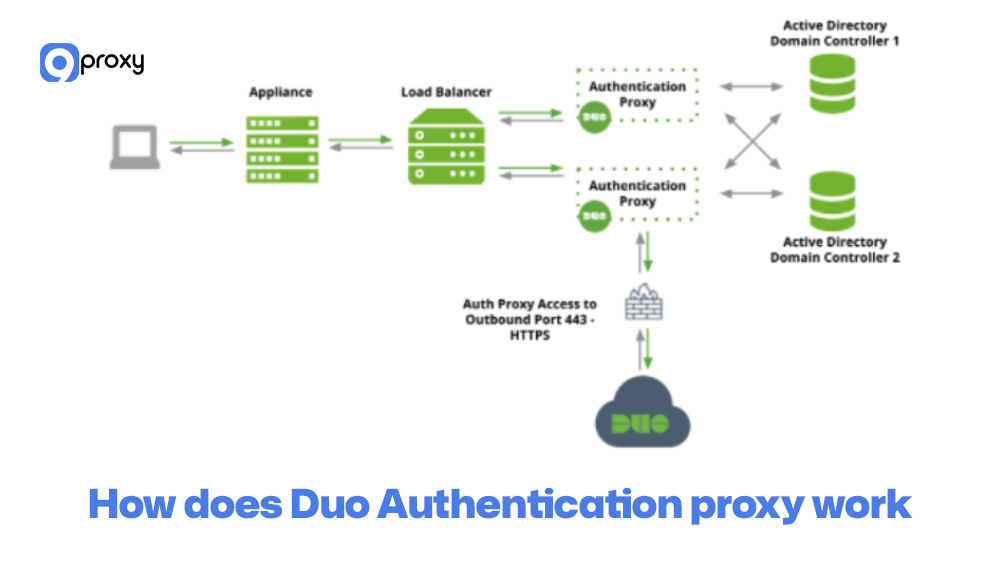
The Duo Authentication Proxy handles the login process simply and clearly to add MFA protection. When someone tries to sign in to a system that uses the proxy, the flow works like this:
Primary Authentication Request: The application sends the user’s login details to the Duo Authentication Proxy.
Primary Check: The proxy forwards those credentials to your main authentication source, such as Active Directory, an LDAP directory, or a RADIUS server, to confirm the username and password.
Secondary Authentication Trigger: If the primary check is valid, the proxy reaches out to the Duo Security Cloud to start the MFA step.
Duo MFA: Duo asks the user to verify with a second factor, such as a Duo Push, passcode, or another approved method.
Final Access Result: After the user completes MFA, the proxy returns an “allow” message to the application, so access is granted. If the first step or the second step fails, access is disabled.
This approach allows the Duo Authentication Proxy to add strong MFA to systems that don’t support it natively.
Use Cases of Duo Authentication Proxy
Duo Authentication Proxy is used in many real-world networks when teams want to add MFA without changing or rewriting older applications. These scenarios sometimes overlap with broader proxy concepts and other proxy use cases that help IT teams understand how authentication proxies fit into larger security and traffic management strategies.
VPN authentication
The proxy can sit in front of VPN gateways like Cisco ASA, Palo Alto, Fortinet, and others. These devices continue using RADIUS as usual, while the proxy adds Duo’s multi-factor step to every remote login. In larger organizations, this setup is often combined with a business proxy server strategy to centralize access control and strengthen secure remote connectivity across distributed teams.
RADIUS and LDAP integration
Network devices, Wi-Fi controllers, and older applications that already use RADIUS or LDAP can send their authentication traffic to the proxy instead of going directly to the directory. This gives them Duo MFA with almost no changes required.
Network devices and appliances
Firewalls, switches, and routers often cannot use cloud MFA directly. By pointing them to the Duo Security authentication proxy, their administrator logins are protected with two-factor authentication. This becomes especially useful in environments where administrators also rely on tools such as a proxy for blocked sites to control and filter internal traffic while maintaining strong authentication safeguards.
Legacy systems needing Duo 2FA
Older on-prem servers, thick-client software, and mainframe-style systems that depend on directory authentication can route their logins through the proxy. This allows them to benefit from Duo’s MFA, risk checks, and security policies, even without native support.
Pros and Cons of Duo Authentication Proxy
As we explore the Duo Authentication Proxy further, it’s important to remember that, although it brings strong security benefits, it also has a few practical points to consider. This section highlights the main advantages and limitations we usually review with our customers.
Pros of Duo Authentication Proxy
The main benefits of using the Duo Authentication Proxy come from its ability to strengthen security and make it easier to add MFA to systems that don’t support it on their own.
Enhanced Security for Legacy Systems: It adds modern two-factor authentication to older systems and apps that only work with RADIUS or LDAP, giving them an immediate security upgrade.
Seamless Integration: The proxy works smoothly with existing on-premises directories like Active Directory or OpenLDAP, without forcing you to change how your user accounts are managed.
Flexible Authentication Options: It supports multiple protocols and methods, including Active Directory sync, RADIUS, and LDAP, making it easy to fit into many different IT environments.
Low Footprint and Resource Needs: The software is lightweight and runs easily on standard servers, similar to how a private proxy server avoids the need for special hardware.
Cons of Duo Authentication Proxy
Although the proxy works well, there are a few limitations related to management and scaling that you should consider.
Requires On-Premises Maintenance: Because it runs on your own server, you must maintain the operating system, network settings, and proxy software. This adds some ongoing administrative work.
Potential Single Point of Failure: If you install only one proxy instance, an outage can interrupt MFA for all connected systems. To avoid this, you need multiple proxies for high availability.
Configuration Complexity: The configuration file (authproxy.cfg) can be tricky at first due to its detailed syntax for different protocols and applications. Mistakes in the file may lead to errors during setup or early testing.
How to Install and Set Up Duo Authentication Proxy
The installation and setup of the Duo Authentication Proxy are important parts of securing your environment. The process is generally simple, but it’s still important to check the system requirements and follow the configuration steps carefully to avoid issues. Below is a clear breakdown of what you need to do..
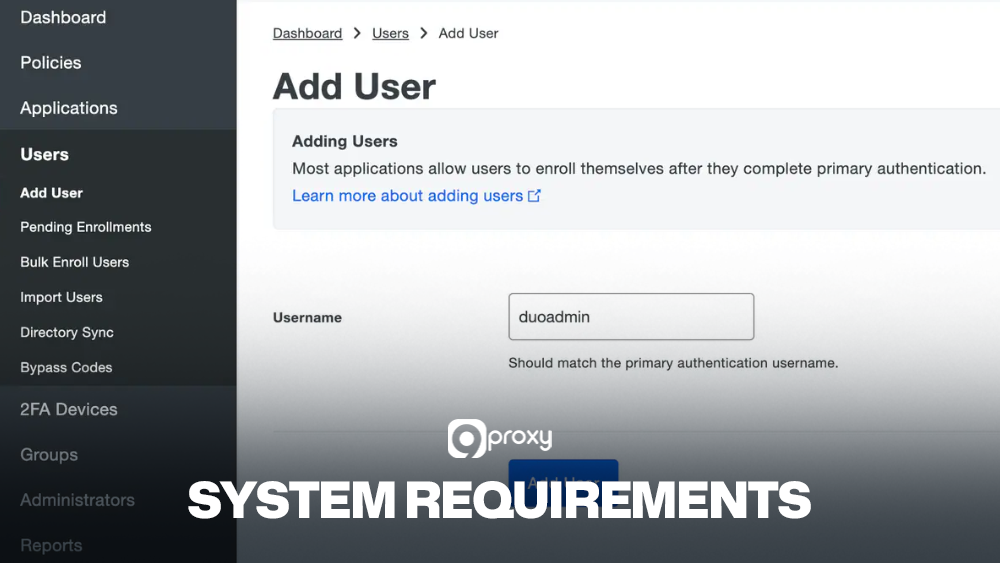
System Requirements
Before starting the Duo Authentication Proxy download and installation, make sure your server meets the basic requirements below so the proxy can run smoothly and reliably:
- Operating System: Use a supported version of Windows Server (2012 R2, 2016, 2019, 2022) or a supported Linux distribution such as RHEL/CentOS or Ubuntu.
- Network Access: The server must be able to reach your primary authentication source (LDAP/RADIUS) and must have outbound access to the Duo Security Cloud API over TCP port 443.
- Primary Authentication Source: You need a working directory service like Active Directory, OpenLDAP, or a RADIUS server that the proxy can connect to.
- Duo Account: A Duo administrator account is required to get your integration key, secret key, and API hostname.
Step-by-Step Installation Guide
Installing the Duo Authentication Proxy is the first technical step. Using a dedicated server is recommended for better stability and isolation.
- Download: Go to Duo Security’s official documentation site and find the Duo Authentication Proxy download link for your operating system. Always download from the official source to ensure security.
- Run Installer (Windows): Run the installer as an administrator. Follow the prompts to choose the installation folder and complete the setup.
- Run Installer (Linux): Install the package using your system’s package manager, such as apt or yum.
- Initial Configuration: After installation, the file authproxy.cfg is created in the /conf directory. This is where all authentication and application settings are defined.
- Edit authproxy.cfg: Open the file in a text editor. Add a [main] section, plus at least one client section (like [ldap_client] or [radius_client]) and one server section (like [ldap_server_auto] or [radius_server_auto]), depending on what you want to protect.
- Start the Service: Once the file is saved, start the Duo Authentication Proxy service. On Windows, use the Services console or the command-line tool. On Linux, use your service manager (for example, systemctl start duoauthproxy).
Configuring the Proxy
Once the basic service is running, the real work is mapping your applications to the relevant sections in authproxy.cfg. This configuration process is similar to the design choices discussed in secure web gateway vs proxy comparisons.
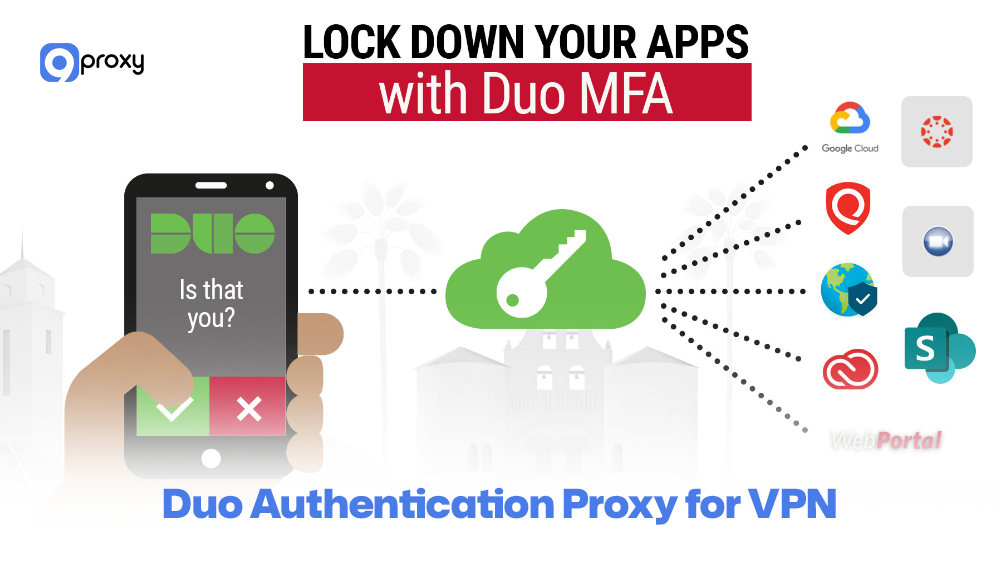
Duo Authentication Proxy for VPN
For most VPN gateways, you simply set them to use RADIUS and point those requests to the proxy.
- Create a [radius_server_auto] section in authproxy.cfg. Set your ikey, skey, api_host, and firewall-reachable listening port.
- Add one or more radius_ip_x and radius_secret_x entries that match the IP addresses and shared secrets of your VPN devices.
- On the VPN appliance (Cisco ASA, Palo Alto, etc.), define a new RADIUS server pointing to the proxy’s IP and port, using the same secret.
- Choose whether primary authentication should go to RADIUS or LDAP/AD behind the proxy. This is handled via the client parameter, referencing a [radius_client] or [ldap_client] section.
- Apply the new authentication profile to your VPN tunnel group or portal, then test with a few pilot users.
This pattern lets VPN users keep their usual usernames and passwords while adding Duo Push or other second factors with minimal changes to the gateway itself.
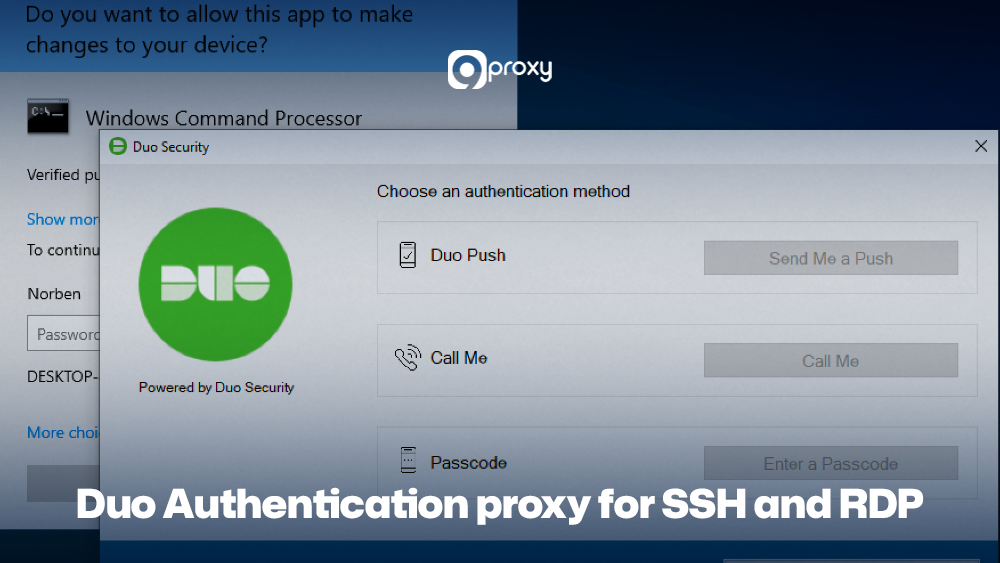
Duo Authentication Proxy for SSH and RDP
Securing server logins is another common use case, especially in environments where administrators need a simple way to add MFA protection to SSH or RDP access.
- For SSH, many teams use a PAM or OpenSSH configuration that calls a local RADIUS or LDAP service. Point to the client configuration at the Duo proxy, either directly or through a local RADIUS client section.
- On Linux servers, adjust sshd_config and PAM modules to use your central authentication system, which is already protected by the proxy. This keeps logic in one place rather than installing agents on every node.
- For RDP on Windows, you might secure remote access via a VPN gateway or Network Policy Server (NPS) using RADIUS with the proxy. Users connect over RDP only after passing the Duo challenge at the gateway level.
- In all cases, document which ports are used (for example, RADIUS 1812, LDAP 389/636) and confirm firewall rules permit traffic between servers and the proxy.
By centralising 2FA in this way, you reduce the number of systems where you need to manage MFA plugins or certificates.
Advanced Configuration Options
More advanced setups can use extra options in the Duo authentication proxy configuration to improve security and performance.
- Fail modes like failmode=safe or failmode=secure: control what happens if the proxy cannot reach Duo’s cloud. Pick the right option based on your security needs and how much downtime you can tolerate.
- Logging: In the [main] section, you can adjust log_level to increase or decrease logging detail based on your troubleshooting needs.
- High Availability: To avoid downtime, deploy two or more proxy servers and configure your VPNs, firewalls, or applications to use them in rotation or failover.
- Duo Authentication Proxy Manager: On Windows, the Duo Authentication Proxy Manager provides a simple GUI that makes editing and validating authproxy.cfg easier, reducing mistakes during setup.
It’s a good practice to document every configuration setting in version control, as this helps you track changes clearly and quickly spot mistakes. Keeping these records prevents unnoticed configuration drift from gradually causing issues in your Duo Security authentication proxy deployment. These tuning choices resemble concepts found in reverse proxy vs load balancer designs to improve stability.
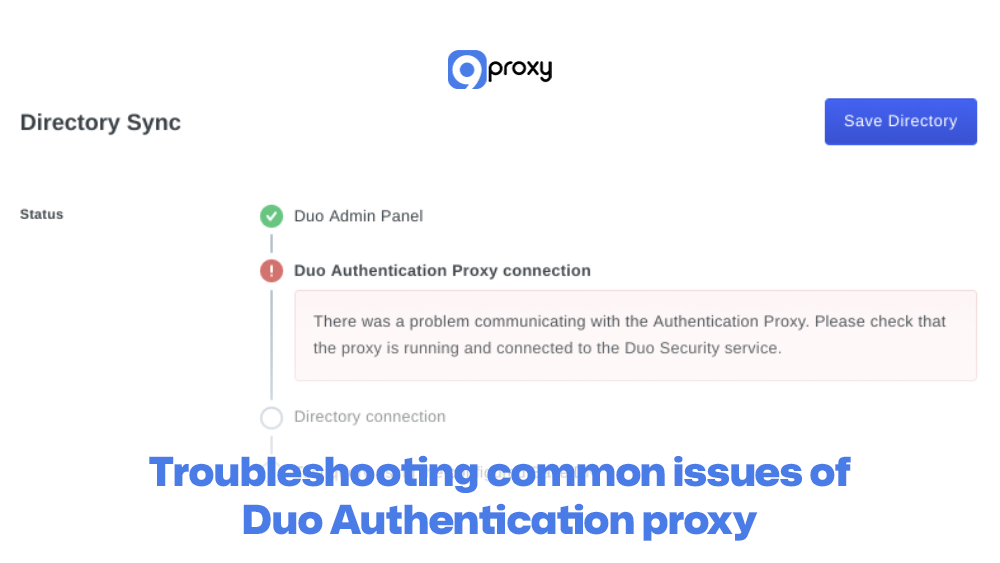
Troubleshooting Common Issues of Duo Authentication Proxy
Even with a clear setup guide, issues can still happen. Below are some common problems you may run into when using the Duo Authentication Proxy, along with simple fixes:
Login Fails Immediately (Primary Auth)
Fix: Check the [ldap_client] or [radius_client] entries in authproxy.cfg. The proxy may not be able to reach your main authentication source (AD/LDAP/RADIUS). Make sure hostnames, IPs, ports, and shared secrets (for RADIUS) are correct.
Login Succeeds but No Duo Prompt
Fix: The proxy may be unable to contact the Duo cloud. Confirm that outbound traffic on TCP port 443 is allowed. Also, verify that the api_host in the configuration is accurate.
Authentication Timeout Errors
Fix: The user’s device (like a VPN client) might not wait long enough for the Duo MFA step. Increase the timeout setting from a few seconds to around 30–60 seconds so the Duo push or call has time to go through.
“Client not enabled for this application” Error
Fix: This usually means the Duo application in your portal doesn’t match the ikey in authproxy.cfg. Recheck the ikey and skey and make sure they are copied exactly from the Duo Admin Panel.
Comparison: Duo Authentication Proxy vs Alternatives
When you plan to deploy Duo MFA, the proxy is the only option. It helps to know how it compares to other Duo solutions, such as Duo SSO and Duo Access Gateway.
The table below shows the best use cases and requirements for the Duo Authentication Proxy and how it differs from these two alternatives.
| Solution | Where It Runs | Best For | Typical Protocols | Key Limitation |
| Duo Authentication Proxy | On-prem / VM server | VPNs, firewalls, legacy RADIUS/LDAP systems | RADIUS, LDAP, HTTP | Extra server to manage |
| Duo SSO | Duo cloud | Web apps, SAML/OIDC integrations | SAML, OIDC | Less suited for network devices and appliances |
| Duo Access Gateway (legacy) | On-prem gateway | Older web apps needing SAML bridge | SAML, LDAP | Deprecated in favour of Duo SSO in many setups |
| Direct application plugins | Individual servers | Specific apps like Windows logon, SSH modules | Native app integrations | Harder to manage at scale across many systems |
The Authentication Proxy is created for a very specific purpose: adding MFA to non-web, legacy, and on-premises systems that don’t support modern authentication methods.
When to Use a Proxy?
The Duo Authentication Proxy is the best fit when you work with systems that are RADIUS-only or LDAP-only. These systems usually cannot be upgraded to use modern standards like SAML 2.0. Common examples include network devices such as switches and firewalls, older VPN concentrators, and many custom or legacy on-premises applications.
If your authentication source is on-premises and the system you want to secure relies on RADIUS or LDAP, the proxy becomes the key component that allows you to add Duo MFA to that environment.
Best Practices for Using Duo Authentication Proxy
To keep your Duo Authentication Proxy secure, stable, and performing well in everyday operations, it’s important to follow a few practical guidelines. Below are some easy-to-follow best practices that help maintain both safety and reliability.
Security Best Practices
Here are some important security practices to help keep your Duo Authentication Proxy safe. These tips reduce risks, limit unwanted access, and make sure the proxy runs in a secure and controlled environment.
Dedicated Server: Install the proxy on its own server (physical or virtual) with as few other services as possible to reduce security risks.
Firewall Isolation: Use strict firewall rules so the proxy can communicate only with what it needs: your primary authentication source and the Duo Cloud API over TCP 443.
Regular Patching: Keep both the server’s operating system and the proxy software updated to protect against known security issues.
Strong Credentials: Use strong, well-protected bind credentials when the proxy connects to your LDAP or Active Directory server.

Performance Optimization
Here are a few performance tips to help your Duo Authentication Proxy stay fast and reliable, even as your environment grows or experiences higher authentication traffic. Planning for resource allocation, similar to selecting infrastructure components like an ad verification proxy to monitor traffic integrity at scale, helps maintain smooth and stable authentication performance.
Monitor Resources: Make sure the server running the proxy has enough CPU and RAM. The proxy doesn’t require much, but monitoring helps prevent slowdowns.
High Availability (HA): Set up at least two Duo Authentication Proxy servers for redundancy. This prevents downtime if one server fails and helps spread the load. Update your VPN, firewall, or other client systems to use both servers for automatic failover.
FAQs
Where can I get help if I face issues with the Duo Authentication Proxy?
The best place to start is Duo Security’s official documentation. If you still can’t fix the issue, you can contact Duo Support by opening a ticket or searching for answers in Duo’s community forums.
Does Duo Authentication Proxy support high availability?
Yes. You can run multiple Duo Authentication Proxy servers and set your VPN or other applications to use all of them. This way, if one server goes down, the others take over automatically.
Does Duo Authentication Proxy support logging and monitoring?
Yes. The proxy creates detailed logs showing authentication attempts, errors, and system activity. These logs can be sent to common monitoring tools, making it easy to track and troubleshoot issues.
Do I need any special hardware to run Duo Authentication Proxy?
No. The proxy is lightweight and works well on normal physical or virtual servers. The system requirements are simple and easy to meet.
Conclusion
The Duo Authentication Proxy is an important tool for bringing strong multi-factor authentication to older systems that still rely on traditional protocols. It helps secure your environment without needing major system changes.
By following this blog, you can install, set up, and use the proxy effectively to improve your overall security. To learn more ways to protect your systems and stay updated on modern security practices, continue exploring insights from 9Proxy.