

A slow internet connection can hurt productivity and ruin the user experience, especially if you run an office, school, ISP, or content-heavy website. A caching proxy server acts as a middleman that stores copies of frequently requested web pages and files, so your systems don’t need to fetch them from the source every time. This helps you deliver content faster, save bandwidth, and reduce latency for everyone on the network.
Through this blog, 9Proxy will help you understand what this technology is, why organisations depend on it, how different solutions compare, and the steps you can follow to set it up safely. With these essentials, you can start improving network efficiency with confidence.

What is a Cache Proxy Server?
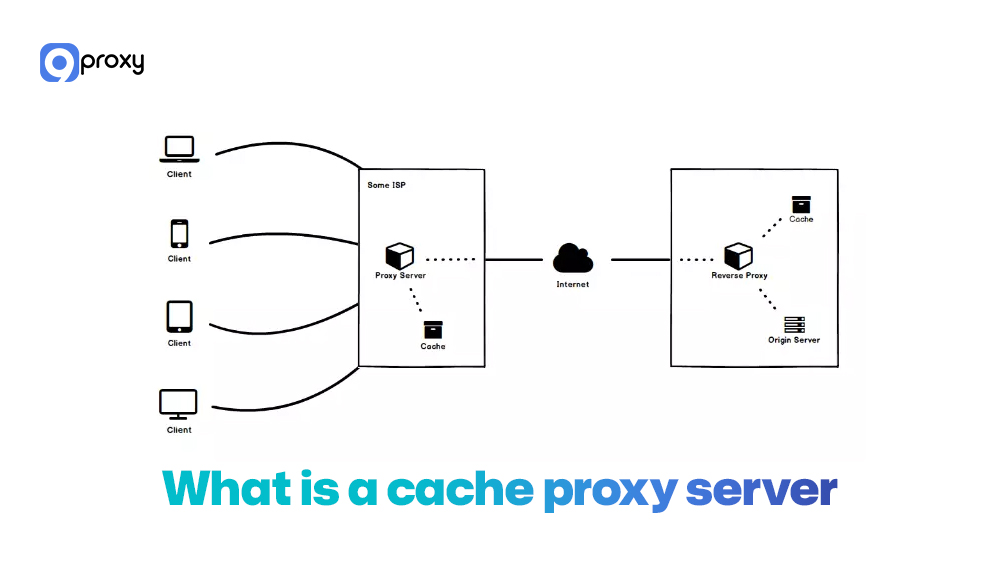
A Cache Proxy Server is an intermediary server that doesn’t just forward traffic but also saves copies of frequently requested content, like web pages, images, scripts, or videos. When someone requests the same resource again, the proxy delivers it directly from its local cache instead of fetching it from the origin server. This reduces bandwidth use, speeds up response time, and gives you more control over how traffic flows across your network.
A caching proxy can be set up in several ways: a forward proxy that sits in front of users on a private network, a reverse proxy that stands in front of web servers to speed up website delivery, or transparent caching, where traffic is intercepted and cached automatically without user settings.
All three options can store and serve cached content, depending on whether you want to improve client access, server performance, or both. Many organisations compare transparent vs explicit proxy solutions or broader models such as secure web gateway vs proxy approaches when deciding how they want caching to operate across different environments.
How Does Proxy Caching Work?
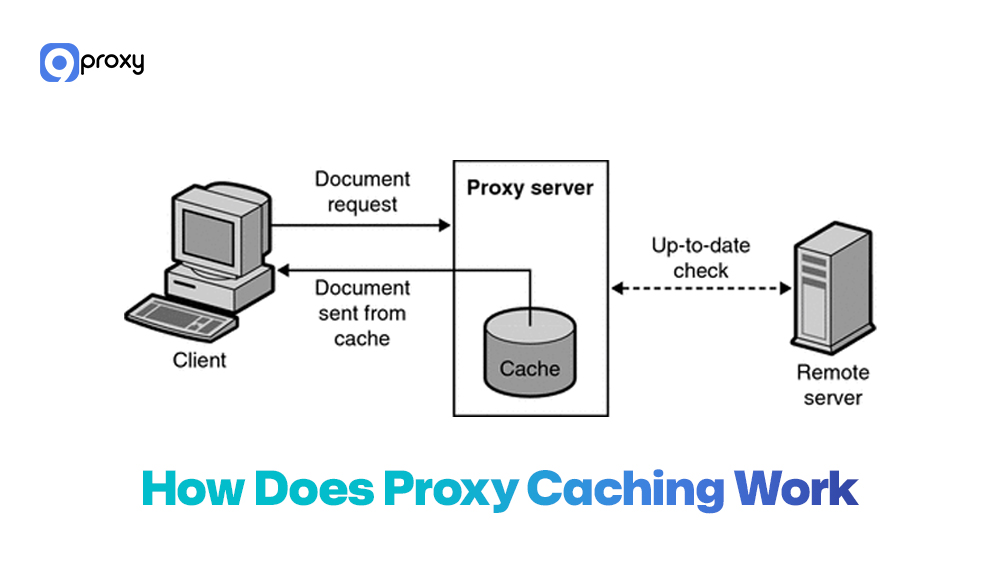
Proxy caching is simple but very effective. When you request content, the Cache Proxy Server decides whether to serve a cached version or fetch a new one. Your browser sends an HTTP/HTTPS request to the proxy, which checks its local storage (RAM, SSD, or hard drive) for a valid copy using cache keys and metadata like ETag, Last-Modified, Cache-Control, and Expires.
If a fresh copy exists (HIT), it’s delivered instantly, saving bandwidth and reducing delay. If missing or outdated (MISS), the proxy retrieves a new version, sends it back, and stores it.
Cache policies control how long content stays, which hosts to cache, size limits, and when to revalidate. Older items are removed with algorithms like LRU. To users, everything feels normal, but caching quietly speeds up access and reduces traffic.
Benefits of Using a Caching Proxy Server
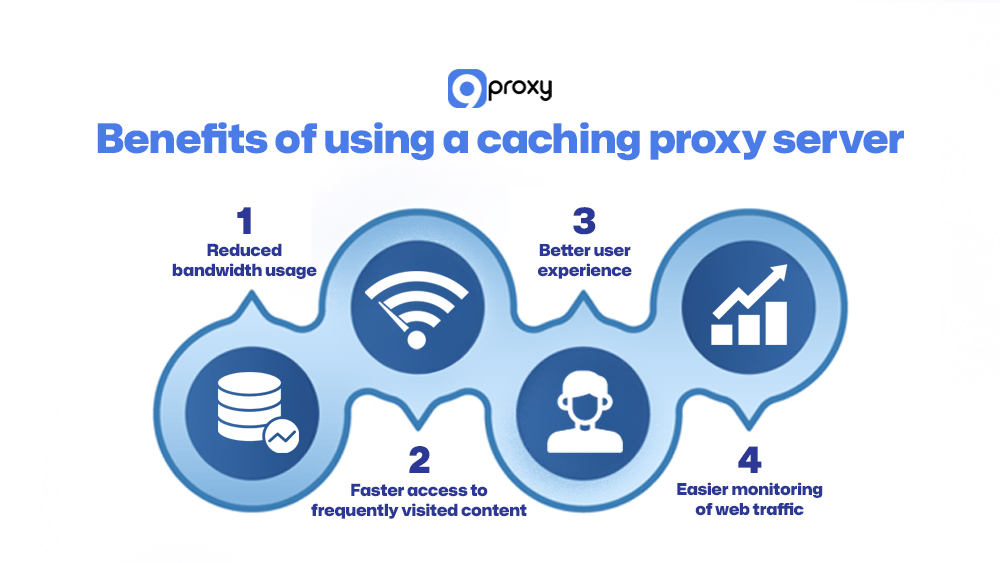
A well-configured caching layer can improve how your network performs each day. When you set up a caching proxy server properly, you gain several practical benefits.
Reduced Bandwidth Usage
This is one of the biggest advantages. Because the proxy serves repeated requests from its local cache, it cuts down the amount of external bandwidth your network uses. Large organizations and ISPs can lower operating costs significantly.
Faster Access to Frequently Visited Content
Cache hits don’t need to contact distant origin servers, so pages load almost instantly. This greatly improves speed for users who visit the same sites often.
Better User Experience (Especially in Corporate/ISP Settings)
Users get faster, smoother browsing. This matters most in busy environments like offices, ISPs, or university campuses, where many people request the same resources repeatedly. In larger environments, caching is often deployed alongside an enterprise proxy server to centralize traffic control, logging, and performance optimization under one scalable architecture.
Easier Monitoring of Web Traffic
Since the proxy works as a single gateway, administrators can log and track all outbound web traffic in one place. In many setups, this gateway also functions as a proxy firewall, adding filtering and security inspection on top of caching to strengthen network control.
Cache Proxy vs Regular Proxy
While all caching proxies are still a type of proxy server, their special purpose makes them different from a standard proxy. The main difference is how they handle repeated requests and what they are designed to achieve.
The table below highlights the key differences between a standard proxy server and a dedicated caching proxy server:
|
Factors |
Regular Proxy Server |
Caching Proxy Server |
|
Content Storage |
None; traffic passes straight through. |
Stores copies of frequently requested content (cache). |
|
Purpose |
Anonymity, security, filtering, and simple routing. |
Optimizing speed, reducing latency, and saving bandwidth. |
|
Performance Impact |
It can slightly increase latency due to the extra hop. |
Speeds up access dramatically on subsequent requests (cache HITs). |
|
Ideal Use Case |
Getting around geo-based access limits, privacy protection (like private proxy server solutions) |
Corporate networks, ISPs, or high-traffic websites (Reverse Proxy). |
In short, a regular proxy focuses on where traffic goes, while a caching proxy cares about both where and how often it goes, optimising repeated requests for speed and efficiency.
How to Set Up a Caching Proxy Server (Step-by-Step)
Setting up a strong caching proxy server takes some planning. You need to pick the right software and define the correct rules for how content should be cached and delivered. This section walks you through how to choose a suitable solution and outlines the main configuration steps for the most common tools.
Choosing a Proxy Caching Solution
To begin, you need to select the software that will manage your caching needs. The comparison table below shows some of the common proxy cache server options and the situations where each one works best.
|
Tool |
Typical Role |
Strengths |
Ideal Use Case |
|
Squid |
Forward / transparent proxy |
Mature, flexible ACLs, strong HTTP cache features |
ISPs, schools, enterprise gateways |
|
Varnish |
Reverse proxy cache |
Extremely fast for HTTP, VCL scripting |
High-traffic websites, API caching |
|
NGINX |
Reverse / forward proxy |
Easy setup, multi-purpose web server + proxy |
Small to medium apps, entry-level cache |
|
Apache Traffic Server |
Edge / CDN cache |
High scalability, plugin ecosystem |
CDNs, large-scale content platforms |
Selecting the right tool depends on your network’s size and complexity, with Squid being the most common choice for a traditional forward caching proxy server.
Your decision mainly depends on where the cache will sit in your network.
- If you want to control traffic and save bandwidth for internal users (a forward proxy), Squid is a reliable and mature option with detailed control over what gets cached.
- If you’re a website owner who wants faster web application delivery (a reverse proxy), Varnish is extremely fast and designed for performance.
- NGINX sits in the middle, offering a mix of speed and simple setup, making it a strong choice for most small to medium web applications. In some architectures, administrators combine HTTP caching with a DNS proxy layer to optimize domain resolution and reduce upstream lookup latency.
Set Up a Caching Proxy Server
There are several ways to set up a caching proxy, depending on how your network works and what performance you need. Below are two common setup methods that you can use as an easy starting point.
Option A: Using Squid
For many organisations, Squid is the easiest and most dependable option for setting up a Cache Proxy Server on Linux because it’s stable, well-supported, and offers strong caching features for different network sizes.
Step 1: Install Squid (Linux example)
- On Ubuntu/Debian: sudo apt update && sudo apt install squid
- On CentOS/RHEL: sudo yum install squid
Step 2: Basic HTTP caching configuration
- Edit /etc/squid/squid.conf.
- Set http_port (for example, 3128).
- Define cache_dir with enough disk space for your expected traffic.
- Configure maximum_object_size and minimum_object_size based on your environment.
Step 3: ACLs and access rules
- Create acl lines for trusted networks (for example, 192.168.0.0/16).
- Use http_access allow for allowed networks and http_access deny all as a safe default.
- Decide which domains or content types you do not want to cache.
Step 4: Refresh patterns and cache rules
- Tune refresh_pattern directives to control how long Squid keeps different file types.
- Respect origin headers where needed; override caching for heavy but rarely updated content.
Step 5: Logs and statistics
- Use access.log and cache.log to monitor HIT/MISS ratios.
- Connect Squid to tools like sarg or Grafana exporters to visualise performance and usage.
With this setup, your squid cache proxy server will already improve speed and save external bandwidth for repeated content.

Option B: Using Varnish or NGINX
If you mainly accelerate web applications or APIs, Varnish and NGINX are strong alternatives.
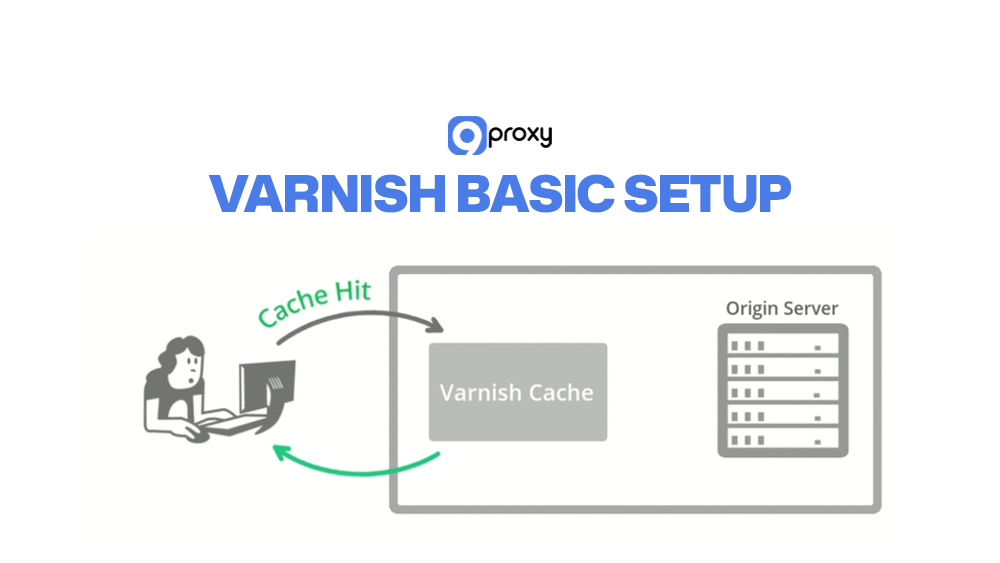
Varnish basic setup
Step 1: Install Varnish from your distro repo or from the official packages.
Step 2: Run Varnish on a port such as 6081 and move your origin web server (Apache/Nginx) to another port (for example, 8080).
Step 3: In the VCL configuration file, define:
- backend (origin server details)
- Cache rules for static vs dynamic paths
- Headers to ignore or strip for better cache hit rates
NGINX caching setup
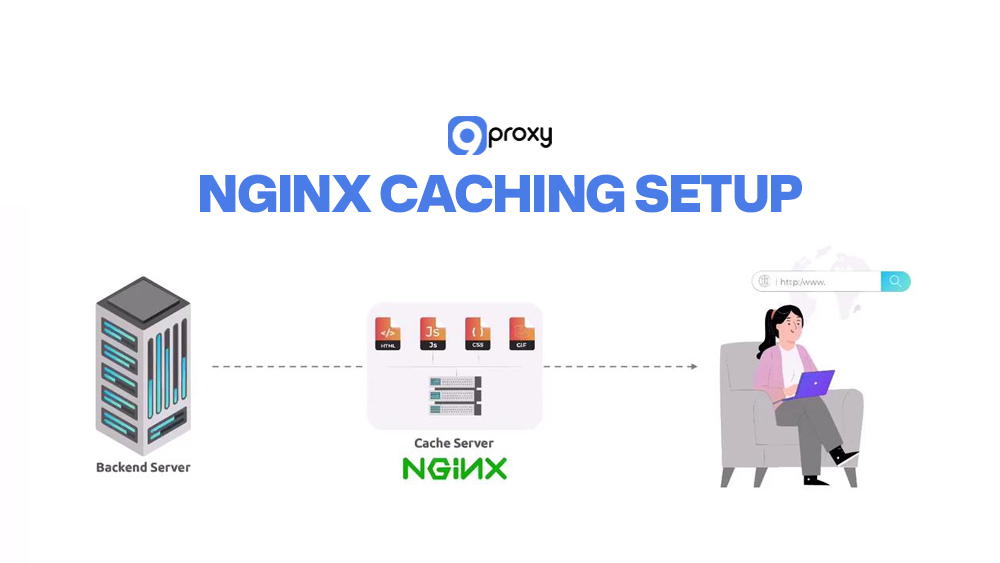
Step 1: Install NGINX and set it as a reverse proxy in front of your app or web server.
Step 2: In your server block, configure:
- proxy_pass to the backend application
- proxy_cache_path to define cache location and size
- proxy_cache and proxy_cache_key for specific locations (for example, /static/ or /images/)
Integrating with backend apps
Step 1: Make sure your backend sets proper Cache-Control and Expires headers.
Step 2: Decide which endpoints must always be fresh (login pages, personal dashboards) and pass over the cache there.
Step 3: Cache static assets (JS, CSS, images) aggressively; treat dynamic content more carefully.
Whether you use Varnish, NGINX, or another platform, remember that caching is a smart layer between your users and your origin apps. It improves speed, but it’s not a replacement for solid application design.
Test & Optimize Your Caching Proxy
Once your Cache Proxy Server is up and running, it’s important to test and fine-tune it regularly. This ongoing optimization is what keeps the system fast, stable, and effective over the long term. Advanced users may compare behavior with tools like free socks5 proxy server setups to understand proxy-layer differences.
Tools: curl, Cache HIT/MISS Headers: We use command-line tools like curl to send requests and inspect the response headers. Specifically, we look for the X-Cache or Via header, which indicates whether the request resulted in a HIT (served from cache) or a MISS (fetched from the origin).
Performance Testing: Tools like ApacheBench (ab) or wrk can simulate high traffic volumes. By running tests with and without the proxy, we can measure the tangible reduction in response time and the increase in requests the server can handle.
Caching Rules Tuning: If you see too many MISSes, we need to adjust the TTL settings and refresh patterns in the configuration file (squid.conf). We also check that the backend server is sending correct Cache-Control headers.

Use Cases of Caching Proxy Server
The flexibility and performance advantages of a caching proxy server make it valuable in many different environments. It can help anything from improving student access to supporting large-scale global services. Here are the main scenarios where proxy caching works best:
ISPs or Campus Networks:
Internet Service Providers and large schools use transparent caching to reduce traffic on external links. When thousands of users download the same software update or watch the same video, the cache delivers it locally instead of pulling it from the internet each time.
Enterprise Caching for Security and Speed:
Companies use forward caching proxies to give employees faster access to common online resources. At the same time, the proxy acts like a firewall, logs outbound traffic, and supports security audits.
CDNs and Reverse Proxy Caching:
Content Delivery Networks are built from distributed caching proxy servers. They store website content near users around the world, ensuring the fastest possible delivery.
Web Scraping and Bot Traffic Optimization:
Developers running scraping bots can use an internal cache to avoid fetching the same page repeatedly. The cache serves the repeated request, reducing pressure on the target website and lowering the chance of being blocked. When combined with high-quality rotating IP infrastructure from providers like 9Proxy, caching can further reduce redundant outbound requests and improve overall traffic efficiency.

FAQs
What Types of Content Can Be Cached?
Most static content that doesn’t change often can be cached. This includes images (JPG, PNG), videos, CSS files, JavaScript files, and many simple HTML pages. Dynamic content changes based on the user or database results. These should be cached only briefly, if at all, to make sure users always receive accurate, up-to-date information.
How Can I Clear the Cache on a Proxy Server?
Clearing the cache (also called purging) depends on the software you use. With a squid cache proxy server, you typically run a command-line tool or use Cache Manager to remove cached items. In tools like Varnish, you can send an HTTP PURGE request to clear specific URLs. Always check your software’s documentation for the correct commands to clear either the entire cache or just selected content.
Do All Proxy Servers Include Caching Features?
No. Not every proxy server comes with caching built in. A regular forward proxy may only route traffic and hide the client’s IP address. A caching proxy server, however, is designed with storage space and caching logic to save and deliver web resources quickly. If your goal is better speed and bandwidth savings, you need a proxy solution built specifically for caching.
Conclusion
Understanding and using a Cache Proxy Server is important for any modern network that wants strong performance and efficiency. It works as a smart intermediary, reduces bandwidth usage, and boosts speed for users.
With the setup steps for tools like Squid and NGINX, you can build a reliable caching system that lowers latency and gives you more control over your traffic. If you’re ready to turn theory into practice, explore trustworthy providers, review open-source options like Squid or Varnish, and consider 9Proxy as your partner when you want a flexible, high-performance residential proxy solution for your network.
If you want to explore more proxy technologies, deployment strategies, and security models, you can find in-depth guides and comparisons on Blog 9Proxy.