


Do you need to use high-quality residential proxies for work, but your company's computer limits administrative software permissions? Or perhaps you are using a mobile where the standard 9Proxy App isn't supported? Managing complex local proxy configurations can often be a bottleneck that slows down your productivity.
Understanding this "pain point," 9Proxy has officially launched Proxy2Web - a direct web-based proxy solution. Now, you can harness the power of millions of clean residential IPs without downloading a single file. Get your credentials directly from your dashboard. Let’s explore why this is the must-have feature you’ve been waiting for!
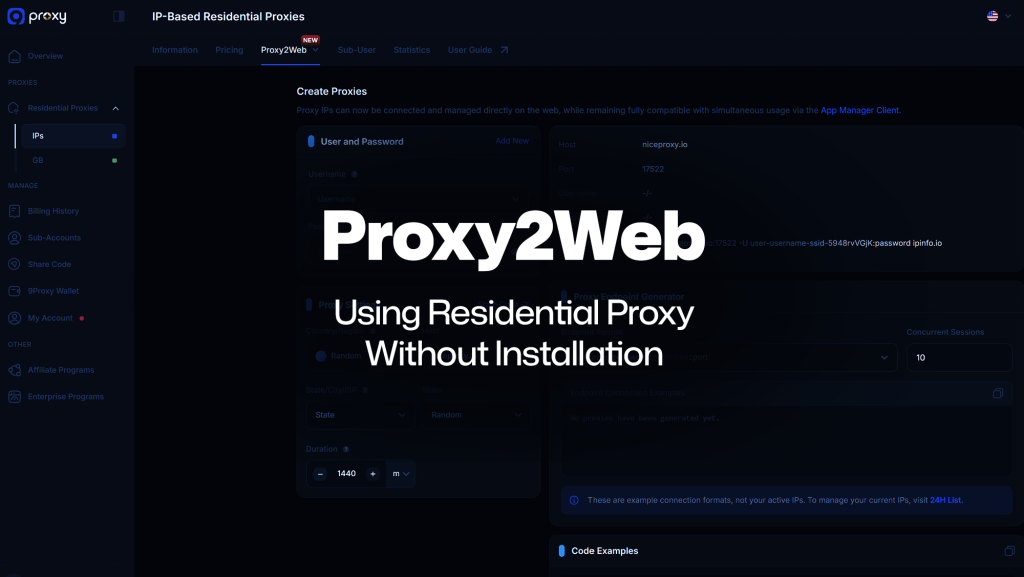
What is Proxy2Web?
Simply put, Proxy2Web is a feature that gives you instant proxy credentials without needing to install any software.
Normally, using a proxy requires you to download the 9Proxy App to act as a bridge. With Proxy2Web, we’ve moved that “bridge” to the cloud. You just visit the Dashboard, pick your location, and the system generates a ready-to-use connection string (Host, Port, User, Pass).
It’s like getting a “pre-paid ticket”: once you have the code, you can use it to log in on any browser or device you want, anytime, anywhere. No installation, no hassle.
How Proxy2Web Works
The Proxy2Web mechanism is optimized to eliminate all unnecessary intermediate steps. Instead of the traditional data flow passing through an app installed on your machine, the Proxy2Web flow works as follows:
Your Browser/Tool → 9Proxy Cloud Endpoint → Target Website
The process is incredibly straightforward:
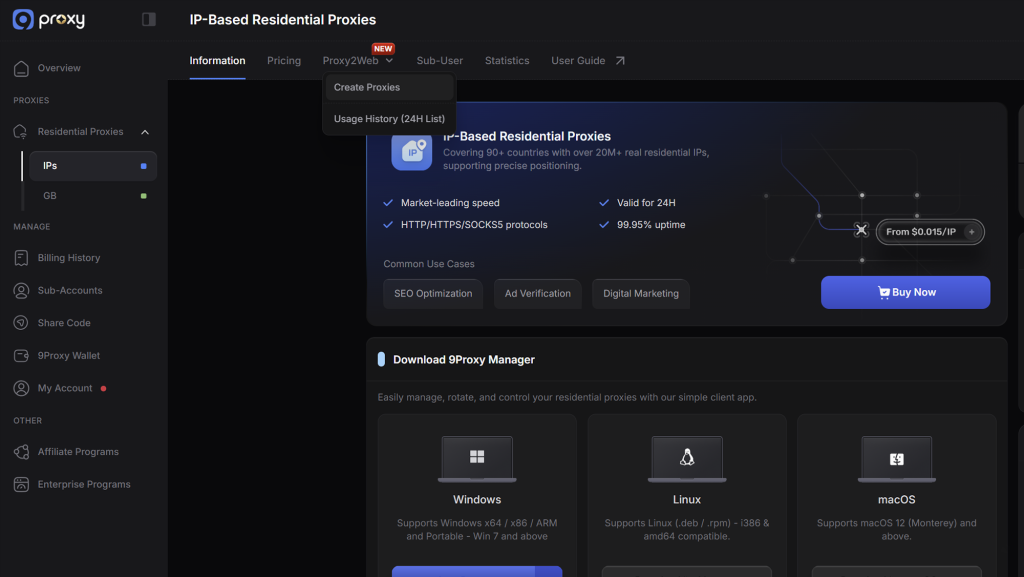
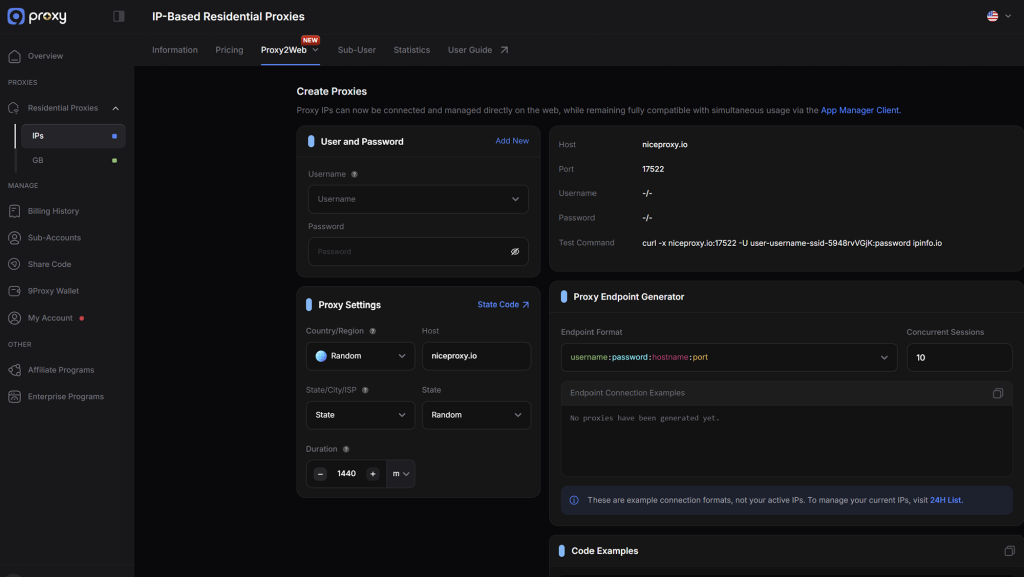
- Login & Setup: Select your Sub-user and location (Country/City) directly on the website.
- Create Endpoint: The system generates a dedicated connection port for you.
- Connect: Copy the credentials and paste them into your browser to start.
What You Get with Proxy2Web
Using Proxy2Web is about more than just convenience; it’s about absolute flexibility:
- Enhanced Connection Privacy: A cloud-based solution that assigns a dedicated residential IP to your session, ensuring your origin network remains separate from your target destination.
- Improved Content Reachability: Seamlessly access and verify localized content across different regions for SEO and marketing research without software dependencies. The system leverages high-quality Residential proxy IPs to help you simulate authentic user presence in different geographic markets.
- Resource Optimization: No more device lag or battery drain caused by running background proxy apps.
Access Proxy on Almost Any Device
Proxy2Web is compatible with almost any device or application. Beyond standard browsers like Chrome or Safari, you can easily use these credentials to configure third-party mobile apps (such as Shadowrocket or NapsternetV), specialized tools, or even your device’s system-wide proxy settings.
Whether it’s a borrowed laptop, a smartphone, or an office PC with limited installation rights, managing your connection is now as simple as “Copy and Paste.
The Fastest Way to Access 9Proxy
For new users or those needing a quick setup, Proxy2Web is the ultimate shortcut to premium IPs. You can skip the software downloads and lengthy configuration guides entirely.
By providing instant credentials directly on the dashboard, 9Proxy lets you simplify technical steps and start your first session in seconds. It is the perfect solution for anyone who values speed, efficiency, and an immediate start to their daily workflow.
Flexible Switching for Web Checks
The built-in Auto-Refresh feature ensures your connection remains stable even if an IP goes offline. The system automatically assigns a fresh, high-quality IP to maintain your access without any manual effort or interruption.
This automation is vital for tasks like global SEO audits, ad previews, or regional website QA. You can focus on your goals while 9Proxy handles the connection, ensuring your environment is always active and reliable.
Use Cases for Proxy2Web
Proxy2Web is more than just a technical feature; it is the “key” to overcoming geographical and technical barriers in your daily workflow. Here are the practical scenarios where Proxy2Web truly shines:
Managing Connectivity in Limited Network Environment
Public networks – such as those in hotels, university campuses, or corporate guest Wi-Fi – often impose strict content filtering.
With Proxy2Web, you can launch a dedicated browser session to access the information you need without being hindered by local network limitations.
Note: While Proxy2Web facilitates information access, usage should always align with local network policies and website terms of service.
The Ultimate Tool for SEO & Marketing Teams
Verifying how ads and search results appear in specific regions is critical for marketing success. Proxy2Web allows you to mimic real users in various locations for quick manual verification.
It is the perfect solution for regional QA checks and visual validation of localized landing pages, keeping your workflow simple, controlled, and human-centric.
Lowering IP Exposure on Public Wi-Fi
When working from a café or an airport, routing your requests through a proxy layer ensures that the destination site sees the proxy IP rather than your origin address. This adds a layer of privacy by reducing direct exposure of your location.
Remember, a proxy is a powerful tool but not a substitute for security hygiene: Always use HTTPS and strong passwords to keep your accounts secure.
Proxy2Web vs Other Options
Different proxy access methods solve different problems. Proxy2Web focuses on speed and zero-install usage, while other options go deeper at the device level.
| Criteria | Proxy2Web | 9Proxy App (Desktop) | Browser Extensions | VPN |
| Setup time | Very fast | Medium | Fast | Medium |
| Needs installation | No | Yes | Yes | Yes |
| Works on shared devices | Strong fit | Weak fit | Medium | Weak fit |
| Coverage | Browser session | Device-level | Browser only | Device-wide |
| Trade-offs | Targeted Session Isolation | More setup | Limited control | Not proxy-granular |
Privacy and Safe Use: What to Expect from A Browser Proxy
A browser proxy changes the IP address and routing path seen by the destination website. It does not automatically encrypt everything beyond what HTTPS already provides, and it does not replace good security habits.
You should still rely on HTTPS connections, strong passwords, and careful login practices. Sensitive account actions deserve extra caution regardless of proxy usage.
For data handling, logging scope, and retention details, users should review 9Proxy’s official policy and documentation pages directly. A proxy improves routing privacy – not total security by itself.
Why Try Proxy2Web from 9Proxy
Proxy2Web combines the scale of 9Proxy’s residential IP network with a no-install workflow. That pairing matters: ease of use without network depth is weak; network depth without usability slows adoption. This feature targets both.
Key reasons:
- No software installation required
- Session created inside your dashboard
- Backed by large residential IP coverage
Try Proxy2Web in About A Minute
- Log in to your dashboard
- Open the Proxy2Web section
- Create a proxy session with your preferred location
- Use the generated credentials in your browser proxy tool
- Start browsing through the proxy session
FAQs
Is Proxy2Web free or tied to a plan?
Proxy2Web is a free feature included in your existing 9Proxy plan. It uses your available residential IP balance without requiring any additional subscription or hidden costs.
Does it run on mobile browsers?
Yes. Since most mobile browsers lack native settings, you can apply the credentials to your device’s Wi-Fi settings or use apps like Shadowrocket/NapsternetV to route the traffic.
Is Proxy2Web the same as a VPN?
No. A VPN tunnels all device traffic, while Proxy2Web is session-based. This allows you to isolate specific browser activity while other apps stay on your local network.
Will every site load through an online web proxy?
It supports standard protocols compatible with most sites. If you face a connection issue, simply generate a fresh Endpoint with a different IP directly from your dashboard.
Can I pick country and city?
Yes. You have full access to our global residential network. You can filter by Country, State, or City directly on the dashboard before generating your cloud-based credentials.
Can I use my existing 9Proxy plan?
Proxy2Web is currently optimized for IP-based plans. If you have this plan, just log in and go to the Proxy2Web sectio1n to start using it immediately.
Conclusion
Proxy2Web is the answer to the question: “How can I use professional proxies in the simplest way possible?” No installation, no barriers, just maximum productivity.
Are you ready to upgrade your workflow? [Try Proxy2Web here] and feel the difference! If you need help picking the right plan, don’t hesitate to contact the 9Proxy support team.