CapSolver helps you solve reCAPTCHA, hCaptcha, DataDome, and more at scale, so you stop wasting time on manual puzzles. That’s why a CAPTCHA-solving tool becomes extremely valuable for developers, growth teams, QA engineers, web scrapers, and 9Proxy users who need faster, safer automation. It helps clarify where CapSolver fits inside real-world workflows that use our proxies, and how it accelerates data collection and multi-account operations without disrupting your process.
Additionally, the article will include step-by-step instructions. Quick fixes for common errors, so your projects keep running smoothly. By the end, you’ll know exactly how to set up CapSolver, reduce friction across your stack, and keep your automation stable from test to production.
What is CapSolver?
CapSolver is an AI-powered CAPTCHA-solving service that helps you handle security challenges automatically. It uses artificial intelligence (AI) and machine learning (ML) to recognize and solve common CAPTCHA types such as reCAPTCHA v2/v3, hCaptcha, FunCaptcha (Arkose Labs), Cloudflare Turnstile, GeeTest, DataDome, AWS CAPTCHA, and Image Captcha (ImageToText).
CapSolver is created for developers, businesses, and automation users who want to save time and avoid manual solving. It makes web scraping, data collection, and automated testing faster, smoother, and more reliable.
How does CapSolver work?
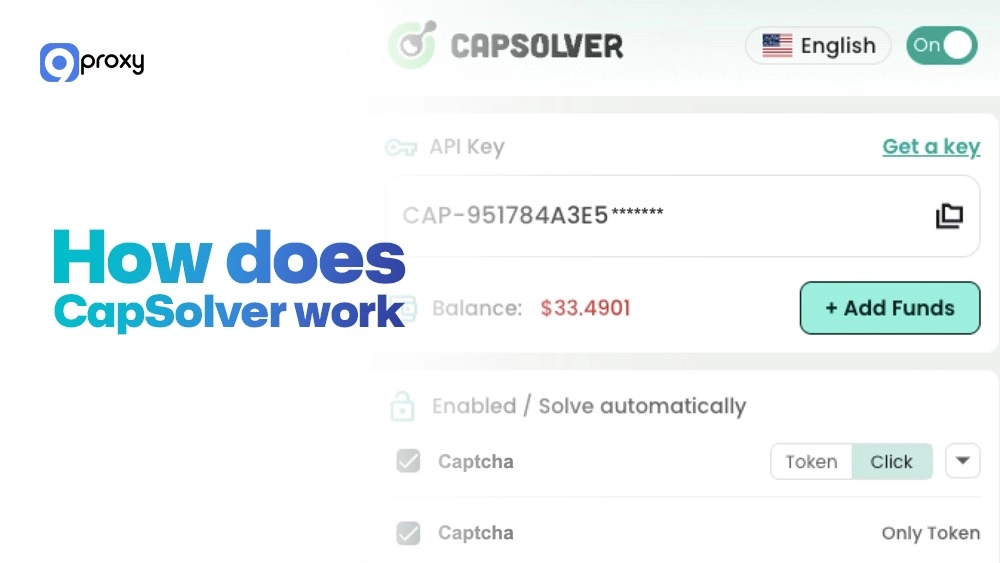
CapSolver uses very advanced AI and deep learning to solve the puzzles. Instead of needing people, the system looks at the Captcha image or the hidden security details directly. When you send a challenge to CapSolver (using the API or the extension), the steps are:
- Request: Your computer program or browser sends the Captcha details (like the website key, URL, image, and often proxy information) to the CapSolver API.
- Analysis: The AI engine figures out the Captcha type and uses its trained systems to find the right answer (like clicking certain pictures or giving a special token).
- Resolution: CapSolver sends back the solution token or text you need.
- Submission: Your program uses this solution to pass the website’s security check.
Why Should You Use CapSolver?
Using CapSolver gives big advantages to any automated process. It is incredibly fast and accurate, solving puzzles in a few seconds, much quicker than humans. This means high success rates for tasks like making new accounts.
CapSolver helps remove manual effort, speed up workflows, and cut down the cost of each solved CAPTCHA. Teams using it get steady solve times, high accuracy, and an API that connects easily with popular HTTP clients or headless browsers. It is ideal for businesses, developers, analysts, and QA engineers who need smooth, uninterrupted automation.

Use Cases of CapSolver
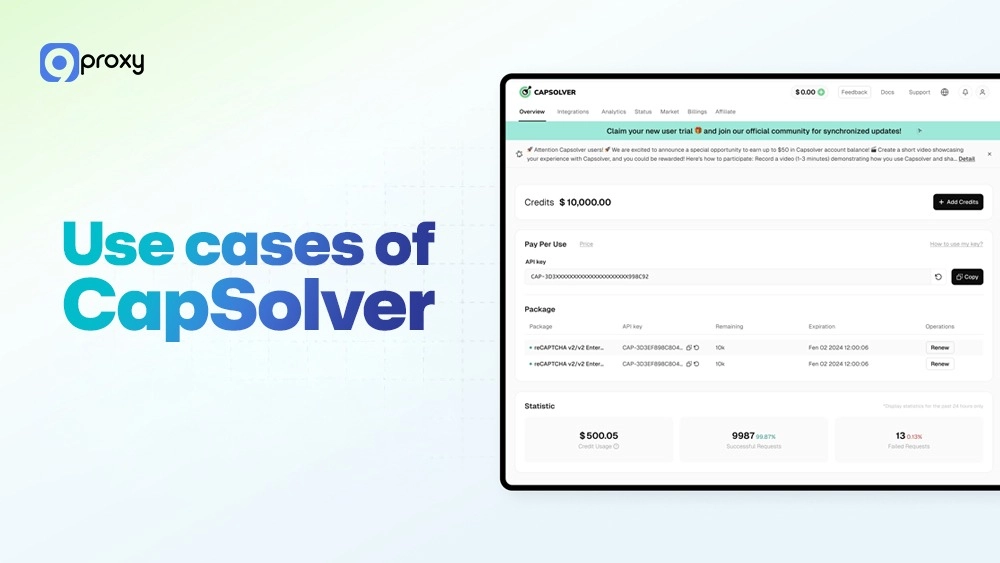
CapSolver is built to handle complex online tasks that often get blocked by Captchas. It helps automation tools, bots, and multi-account systems run smoothly without interruptions. Below are some of the most common CapSolver use cases where it saves time and improves performance.
Web Scraping and Data Collection:
When collecting large amounts of data from websites, CAPTCHAs often slow down or block scraping tools. CapSolver works directly with scraping frameworks to solve these challenges automatically. For teams using advanced multi-profile tools like Dolphin Anty browser, this allows each scraping session to appear as a unique, real user while CAPTCHAs are solved silently in the background, keeping data collection stable and uninterrupted.
Multi-Account Management (with Proxies):
For users managing multiple accounts, especially those using 9Proxy residential IPs for social media, ticket purchases, or e-commerce, CapSolver ensures every login and account action runs smoothly. When combined with an antidetect browser, automation users can isolate browser fingerprints per account while CapSolver handles repeated CAPTCHA checks in the background. This setup saves time, reduces account risk, and prevents disruptions caused by frequent security challenges.
SEO and Competitor Monitoring:
SEO professionals use automation to track rankings, audit SERPs, and analyze competitors across different regions. When running these tasks at scale with an undetectable browser, CapSolver removes CAPTCHA interruptions that would otherwise break automated crawlers. This combination keeps monitoring accurate across countries, search engines, and device profiles without manual intervention.
Retail and Botting:
In online shopping for limited-edition products, speed is crucial. CapSolver helps bots instantly solve checkout Captchas, giving users a faster and more efficient buying experience compared to manual buyers.
Key Features of CapSolver
CapSolver offers a complete set of features designed for both beginners and developers who need reliable automation. It focuses on speed, accuracy, and ease of use, making it suitable for everything from simple browsing tasks to large-scale data collection and testing projects.
- Wide Captcha Coverage: The service supports almost all modern Captcha types, even hard ones like Cloudflare Turnstile and hCaptcha Enterprise. This means you only need one tool for all your automation needs.
- High Solving Speed and Accuracy: CapSolver is very fast, often solving challenges in under five seconds, with success rates as good as human solvers. This speed is critical for tasks that need fast timing.
- Browser Extension for Non-Developers: If you don’t want to write code, the CapSolver extension works right inside Chrome to solve Captchas automatically while you browse. This is great for checking quality (QA) or simple automation tasks.
- Powerful REST API: The CapSolver API is strong and simple to use, connecting to any programming language (Python, Node.js, etc.) with easy internet requests. It helps developers build reliable, large-scale automation systems.
- Affordable and Transparent Pricing: CapSolver has clear prices based on how complex the Captcha is. This makes it easier to plan your budget for big projects.
- Dedicated Support and Documentation: CapSolver provides great written guides and tools, helping developers quickly add the service to their current tools.
Guideline for CapSolver Browser Extension Version
For quick, manual solving or testing without needing difficult code, the CapSolver extension is the perfect choice. It brings the power of CapSolver’s AI directly to your browser.
About CapSolver Browser Extension Version
The CapSolver extension is a light tool that solves CAPTCHAs automatically right where you are browsing. It works well for browser-based automation, manual solving, or quick QA testing. Users often pair it with multi-profile environments highlighted in tools like a Multilogin review, allowing them to test CAPTCHA behavior across different browser identities without writing any code.
Installation & Setup (step-by-step)
Setting up the CapSolver Chrome extension only takes a few minutes and doesn’t require any technical skills.
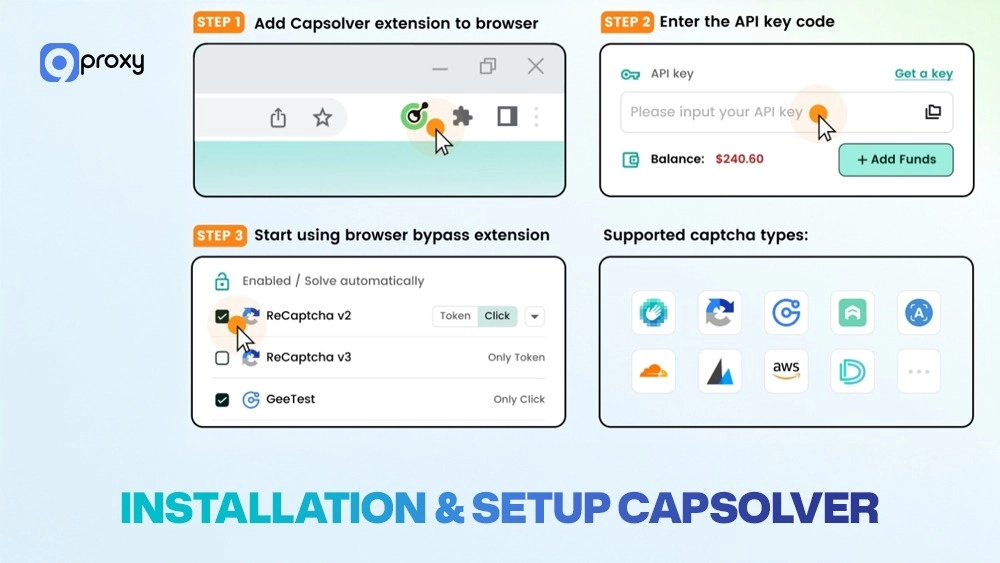
- Download: Find the CapSolver extension in the Chrome Web Store and click Add to Chrome.
- Pin it: Click the puzzle icon in Chrome and Pin the CapSolver icon so you can find it easily.
- Get API Key: Log into your CapSolver account and copy your special API key.
- Configure: Click the CapSolver icon in your browser, paste your API key, and click Save.
- Enable Solving: In the settings, make sure the Captcha types you need (like reCaptcha v2, hCaptcha) are turned on. The extension is now ready to solve.
Using the extension
The extension is simple to use. After setting up your API key, you can see your current CapSolver credit balance. When you go to a website with a Captcha that is turned on in your settings, the extension will try to solve it automatically. For example, if you see a reCAPTCHA v2, CapSolver will solve it instantly and place the solution into the website’s form.
Solving Common Issues
If your CapSolver extension isn’t working as expected, most issues can be fixed in just a few steps. Below are common problems users face and simple ways to solve them quickly.
- Extension not appearing: Make sure you are using the newest Chrome browser and that the extension is pinned. Try installing it again.
- Browser compatibility: The CapSolver extension works best for Chrome. If you use another browser based on Chrome (like Brave), it usually works, but check the official website.
- Captcha types not detected/solved: Check the extension settings to ensure the Captcha type is turned on. If your balance is zero, it will not work.
- Proxy or network issues: If the website blocks your request before the Captcha shows, the extension cannot work. Make sure your proxy connection is strong and stable.
Guideline for CapSolver API Version
The CapSolver API is made for developers and big automation projects that need speed, stability, and easy connection to their existing computer programs.
Overview of the CapSolver API
The CapSolver API uses standard internet requests (REST API over HTTP). This means it can connect easily with any programming language (Python, Node.js, etc.). Authentication is secure, using your unique API key in every request. Pricing depends on the task complexity. You use one main link to send the Captcha details and get a task ID. Then, you check a second link to get the final solution token.
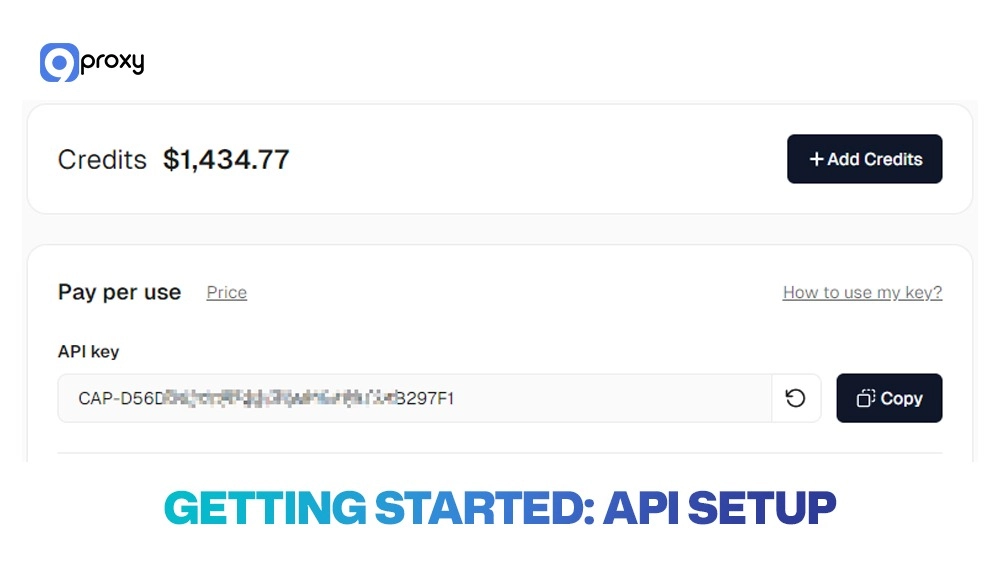
Getting started: API setup.
Getting started with the CapSolver API is simple and only takes a few steps. After creating your account and copying your API key, you can connect it to your code using Python, Node.js, or another language to start solving Captchas automatically.
- Create Account: Register and log in to your CapSolver dashboard.
- Obtain API Key: Go to the ‘API Key’ section and safely copy your unique key.
- Configure Client (Example): In your code (like Python or Node.js), you set up a part that manages the API calls, including your API key and telling the system what kind of Captcha you are solving.
- Sample Code: You send a request to the createTask link with your API key and task details in a special format (JSON).
Sample (Node.js):
const axios = require('axios');
async function solveRecaptcha(siteKey, pageUrl, apiKey){
const create = await axios.post('https://api.capsolver.com/createTask', {
clientKey: apiKey,
task: { type: 'ReCaptchaV2TaskProxyLess', websiteURL: pageUrl, websiteKey: siteKey }
});
const taskId = create.data.taskId;
// poll for result
while (true) {
const res = await axios.post('https://api.capsolver.com/getTaskResult', {
clientKey: apiKey,
taskId
});
if (res.data.status === 'ready') return res.data.solution.gRecaptchaResponse;
await new Promise(r => setTimeout(r, 2000));
}
}
Sample (Python):
import time, requests
def solve_recaptcha(site_key, page_url, api_key):
create = requests.post('https://api.capsolver.com/createTask', json={
"clientKey": api_key,
"task": {"type": "ReCaptchaV2TaskProxyLess", "websiteURL": page_url, "websiteKey": site_key}
}).json()
task_id = create["taskId"]
while True:
r = requests.post('https://api.capsolver.com/getTaskResult', json={
"clientKey": api_key, "taskId": task_id
}).json()
if r["status"] == "ready":
return r["solution"]["gRecaptchaResponse"]
time.sleep(2)
Performance, cost, and SLA considerations
When running big projects with the CapSolver API, we need to focus on speed and money. Solving speed is key; try to get the answer in under 5 seconds to avoid the website timing out. Cost per task changes, so watch how much you use and look for any bulk discounts. To save money, only solve the exact Captcha types you need. Also, know about the SLA (Service Level Agreement): CapSolver is reliable, but plan for small breaks in service in your code’s error checks.
Solving Common API Connection Issues
When working with the CapSolver API, connection errors can happen, but most are quick to fix. Below are the most common issues developers face and simple solutions to keep your Captcha-solving scripts running smoothly.
- Authentication failures: This is the most common issue. Check that your API key is correct and not expired.
- Request limits exceeded: If you send too many requests too fast, the service might limit you. Add a small delay in your code before trying again.
- Incorrect Captcha type leading to errors: Make sure the name of the Captcha type you send (e.g., HCaptchaTask) is the exact one on the website.
- Handling Captcha timeouts: If the website needs the answer too fast, you might get a timeout. Use fast, high-quality residential proxies from 9Proxy and consider faster Datacenter IPs for easier sites to speed up the whole process.

Pricing and Plans
CapSolver‘s prices are clear and flexible. They charge based on how hard the Captcha task is. For example, a simple ImageToText Captcha costs less than a difficult reCAPTCHA Enterprise. They usually use a pay-as-you-go model based on credits. Their prices are very competitive, especially for large amounts of simple Captchas.
This table shows different situations and suggests the best CapSolver feature for you:
|
User Type |
Volume |
Focus |
Suggested Plan |
|
Individual tester |
Low |
Manual solves |
Pay-as-you-go tokens |
|
Startup team |
Medium |
Mixed types |
Bundle with API + extension |
|
Enterprise ops |
High |
Speed and SLA |
High-volume tier with priority |
CapSolver offers flexible pricing that fits every user’s needs, from small projects to enterprise automation. Since it charges by Captcha difficulty, you only pay for what you use. For most users, a pay-as-you-go model works perfectly.
When choosing the right CapSolver feature, think about your goals and workload.
- If you’re an individual tester, the pay-as-you-go tokens are ideal for manual tasks and occasional automation.
- A startup team running both browser and API automation will benefit from combining the API with the CapSolver extension.
- Large enterprise operations that need speed and guaranteed uptime should go for the high-volume tier with priority access.
By selecting the right plan, you’ll save time, control costs, and get the best performance for your automation needs.
Conclusion
Knowing how to use CapSolver is essential for anyone who automates web tasks. Above, we have shown you how to set up the simple CapSolver Chrome extension for quick use and the strong CapSolver API for big projects, including how to fix common problems. Whether you need high speed or continuous access for scraping, CapSolver provides the reliable, AI-powered solution. If CapSolver is not a match for you, you can find similar AI-based tools like nocaptchaai, which also provide CAPTCHA-solving technology.
To make sure your requests are never blocked before the Captcha appears, use high-quality, hidden residential proxies. Contact 9Proxy today to get the best residential proxy IPs to run your CapSolver automation!