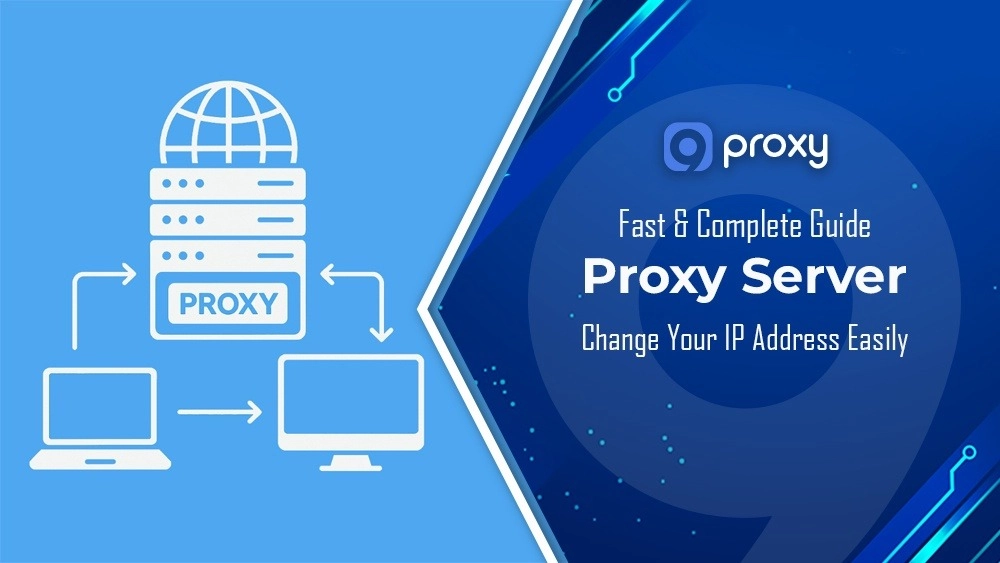
Using a Proxy Server Change IP is the fastest way to protect your online identity, access geo-restricted content, and enjoy more freedom on the web. Whether you’re an SEO specialist, marketer, QA tester, or casual internet user, this blog will walk you through everything you need to know.
You’ll discover how to use a Proxy Server Change IP for complete privacy, test from different regions, manage multiple accounts securely, and improve browsing speed. 9Proxy also explains the key proxy types, setup methods for every device, rotation techniques, and best practices to stay safe and anonymous while exploring the internet without limitations.
Understanding Proxy Servers & IP Address Change
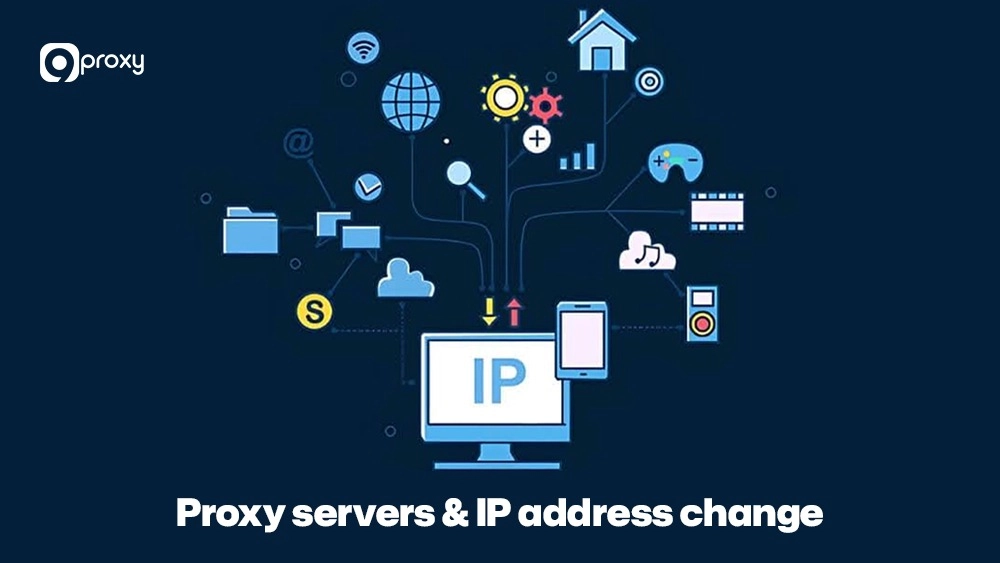
A Proxy Server Change IP works by routing your internet traffic through an intermediary server so that websites see the proxy’s IP address instead of your own. When you connect online, your Internet Service Provider (ISP) assigns you a Public IP, which identifies your network to the web, while your local devices use Private IPs to communicate internally. By using a proxy, your Public IP is masked and replaced with the proxy server’s IP, often from a different city, country, or ISP.
Common types of proxies include Residential proxies, which use real IPs assigned by internet service providers and appear as genuine user connections, and Datacenter proxies, which are fast and hosted on powerful servers. You can also choose Dedicated, Shared, or Rotating proxies, with rotating ones automatically changing your IP at set intervals for better anonymity.
How to Change Your Proxy Server IP Address?
To successfully execute a proxy server change IP address, you need a reliable provider and the correct setup procedure for your chosen platform. The process is straightforward, but attention to detail is key to a smooth experience.
Step 1: Choose a Reliable Proxy Provider
Choosing the right provider is the first and most important step. The quality of your provider affects your connection speed, privacy, and how reliably you can change locations.
When selecting a service to change IP address proxy server, focus on key factors such as coverage, the cleanliness of the IP pool, and overall reliability to ensure smooth, secure performance. At 9Proxy, we provide residential proxies at competitive prices with stable, high-quality performance.
|
Goal |
Recommended Type |
Why it fits |
What to check |
|
Speed / automation |
Datacenter or SOCKS5 |
Lowest latency, cheap |
Ping, bandwidth, concurrent ports |
|
Geo accuracy / trust |
Residential |
Real ISP IPs, harder to disable |
Countries, cities, ISPs available |
|
Mobile apps / anti-bot |
Mobile (4G/5G) |
Highest trust on mobile |
Carrier mix, session length |
|
Long sessions |
Dedicated residential |
Stable identity |
Sticky sessions, rotation control |
This brief guide helps you select the correct proxy type based on your needs for anonymity, speed, and reliability when you need a proxy server to change IP location.
Step 2: Set up Proxy on Different Platforms
The setup process varies slightly depending on whether you are configuring the proxy on your entire operating system or just a specific application.
On PC (Windows, MacOS)
Setting up a proxy at the operating system level directs all your internet traffic through the proxy.
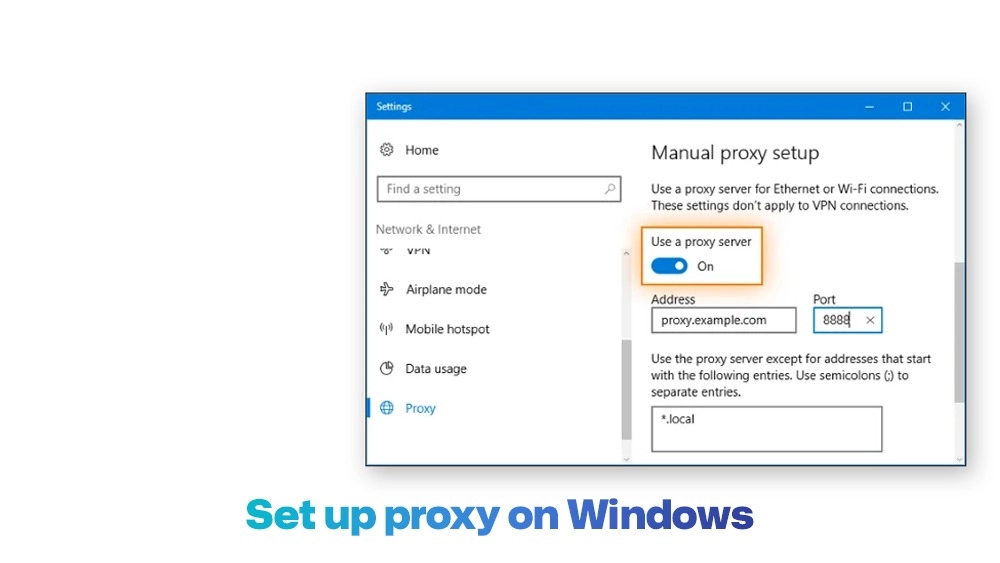
Windows:
- Go to Settings > Network & Internet > Proxy.
- Under “Manual proxy setup,” turn on “Use a proxy server.”
- Enter the Proxy IP Address and Port provided by your service (e.g., 9Proxy).
- Save the changes. If authentication is needed, you will be prompted for your username and password when connecting.
For users who primarily browse the web, you can also configure proxy rules directly at the browser level. Detailed steps for managing Chrome proxy settings can help you control proxy behavior per profile without affecting system-wide traffic.
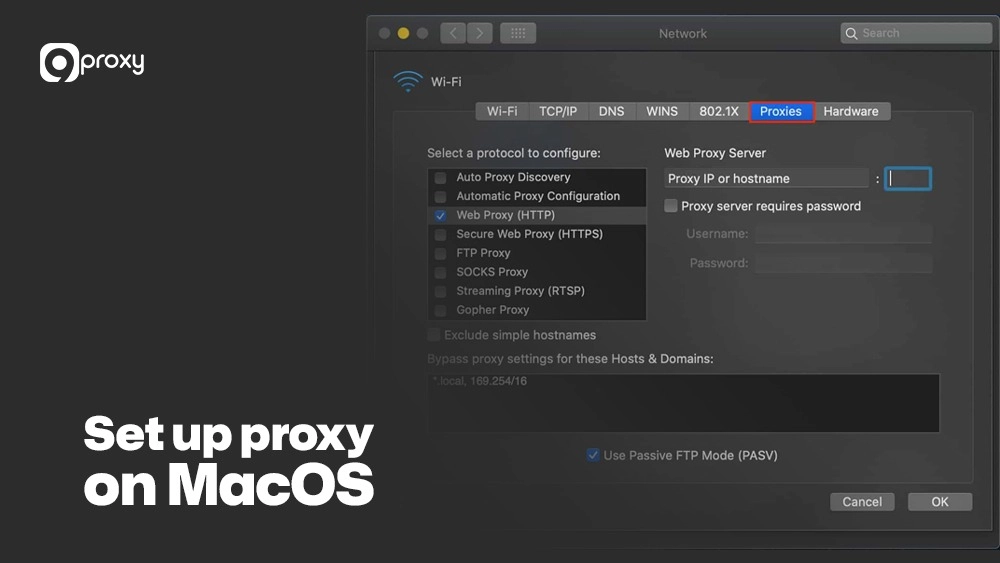
MacOS:
- Open System Settings > Network.
- Select your active connection (Wi-Fi or Ethernet) and click Details.
- Go to the Proxies tab.
- Check SOCKS Proxy or HTTP Proxy, depending on your provider’s instructions.
- Enter the Proxy Server IP and Port number from your provider (for example, 9Proxy).
- Click OK, then Apply to save your changes.
On Mobile: Android, iOS
You can configure proxies through your Wi-Fi network settings.
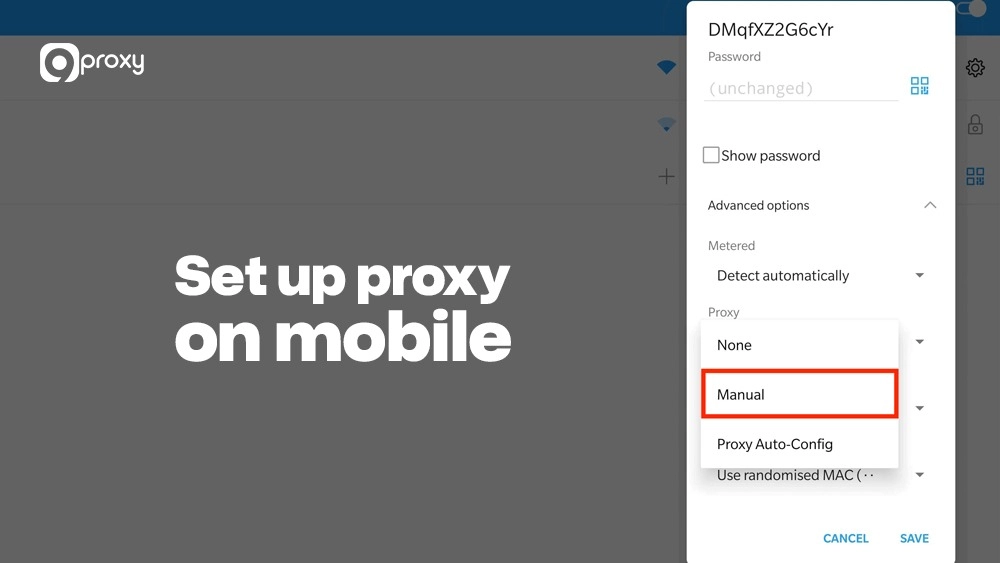
Android/iOS (Wi-Fi):
- Go to Settings > Wi-Fi and tap on your connected network.
- Look for the Proxy setting (usually under “Modify Network” or “HTTP Proxy”).
- Select Manual and enter the proxy’s Server/Hostname (IP) and Port.
- Save the settings.
If you are using Apple devices frequently for browsing or testing location-based services, following a dedicated guide for iPhone proxy settings makes it easier to switch IPs without repeated manual configuration.
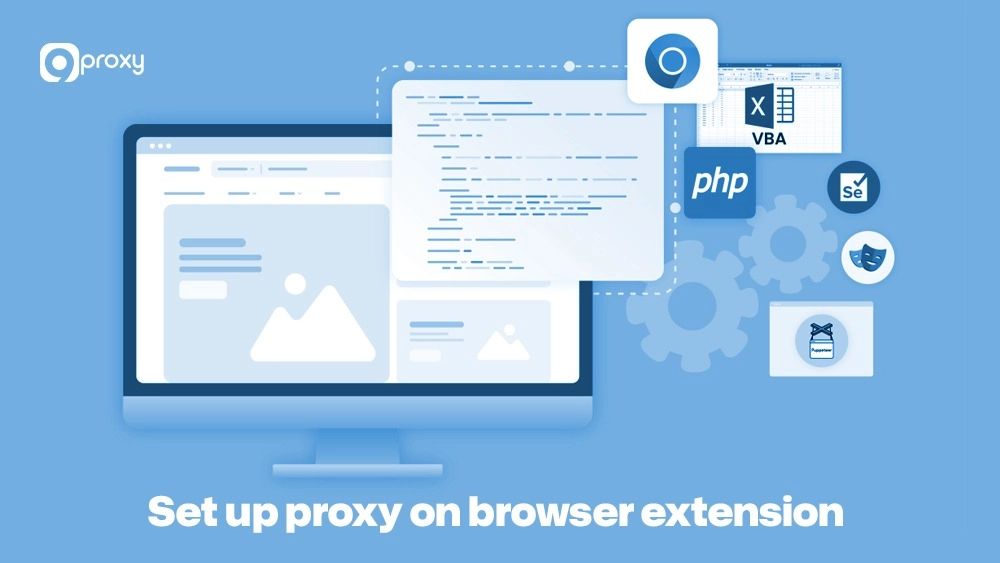
On browser extensions.
Many proxy providers and third-party tools offer browser extensions (for Chrome, Firefox, etc.). These extensions make it easy to switch your proxy IP without changing your operating system settings. They are ideal for quick, per-browser proxy server change IP operations or for connecting to services like proxy server omegle, where browser-level proxy routing helps ensure secure and private communication.
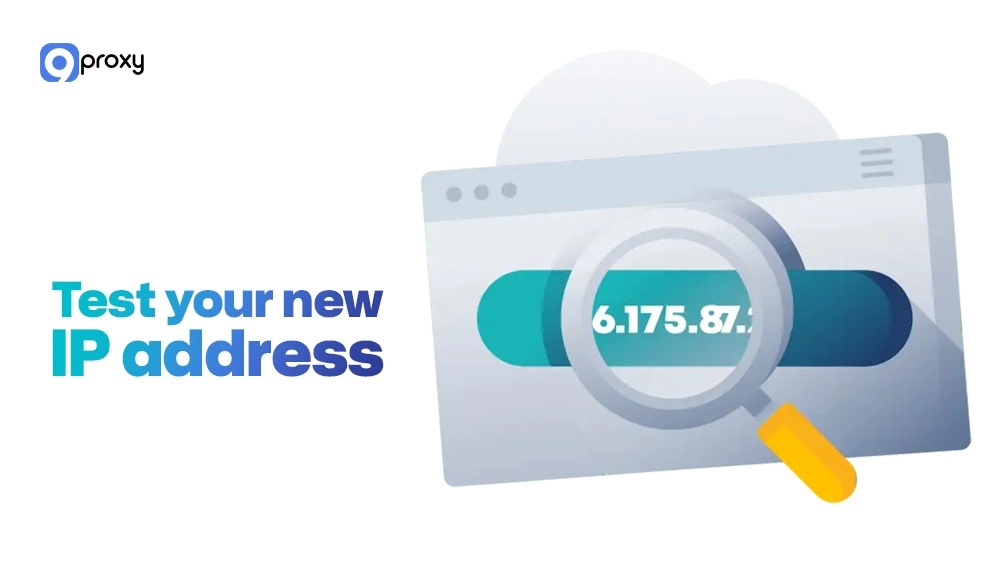
Step 3: Test Your New IP Address
After setting up your proxy server to change IP, the most critical step is confirming that your connection is actually using the new IP address and not leaking your old one.
Before Connection: Use a simple online tool like WhatIsMyIP.com to note down your original Public IP address.
Connect to Proxy: Follow the steps in the previous section to activate your proxy connection.
After Connection: Revisit WhatIsMyIP.com. If the proxy is working correctly, the displayed IP address will be the IP of the proxy server you are using. This confirms that your proxy server change IP location is successful.
Checking Location: The tool should also show a location (country/city) that matches the location of the proxy you selected from your provider (e.g., 9Proxy). If the IP and location have successfully changed, you are ready to browse, scrape, or game anonymously.
If your original IP still shows, double-check that you entered the IP address and port correctly in the proxy settings.
Why Might You Want to Change IP Via a Proxy Server?
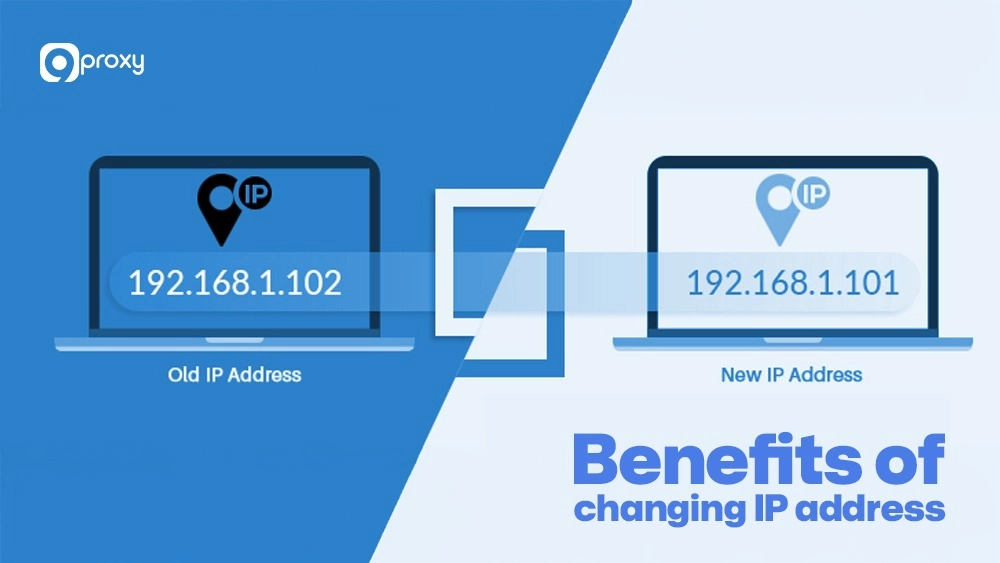
Using a change IP address proxy server is a smart way to stay safe and flexible online. It offers major benefits compared to a normal internet connection and is useful for many important tasks:
- Accessing content in different geolocations: Some websites, streaming platforms, or games restrict access by country. By using a proxy IP from another region, you can easily pass over these limits and reach the content you want.
- Testing websites from other IPs or locations: Developers and SEO experts can view how their sites or ads appear to users in different countries or ISPs, helping them test performance and localization accurately.
- Hiding your origin IP for privacy and security: A proxy masks your real IP address, making it harder for websites or attackers to track you.
- Avoiding IP-based limiting: If your original IP is banned or restricted, connecting through a proxy with a new IP address lets you quickly restore access to the service or site.
Professionals, remote workers, and freelancers can also benefit from a freelancer proxy server to manage multiple accounts safely, test projects from different regions, and maintain online privacy while working with global clients.
Advanced Techniques for Changing Your IP Address
When one simply needs to change the IP address proxy server, a simple setup is enough. However, for continuous, large-scale, or highly sensitive tasks, advanced techniques are necessary.
Use Cases for Changing IPs with Advanced Techniques
- Web Scraping: Automated data collection requires a constant flow of fresh IP addresses to avoid being throttled or banned by target websites. Rotating proxies are mandatory here.
- Streaming: Changing your IP location via a proxy allows you to access geo-restricted content libraries from services like Netflix or Hulu that are unavailable in your home country.
- Ad Verification: Marketers use location-specific IPs to verify that their advertisements are correctly displayed to target audiences in different geographic regions.
For AI-powered tools and automation workflows, routing requests through a ChatGPT proxy allows consistent access across regions while reducing IP-based request limits during high-volume usage.
Using Proxy Rotations to Stay Anonymous
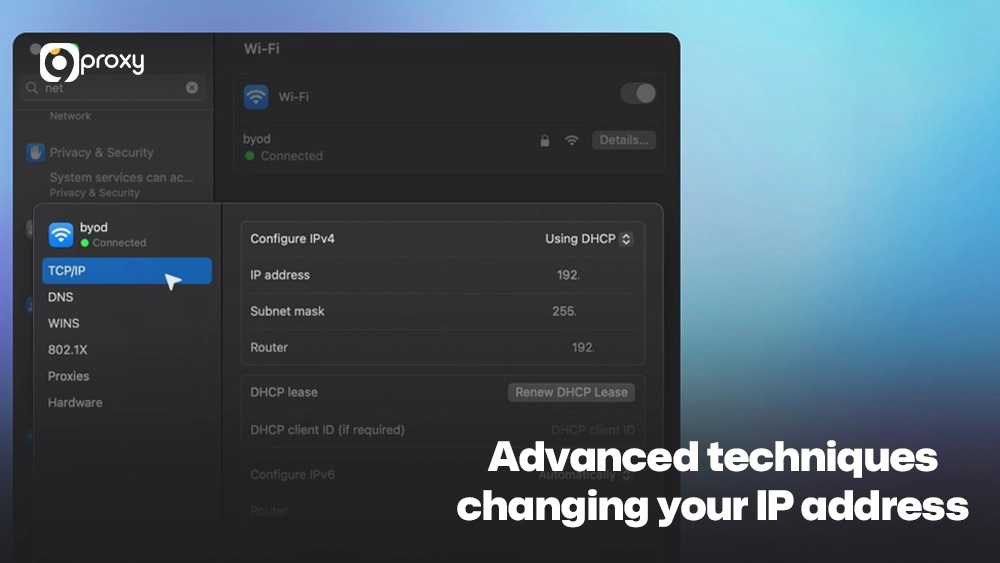
A rotating proxy is a system that automatically assigns you a new IP address from a pool after every request or after a set time interval (e.g., every 5 minutes). This adds significant security and is essential for tasks like web scraping, where continuous requests from a single IP will quickly lead to blocks. Providers like 9Proxy offer dynamic proxies, which are constantly changing IPs.
Configuring Proxies for Enhanced Security and Anonymity
For a “double layer” of protection, some users choose to tunnel their VPN connection through a proxy (or vice-versa). This combines the global routing benefits of the proxy with the end-to-end encryption of the VPN. However, remember this will almost certainly slow down your connection.
Troubleshooting Common Issues
Even when using the best proxy server for gaming or web scraping, technical issues can still occur. Below are simple tips from 9Proxy to help you fix common problems quickly.
Proxy Server Not Working
- Check Connection Details: Make sure your IP address, port number, and login credentials (username and password) are correct. Even one small typo can prevent the connection.
- Test Proxy Status: If you’re a 9Proxy user, remember our 60-second guarantee. If the proxy doesn’t work within that time, you can check the Today List for an instant replacement or contact our support team.
IP Still Shows Old Address
- Clear Browser Cache: Sometimes, your browser stores the old IP information. Clear cache and cookies, then test again.
- Check OS Settings: Ensure the new proxy settings are saved correctly in your operating system or browser extension.
Proxy Connection Slows Down Internet Speed
- Use Faster Proxy Types: Datacenter proxies usually provide higher speed than residential proxies, though they may offer less anonymity.
- Reduce Proxy Distance: Choose a proxy server closer to your location or target website for faster data transfer.
- Check Bandwidth: Some providers limit data usage, causing slow speeds. With 9Proxy, you get unlimited bandwidth per IP for smooth and stable performance.
Security and Privacy Considerations
Having the ability to perform a proxy server change IP location is powerful, but it also requires responsibility. Always make safety and privacy your top priorities when choosing and using any proxy service.
Free proxies may seem convenient, but they often log your activity or inject malware. Paid services like 9Proxy ensure secure data handling and reliable speeds. You can also use proxies to buy things cheaper with proxies by switching IPs to compare regional prices safely and legally.
Risks of Using Free Proxies
Free proxies can be a good choice, but they often track your activity and sell your data to third parties. They can also be slow, unstable, and may even inject malware into your browsing session. To stay safe, always choose a paid and trusted provider.
Ensuring Safe Use of Proxies for Sensitive Activities
- Trusted Providers: Use only services with a clean, unique IP pool to reduce the risk of connecting through blacklisted or unsafe addresses.
- Authentication: Always enable proxy authentication (username and password) when available to prevent unauthorized access to your proxy sessions.
Legal and Ethical Considerations
Using a proxy server to change IP is legal, but using it to violate a website’s Terms of Service, such as scraping restricted data or creating fake accounts, is unethical and can lead to bans or legal action. Always check and follow the TOS of any site or service you access.
Types of Proxy Servers & How They Impact IP Change
The type of proxy you use plays a major role in how effective and reliable your change IP address proxy server setup will be, especially when dealing with strict websites or network restrictions.
The table below compares the most common proxy server types, showing their differences in speed, cost, and success rate when changing your IP address and location.
|
Type |
Strengths |
Trade-offs |
Best for |
|
Datacenter |
Fast, low cost |
Easier to detect/ban |
Automation, quick tests |
|
Residential |
High trust, geo accuracy |
Higher cost, slower than DC |
E-commerce checks, QA, sign-ins |
|
Mobile (4G/5G) |
Very high trust in mobile sites |
Costly, bandwidth limits |
App testing, mobile-first sites |
|
Shared |
Cheaper, instant access |
Noisy neighbors, rate limits |
Light tasks, learning |
|
Dedicated |
Stable identity, fewer flags |
Higher price per IP |
Long sessions, accounts |
|
Rotating |
Fresh IPs, evade throttling |
Session handling required |
Scraping, distributed tasks |
|
Location-targeted |
City/ISP precision |
May have limited stock |
Geo-specific research |
A dynamic, rotating residential proxy is the most reliable and discreet option for performing a proxy server change IP location, as its IPs come from real user devices, making them appear authentic to websites. Trusted providers like 9Proxy also allow users to select proxies from specific countries or cities for precise targeting or console setup, similar to how a proxy server ps4 helps optimize online gaming performance.
9Proxy – The Best Proxy Provider to Change IP Address Safely
When you need a guaranteed and safe Proxy Server Change IP address, 9Proxy is the expert you can trust. We specialize in delivering high-quality, fully compatible proxy solutions that keep your new IP secure, trusted, and effective. Our IPs are perfect for activities that require strong anonymity and stability, such as multi-account management, web scraping, or secure online access.
Key Advantages of 9Proxy for Reliable IP Change:
- 100% real residential proxies: We provide dynamic IPs from real users in over 90 countries, ensuring authenticity and high trust.
- Clean and unique proxy pool: With a pool of over 9 million IPs that are not shared with other providers, the risk of blacklisting is extremely low.
- Unlimited bandwidth per IP: Perfect for data-heavy tasks like scraping, uploading, or streaming because we charge per IP, not per gigabyte.
- Affordable pricing: Plans start from just $0.04 per IP, giving you premium quality at an excellent price.
- Crypto payment perks: Enjoy a 5% bonus in IPs when paying with cryptocurrency.
FAQ
Can I use multiple proxies simultaneously?
Yes. This method, known as proxy chaining, lets you route traffic through multiple proxies for extra anonymity. Keep in mind, however, that adding too many layers can slow down your connection speed.
Do all proxies support both HTTP and HTTPS traffic?
Not always. Some only support HTTP. For secure and encrypted browsing, choose proxies that support HTTPS. 9Proxy supports HTTP, HTTPS, and SOCKS5 protocols for maximum flexibility.
Can proxies protect me from hackers?
A proxy hides your real IP address, making it harder for hackers to find and attack you directly. However, a proxy alone isn’t a full security solution. You should still use strong passwords and anti-malware protection for complete safety.
Conclusion
Learning how to use a Proxy Server Change IP effectively is key to improving online privacy, overcoming geo-restrictions, and staying anonymous on the internet. By understanding the right proxy types and following our setup guides, you can appear online safely from anywhere in the world. For the best results, always choose a trusted provider who offers fast, secure, and reliable residential proxies.
Start exploring 9Proxy’s proxy plans today and change your IP address easily, safely, and with confidence.