

CORS proxy server issues are something most frontend developers run into at some point. If your browser blocks an API request even though the same request works in tools like Postman, you are likely dealing with a CORS error.
This article of 9Proxy explains what a CORS proxy server is, why browsers enforce CORS rules, and how a CORS proxy works as a bridge to access blocked resources safely. We also explain how these proxies work in practice, when a CORS proxy free service can be useful for testing, and when free options may introduce risks you should avoid.

What Is a CORS Proxy?
A CORS proxy server is a helper service that lets a web browser access data from another website when normal browser rules would block the request. Browsers enforce the same-origin policy, which means a site can only read data from its own domain unless permission is given. This protects users, but it causes problems when developers need data from public or third-party APIs. A CORS proxy solves this by acting as a middle layer.
Instead of calling the API directly, the browser sends the request to the proxy, which forwards it to the target server and returns the response with the correct headers. This allows the browser to accept the data without changing the original API.

How a CORS Proxy Works
A CORS proxy server follows a simple flow: browser → proxy → target server → proxy → browser. The key difference is that the proxy edits the response headers before sending them back.
In practice, the proxy adds headers such as Access-Control-Allow-Origin, which tells the browser that the response is allowed. This makes the browser accept the data instead of blocking it. Example using fetch:
fetch(‘https://CORSproxy.io/?https://api.example.com/data’)
.then(res => res.json())
.then(data => console.log(data));
In this flow, the browser never talks directly to the API. The proxy CORS layer handles communication and header rewriting for you.
Common Use Cases for CORS Proxies
We usually see CORS proxy tools used when developers do not have control over the backend server. In these cases, a proxy becomes a practical workaround. Many of these situations also overlap with broader proxy use cases such as API testing, automation, and browser-based data collection. Keep in mind that CORS proxies are not permanent solutions, but they are very useful in certain situations.
- Frontend developers calling public APIs: When an API does not include proper CORS headers, a CORS proxy allows frontend code to access the data without changing the backend.
- Testing APIs in development environments: During local testing, developers often use a CORS proxy free option to quickly check API responses.
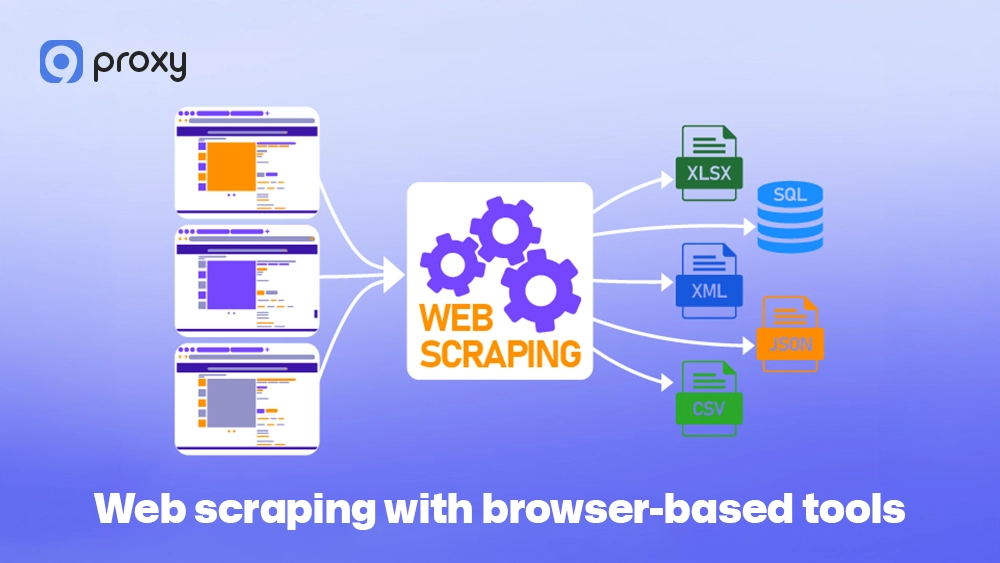
- Web scraping with browser-based tools: Some scraping tools run directly in the browser, where CORS rules apply. In these cases, a CORS proxy combined with a web scraping proxy helps bypass browser limits while reducing the risk of IP blocks during repeated requests.
- Mobile or web apps without a backend: If an app is frontend-only, a CORS proxy service can temporarily act as a backend layer to fetch data.
Free CORS Proxy Services (Pros, Cons & Usage Tips)
Free tools are often the first choice when testing CORS behavior. However, they come with limits you should understand. Below is a short list of commonly used free CORS proxy services and how they compare.
| Service | Rate Limits | Auth Required | Best For | Risks |
| CORS-anywhere.herokuapp.com | Very limited | Yes | Local testing | Downtime, throttling |
| thingproxy.freeboard.io | Low | No | Small API calls | Size limits |
| api.allorigins.win | Moderate | No | Public data | No guarantees |
A free CORS proxy works well for quick tests or demos. However, for production use or sensitive data, public proxies can be risky because of logging, usage limits, and instability. Use them with caution and never send private or confidential information through them.
How to Set Up Your Own CORS Proxy (Simple Guide)
If you want full control and better security, setting up your own CORS proxy server is the smartest choice. It allows you to manage traffic on your own terms, avoid unknown third-party services, and keep sensitive data within an environment you trust.
Method 1 – Build a CORS Proxy with Node.js and Express
This is the most popular method for JavaScript developers because it is simple, lightweight, and can be set up in just a few minutes. It works especially well for local testing and development.
- Initialize your project by creating a new folder and running npm init -y.
- Install the required packages by running npm install express CORS axios.
- Create the server by adding a server.js file and using the CORS middleware to allow all origins.
- Run the server with node server.js.
Once started, your proxy will be live at http://localhost:8080, allowing you to safely route requests during local development.

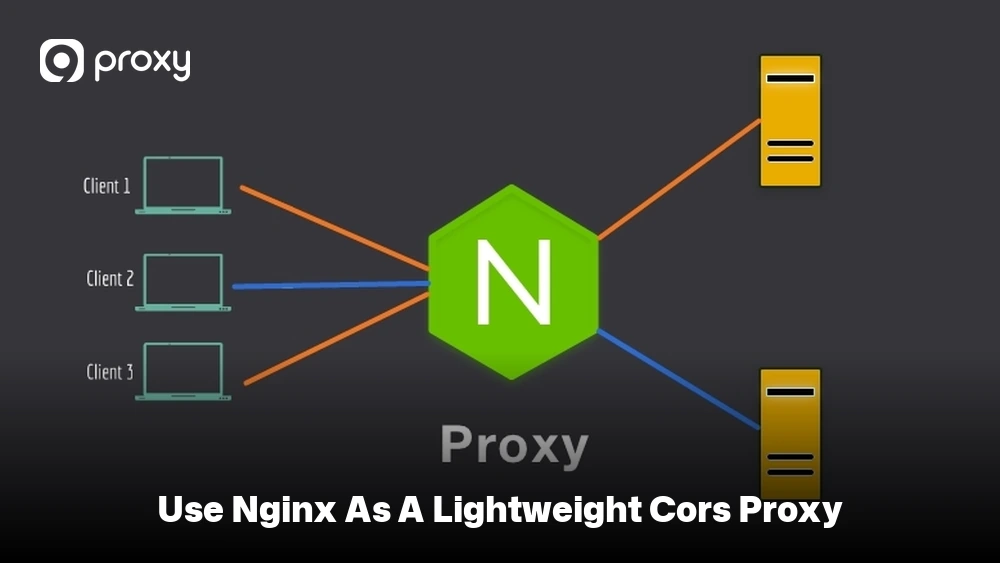
Method 2 – Use NGINX as a Lightweight CORS Proxy
For users who prefer a DevOps-style setup, NGINX is a fast and efficient option. It works well if you already have NGINX running and want a lightweight CORS proxy server without using Node.js.
You only need to add a small configuration block to your NGINX server:
location /proxy/ {
proxy_pass $arg_url;
add_header ‘Access-Control-Allow-Origin’ ‘*’;
add_header ‘Access-Control-Allow-Methods’ ‘GET, POST, OPTIONS’;
add_header ‘Access-Control-Allow-Headers’ ‘Content-Type’;
}
After saving the configuration, restart NGINX with sudo systemctl restart nginx.
Once it’s running, you can access external resources through http://yourdomain.com/proxy/?url=https://target-website.com, allowing browser requests to bypass CORS restrictions safely.
Should You Self-Host or Use a Third-Party CORS Proxy?
Choosing between these two options depends mainly on your project’s current stage and how much security and control you need. To make the decision easier, we’ve outlined clear situations where each approach makes sense.
Use a third-party service if:
- You need a working solution within seconds to fix a quick bug or test an idea.
- You are building a personal project, demo, or simple prototype where speed matters more than long-term stability.
- You don’t want to spend time setting up, configuring, or maintaining your own server.
Self-host your own proxy if:
- You are handling sensitive data such as user credentials, tokens, or private API keys.
- You need reliable performance without strict rate limits or unexpected downtime.
- You are preparing to move your project into a production or production-like environment where stability and control are critical.

Troubleshooting: Common CORS Proxy Problems and Fixes
Even when you are using a proxy, problems can still occur. In most cases, these issues are not caused by the proxy itself but by incorrect settings or failed Preflight checks. Understanding where these errors come from makes them much easier to identify and fix.
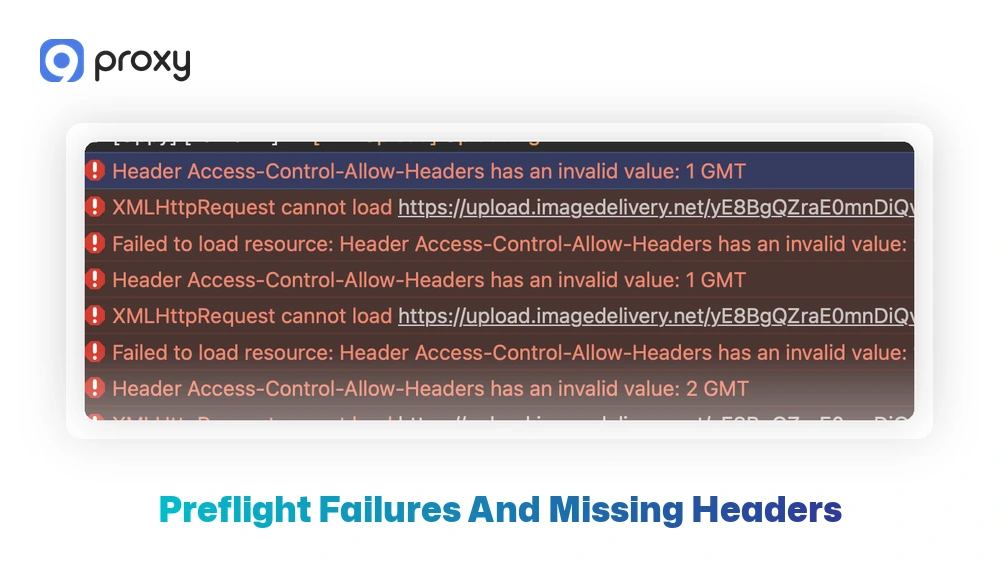
Preflight Failures and Missing Headers
Browsers often send an OPTIONS request before making the actual request. This step is known as a preflight check and is used to confirm whether the request is allowed.
Common problems include:
- OPTIONS requests are being blocked by the proxy
- Missing Access-Control-Allow-Origin headers in the response
- Using wildcard origins together with credentials, which browsers do not allow
Most fixes involve allowing OPTIONS requests and making sure all required headers are returned correctly. In some environments, incorrect proxy server dns settings can also cause failed requests or inconsistent API resolution behavior.
Why It Works in Postman but Not the Browser
Tools like Postman or curl do not follow CORS rules, but web browsers do. Because of this, the same request can behave differently. This means:
- The API may work fine in Postman or curl
- The browser may still block it for security reasons
This does not mean the API is broken. It simply means the browser is protecting users. When building frontend applications, always test CORS behavior in a real browser, not just in testing tools. This difference is especially important when moving from frontend tests to backend workflows like Python web scraping, where CORS restrictions do not apply.

CORS Proxy vs CORS Headers vs VPNs: What’s the Difference?
These technologies are often confused because they all sit between you and the internet, but they serve very different purposes. The table below clearly shows the technical differences between these three common solutions.
| Feature | CORS Proxy | CORS Headers | VPNs |
| Primary Goal | Modify headers to bypass SOP | Native server permission | Change IP/Location |
| Best Used For | 3rd party APIs you don’t own | Your own backend | Privacy and geo-unblocking |
| Implementation | Middle server | Server-side code | System/App level |
While a CORS proxy server is a great workaround, adding proper CORS headers to your own server is always the long-term fix. VPNs are unrelated to CORS and won’t help you bypass browser security errors. If your application handles authentication, routing, or API traffic management at scale, comparing api proxy vs api gateway architectures can help you choose the right infrastructure model.
How to Choose the Right CORS Proxy for Your Project
Before choosing a CORS proxy service, it’s important to ask yourself a few key questions so you don’t over- or under-engineer your setup. On Blog9Proxy, developers often compare hosted and self-managed proxy setups based on scalability, privacy, and maintenance requirements. Start by thinking about the following:
- Are you only testing, or is this going into production?
- Do you control the backend server, or is it managed by a third party?
- Do you need features like authentication or rate-limit control?
Decision guide:
- Free vs Paid: Free options work well for testing, while paid services offer better reliability.
- Public vs Private: Public proxies may log traffic, whereas private proxies are safer.
- Hosted vs Self-deployed: Hosted services save time, while self-hosting gives you more control.
In the end, choose the simplest option that still meets your security and stability needs.

Using 9Proxy Residential Proxies for Stable and CORS-Friendly Requests
A CORS proxy server is useful for fixing header-related issues, but achieving long-term and reliable results requires more than that. When you send repeated requests, stable routing and clean IP addresses become just as important to avoid blocks, timeouts, or inconsistent responses. This is exactly where 9Proxy adds real value by providing dependable infrastructure designed for frequent and large-scale requests.
Key advantages of 9Proxy include:
- 20M+ clean residential proxies across more than 90 countries
- 99.95% uptime for reliable and consistent connections
- High anonymity with private, non-shared IP pools
- Precise targeting by country, state, city, and ISP
- Flexible pricing options: pay per IP or per GB, starting from $0.015/IP and $0.68/GB
- Crypto payment perks: receive 5% bonus IP when paying with cryptocurrency
Our residential proxies integrate smoothly with frontend tools and backend systems, helping you reduce blocks while keeping requests stable, predictable, and efficient. This is particularly useful for advanced workflows such as AI web scraping, where large-scale data collection requires both clean IPs and consistent request behavior.

FAQs
Is using a CORS proxy server safe?
Safety depends on the provider you choose. Public CORS proxies may log requests, limit usage, or expose data to third parties. For higher security, it’s best to self-host your own proxy or use a trusted provider like 9Proxy that focuses on privacy and reliability.
Are CORS proxy servers only for web development?
They are mainly used to bypass browser-based security restrictions. However, they can also support data integration or testing tasks when a target server does not include proper CORS headers.
Are there any performance implications when using a CORS proxy server?
Yes. A CORS proxy server adds an extra step between the browser and the target server, which can increase response time. The impact depends on the proxy’s location, load, and network quality. Using a proxy server that is geographically close to your users or the target API can reduce delays and help keep performance stable, especially for repeated requests.
How can I secure my CORS proxy server?
To keep your CORS proxy server secure, you should limit how many requests each user can send by using rate-limiting. Only allow trusted origins to access the proxy, add authentication if the proxy is shared, and keep the server software updated to reduce the risk of misuse or security issues.
Are there any limitations to what a CORS proxy server can do?
Yes. A CORS proxy server cannot resolve Content Security Policy (CSP) restrictions and has limited ability to manage complex cookies or session handling across multiple domains.
Conclusion
Understanding how to use a CORS proxy server is an important skill for modern web developers. Whether you choose a free service for quick testing or set up an NGINX proxy for a professional application, these tools help you work around browser restrictions. When handling sensitive data, always put security first by self-hosting your proxy.
If you need a strong and reliable solution with global coverage, explore 9Proxy’s residential IP services to keep your CORS system stable, private, and high-performing.