Dolphin Anty is a next-gen anti-detect browser that lets you manage multiple online identities without triggering detection. As browser fingerprinting, cookie tracking, and IP blacklists become smarter, tools like Dolphin Anty are essential for those working across different accounts or markets.
The article is helpful for affiliate marketers, e-commerce sellers, media buyers, social media managers, and researchers. After reading, you’ll learn how to download Dolphin Anty, connect it with 9Proxy, set up your proxies, and get the most from this powerful combo. Let’s walk you through the exact steps, plus tips to stay safe and efficient online.
What is Dolphin Anty?
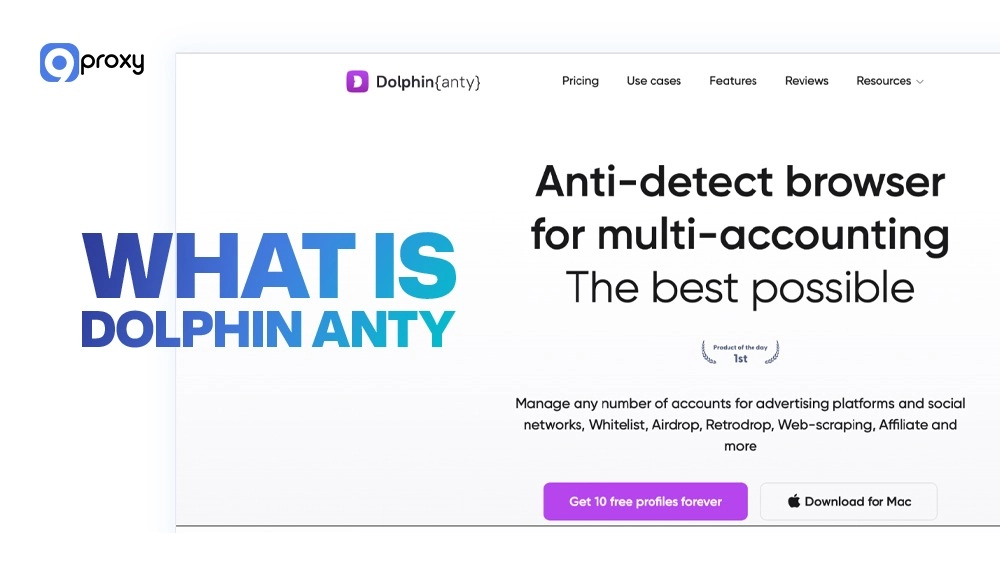
Dolphin Anty is a powerful anti-detect browser that helps you manage multiple online accounts safely and anonymously. Unlike normal browsers or incognito mode, Dolphin Anty creates unique browser profiles, each with its own digital fingerprint, cookies, and proxy, so they appear as completely separate real users. For a more detailed overview of its core capabilities and supported workflows, you can also read our full guide on the Dolphin Anty browser.
It hides key identifiers like your device info, screen size, fonts, and WebGL settings, making each profile look like it’s coming from a different device. This makes Dolphin Anty especially useful for affiliate marketing, e-commerce, and social media tasks that require handling many accounts without getting flagged or banned.
How Does Dolphin Anty Work?
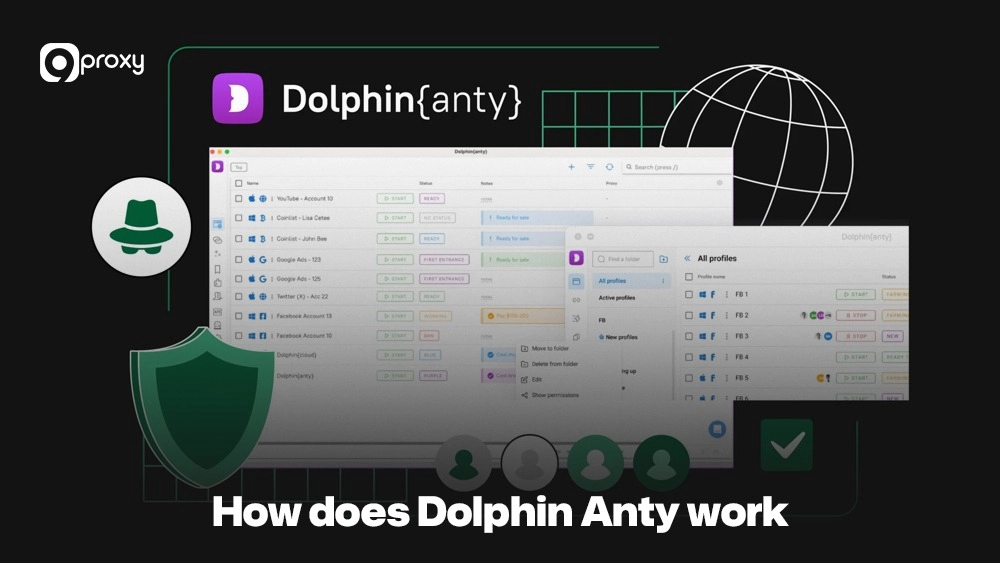
Dolphin Anty works by isolating and disguising your digital identity to prevent websites from recognizing or linking your activities. When you create and open a new profile, the browser assigns it a unique and realistic set of technical details called a digital fingerprint.
This is what sets Dolphin Anty apart from using incognito mode or a regular VPN. While a VPN only changes your IP address, it does not hide your browser’s fingerprint. That fingerprint stays the same and can easily expose you to anti-fraud systems. Dolphin Anty operates as a true antidetect browser, changing all the key identifiers such as the User-Agent, WebGL, Canvas, and Audio context so each profile appears as a separate physical device.
For those curious about how anonymity and IP masking laws apply to proxy use, you can read more in Is It Legal to Use Proxy a helpful guide that explains the legal side of using privacy tools like Dolphin Anty and proxies responsibly.
Why Should You Use Dolphin Anty?
If you are serious about multi-accounting, security, and getting things done efficiently, Dolphin Anty offers big benefits compared to traditional methods. Its features are designed to meet the needs of professional digital marketers, e-commerce sellers, and data scrapers.
| Benefit | Description & Use Case |
| Enhanced Anonymous Security Mode | Each profile acts like a separate device, which is why Dolphin Anty is often compared with other tools in the same category. Solutions built on undetectable browser technology focus on preventing correlation between sessions, devices, and accounts, making them essential for professional multi-account workflows across ads, e-commerce, and data collection. |
| Ad and Tracking Blocking | The browser reduces annoying ads and trackers, which can slow down your work and potentially risk your unique profile identity. |
| Seamless Team Collaboration | Features like user roles (Admin, Team Lead, User), profile sharing, and cloud synchronization across different operating systems let teams work on shared projects with secure, well-organized access. |
| Effortless Profile & Proxy Management | Easily manage hundreds of profiles, assign tags, set statuses, and, most importantly, integrate and switch proxies like those from 9Proxy with the best possible speed. |
Many professionals rely on Dolphin Anty to stay anonymous and operate efficiently online. Whether you’re running ads, managing multiple storefronts, or collecting data at scale, Dolphin Anty helps you avoid detection and keep your accounts safe and separate. Here’s who uses it and why.
- Affiliate Marketers: To run and scale many advertising accounts on platforms like Facebook, Google, and TikTok for testing campaigns and managing traffic arbitrage.
- E-commerce & Dropshippers: To manage multiple seller accounts on marketplaces (Amazon, eBay, Shopify) from one dashboard without the risk of the accounts being connected.
- Data Researchers & Scraping: To get around location restrictions and anti-bot protections, allowing large-scale data collection using unique IP addresses that are not banned.
Features & Functionalities of Dolphin Anty
Dolphin Anty comes with a set of features that turn multi-accounting from a complicated task into a simple, scalable process. It combines strong anonymity tools with effective organizing and automation capabilities.
The table below shows the main features and functions that make Dolphin Anty a leader in the industry.
| Feature | Description |
| Profile Management | Manage hundreds of browser profiles, each with isolated cookies, proxies, and storage |
| Fingerprint Spoofing | Customize User-Agent, WebGL, WebRTC, screen size, language, etc. |
| Proxy Integration | Supports HTTP, HTTPS, SOCKS5, SSH; add rotating or static IPs, including datacenter proxies for scalable, high-speed operations |
| Cookie & Storage Management | Auto cookie generation, cookie bot, and warm-up features |
| Automation & Scenario Builder | Visual task builder, Puppeteer, API access; ideal for repetitive tasks |
| Team Collaboration & Role Control | Share access, assign roles, collaborate securely in teams |
| Cross-Platform Support | Works on Windows, macOS, Linux; mobile version under development |
Dolphin Anty combines enterprise-level features with a user-friendly interface, making it ideal for solo users and teams managing multiple online operations. When evaluating alternatives or feature depth, many users compare similar tools side by side, such as in our Multilogin review, to understand how profile isolation, automation, and fingerprint control differ between platforms.
How to Set Up 9Proxy in Dolphin Anty Browser?
To get the most benefit from Dolphin Anty, you must have a reliable proxy solution. We will guide you through how to quickly add a 9Proxy residential proxy into a new browser profile, making sure your account has a secure and unique identity.
Before You Begin
Before we start the proxy setup, the application must be installed and ready. Please go to the official Dolphin Anty website to complete the Dolphin Anty download and installation. After installing, open the app, create your account, and log in to the main dashboard.
Step 1: Accessing The Proxy List On 9Proxy
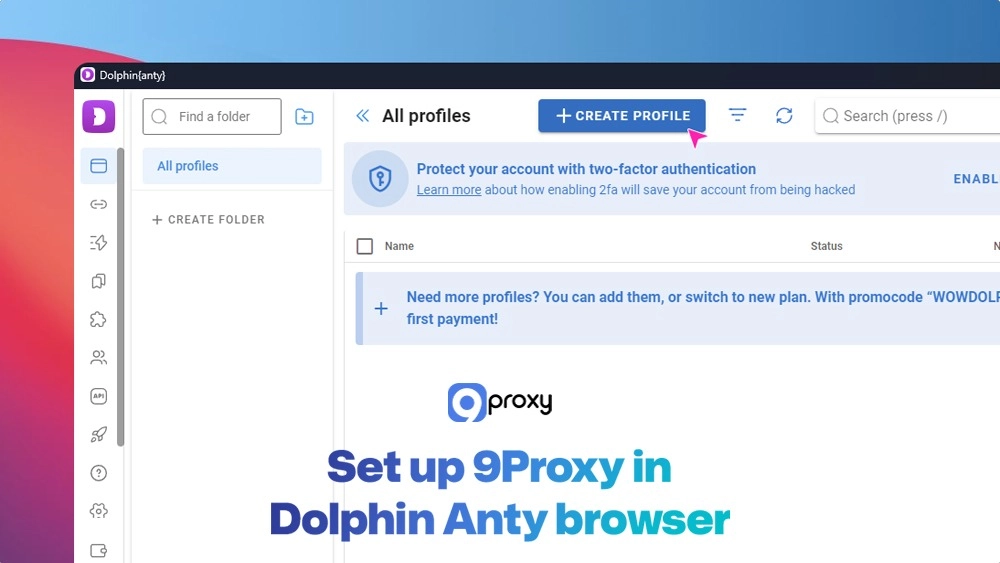
We need to get the proxy details from your 9Proxy account first. Here is a quick, step-by-step process to select, configure, and retrieve the required Local IP from your 9Proxy dashboard for integration with Dolphin Anty.
- Open your 9Proxy dashboard and go to the Proxy List tab.
- Choose your target location (country, state, city, ZIP, or ISP).
- Use Geolocation Targeting to fine-tune IPs based on region.
- Choose your proxy type: Residential, Mobile, or Datacenter.
- Click Forward to Port to bind a proxy to a specific port.
- View active proxies under the Forwarding List.
- Click Test to confirm if the proxy is live and stable.
- Copy the Local IP:Port combo for use in Dolphin Anty.
You can forward and configure 9Proxy IPs based on geolocation and performance, then pull the proxy details for browser setup.
Step 2: Create a Browser Profile in Dolphin Anty
Now that your 9Proxy details are ready, it is time to create the unique profile in the anti-detect browser.
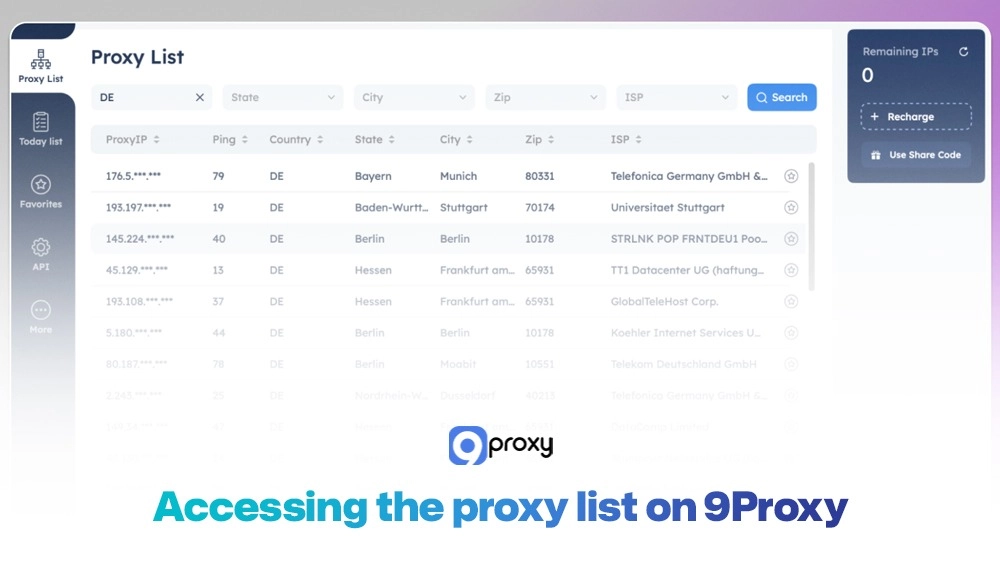
- Open Dolphin Anty.
- Click on Create Profile on the home screen.
- Give the profile a name, e.g., “US Ads Account” or “Client 3”.
Each profile acts like a separate device; you could customize it based on the task or target platform. Tools like undetectable browser technology are what make Dolphin Anty’s profiles so realistic and effective for avoiding detection.
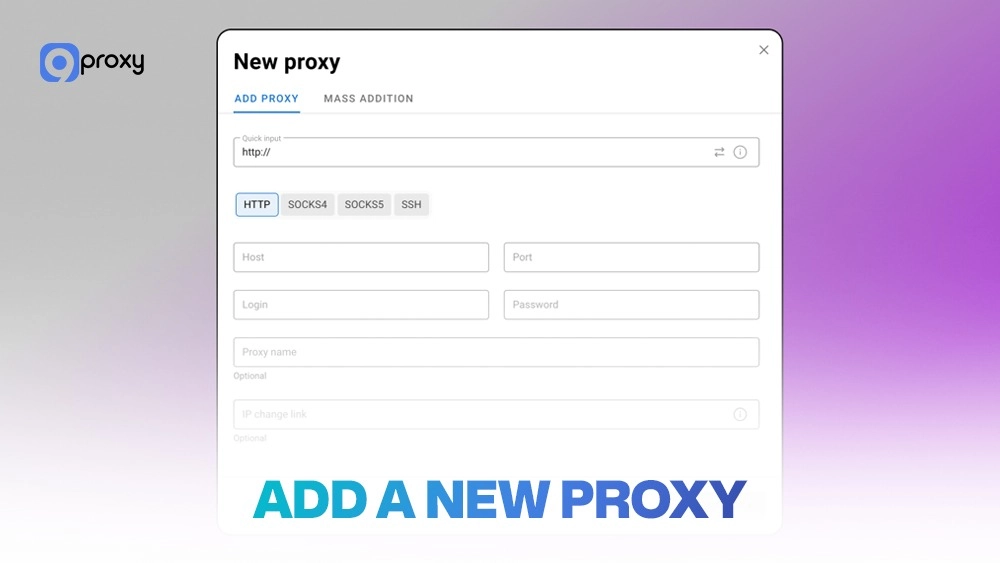
Step 3: Add a New Proxy
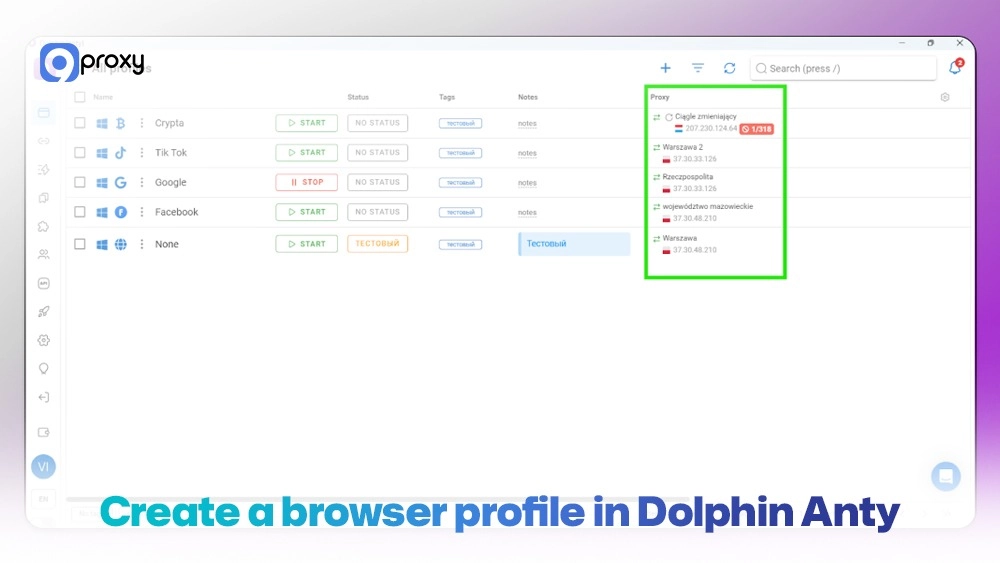
This is the step where we connect your unique profile to the 9Proxy IP. After entering your profile name, scroll down to the “Proxy” section.
- In the profile setup screen, go to the New Proxy tab.
- Select your proxy type (HTTP or SOCKS5).
- Paste in your proxy in this format: 127.0.0.1:5000 (or whatever your 9Proxy IP:Port is).
- Click Test Connection to verify.
Adding proxies in Dolphin Anty is easy, just paste the details and test to confirm they’re working.
Step 4: Save Your Settings
Once the connection test passes, you are ready to finish the setup. Click CREATE at the bottom or top-right to save the profile. You will see the main profile list again.
- Once verified, click Create to save your browser profile.
- Press Start to launch the profile using your new proxy.
Launching profiles is one click away, fully loaded with your proxy, fingerprint settings, and cookie state.
Step 5: Verifying Your Proxy
The final and most important step is to confirm that your IP is being correctly hidden within the profile. Once the new browser profile window opens, visit a reliable IP checker website like ipinfo.io to verify your external IP. You can also use advanced fingerprint testing tools such as BrowserScan to confirm that your browser environment, IP, and fingerprint data match the intended profile configuration.
For additional privacy layers, such as routing specific email sessions through proxies, consider learning about email proxy server setups to secure communications alongside your browsing.
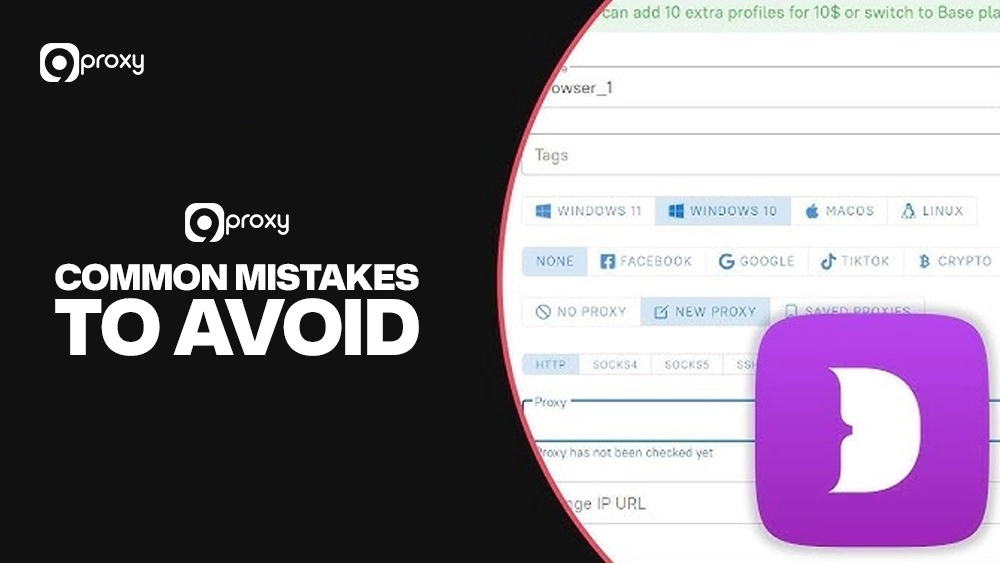
Avoid Common Mistakes When Using Dolphin Anty
To keep your browsing experience with Dolphin Anty smooth, secure, and truly undetectable, it’s important to follow these key best practices carefully:
- IP Usage: Never use the same proxy IP address for more than one active profile at a time. Doing so can immediately link your accounts and expose them to detection.
- Fingerprint Consistency: Make sure each profile has a unique setup. Avoid repeating elements like identical fonts, screen resolution, or time zones, as these can create patterns that anti-fraud systems easily recognize.
- Reliability: Check your proxy connection before launching any profile. Ensuring good proxy uptime is critical to preventing interruptions and detection.
- Organization: Use Dolphin Anty’s built-in tags and folders to organize your profiles by campaign or client. This improves workflow and helps prevent errors.
By strictly applying these practices, you’ll keep your multi-accounting activities hidden, efficient, and much more stable over time.
Pricing and Plans
Pricing and Plans
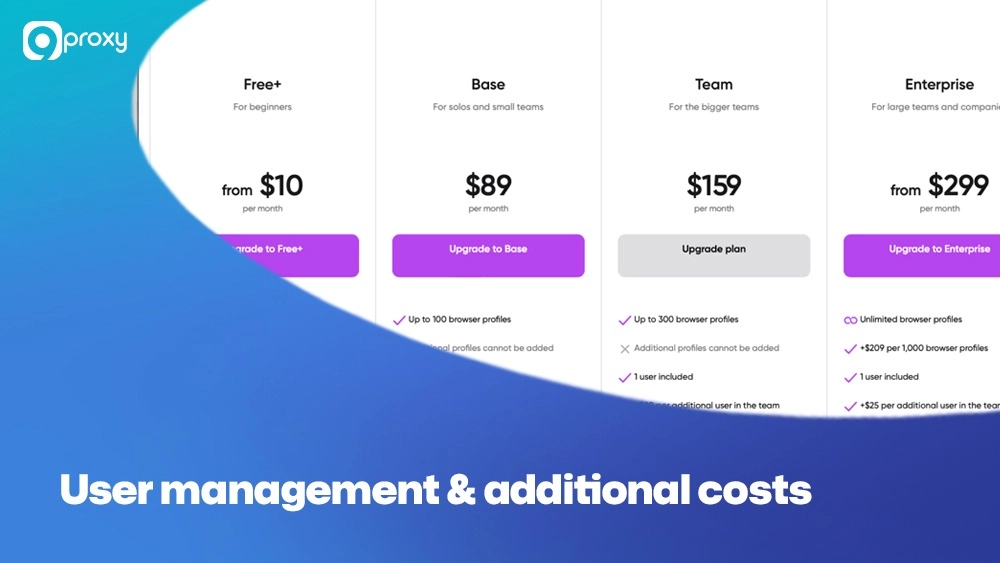
Dolphin Anty provides several pricing levels to suit the needs of individual users, small teams, and large companies. The plans mainly differ based on the number of profiles and the available collaboration features. This table summarizes the most popular Dolphin Anty subscription plans that users often choose.
| Plan Name | Best For | Included Profiles | Additional Profiles | Monthly Price | Key Features |
| Free | Beginners/ Testing | 5 | N/A | $0 | Basic Fingerprint Spoofing, Single User, Limited Features |
| Free+ (Starter) | Small Businesses/Testers | Up to 60 | $10 per 10 profiles (max 50 additional) | $10 – $50+ | Enhanced Fingerprint Spoofing, Cloud Sync, 1 User, API Access |
| Base | Solo Professionals | 100 | Cannot purchase additional | $89 | Full Proxy Manager, Cloud Sync, 1 User, Automation Builder, Priority Support |
| Team | Medium-Sized Teams | 300 | Cannot purchase additional | $159 | Automation Builder, Profile Sharing, Multi-User (additional users $20/each) |
| Enterprise | Large Operations | Unlimited | Unlimited | $299+ | Dedicated Support, Advanced API Access, Multi-User (additional users $25/each), Custom Integrations |
What’s New in 2025
Dolphin Anty made several updates to its pricing model in 2025 to better meet user needs and ensure long-term platform stability:
Free Plan Reduction: Since September 2025, the Free plan now includes 5 profiles instead of 10, helping the platform stay sustainable for all users.
Free+ Tier Launch: A new entry-level plan was introduced at just $10/month, perfect for users who need between 5 and 60 profiles but aren’t ready to upgrade to the $89/month Base plan.
Enterprise Tier Pricing: Enterprise users can now access unlimited profiles starting at $299/month, with added benefits like dedicated account managers and customized solutions.
User Management & Additional Costs
If you’re working with a team, you can add extra users to your plan as follows:
- Base Plan: $10 per additional user
- Team Plan: $20 per additional user
- Enterprise Plan: $25 per additional user
*This Dolphin Anty pricing information was updated on November 11, 2025.
Key Considerations When Choosing a Plan
Profile Requirements: Choose based on how many browser profiles you need. The Free plan is best for testing. Free+ works for small setups. Base fits professional use. Team is built for shared access. Enterprise suits large-scale teams.
Team Collaboration: If you plan to work as a team, the Team plan at $159/month offers better value than adding users to the Base plan.
Long-Term Savings: Pay yearly and save up to 40% on any paid plan.
Feature Limitations: Keep in mind, the Free plan has restricted features. For full access to tools like proxy settings and cloud sync, go for Free+ or Base.
If you’re exploring more solutions in this space, you might also want to check out ixbrowser, another advanced anti-detect browser with similar identity protection features.
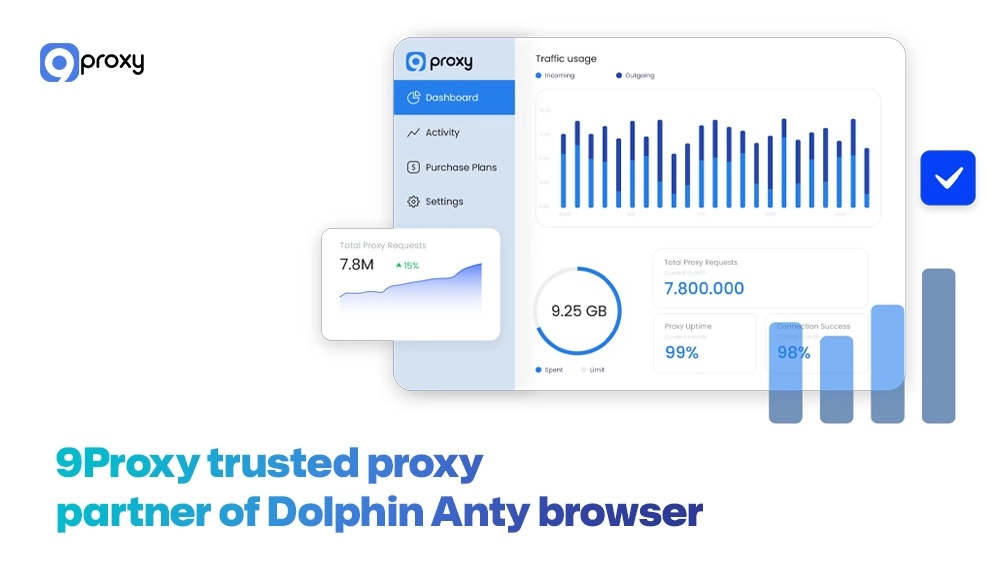
9Proxy: Trusted Proxy Partner of Dolphin Anty Browser
9Proxy is a top provider of high-quality proxy solutions, perfectly designed for anti-detect browsers like Dolphin Anty. We understand that you need reliable, clean, and fast IPs that guarantee uptime and anonymous performance for managing your multiple accounts.
Key Advantages of 9Proxy for Dolphin Anty Users:
- 100% Real Residential Proxies: We offer genuine residential IPs that come from real users in over 90 countries, making your profile look very legitimate to target websites.
- Clean and Private Proxy Pool: Our exclusive proxy pool is not shared, which greatly lowers the risk of blacklisting. This is essential for keeping your accounts healthy in the long run.
- Unlimited Bandwidth per IP: Unlike other providers, we sell single IPs with unlimited data usage. This is ideal for tasks that require a lot of data, like scraping and large-scale automation.
- Affordable and Flexible Pricing: Our prices are very competitive, starting from just ~$0.04/IP, ensuring you can expand your operations without spending too much.
We aim to be the most compatible and reliable Dolphin Anty proxy solution available, giving you the strong base you need for successful, large-scale multi-accounting.
Conclusion
In short, setting up 9Proxy within the Dolphin Anty platform is a quick and simple process that creates the foundation for a secure multi-accounting operation. By following our quick guide, you can make sure that each of your browser profiles is separate, using a unique fingerprint and a high-quality, undetectable residential IP. This combination of powerful anti-detect technology and reliable proxy service maximizes your security and efficiency.
Are you ready to secure your accounts? We encourage you to check out 9Proxy to find the perfect Dolphin Anty proxy solution that fits your scaling needs.